
Scenario:
A multinational corporation has been hit by a cyber attack that has led to the theft of sensitive data. The attack was carried out using a variant of the BlackEnergy v2 malware that has never been seen before. The company’s security team has acquired a memory dump of the infected machine, and they want you, as a soc analyst, to analyze the dump to understand the attack scope and impact.
Questions:
Q1: Which volatility profile would be best for this machine?
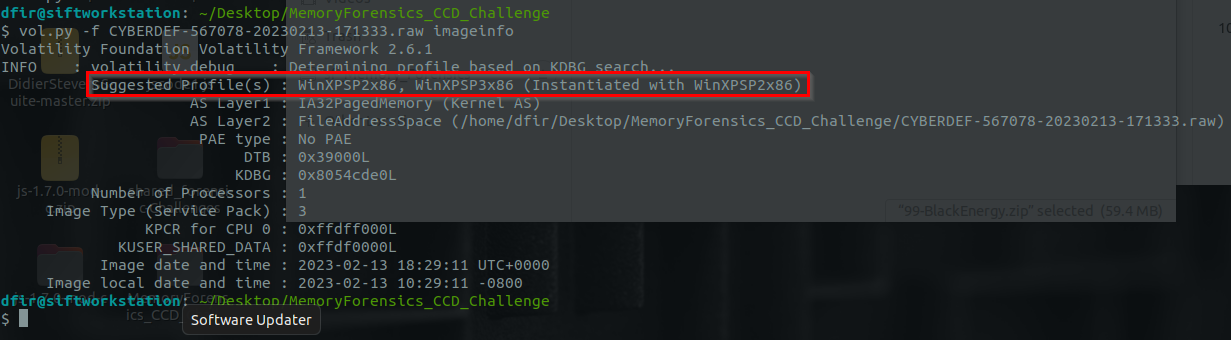
Getting general information about this memory:
1
vol.py -f CYBERDEF-567078-20230213-171333.raw imageinfo
From Windows VM:
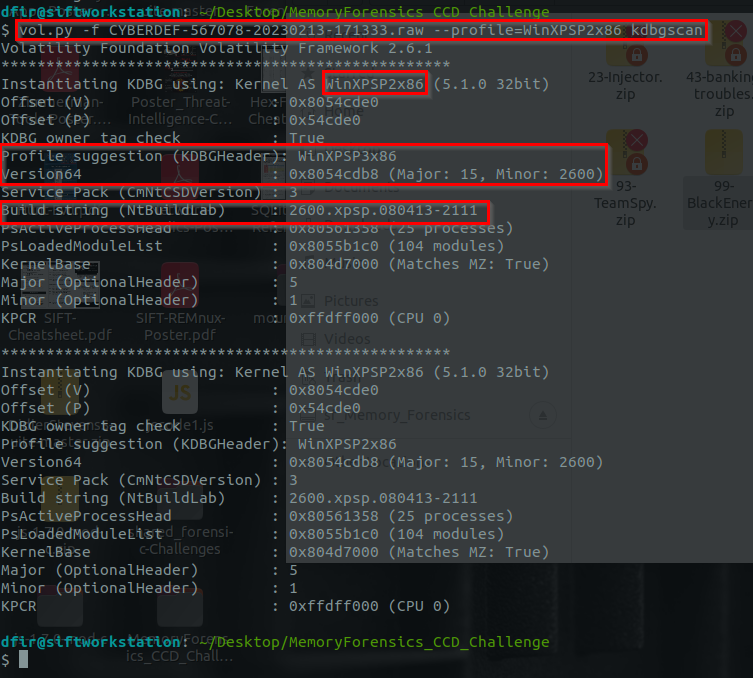
Executing imageinfo to get the profile for this image with the assumption that the profile was the first suggestion WinXPSP2x86 with the use of kdbgscan:
1
vol.py -f CYBERDEF-567078-20230213-171333.raw --profile=WinXPSP2x86 kdbgscan
1
- KdCopyDataBlock address is not here. We need that for `pslist` but I guess we can use pslist without it.
Answer:
1
WinXPSP2x86
Q2: How many processes were running when the image was acquired?
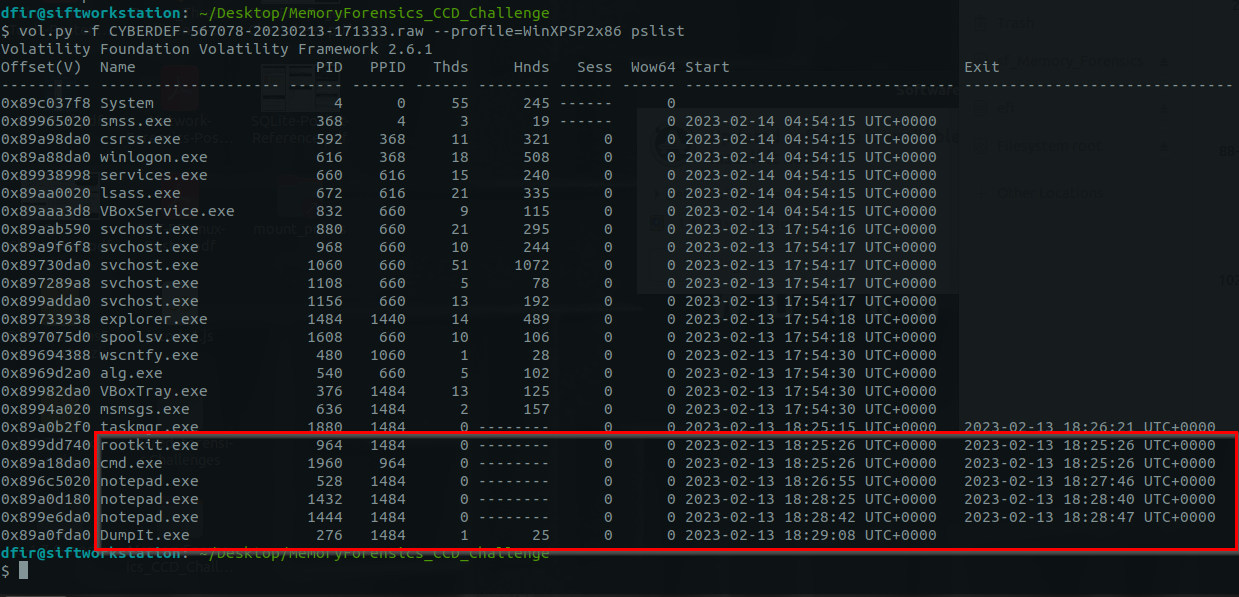
Suspicious processes listed with pslist: Note that this uses the PsActiveProcessHead to list all of the process nodes in the linked list
1
vol.py -f CYBERDEF-567078-20230213-171333.raw --profile=WinXPSP2x86 pslist
1
2
3
4
5
- rootkit.exe
- cmd.exe
- notepad.exe (3x)
- DumpIt.exe
- Notice that there are 6 processes that does NOT have a threat. Meaning, they are inactive. Note that a process has to have atleast 1 thread for it to be considered active.
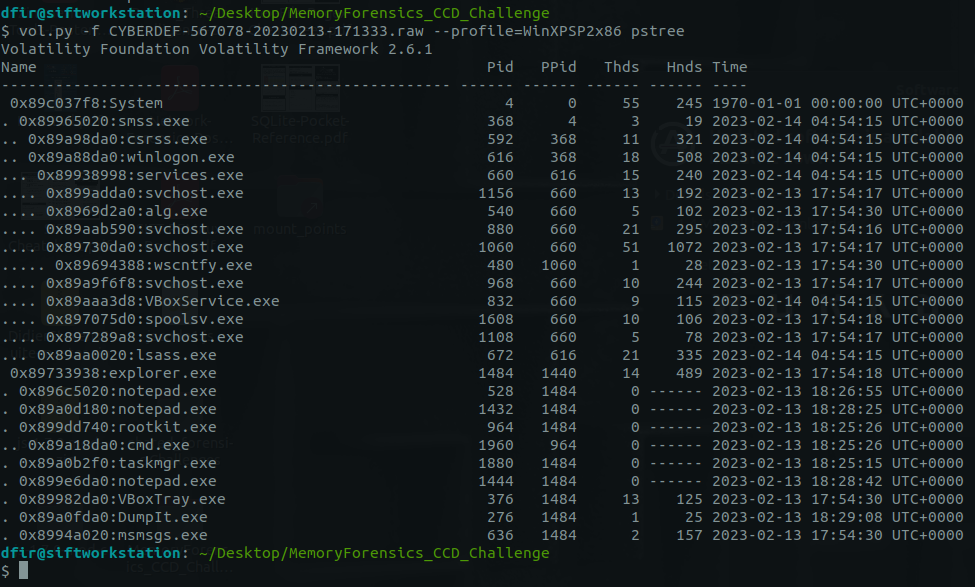
Checking process’ parent-child relationships:
1
vol.py -f CYBERDEF-567078-20230213-171333.raw --profile=WinXPSP2x86 pstree
1
- It says, there should be more than 25 processs in here. But with SIFT idk why it only shows this much.
Answer:
1
19
Q3: What is the process ID ofcmd.exe?
-> Look above.
Answer:
1
1960
Q4: What is the name of the most suspicious process?
Using verbose mode for more information:
1
vol.py -f CYBERDEF-567078-20230213-171333.raw --profile=WinXPSP2x86 pstree -v
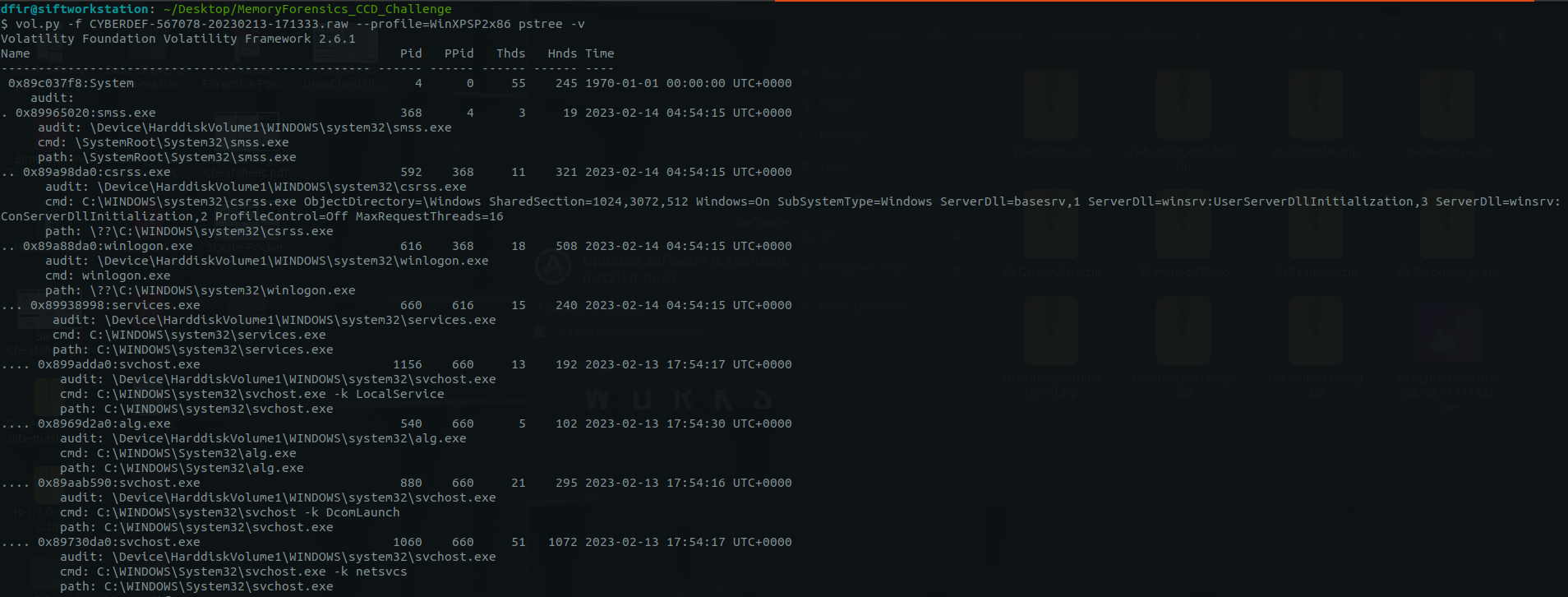
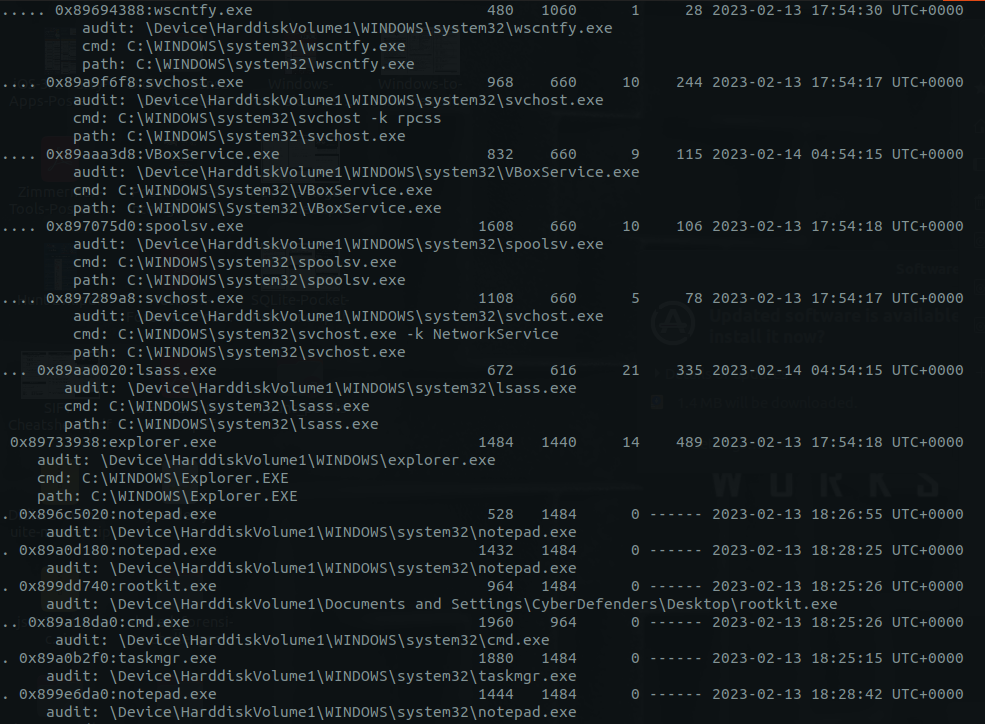
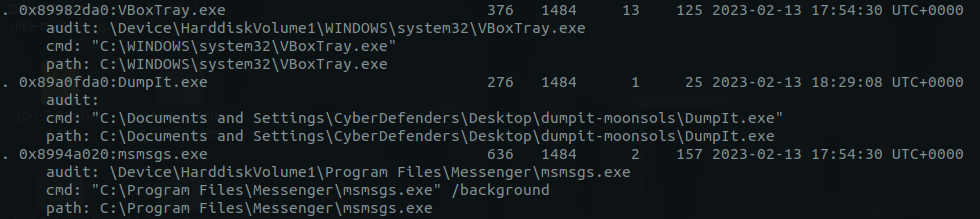
1
2
- Attacker's path: explorer.exe -> rootkit.exe -> cmd.exe
- Another process that stood out is 'alg.exe'
Answer:
1
rootkit.exe
Q5: Which process shows the highest likelihood of code injection?
Let’s check any hidden process as hinted by the rootkit.exe:
1
vol.py -f CYBERDEF-567078-20230213-171333.raw --profile=WinXPSP2x86 psxiew -v
All of the process listed from pslist was shown to us: 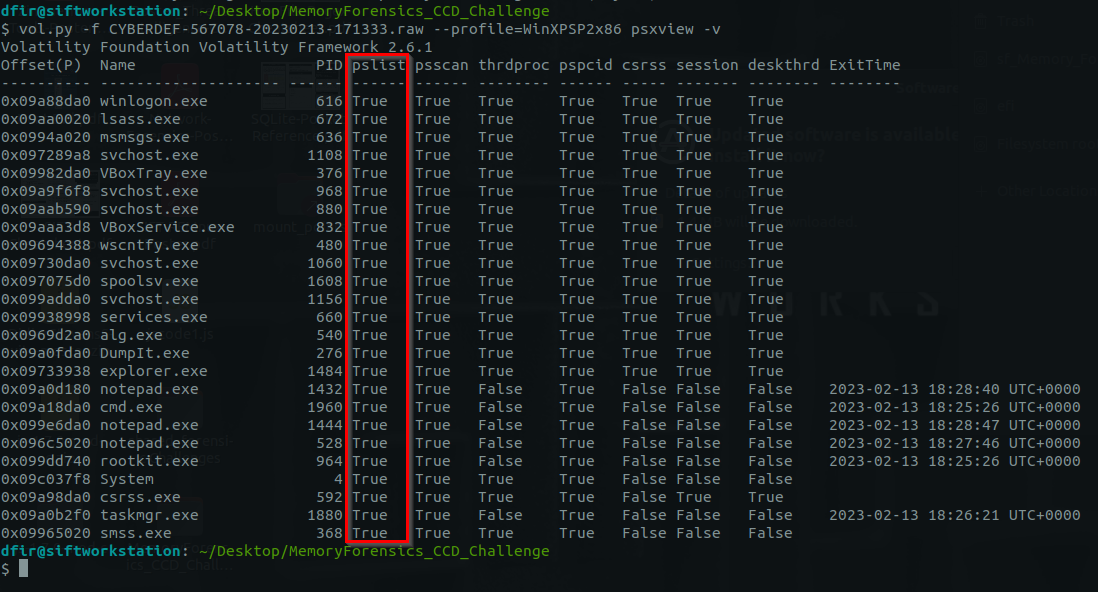
Digging into the suspicious/malicious process: (rootkit.exe , cmd.exe and alg.exe inside System32)
1
vol.py -f CYBERDEF-567078-20230213-171333.raw --profile=WinXPSP2x86 psinfo
rootkit.exe: 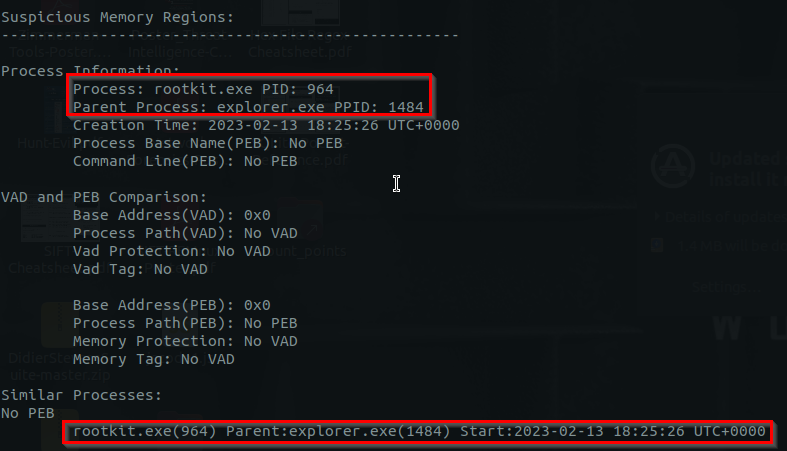
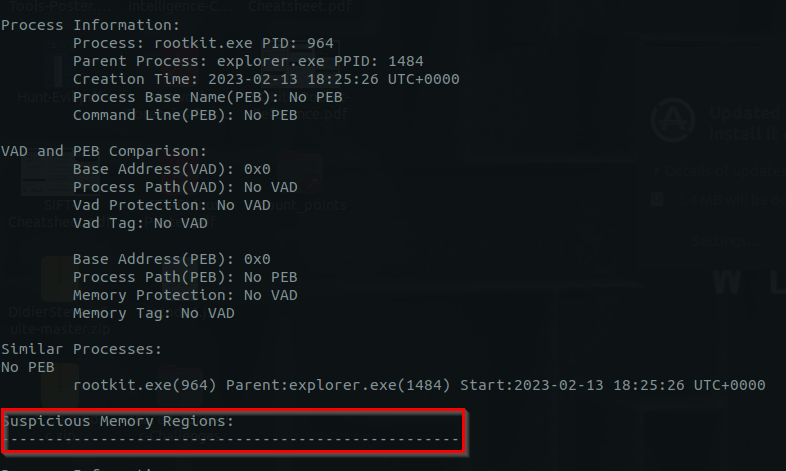
1
- There's no suspected memory regions either
cmd.exe: 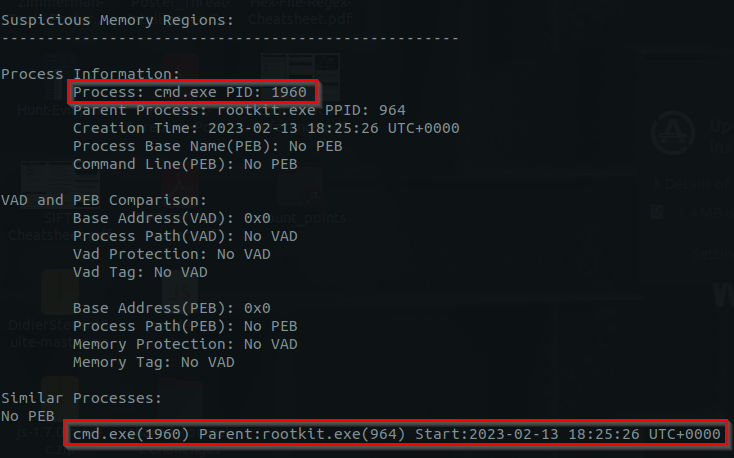
1
- Notice that there are no memory information for both cmd.exe and rootkit.exe while all other process has one.
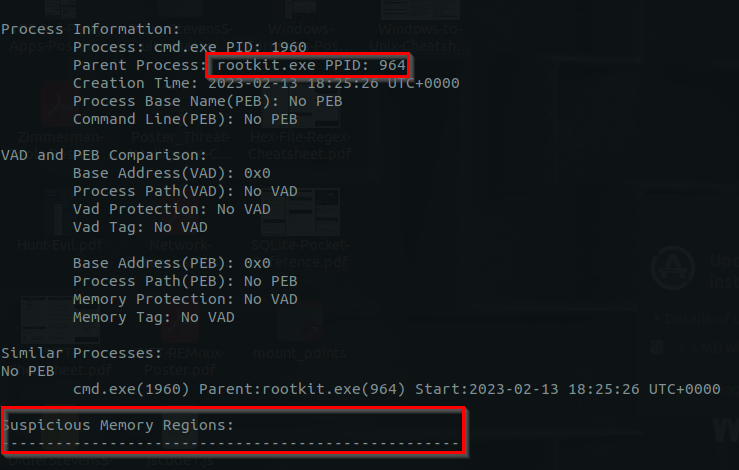
1
- There's no suspected memory regions either
alg.exe: 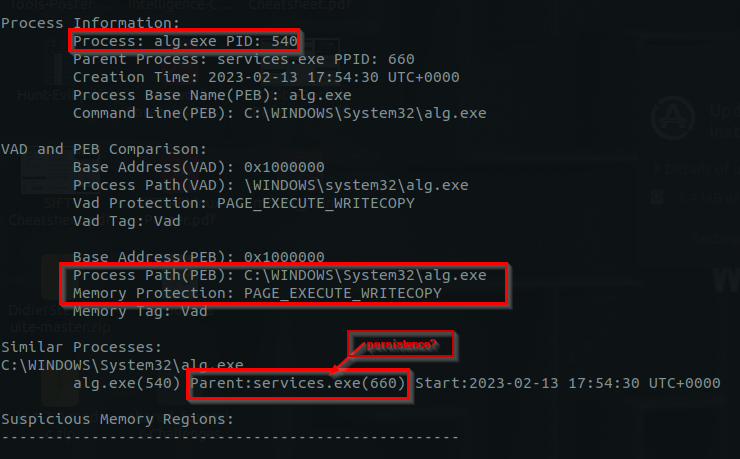
Answer: Look for the process that is active. svchost.exe is used by services so its very likely
1
svchost.exe
- Q6: There is an odd file referenced in the recent process. Provide the full path of that file.
Enumerating files for each svchost.exe:
1
vol.py -f CYBERDEF-567078-20230213-171333.raw --profile=WinXPSP3x86 handles -p 968 -t file
PID: 880 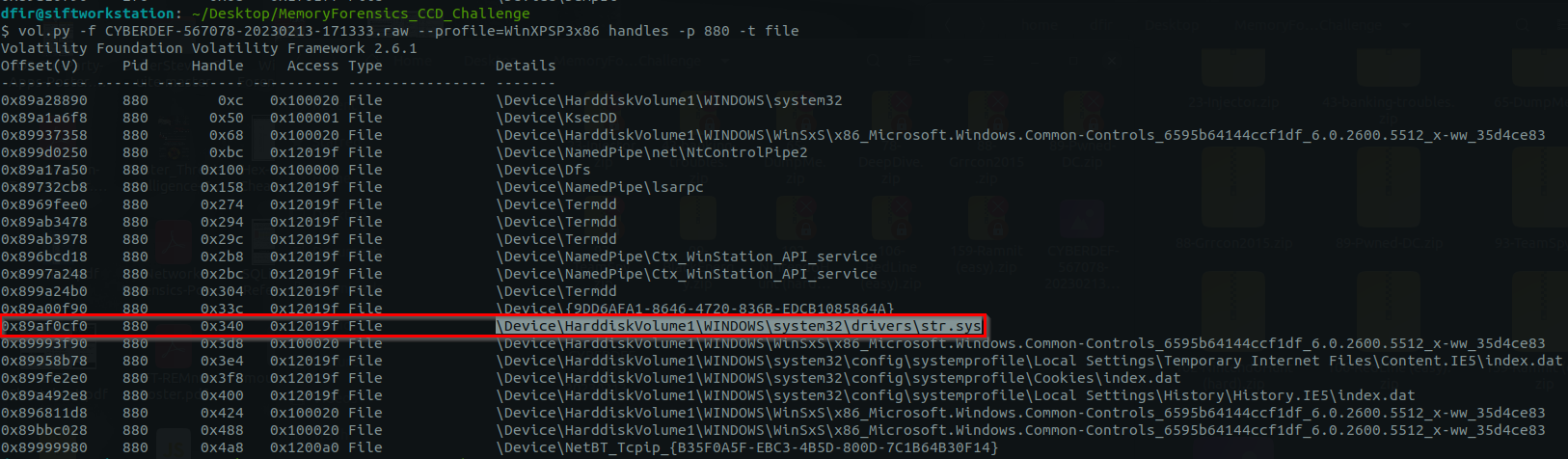
PID: 968 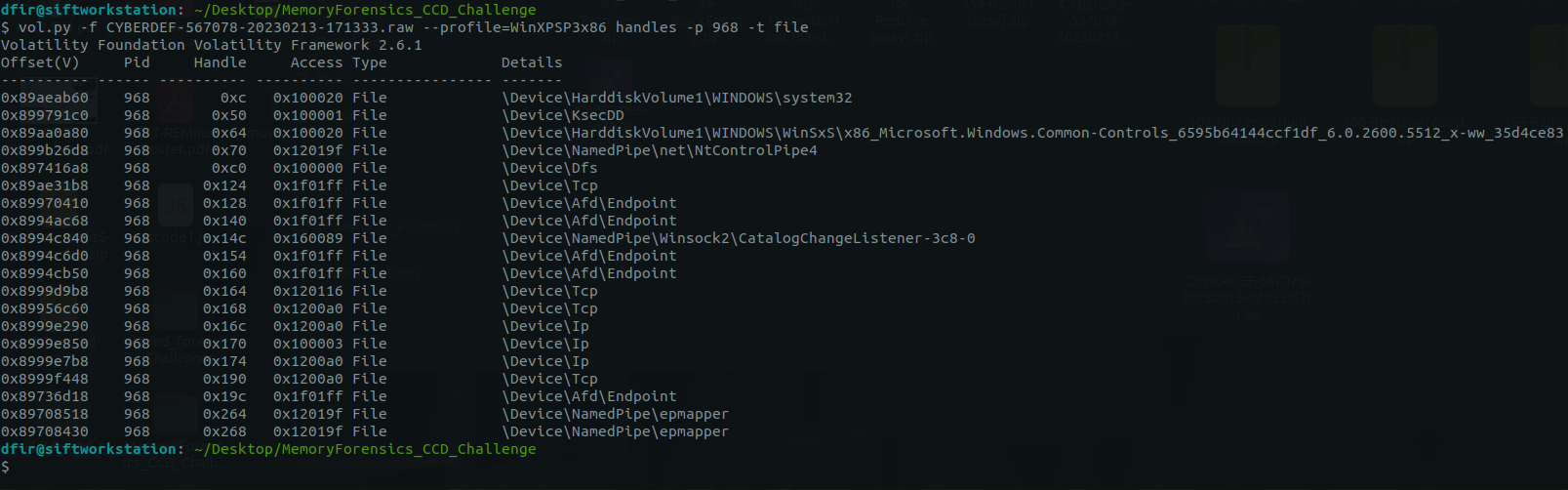
PID: 1060 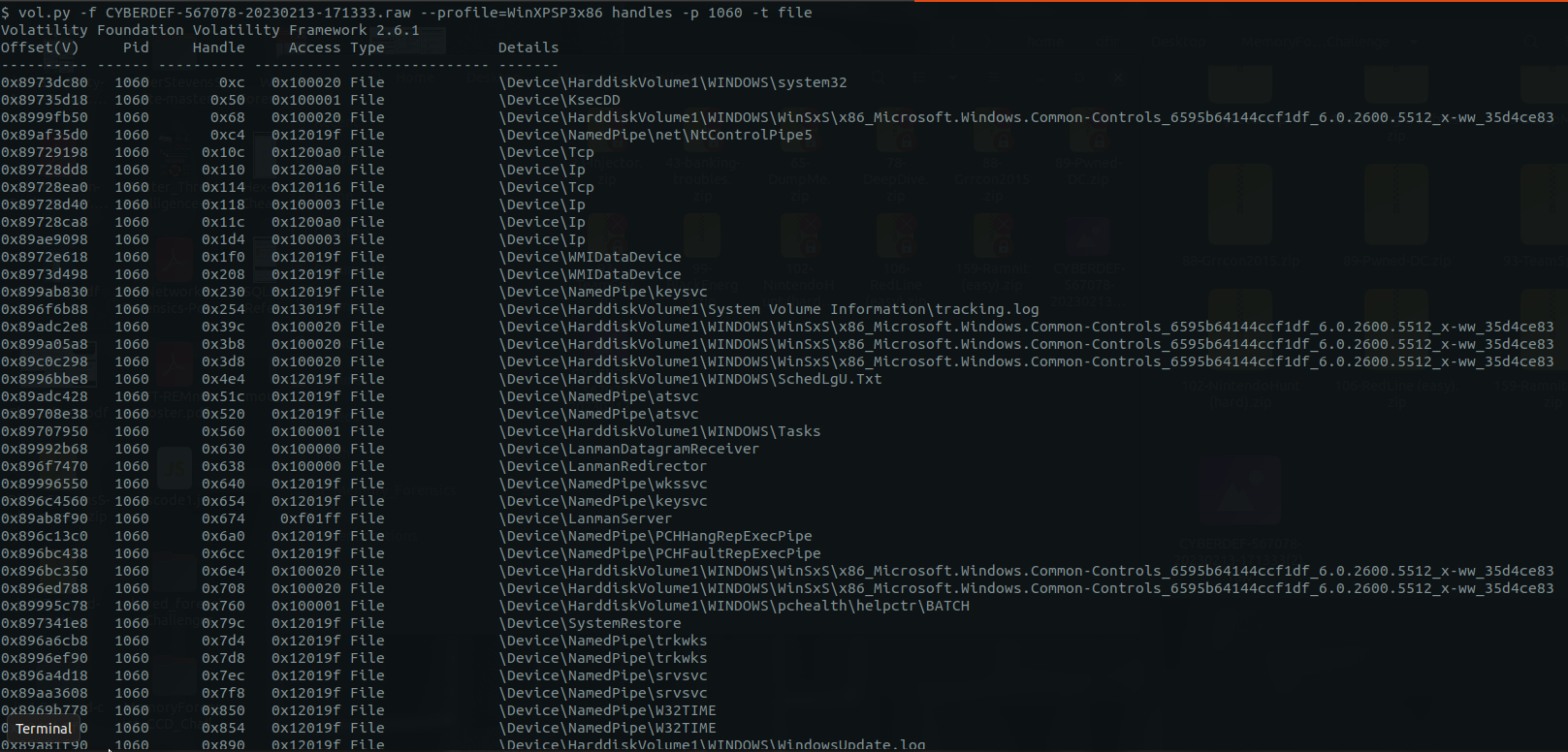
PID: 1108 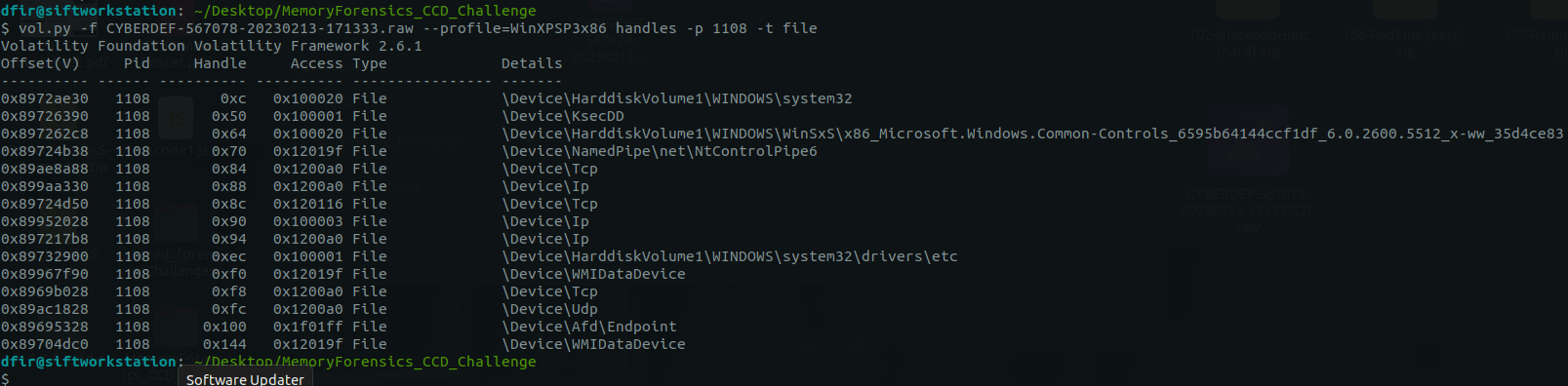
PID: 1156 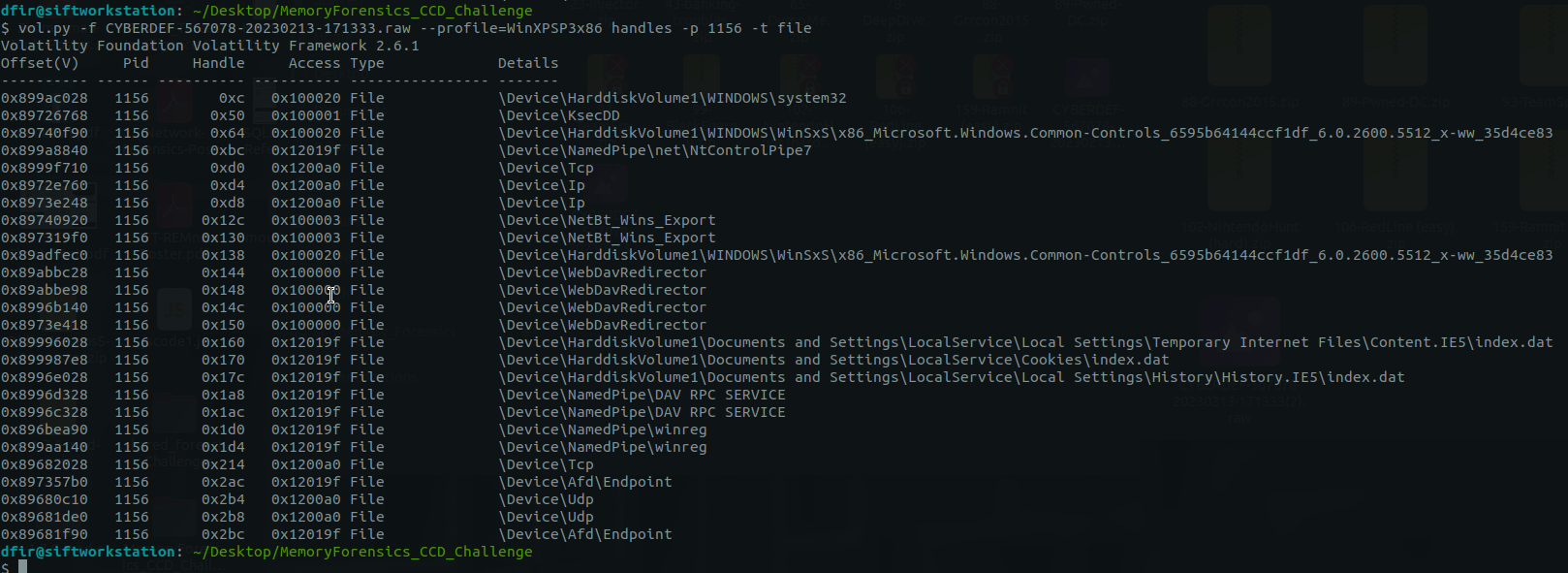
Answer:
1
2
3
4
5
\Device\HarddiskVolume1\WINDOWS\system32\drivers\str.sys

which is

C:\Windows\system32\drivers\str.sys
- Q7: What is the name of the injected dll file loaded from the recent process?
Using ldrmodules, not only shows the DLL linked, but also the DLL that got removed from the process as typical Process Injection technique:
1
vol.py -f CYBERDEF-567078-20230213-171333.raw --profile=WinXPSP3x86 -p 880 ldrmodules
This highlighted dll shows that it was once in the process but was unlinked. This is very suspicious especially for an active process: 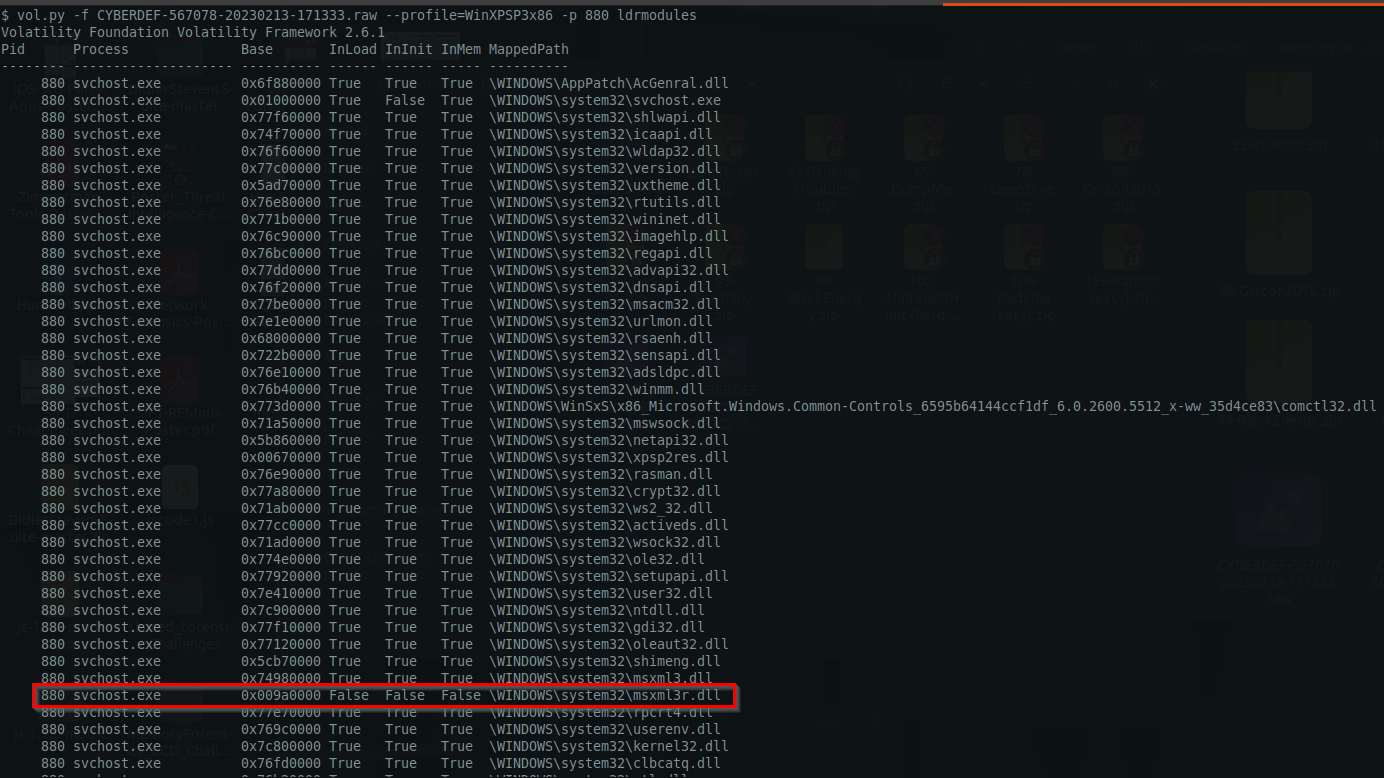
Answer:
1
msxml3r.dll
- Q8: What is the base address of the injected dll?
Command:
1
vol.py -f CYBERDEF-567078-20230213-171333.raw --profile=WinXPSP3x86 -p 880 malfind
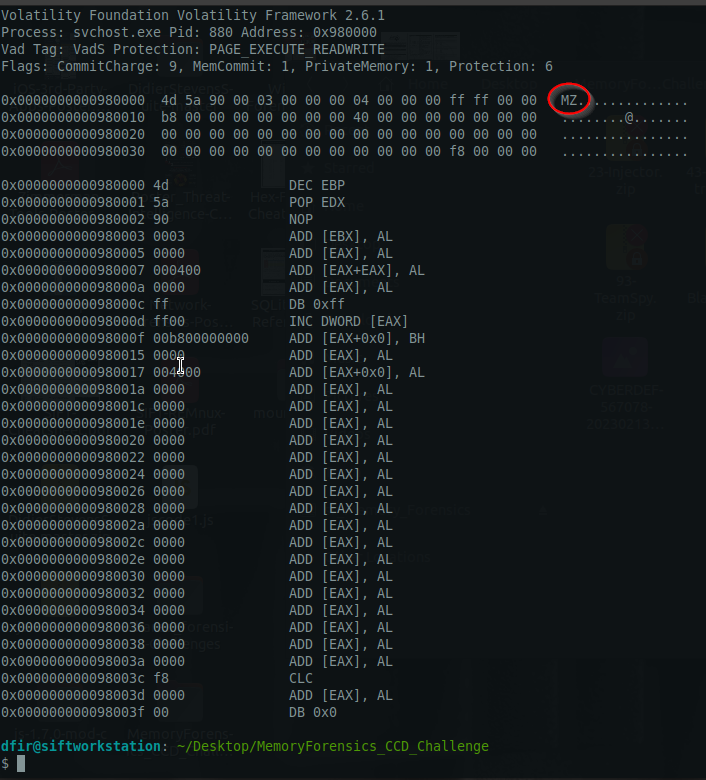
1
- Malfind shows the memory address where the injected code will start
Answer:
1
0x980000