
Scenario:
Our Intrusion Detection System (IDS) has raised an alert, indicating suspicious lateral movement activity involving the use of PsExec. To effectively respond to this incident, your role as a SOC Analyst is to analyze the captured network traffic stored in a PCAP file.
Tools:
- Wireshark
Tags:
1
2
3
4
5
6
7
8
9
10
[PCAP](https://cyberdefenders.org/blueteam-ctf-challenges/?tags=pcap)
[Wireshark](https://cyberdefenders.org/blueteam-ctf-challenges/?tags=wireshark)
[NetworkMiner](https://cyberdefenders.org/blueteam-ctf-challenges/?tags=networkminer)
[PSExec](https://cyberdefenders.org/blueteam-ctf-challenges/?tags=psexec)
[T1082](https://cyberdefenders.org/blueteam-ctf-challenges/?tags=t1082) -> System Discovery (what was used for enumeration?)
[T1562.001](https://cyberdefenders.org/blueteam-ctf-challenges/?tags=t1562.001) -> Impairing defenses
[T1059.001](https://cyberdefenders.org/blueteam-ctf-challenges/?tags=t1059.001) -> adversary used PowerShell
[T1021.006](https://cyberdefenders.org/blueteam-ctf-challenges/?tags=t1021.006) -> Windows Remote Management
[T1021.002](https://cyberdefenders.org/blueteam-ctf-challenges/?tags=t1021.002) -> SMB/Windows Admin Shares
[T1550.002](https://cyberdefenders.org/blueteam-ctf-challenges/?tags=t1550.002) -> Pass the Hash
Questions:
Q0: How was the attacker able to gain initial access?
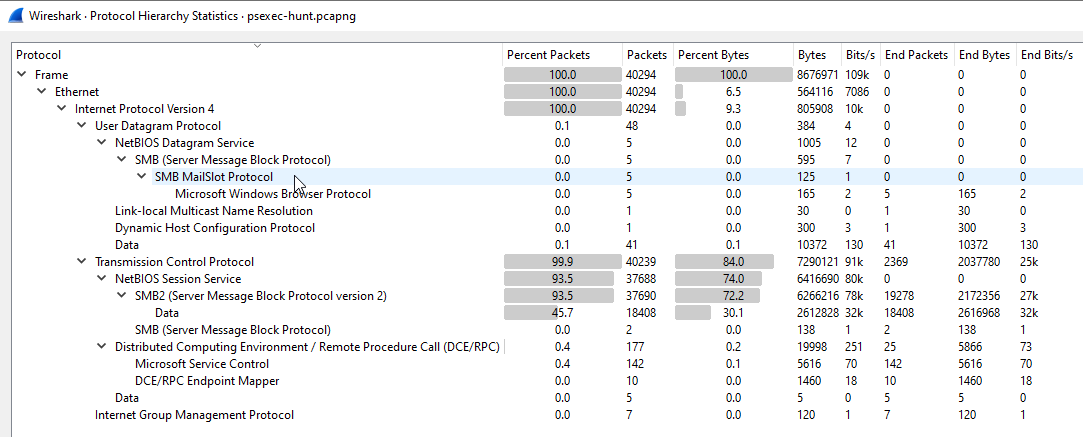
Checking all the protocol used in the whole Packet capture:
A good way to do get a cue is by finding the initial actions the attacker took just before it attempted to pivot which is the packets just before the SMB scanning on an adjacent node in the network:
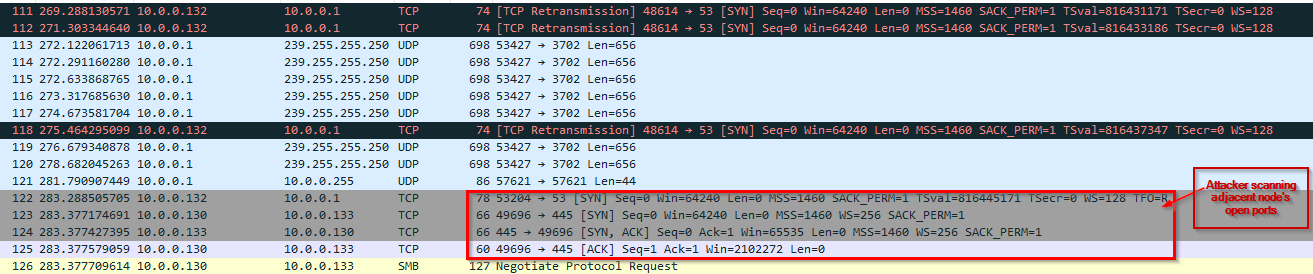
-> Answer: It doesn't show in any of the packets.
Q1: In order to effectively trace the attacker’s activities within our network, can you determine the IP address of the machine where the attacker initially gained access?
Sub-questions:
1
- What protocol was used by the attacker to gain access on the network?
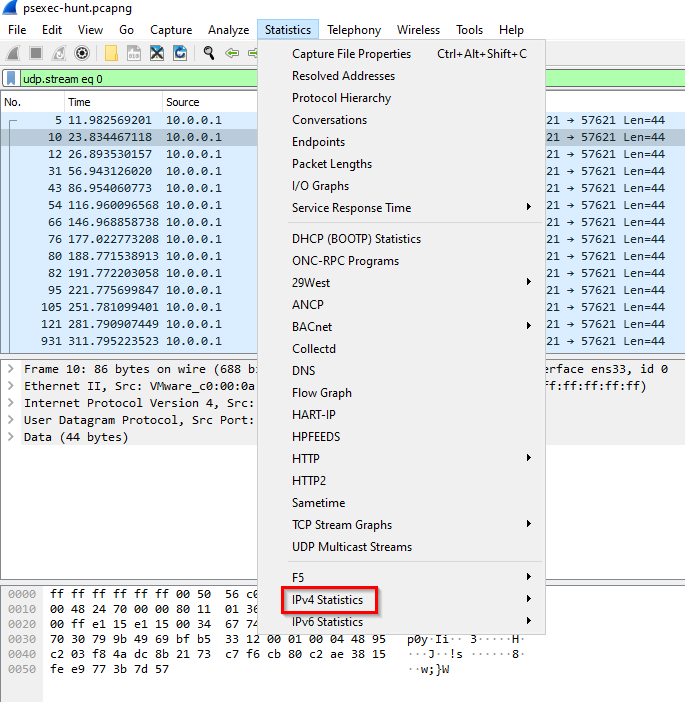
These two IP’s are the top talkers:
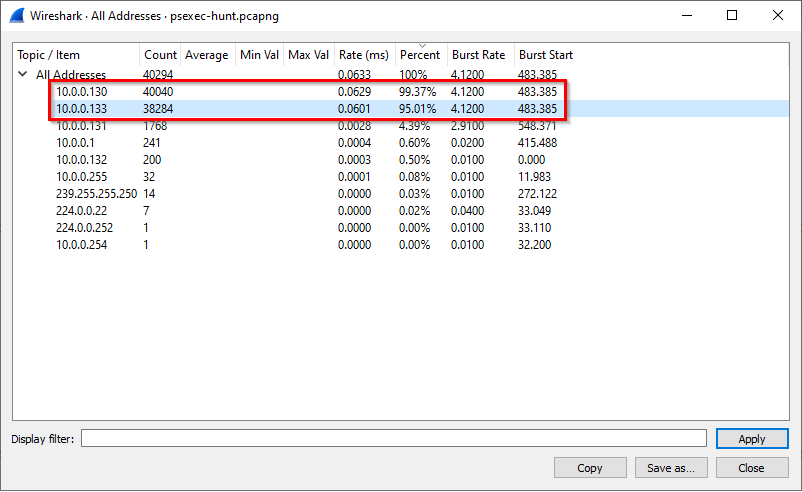
Seems like the first compromised machine was used to scan all neighboring nodes in the network:
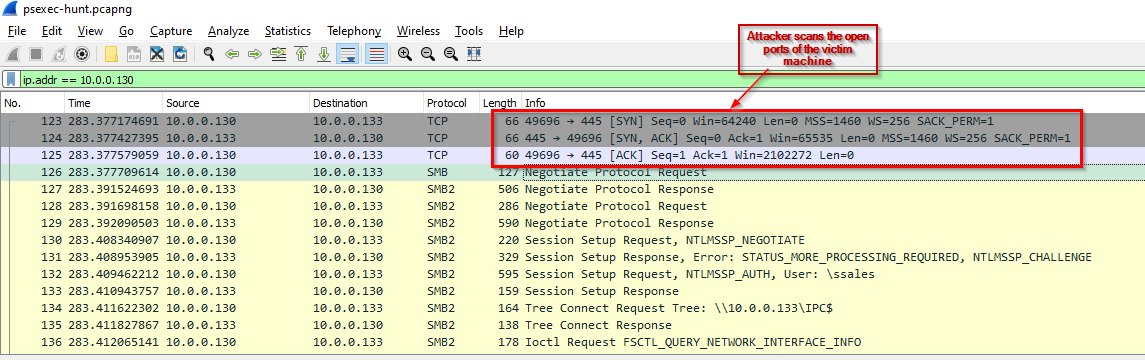
-> Answer: 10.0.0.130
Q2: To fully comprehend the extent of the breach, can you determine the machine’s hostname to which the attacker first pivoted?
Filtering these IP’s communications: This is attacker’s first action taken to find machine’s to pivot to
Hostname for 10.0.0.133:
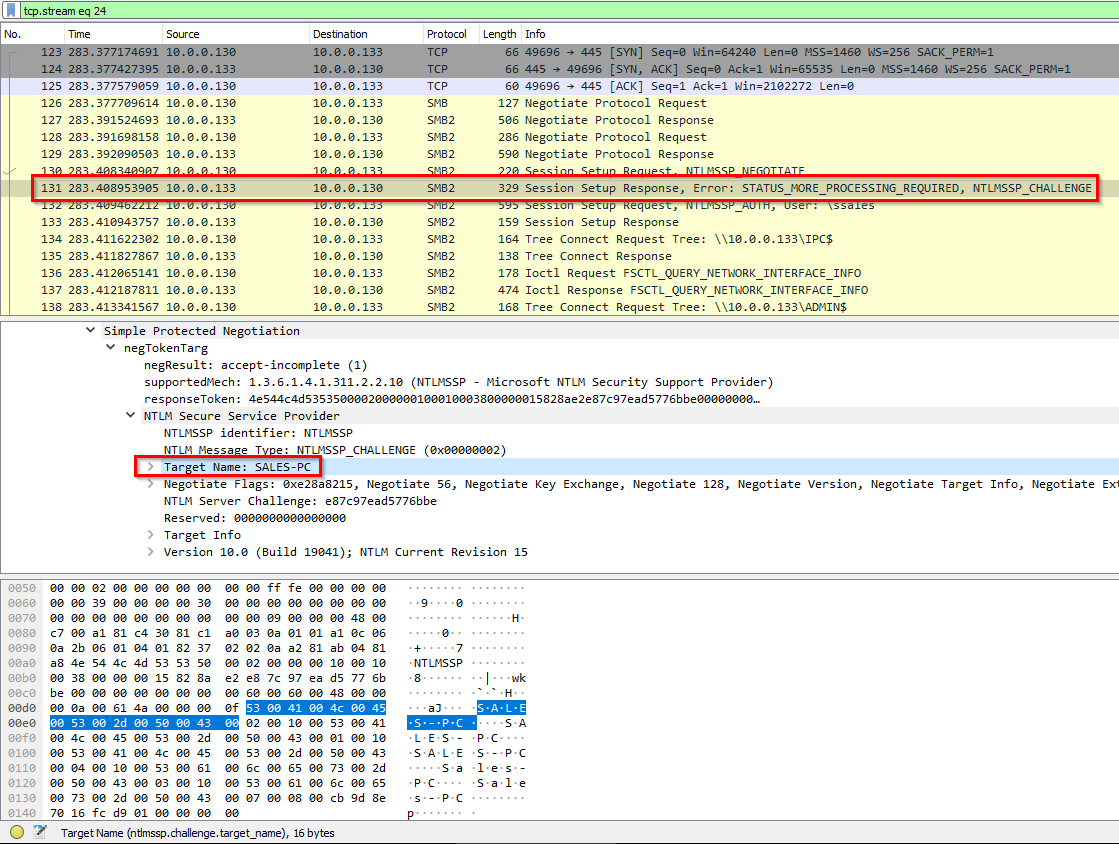
-> Answer: SALES-PC
Q3: After identifying the initial entry point, it’s crucial to understand how far the attacker has moved laterally within our network. Knowing the username of the account the attacker used for authentication will give us insights into the extent of the breach. What is the username utilized by the attacker for authentication?
Attacker logging into the SMB port 445 of the victim and using username ssales:
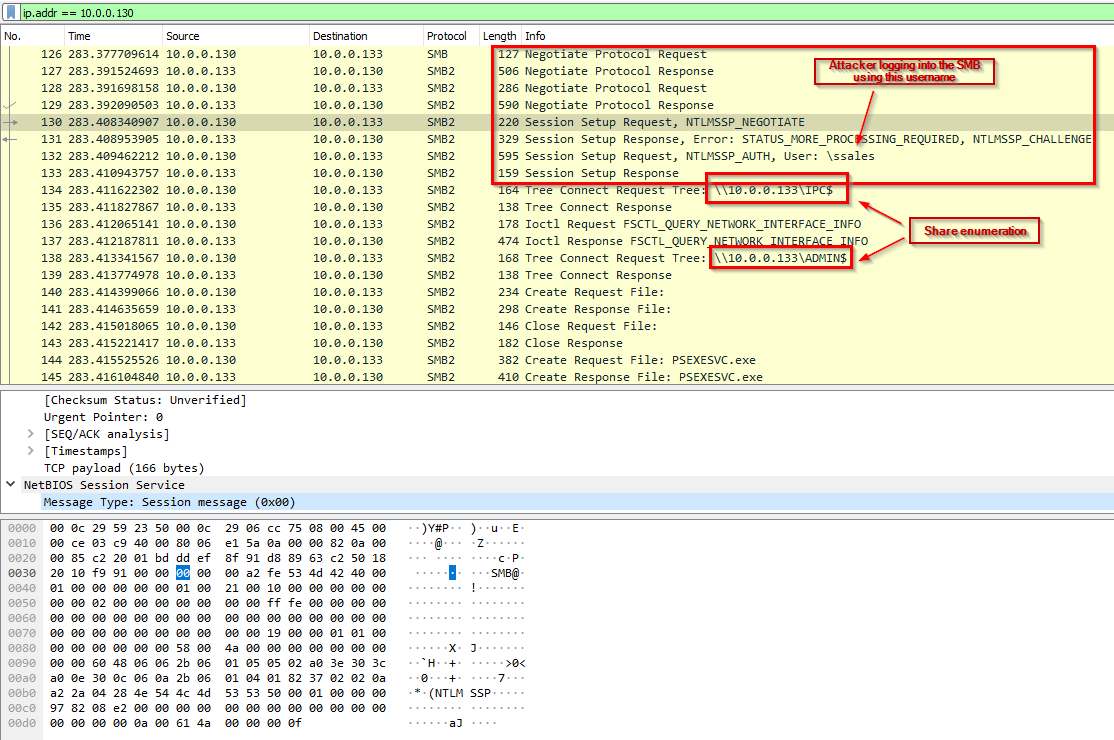
Hostname for this PC: HR-PC
-> Answer: ssales
Q4: After figuring out how the attacker moved within our network, we need to know what they did on the target machine. What’s the name of the service executable the attacker set up on the target?
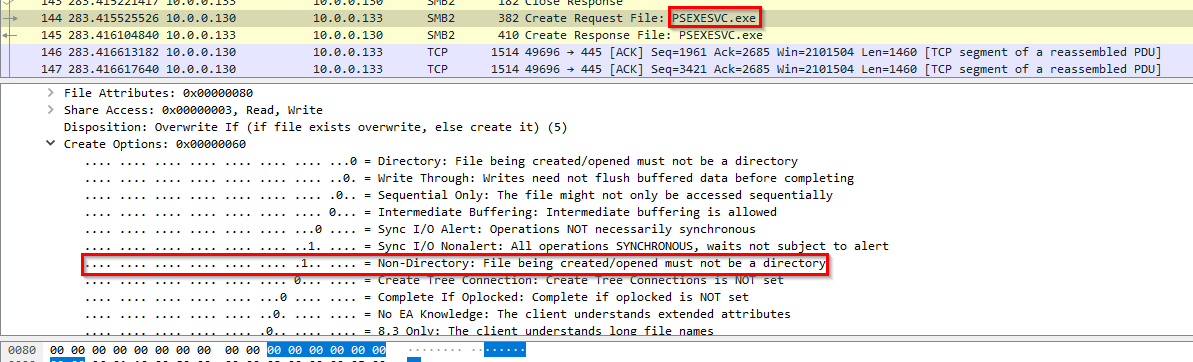
-> Answer: PSEXESVC.exe
Q5: We need to know how the attacker installed the service on the compromised machine to understand the attacker’s lateral movement tactics. This can help identify other affected systems. Which network share was used by PsExec to install the service on the target machine?
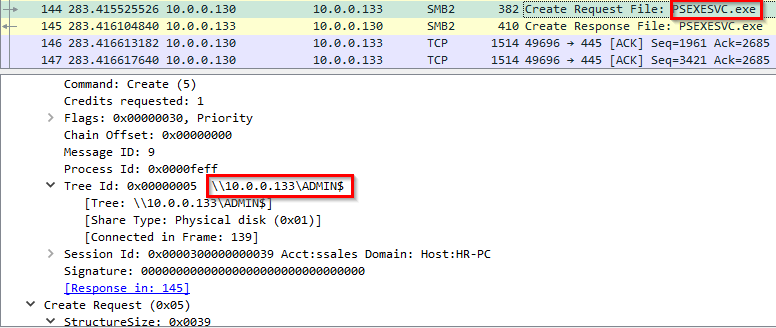
-> Answer: \ADMIN$ was used to store the PSEXESVC.exe.
Q6: We must identify the network share used to communicate between the two machines. Which network share did PsExec use for communication?
This is the attacker executing the service:
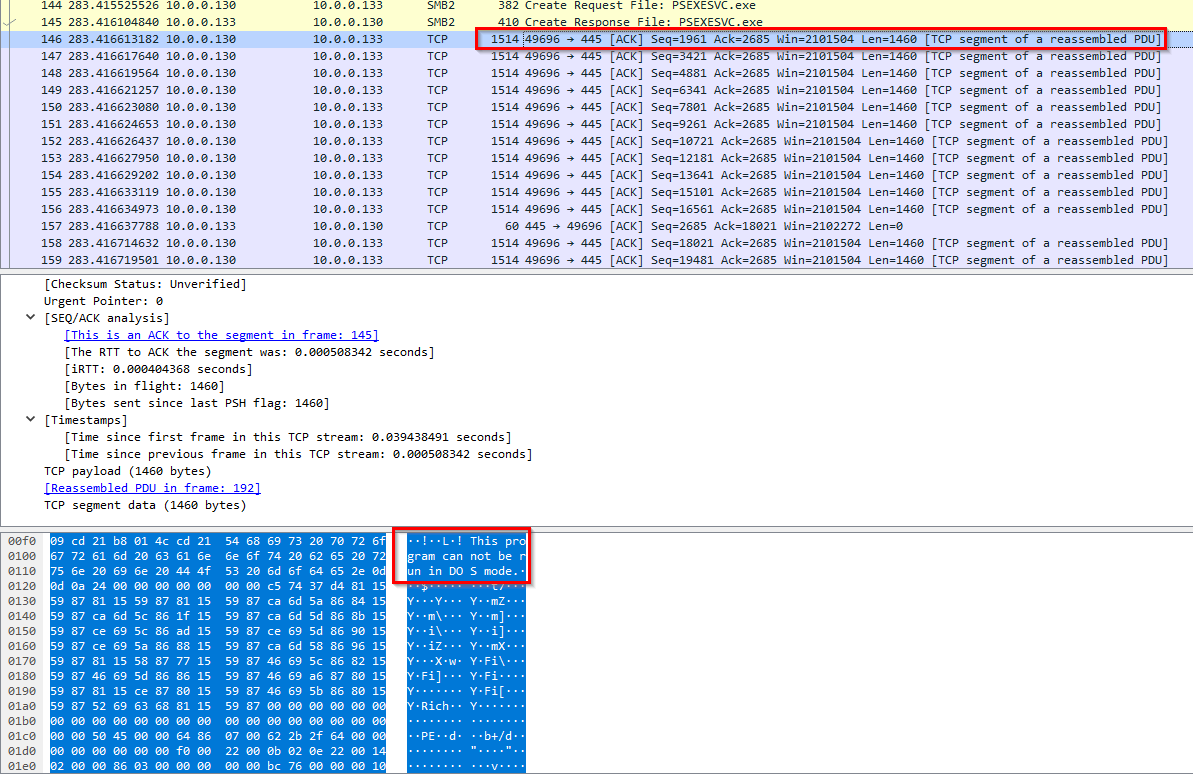
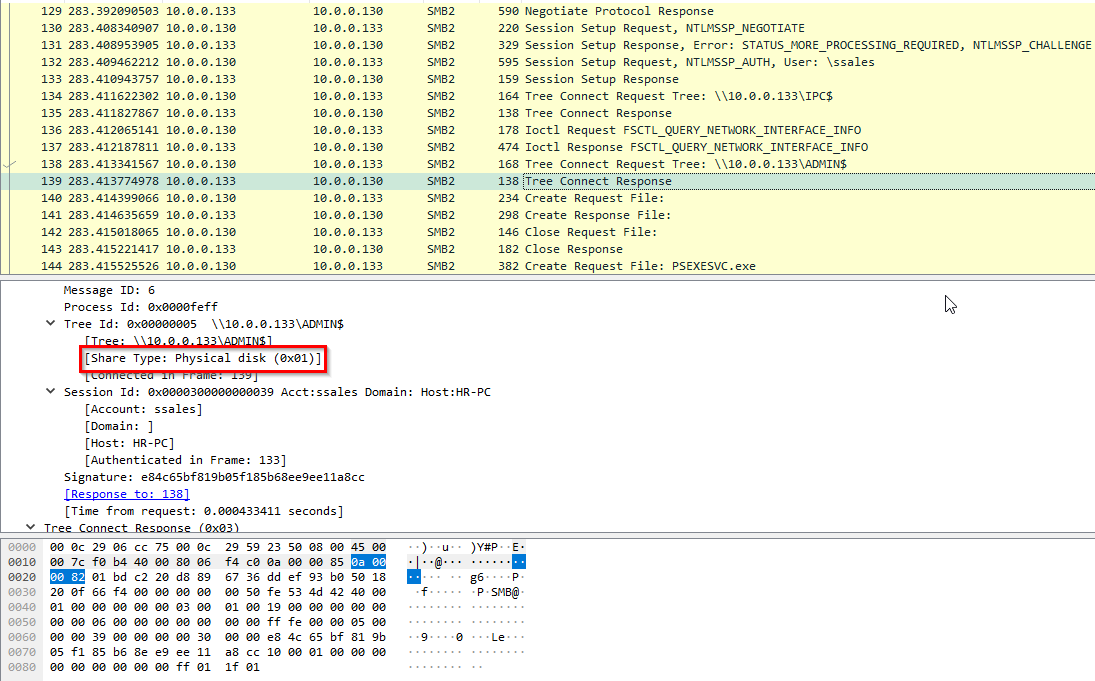
ADMIN$ share is used for storage:
IPC$ is used for communication between 10.0.0.130 and 10.0.0.133:
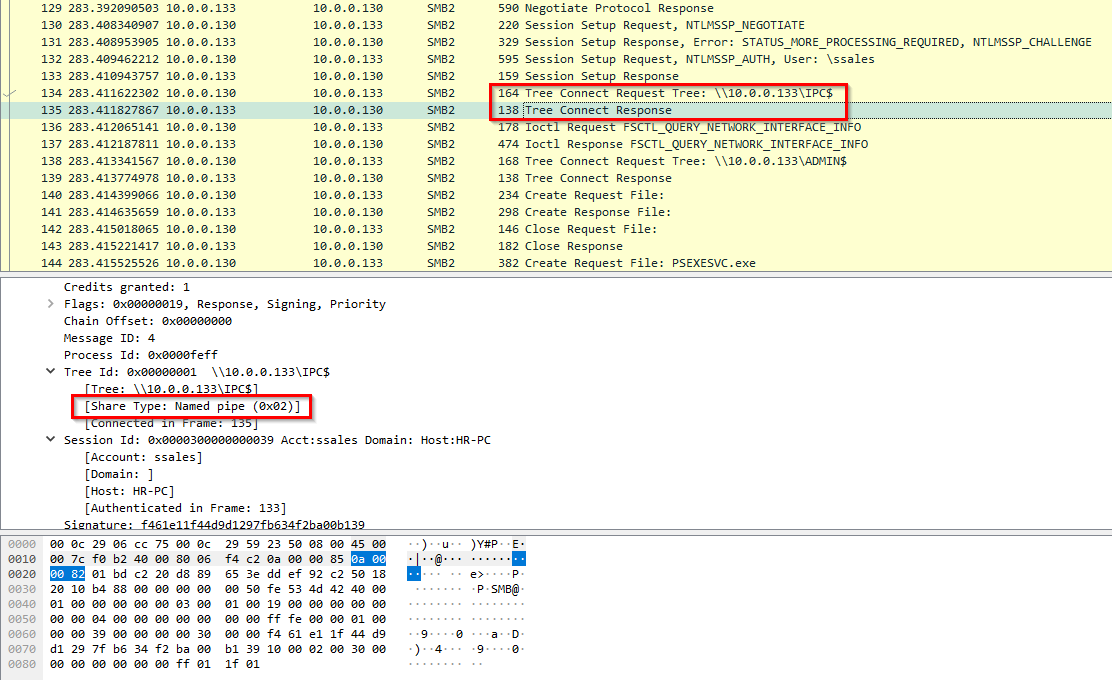
-> Answer: IPC$
Q7: Now that we have a clearer picture of the attacker’s activities on the compromised machine, it’s important to identify any further lateral movement. What is the machine’s hostname to which the attacker attempted to pivot within our network?
Other compromised systems in the network: 10.0.0.131 Hostname for this IP: MARKETING-PC User: IEUser
The context for this picture is that the attacker had just finished infecting 10.0.0.131 with the PSEXESVC.exe file:
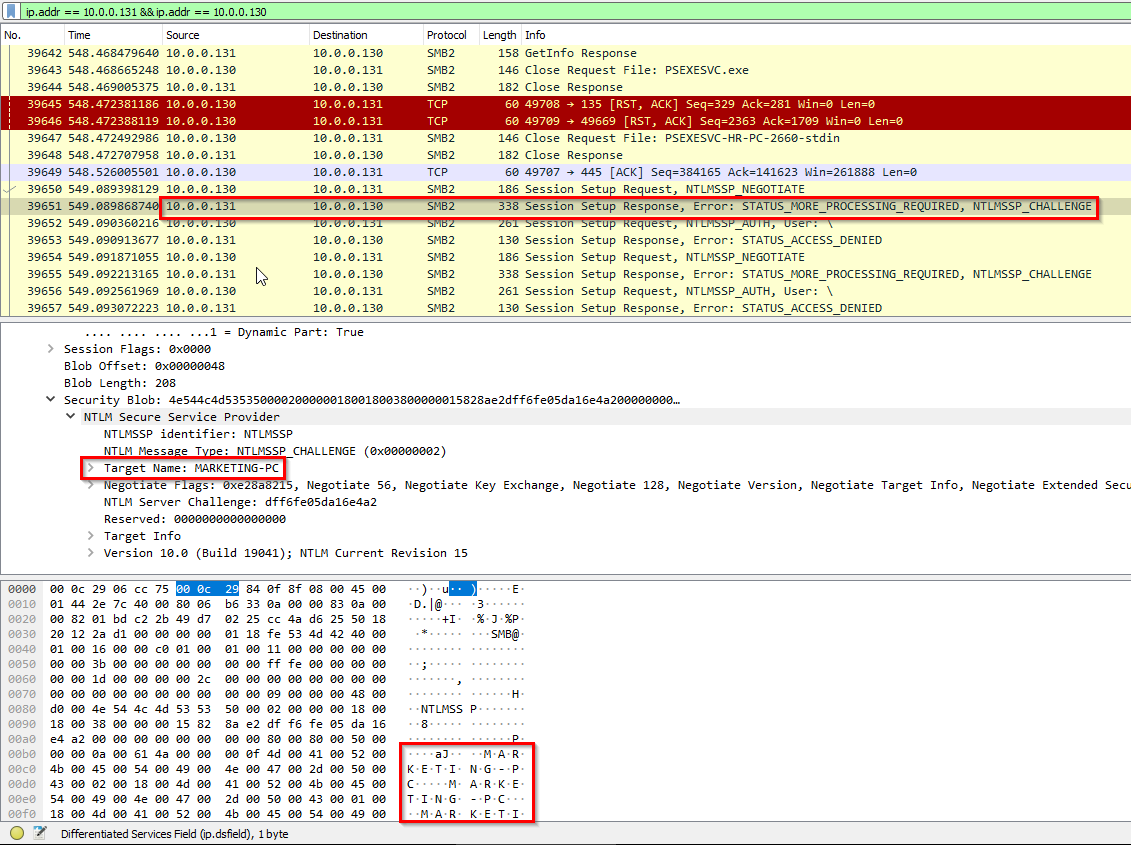
-> Answer: MARKETING-PC