
Instructions:
Uncompress the lab (pass: cyberdefenders.org)
WireDive is a combo traffic analysis exercise that contains various traces to help you understand how different protocols look on the wire where you can evaluate your DFIR skills against an artifact you usually encounter in today’s case investigations as a security blue team member.
Challenge Files:
1
2
3
4
5
6
7
- dhcp.pcapng
- dns.pcapng
- https.pcapng
- network.pcapng
- secret_sauce.txt
- shell.pcapng
- smb.pcapng
Tools:
1
2
- [BrimSecurity](https://www.brimdata.io/download/)
- [WireShark](https://www.wireshark.org/download.html)
Tags:
1
2
3
4
5
6
7
8
9
10
11
[PCAP](https://cyberdefenders.org/blueteam-ctf-challenges/?tags=pcap)
[SMB](https://cyberdefenders.org/blueteam-ctf-challenges/?tags=smb)
[Wireshark](https://cyberdefenders.org/blueteam-ctf-challenges/?tags=wireshark)
[BRIM](https://cyberdefenders.org/blueteam-ctf-challenges/?tags=brim)
[T1041](https://cyberdefenders.org/blueteam-ctf-challenges/?tags=t1041)
[T1048](https://cyberdefenders.org/blueteam-ctf-challenges/?tags=t1048)
[T1005](https://cyberdefenders.org/blueteam-ctf-challenges/?tags=t1005)
[T1071](https://cyberdefenders.org/blueteam-ctf-challenges/?tags=t1071)
[T1570](https://cyberdefenders.org/blueteam-ctf-challenges/?tags=t1570)
[T1059](https://cyberdefenders.org/blueteam-ctf-challenges/?tags=t1059)
[T1133](https://cyberdefenders.org/blueteam-ctf-challenges/?tags=t1133)
Questions:
General conversations in the pcap: 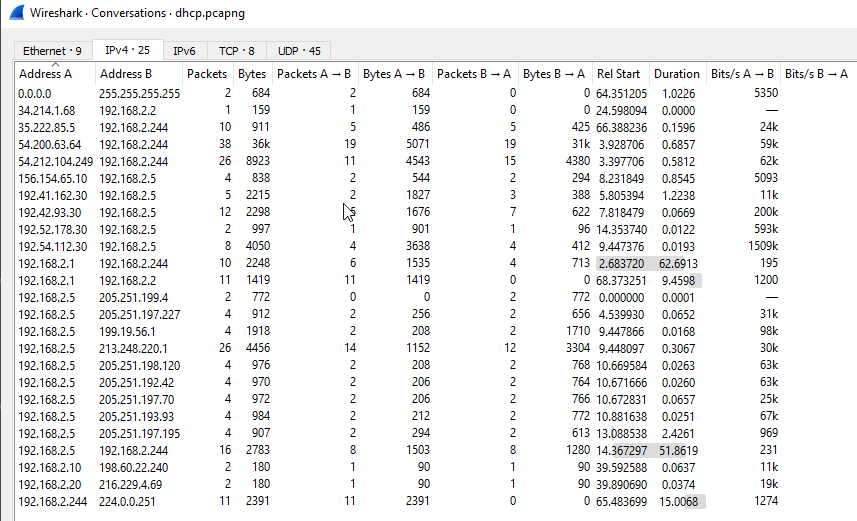
Protocol used: 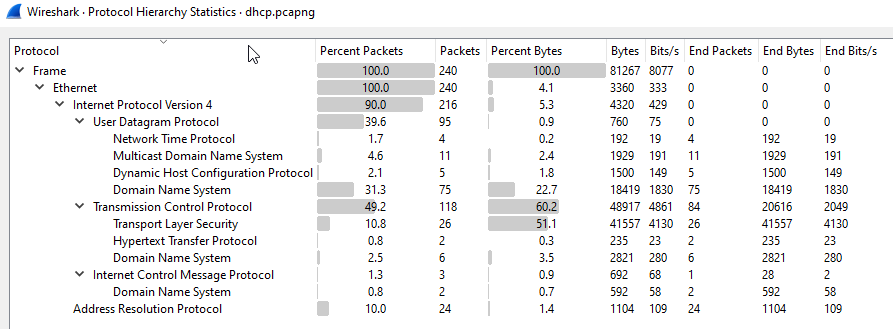
Q1 File: dhcp.pcapng - What IP address is requested by the client?
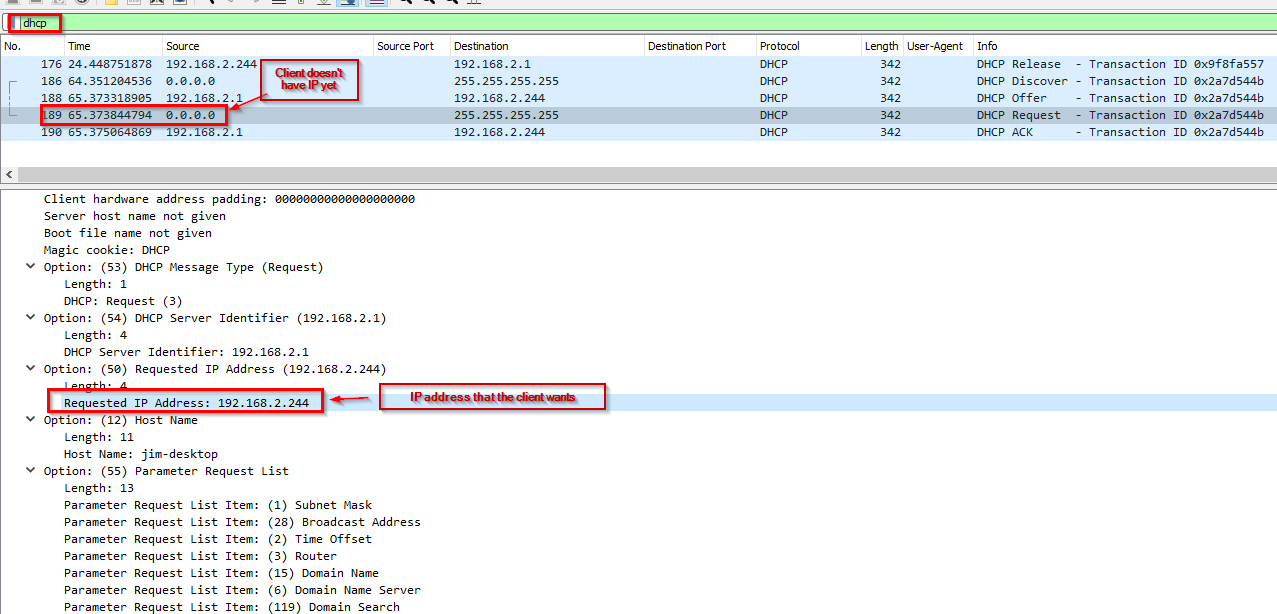
-> Answer: 192.168.2.244
Q2 File: dhcp.pcapng - What is the transaction ID for the DHCP release?
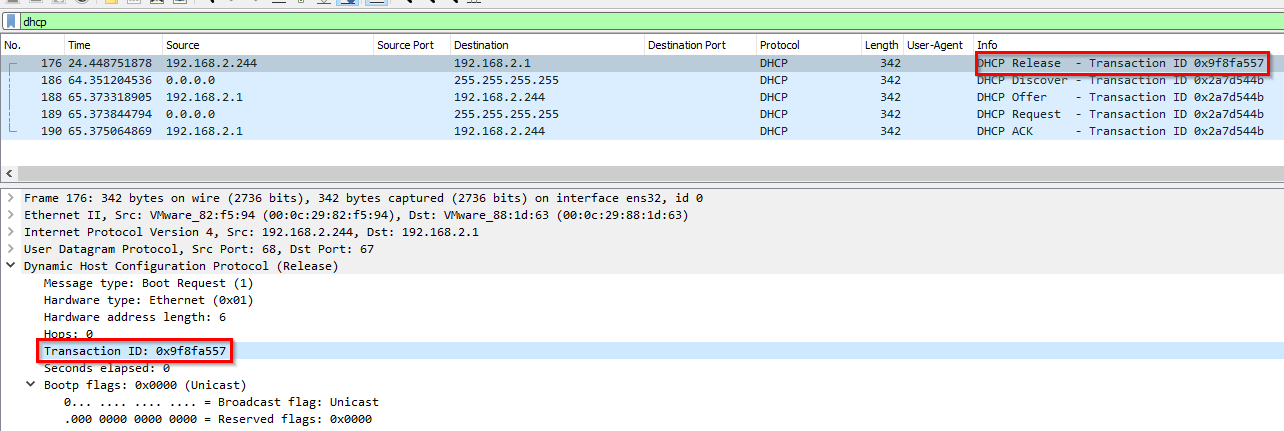
-> Answer: 0x9f8fa557
Q3 File: dhcp.pcapng - What is the MAC address of the client?
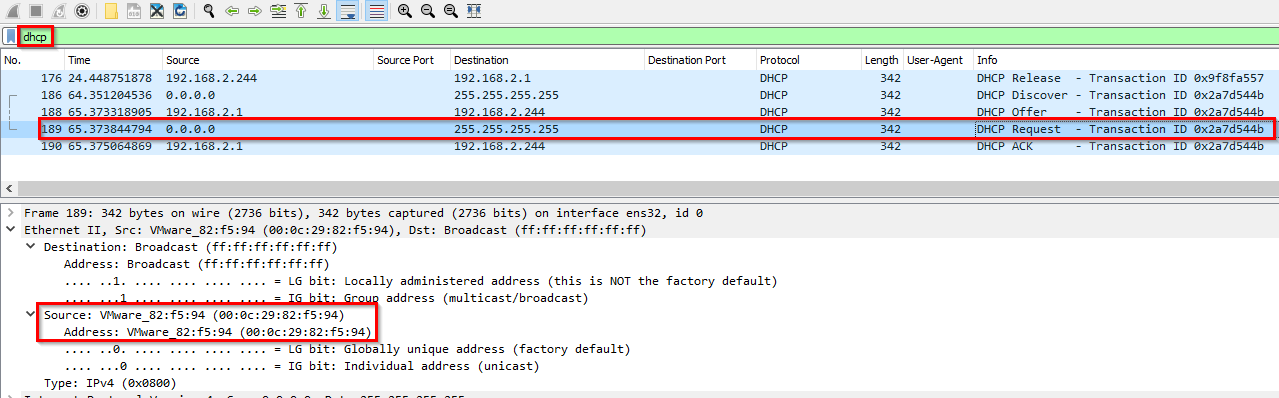
-> Answer: 00:0c:29:82:f5:94
Q4 File dns.pcapng - What is the response for the lookup for flag.fruitinc.xyz?
Request: 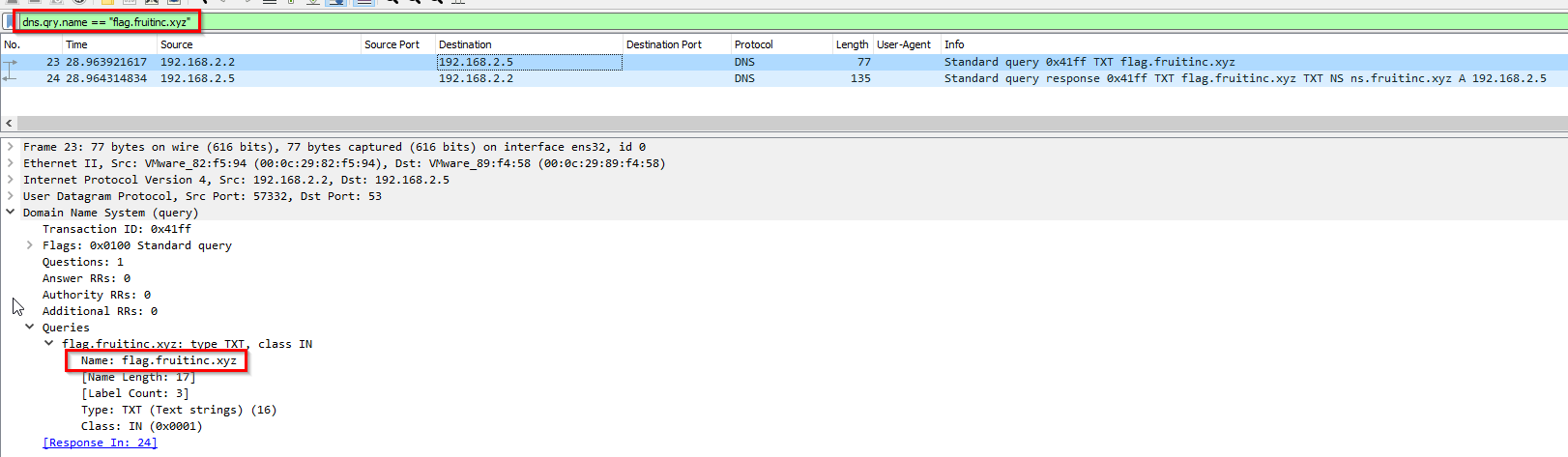
Response: 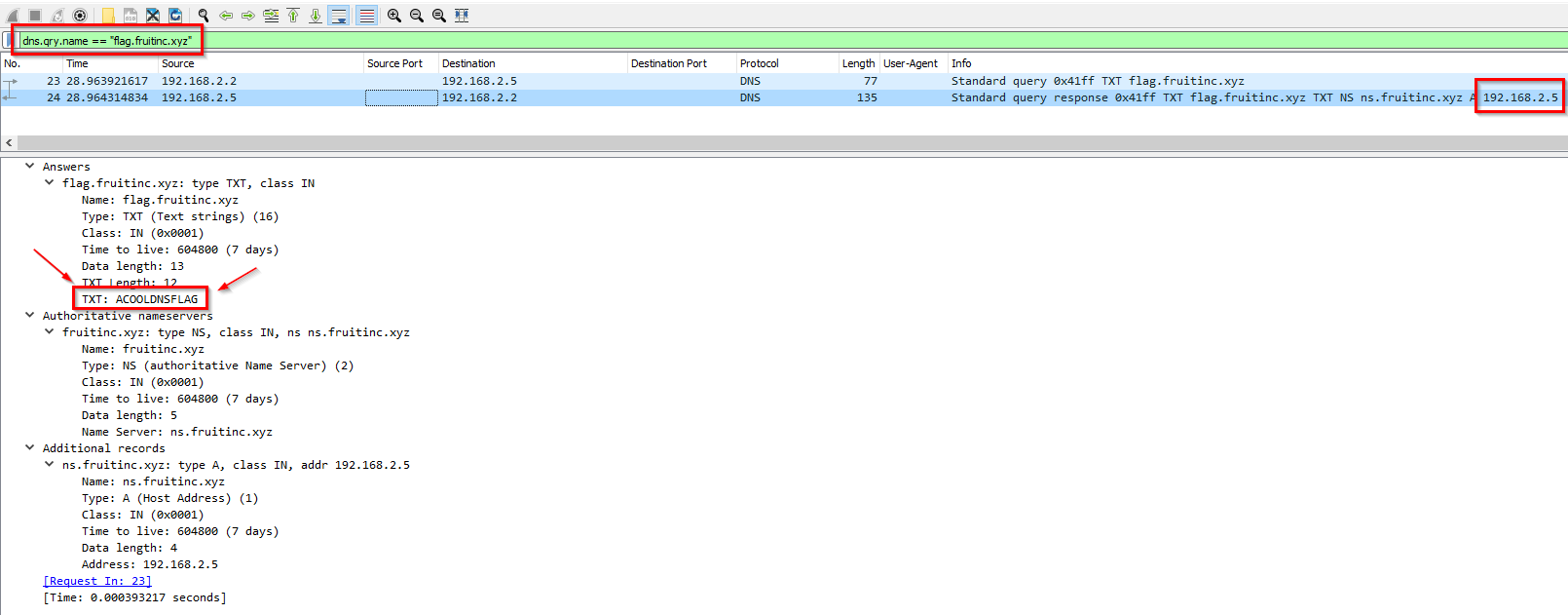
-> Answer: 192.168.2.5
Q5 File: dns.pcapng - Which root server responds to the google.com query? Hostname.
This is recursive:
1
2
3
4
5
6
7
8
9
10
11
Client --'asks its nameserver'--> Local DNS server
Local DNS server --'recommends TLD'--> Client

Client --> c.gtld-servers.net
c.gtld-servers.net --- 'tells client to check google nameserver' ---> Client

Client --> ns4.google.com
ns4.google.com --'tells client to go to actual google IP'

Client --> google.com
google.com -> Client
Client asking its nameserver: 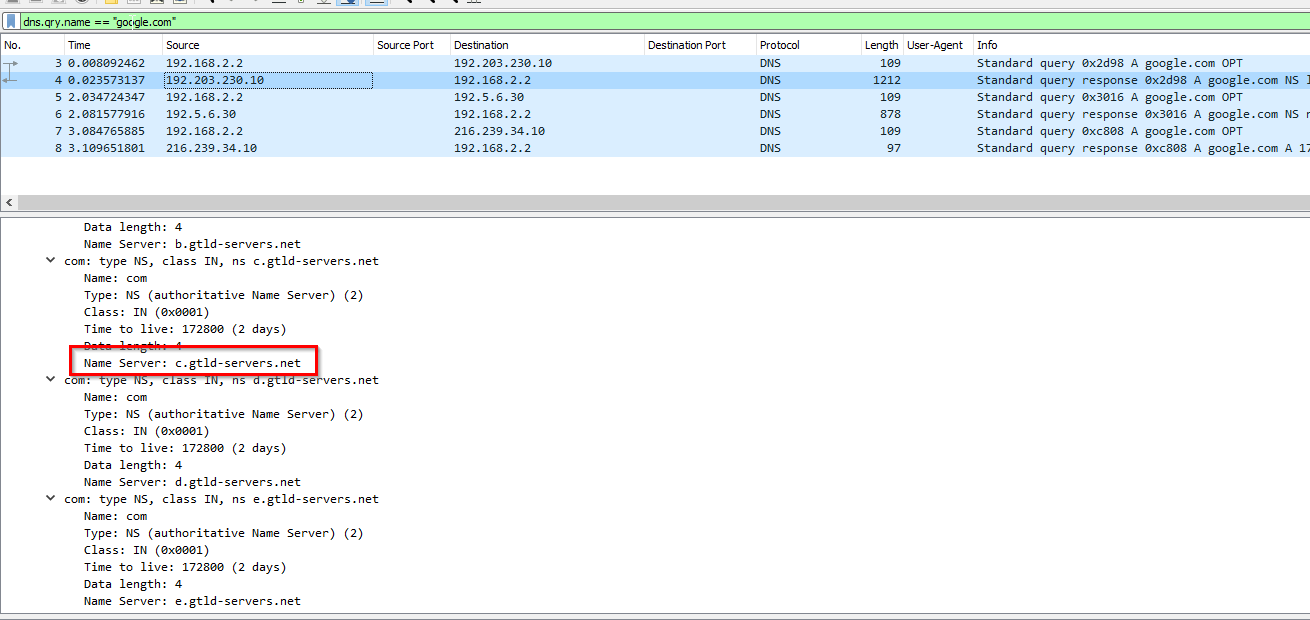
Root TLD nameserver that actually answered the client: 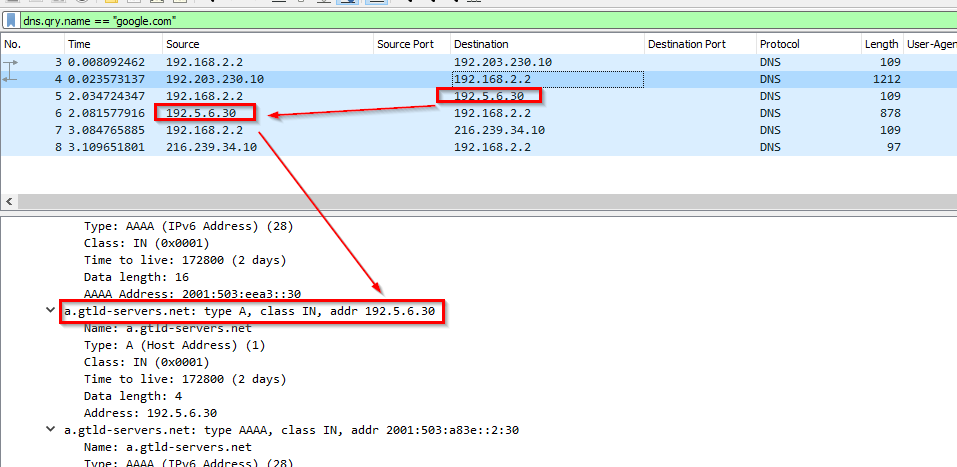
Other TLDs from the response: 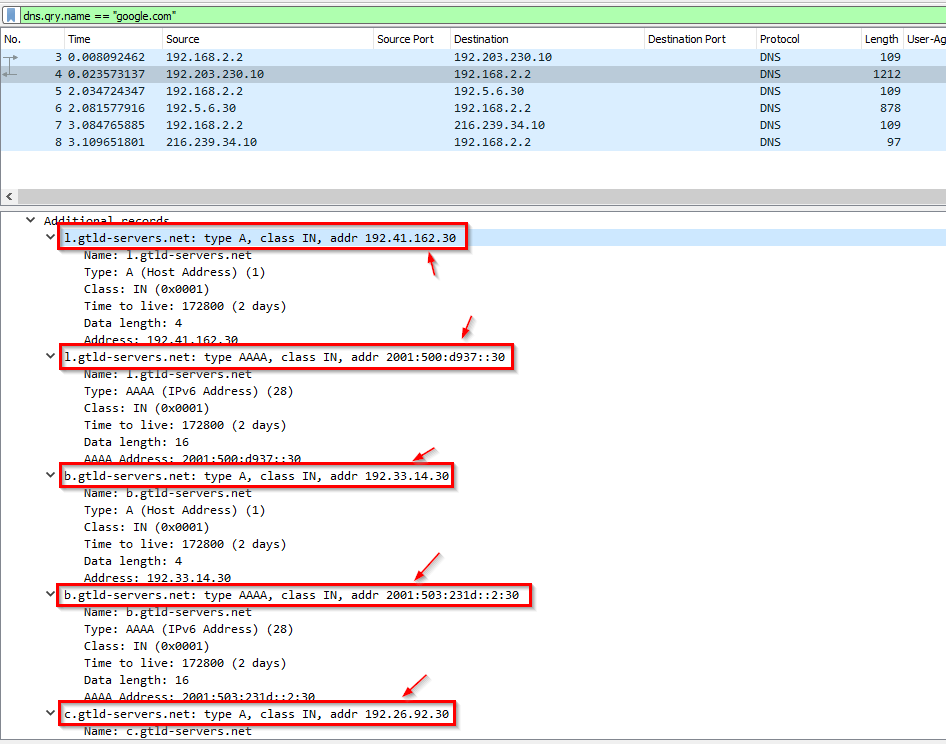
Client redirected to google nameserver: 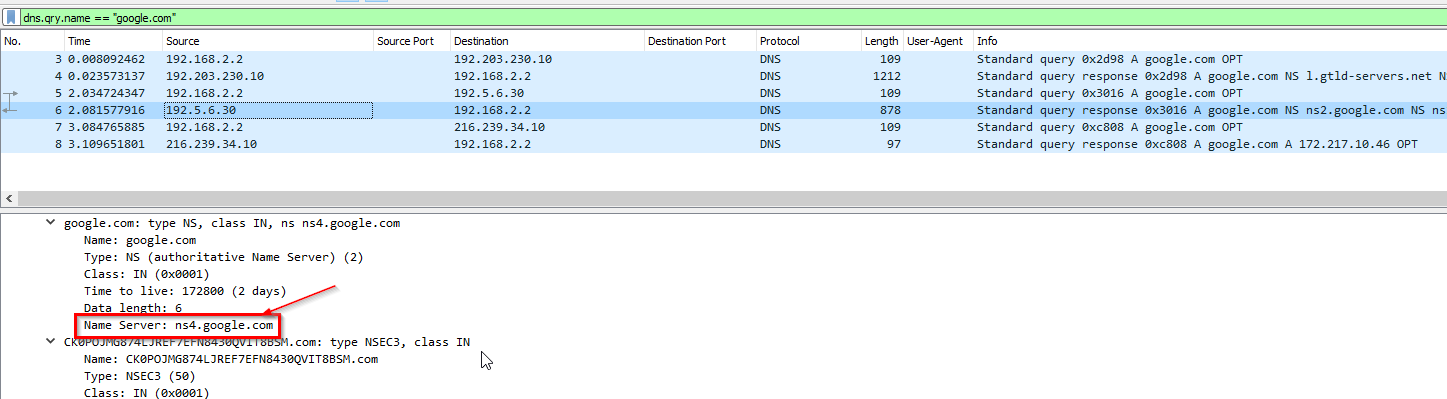
Difference google nameservers: 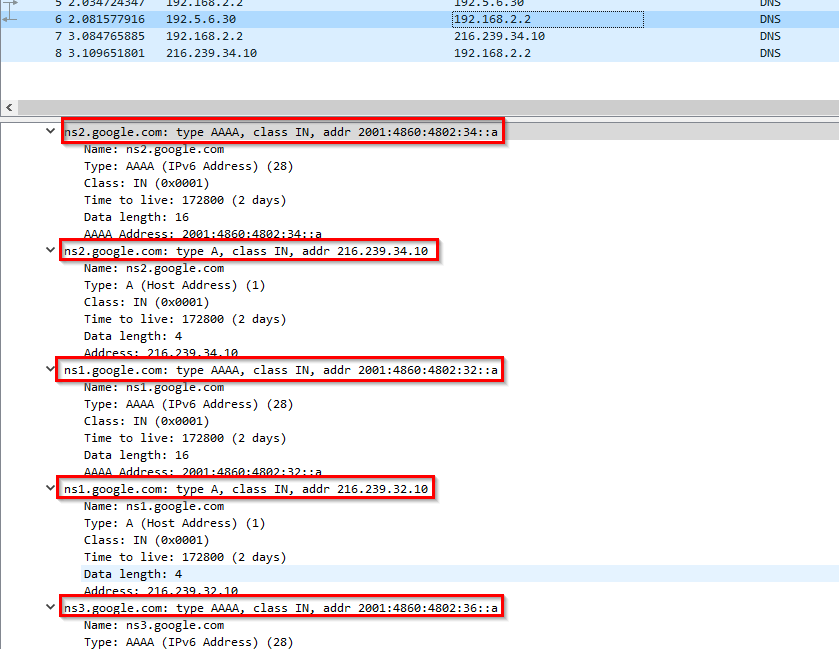
Client getting the IP for google server: 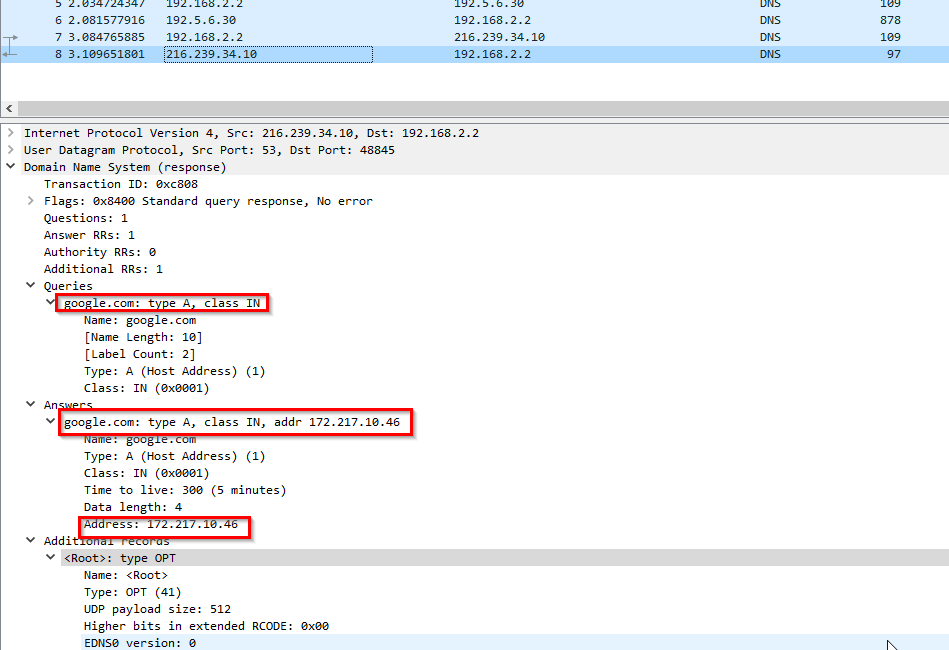
Root servers are NOT visible in here! Let’s try Brim
This is the flow on brim:
1
2
3
4
5
6
7
8
0) Client got a list of Root servers from local DNS server

	- On the next log entry on Brim, it shows the IP of the root DNS server that was used to query the google server.

1) Client get its DNS query on a root server
2) Client gets the IP address on google server
3) Next it gets IP of ns.fruitinc.xyz which is the nameserver of fruitinc.xyz
4) Client go to flag.fruitinc.xyz
- Once you figured out the IP, use
nslookup.ioand match it with the domain from the list of root servers.
-> Answer: e.root-servers.net
Q6 File smb.pcapng - What is the path of the file that is opened?
For starters, let’s check the protocols involved aside from SMB: 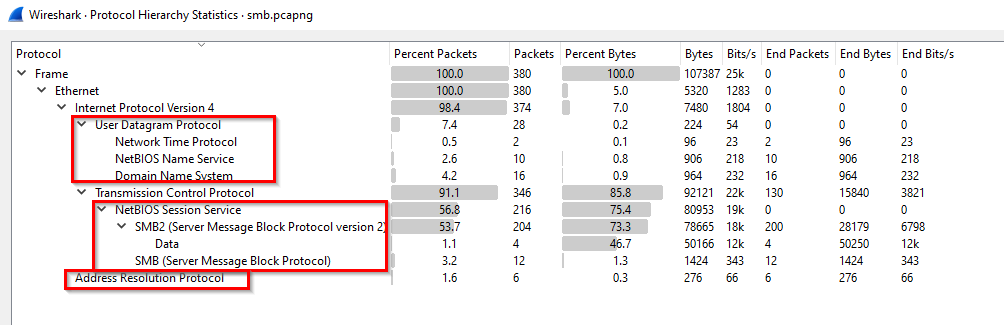
1
2
3
4
5
6
7
8
- IPv4
	- UDP
		- NTP
		- DNS
		- NetBIOS
	- TCP
		- SMB
- ARP (Physical layer)
Let’s check the communicating parties: 
1
2
3
4
45.76.244.202 -> 192.168.2.10 : the former is an NTP server
192.168.2.2 -> 192.168.2.255 : this is more likely  dhcp?
192.168.2.2 -> 192.168.2.10 : workstation to workstation
192.168.2.5 -> 192.168.2.10 : workstation to workstation
Updated enumeration of the workstation:
1
2
3
4
45.76.244.202 -> 192.168.2.10
192.168.2.2 -> 192.168.2.255 : this is more likely a node''s attempt to communicate with NetBIOS local master server
192.168.2.2 <-> 192.168.2.10 : workstation to workstation
192.168.2.5 <-> 192.168.2.10 : DNS server and workstation communication
TCP(SMB): 
1
- This should be our scope as defined from the PCAP
UDP(NTP, DNS and NetBIOS communications): 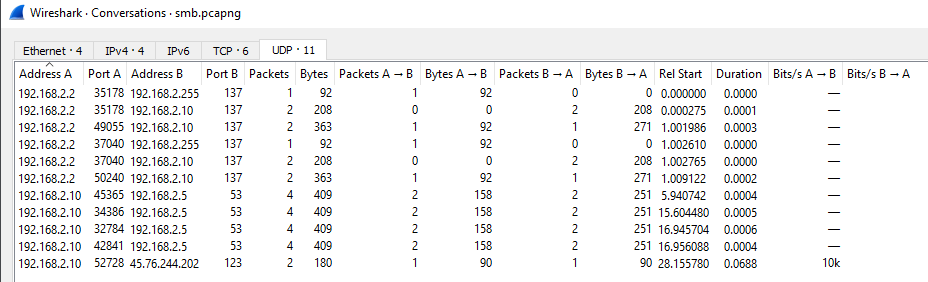
192.168.2.2 queries on the Local Master Server to check what other nodes can be communicated in this network: 
192.168.2.2 found another node on the network 192.168.2.10. It seems that the former wants to log into the latter workstation under the user anonymous 
1
- The request seems to be blocked. Means that anonymous user doesn't exist in this or the default login itself.
DNS query made by 192.168.2.10: (not sure yet for what reason) 
1
- This repeats every now and then in the haystack of packets.
Focusing more on the interaction between 192.168.2.2 and 192.168.2.10: 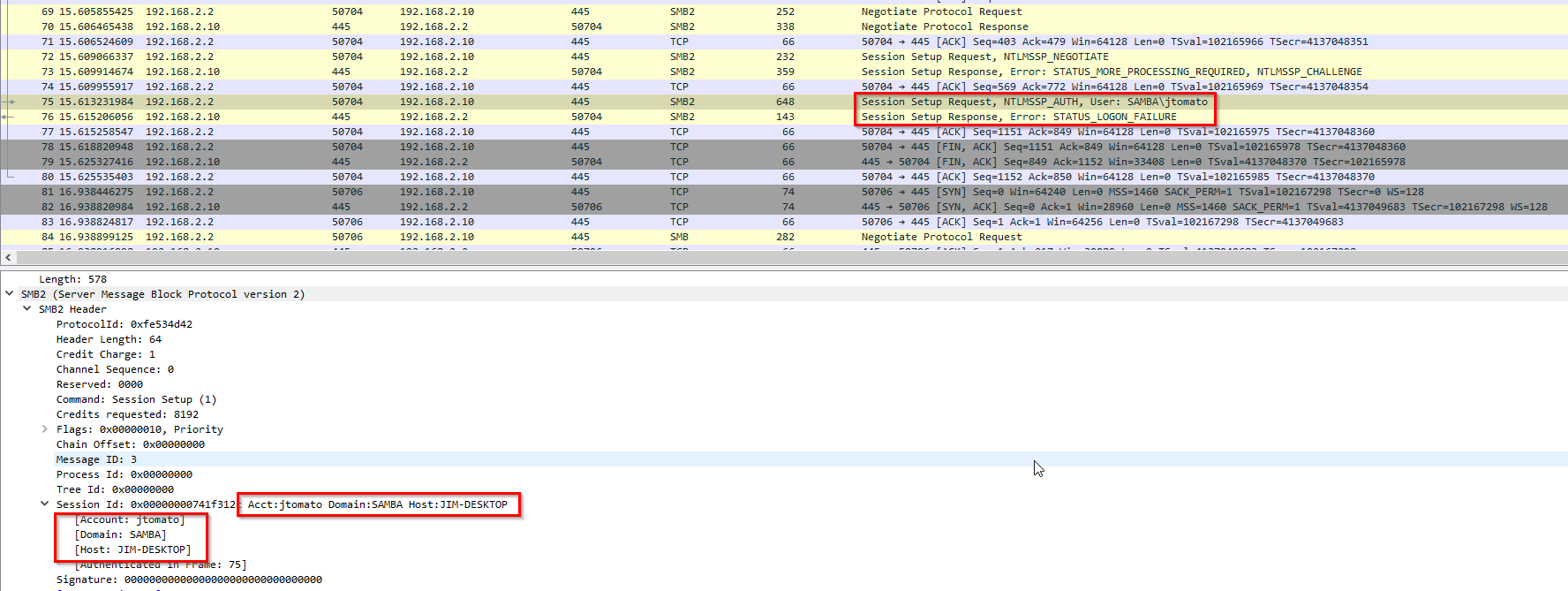
1
2
- This has a different feedback from the 'anonymous' login as this one has "STATUS_LOGON_FAILURE". It's possible that we have the right user just with the wrong password.
- NTLMSSP_NEGOTIATE is the authentication transaction
Information extracted:
1
2
3
Account: 'jtomato'
Domain: SAMBA
Hosts: 'JIM-DESKTOP'
Now, it tries a blank login, and it worked: 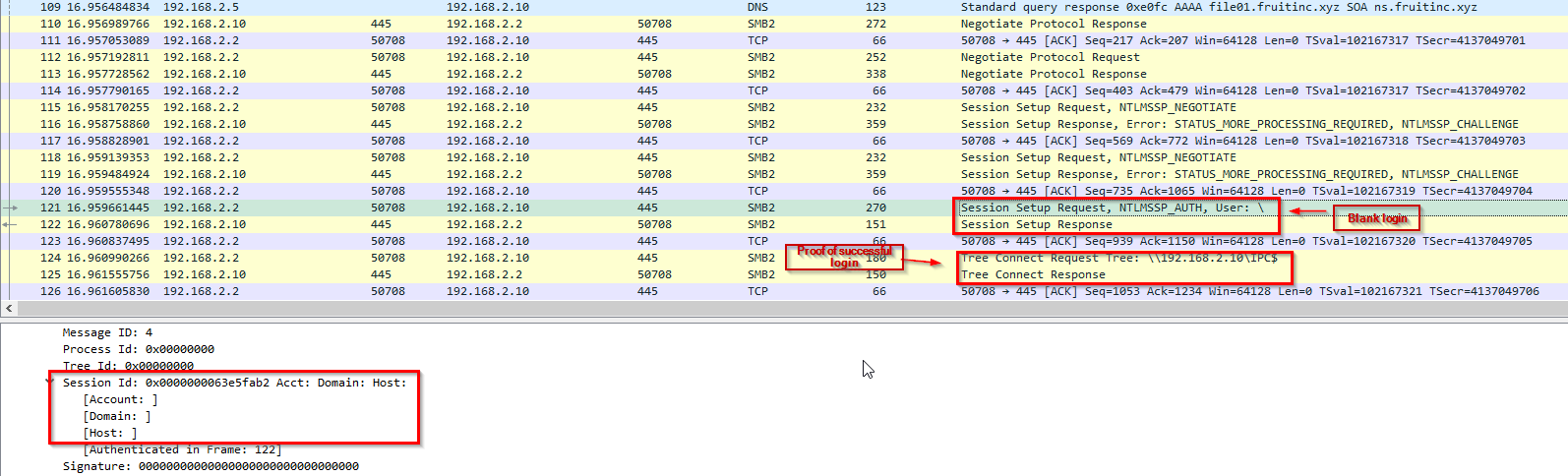
1
- It was a successful login since the `192.168.2.2` attacker can access the `IPC$` share of 192.168.2.10
Another share is found: \public 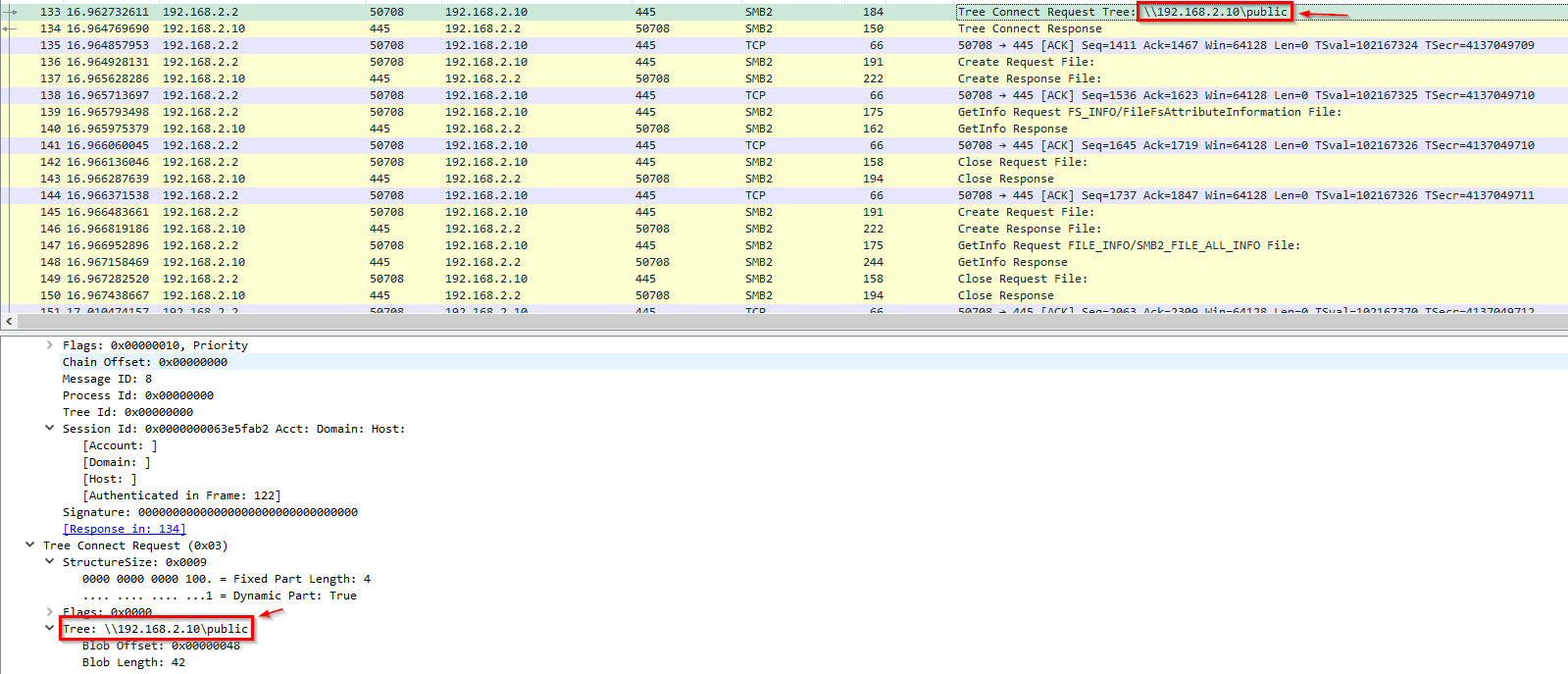
Checking the files accessed by the attacker inside the shares available: 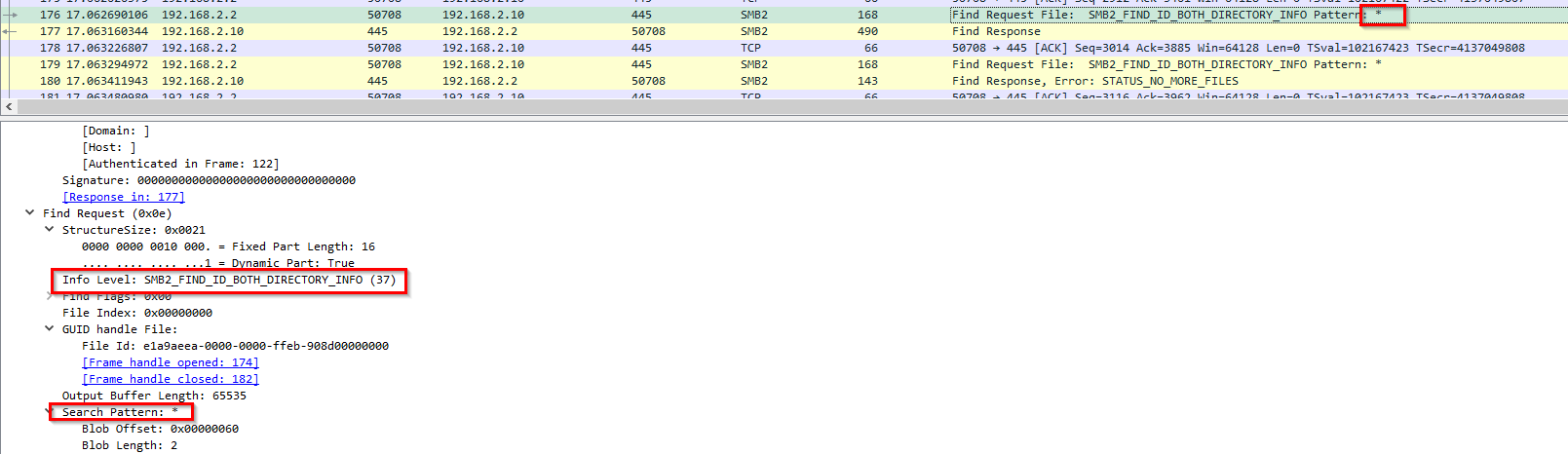
1
- The attacker tried to find any existing file in the \public share and found one.
Found a file(more like a directory): 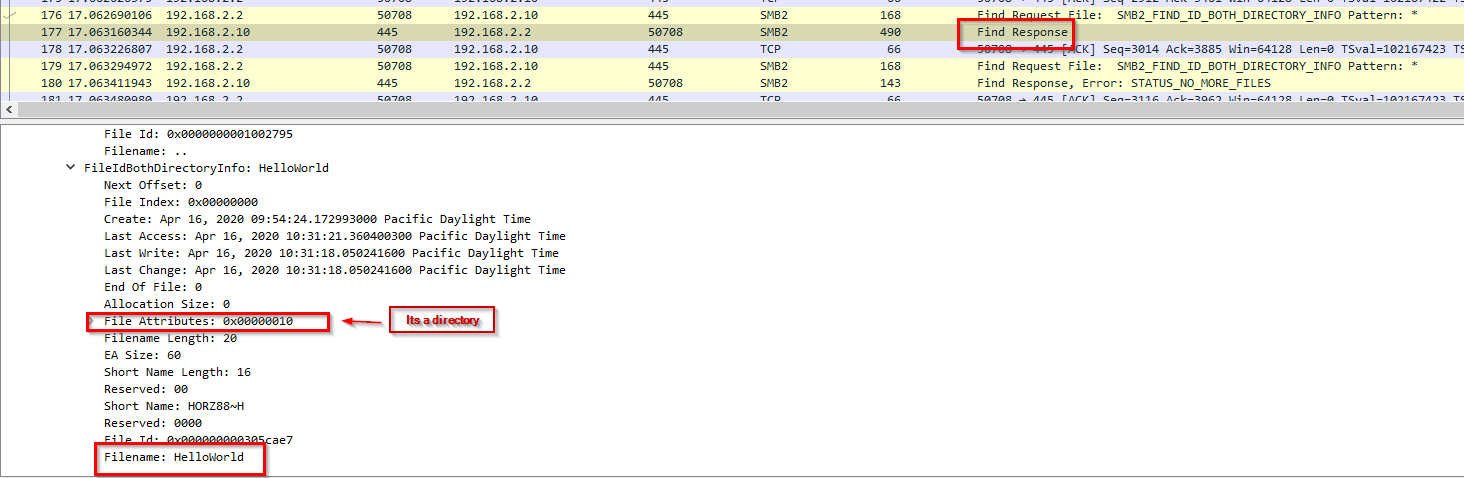
File type: 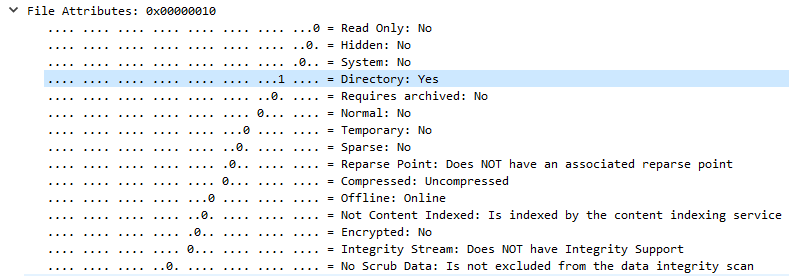
There are no other files: 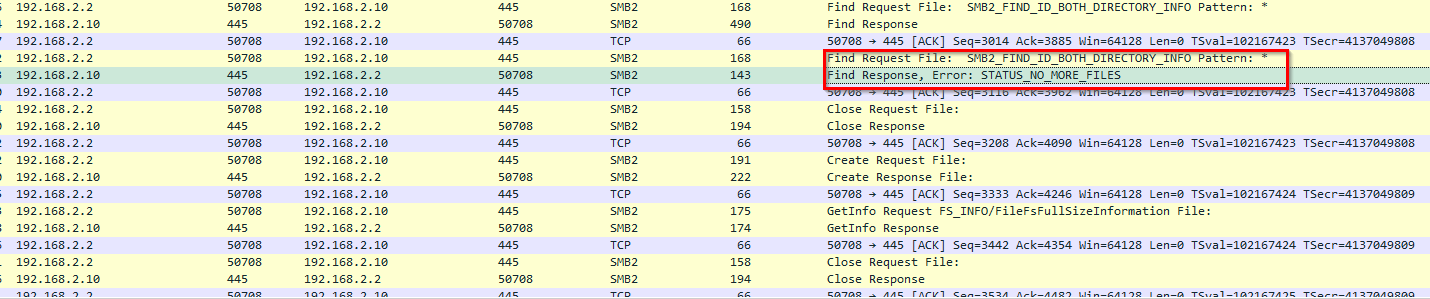
Note: It’s weird that I don’t see the output for file enumeration but there is for directory? Hmm
Attacker enumerated the directory: \192.168.2.10\public\HelloWorld\ and found TradeSecrets.txt file 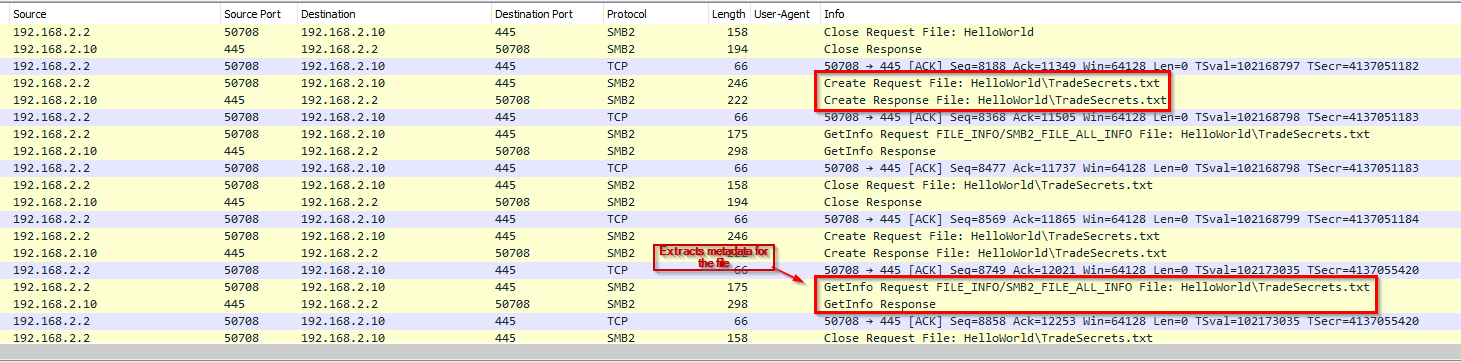
-> Answer: HelloWorld\TradeSecrets.txt
Checking the contents of this file: 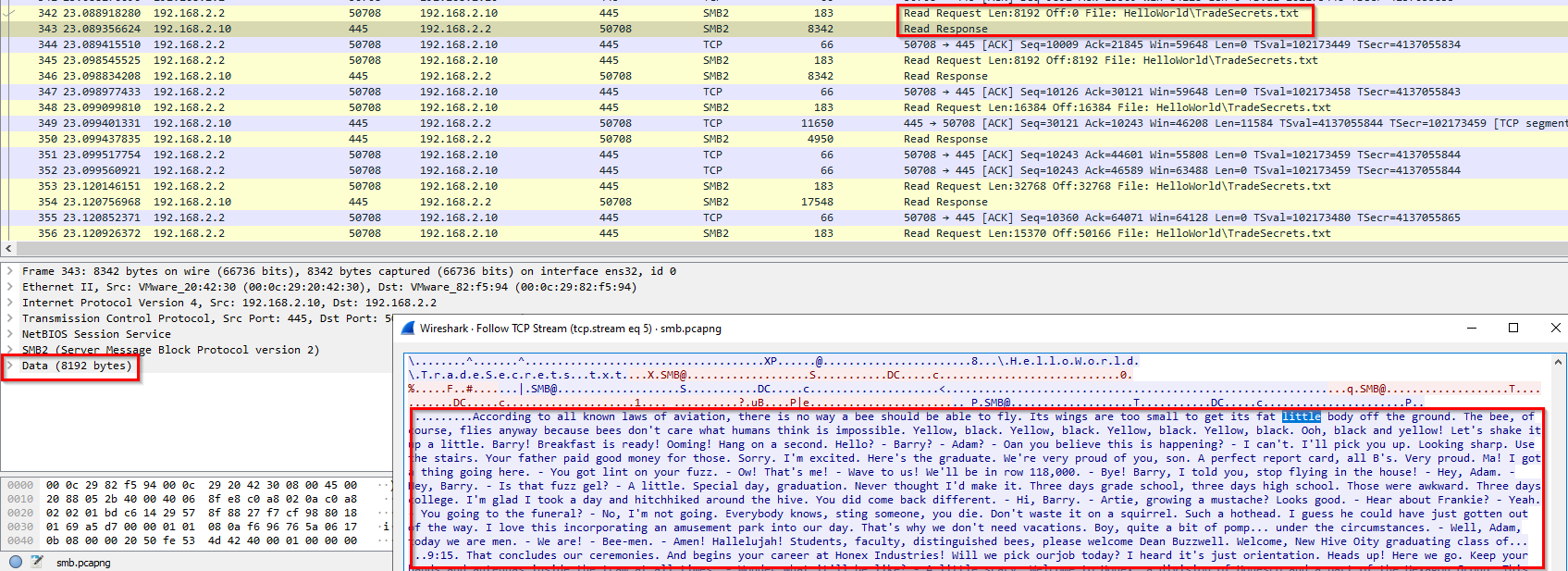
Q7 File smb.pcapng - What is the hex status code when the user SAMBA\jtomato logs in?
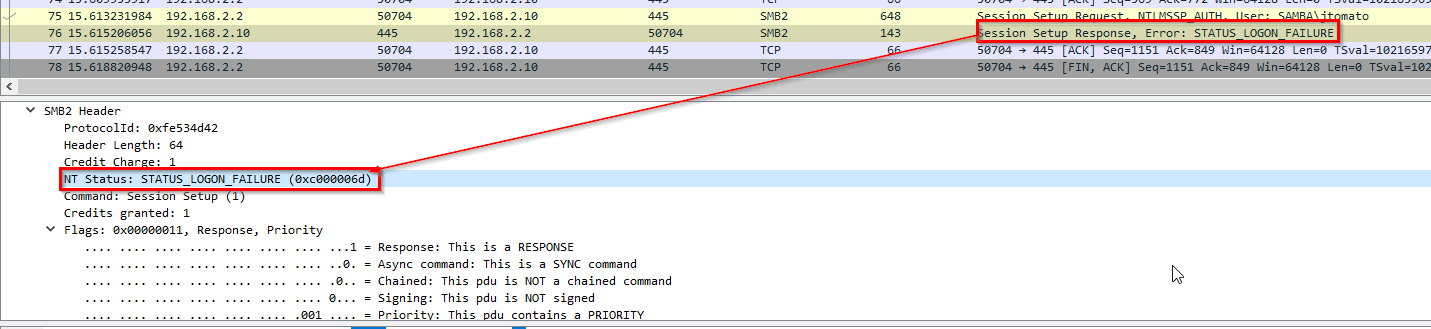
-> Answer: 0xc000006d
Q8 File smb.pcapng - What is the tree that is being browsed?
-> Answer: \\192.168.2.10\public
Q9 File smb.pcapng - What is the flag in the file?
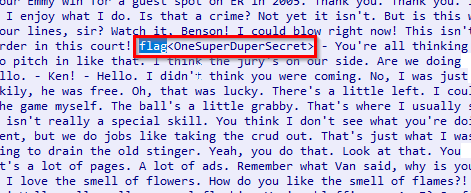
-> Answer: flag<OneSuperDuperSecret>
Q10 File shell.pcapng - What port is the shell listening on?
Check the protocols involved: 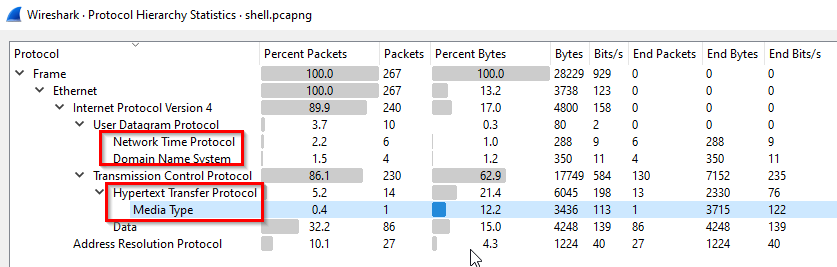
1
2
3
4
- We got:
	- NTP
	- DNS
	- HTTP
Check the communicating parties: 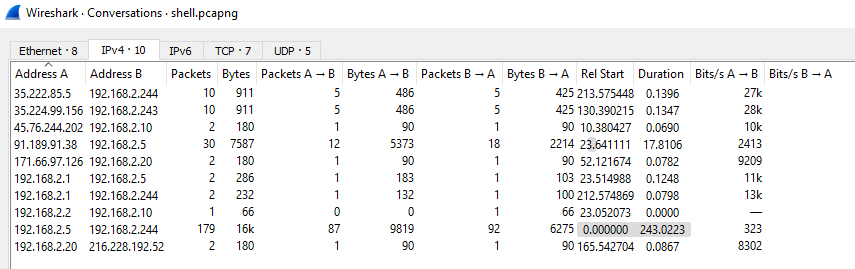
-> TCP conversation: 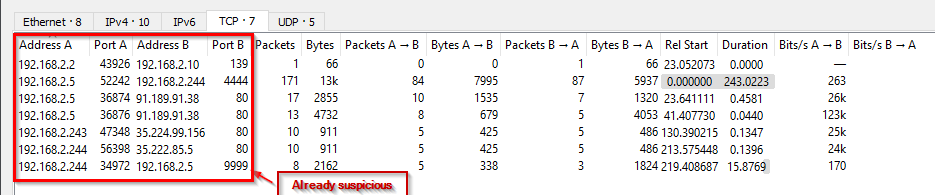
1
- Recall that port 139 is SMB
-> UDP conversation: 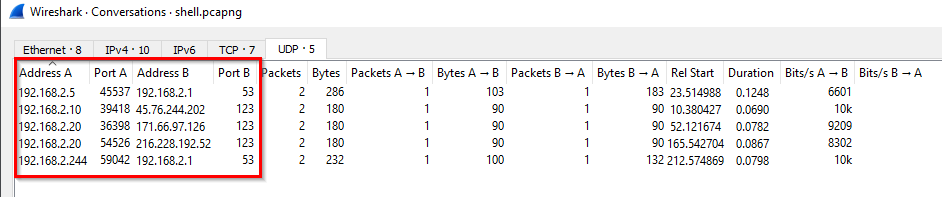
Identify what each node do:
1
2
3
192.168.2.5 -> Attacker
192.168.2.244 -> Victim machine the attacker placed a reverse shell on
171.66.97.126 -> NTP server
Initial Shell:
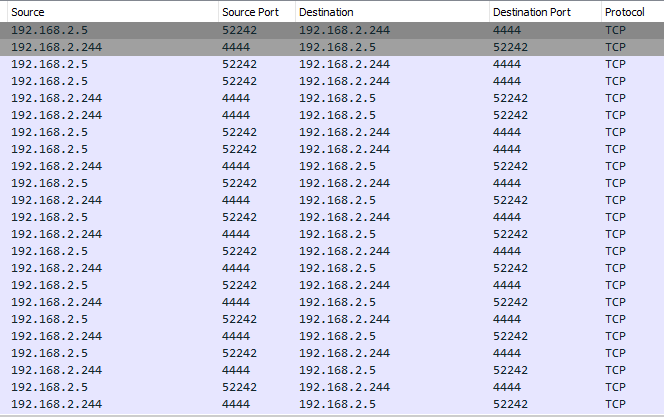
1
- Attacker installed netcat on the victim's machine and connected back to its machine on port 9999
-> Answer: 4444
Q11 File shell.pcapng - What is the port for the second shell?
Following the TCP stream: 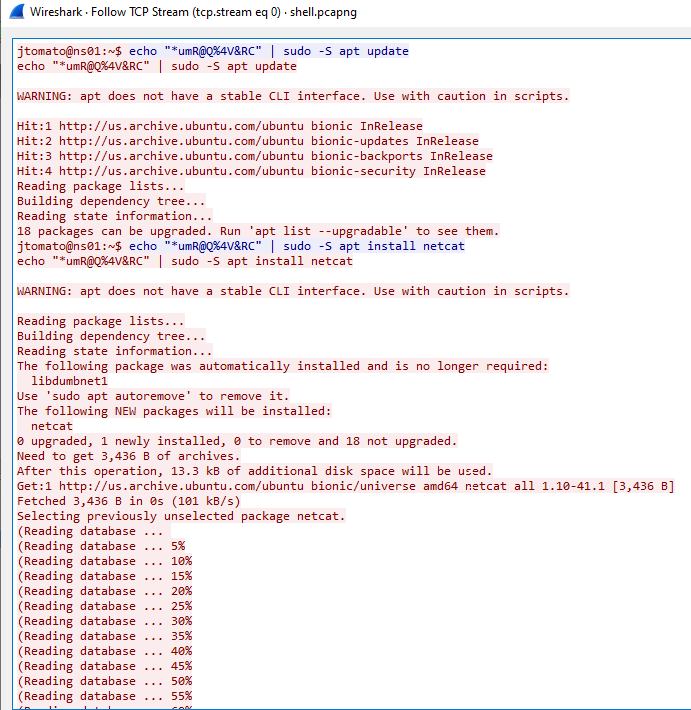
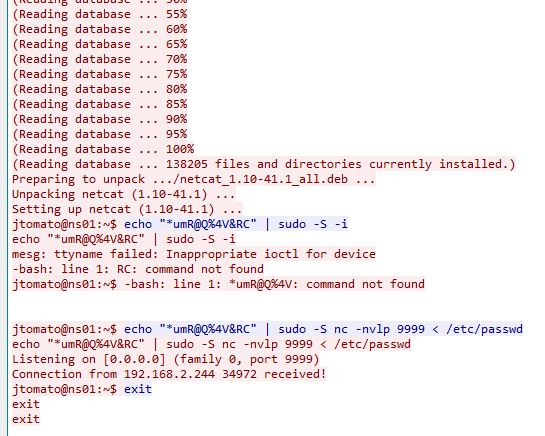
1
echo "<password>" | sudo -S <command>
1
- '-S' means read the password from stdin
Packets for the netcat download and install: 
Following the stream: 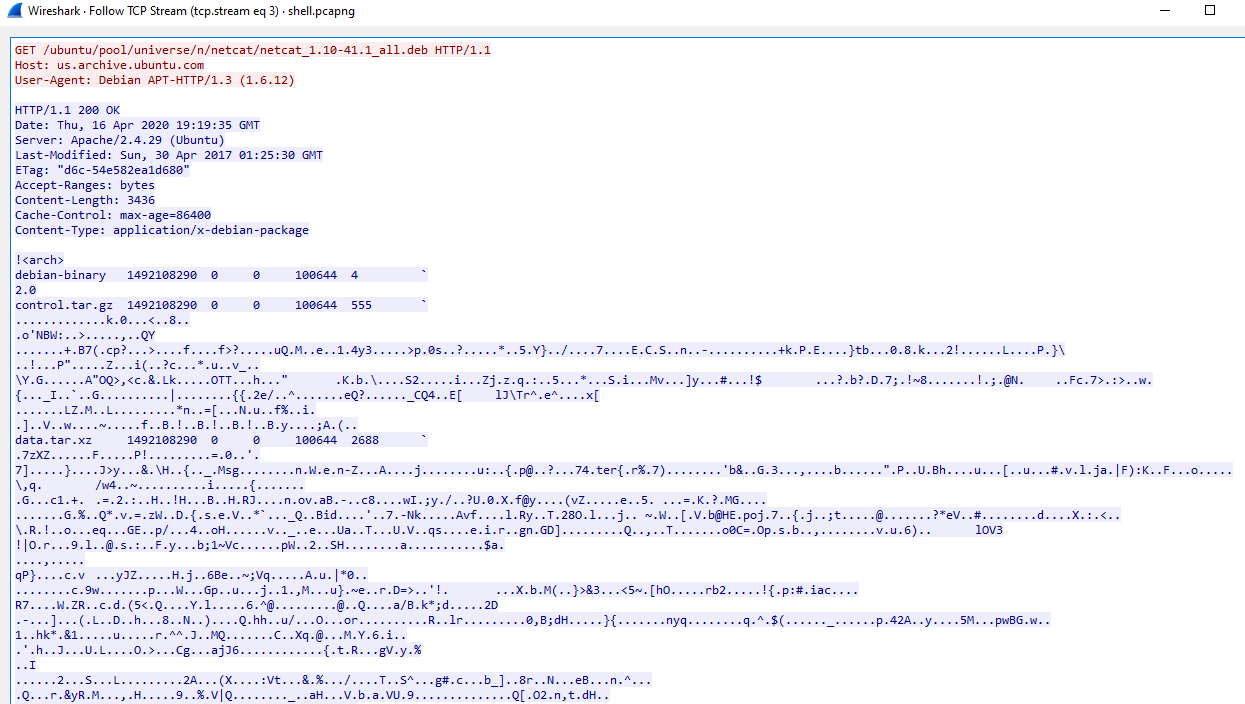
-> Answer: 9999
Q12 File shell.pcapng - What version of netcat is installed?
-> Answer: netcat_1.10-41.1
Q13 File shell.pcapng - What file is added to the second shell
Query:
1
ip.addr == 192.168.2.244 && tcp.port == 9999
Packets for this TCP comms: 
Following the stream: 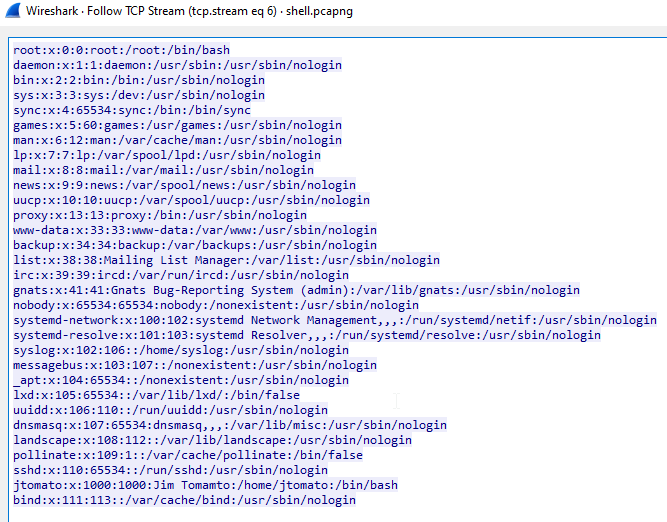
1
- The attacker exfiltrated the /etc/passwd from the workstation 192.168.2.244
-> Answer: /etc/passwd
Q14 File shell.pcapng - What password is used to elevate the shell?
Note: The attacker’s initially compromised machine is 192.168.2.5.
-> Answer: *umR@Q%4V&RC
Q15 File shell.pcapng - What is the OS version of the target system?
-> Answer: bionic
Q16 File shell.pcapng - How many users are on the target system?
Query:
1
ip.addr == 192.168.2.244 && tcp.port == 9999
Packets for this TCP comms:
Following the stream:
-> Answer: 31
Q17 File network.pcapng - What is the IPv6 NTP server IP?
Extracting basic context on the situation: 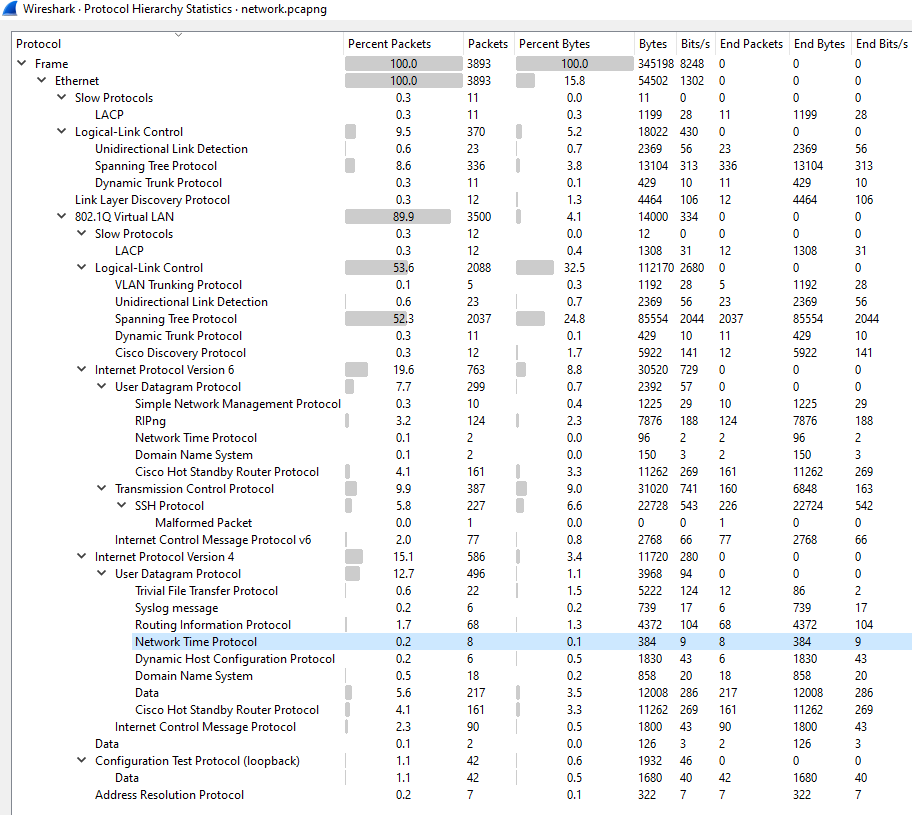
Definition of each protocol involved:
1
2
3
4
5
6
7
8
9
10
11
12
13
14
15
16
17
18
19
20
21
22
23
24
25
26
27
28
29
30
31
32
33
34
35
36
37
38
39
40
41
42
43
44
45
46
Slow Protocol:
- 'Link Aggregation Control Protocol (LACP)' :

Logical-link Protocol:
- 'Unidirectional Link Detection' :
- 'Spanning Tree Protocol' :
- 'Dynamic Trunk Protocol' :
- 'Cisco Discovery Protocol' :

Link-Layer Discovery Protocol:

802.1Q Virtual LAN
- Slow Protocol:
	- 'Link Aggregation Control Protocol (LACP)' :
- Logical-Link Control:
	- 'VLAN Trunking Protocol' :
	- 'Unidirectional Link Detection' :
	- 'Spanning Tree Protocol' :
	- 'Dynamic Trunk Protocol' :
	- 'Cisco Discovery Protocol' :

IPv6
	- UDP
		- 'SNMP'
		- 'RIPng'
		- 'NTP'
		- 'DNS'
		- 'Cisco Hot Standby Router Protocol' :
	- TCP
		- 'SSH'
	- ICMPv6

IPv4
	- UDP
		- 'TFTP'
		- 'Syslog'
		- 'Routing Information Protocol'
		- 'Network Time Protocol' :
		- 'DHCP'
		- 'DNS'
		- 'Cisco Hot Standby Router Protocol' :
	- ICMP

Configuration Test Protocol (loopback)

ARP
Communicating nodes in the network:
NTP interactions by the client 192.168.121.40 and another IPv6 NTP client 2003:51:6012:121::10: 
1
2
3
4
5
NTP servers:
- 212.224.120.164
- 78.46.107.140
- 148.251.154.36
- 2003:51:6012:110::dcf7:123
-> Answer: 2003:51:6012:110::dcf7:123
Q18 File network.pcapng - What is the first IP address that is requested by the DHCP client?
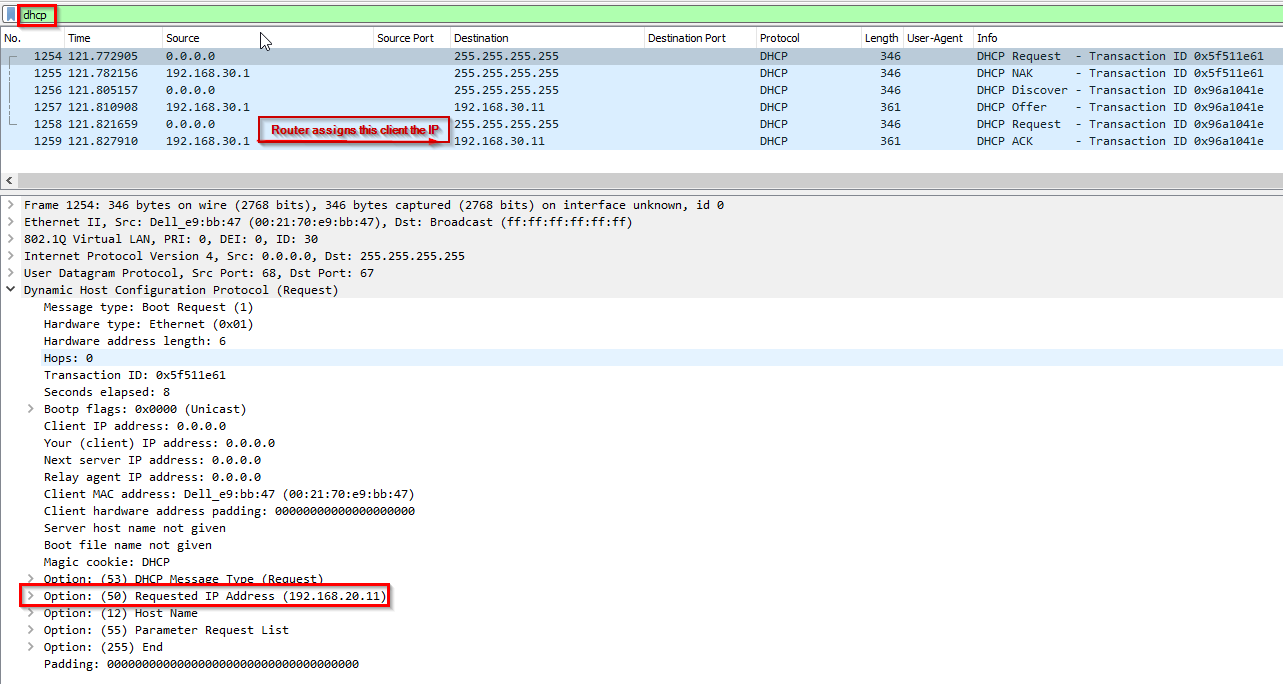
-> Answer: 192.168.20.11
Q19 File network.pcapng - What is the first authoritative name server returned for the domain that is being queried?
Request: 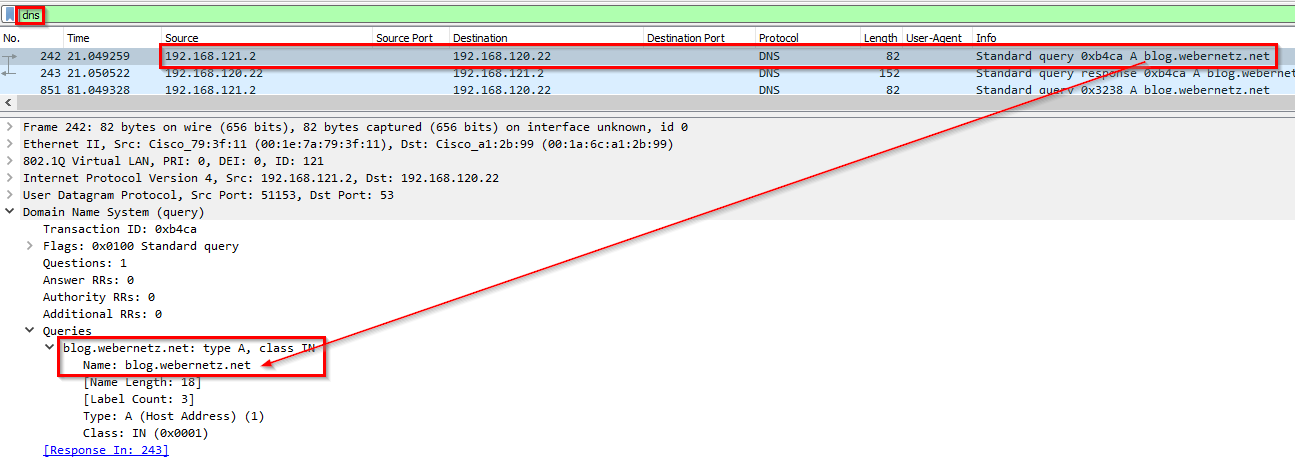
Response: 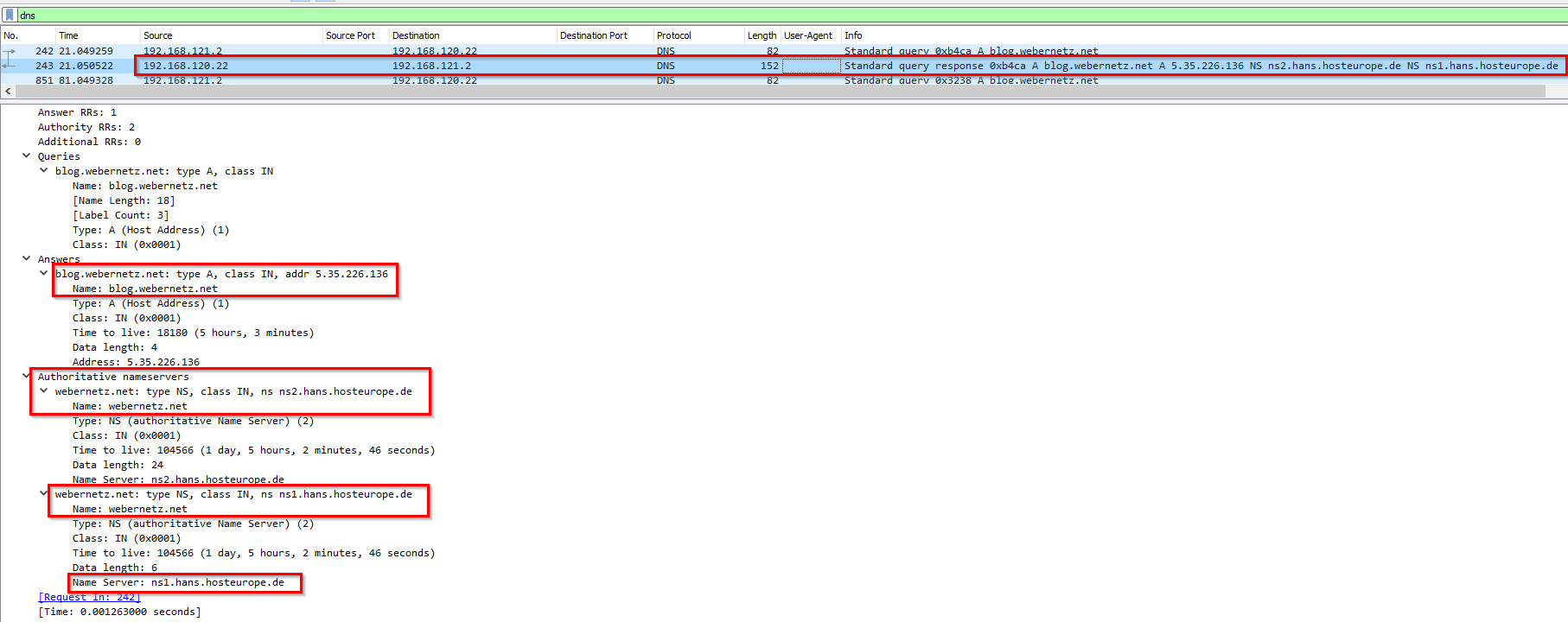
-> Answer: ns1.hans.hosteurope.de
Q20 File network.pcapng - What is the number of the first VLAN to have a topology change occur?
- How do you know if there’s a topology change?
Hunting for topology changes:
Wireshark query:
1
vlan && stp.flags.tc != 0
Notice that the BPDU type == 0x02 instead of 0x80 despite having the topology change set to Yes. 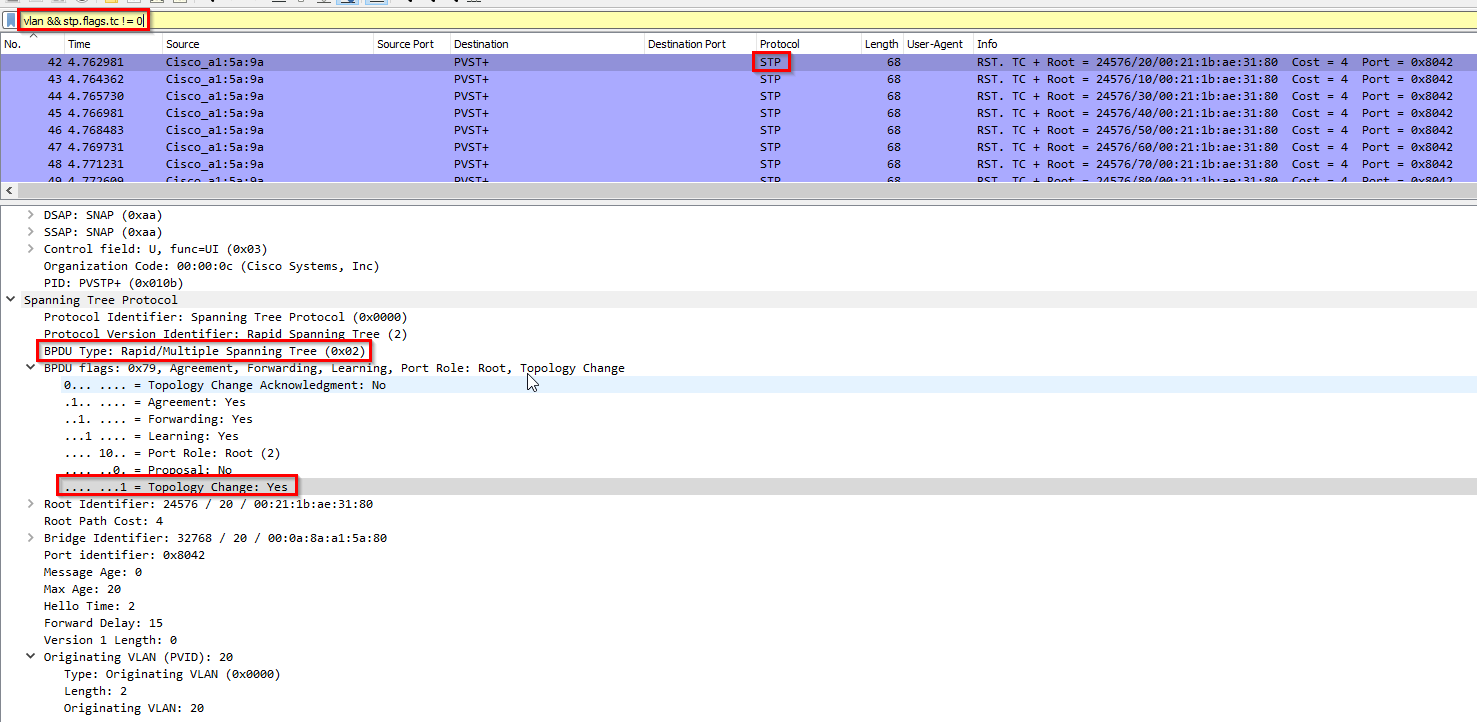
1
- Uses RSTP rather than just STP
How do we know to which topology it was changed to?
1
1) Check the TCN origin first. Meaning, verify the switch or port that is sending the TCN BPDU.
-> Answer: Originating VLAN => 20
Q21 File network.pcapng - What is the port for CDP for CCNP-LAB-S2?
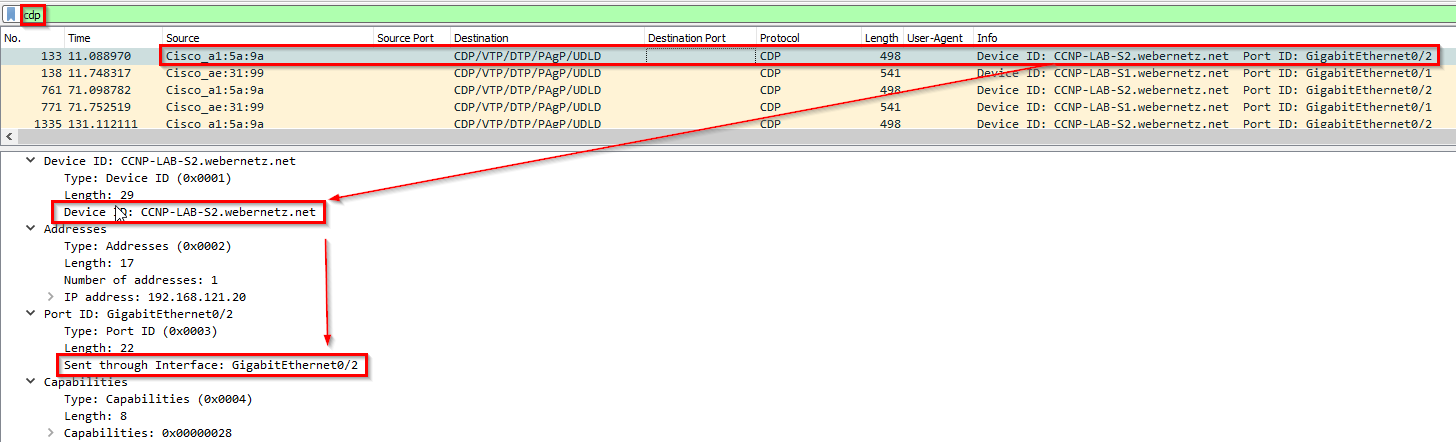
-> Answer: GigabitEthernet0/2
Q22 File network.pcapng - What is the MAC address for the root bridge for VLAN 60?
Wireshark query:
1
stp.pvst.origvlan == 60
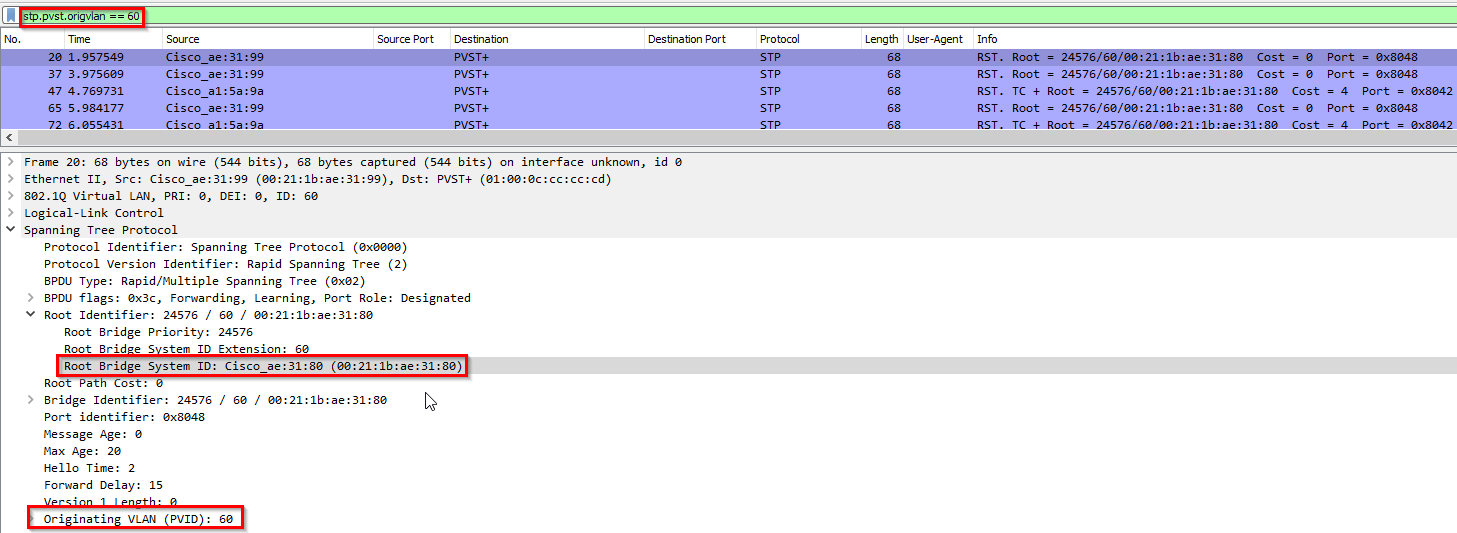
-> Answer: 00:21:1b:ae:31:80
Q23 File network.pcapng - What is the IOS version running on CCNP-LAB-S2?
- IOS is a Cisco Networking Software:
![]()
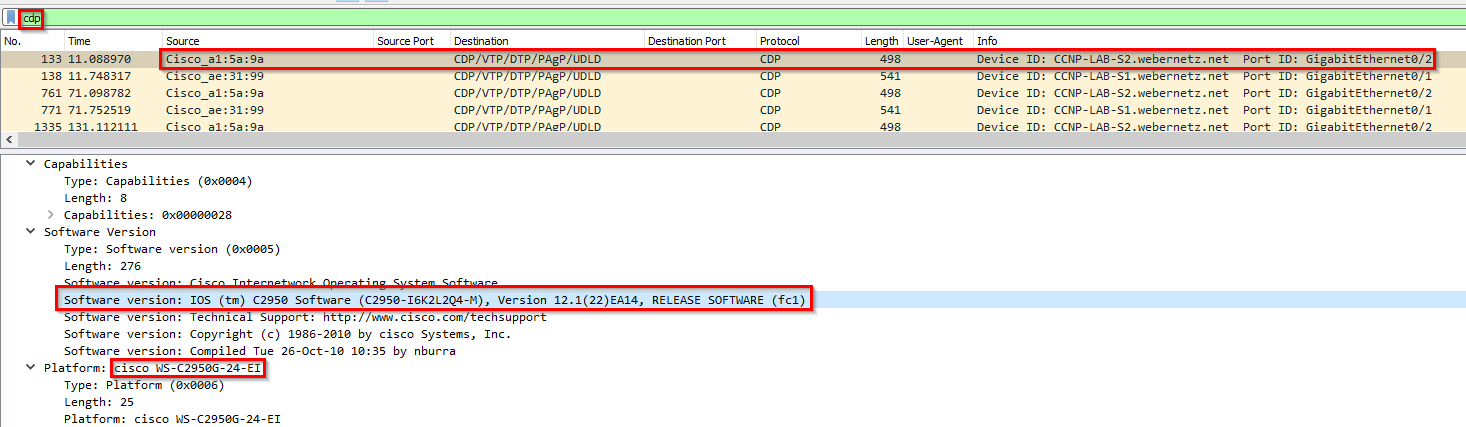
-> Answer: 12.1(22)EA14
Q24 File network.pcapng - What is the virtual IP address used for hsrp group 121?
- This is the protocol used at Layer 2 to check if the port on the recipient of the frame is online and is checked by the sending switch.
![]()
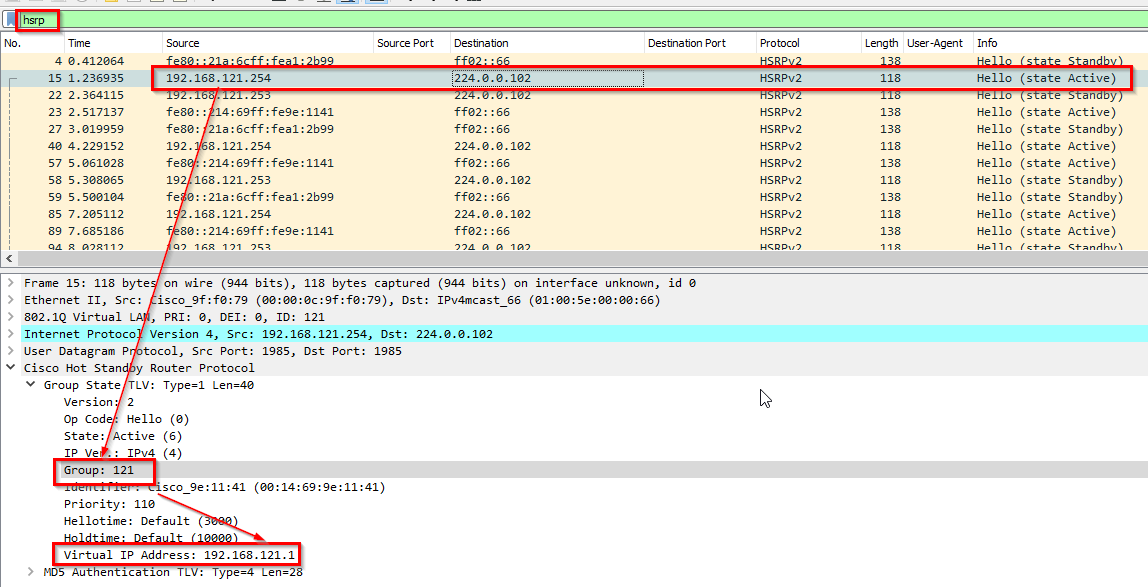
-> Answer: 192.168.121.1
Q25 File network.pcapng - How many router solicitations were sent?
- This is used by hosts to find routers on their local network. Useful for configuration and routing:
![]()
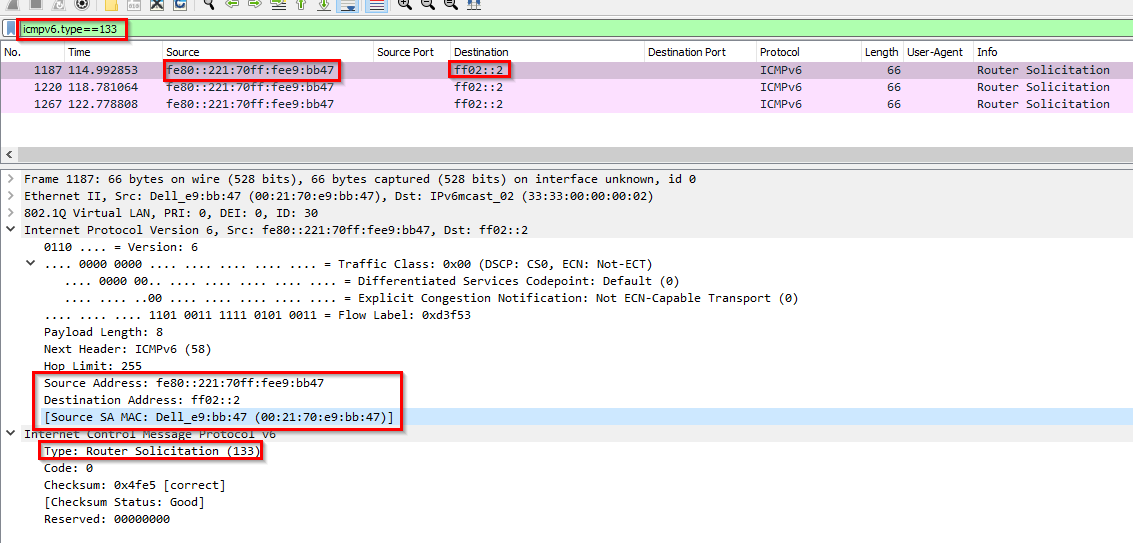
Difference between ARP and Router Solicitation in IPv6:
1
2
3
4
From ChatGPT:
- Since ARP is specific to IPv4, ICMPv6 router solicitation solves a similar purpose for IPv6 networks.
- ARP uses Broadcast while ICMPv6 (RS) uses multicasting(directed)
- ARP only is for host discovery while ICMPv6 (RS) is not only for host discovery but also for router discovery and address autoconf
-> Answer: 3
Q26 File network.pcapng - What is the management address of CCNP-LAB-S2?
This one used the NLPID protocol: 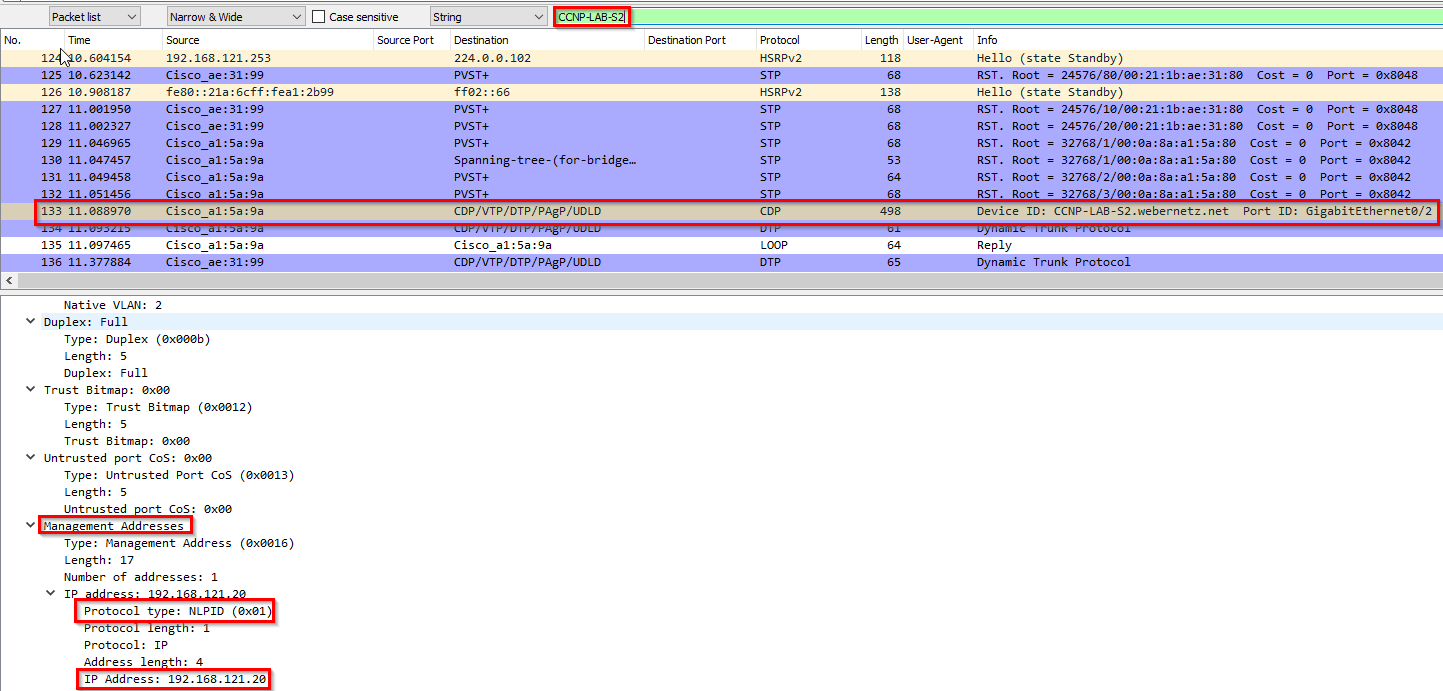
1
- Intermediate system to Intermediate system
-> Answer: 192.168.121.20
Q27 File network.pcapng - What is the interface being reported on in the first snmp query?
Context: The client asked something from the SNMP manager some kind of object. The interface shows which port it was sent from from the sending switch. 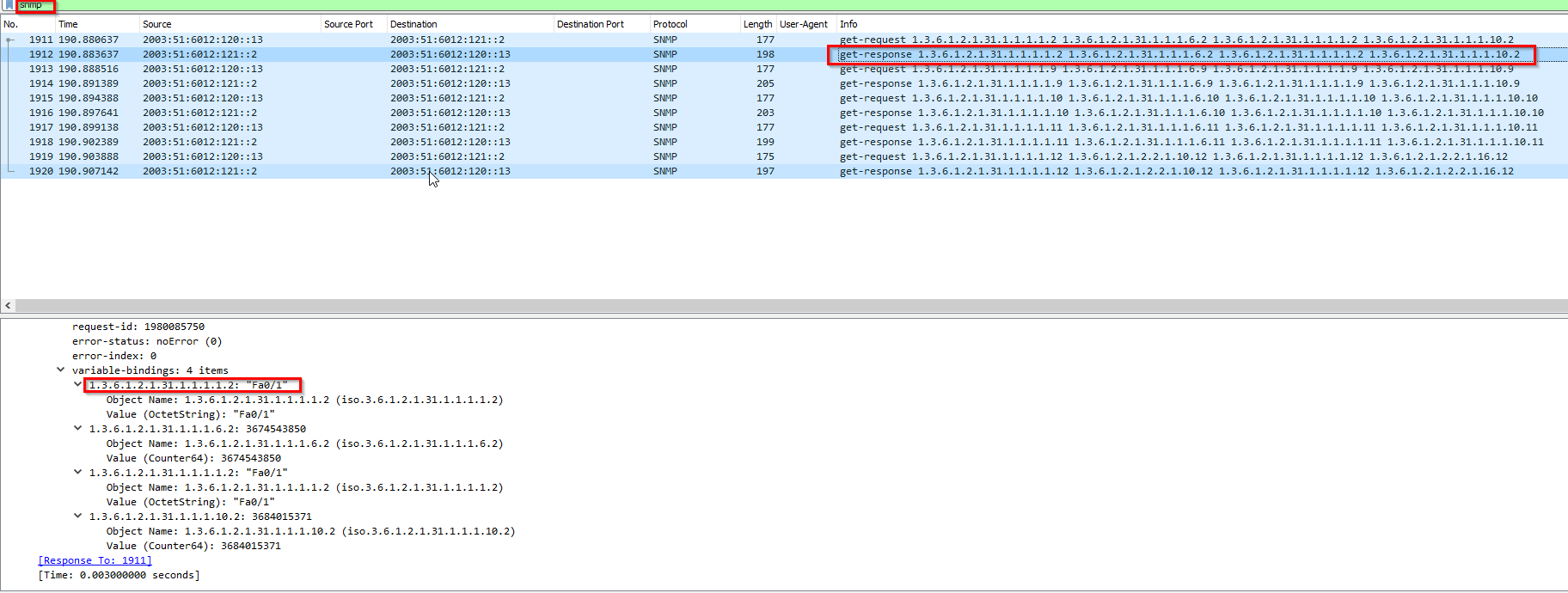
1
- Fa0/1 : "Fast Ethernet 0/1" is a specific network interface designation on Cisco devices. It indicates a fast ethernet interface (10/100 Mbps) on the device, with "0/1" being the specific port number(physical NIC).
For this one, it shows Fa0/1.30 meaning, this is happening on VLAN 30 represented by that physical interface: 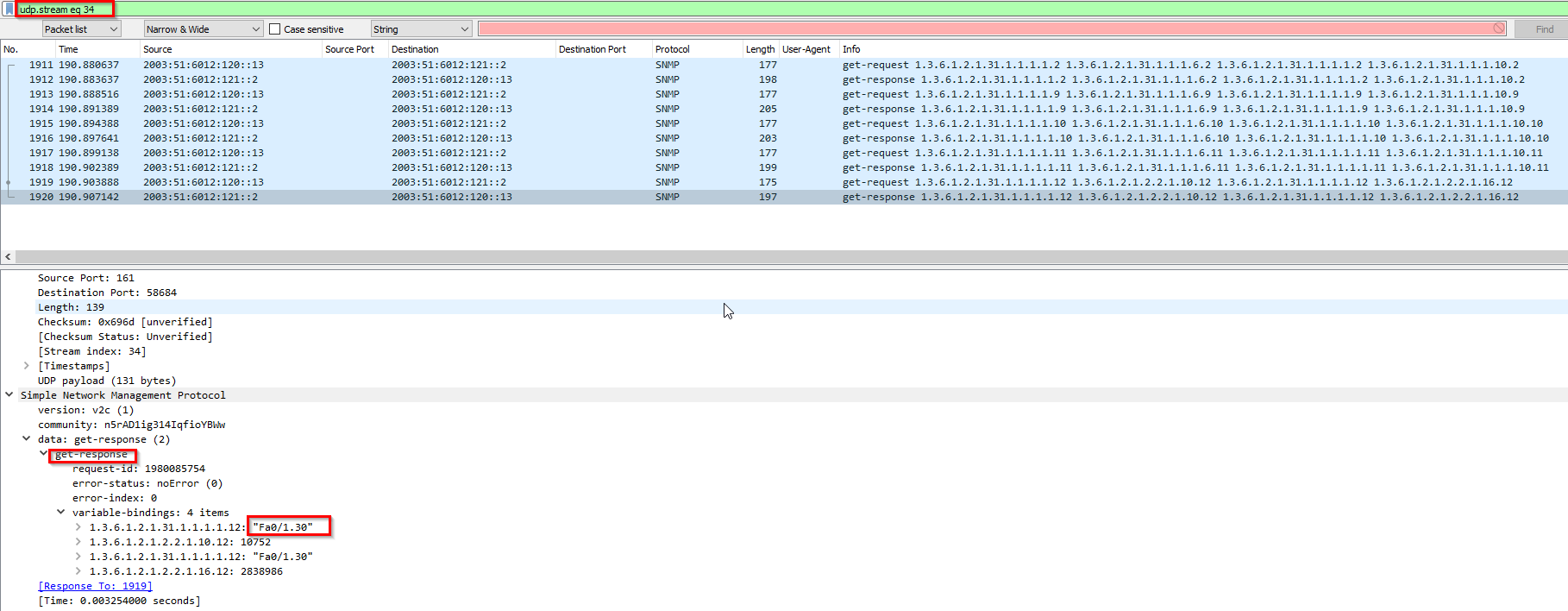
-> Answer: Fa0/1
Q28 File network.pcapng - When was the NVRAM config last updated?
Whats NVRAM? -> Stores the configuration information on the network server in text form as configuration commands.
Got a hint via google search about “nvram config” and it shows a youube video about Copying TFTP command IOS and NVRAM: 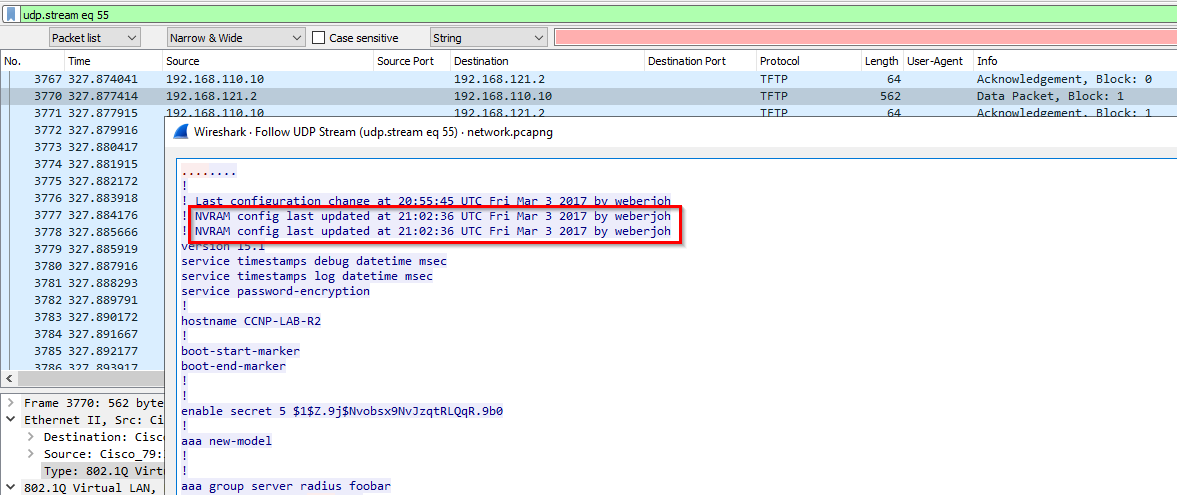
1
- Seems like the configuration changes on Cisco IOS is done through TFTP commands.
-> Answer: 21:02:36 UTC 03/03/2017
Q29 File network.pcapng - What is the ip of the radius server?
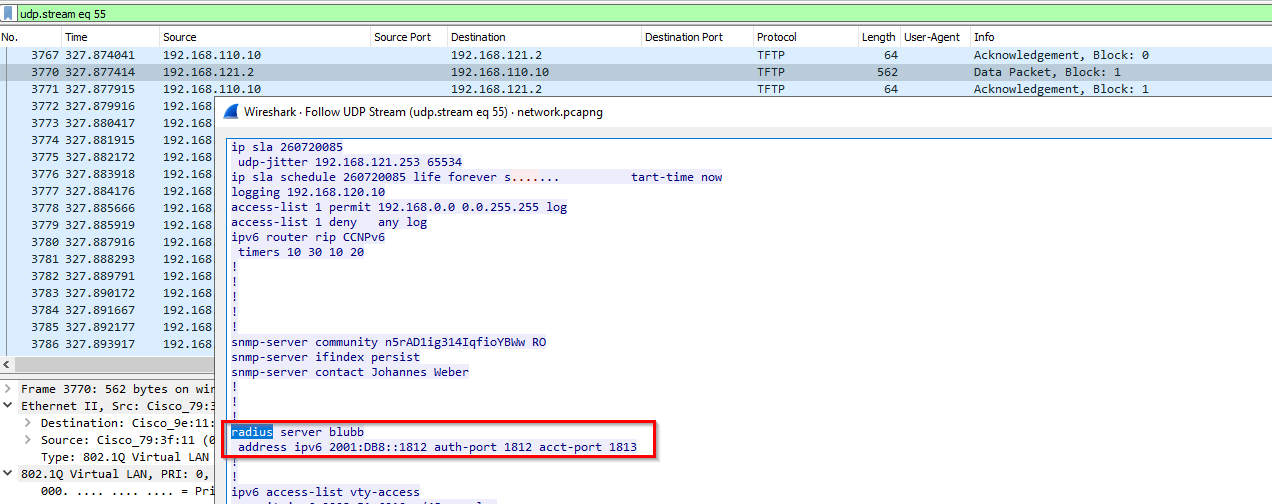
-> Answer: 2001:DB8::1812
Q30File https.pcapng - What has been added to web interaction with web01.fruitinc.xyz?
Network Context:
Protocols used: 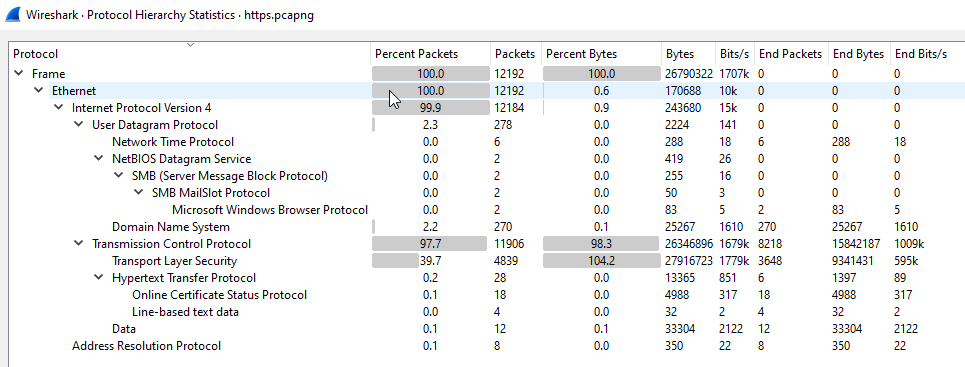
Communicating parties: 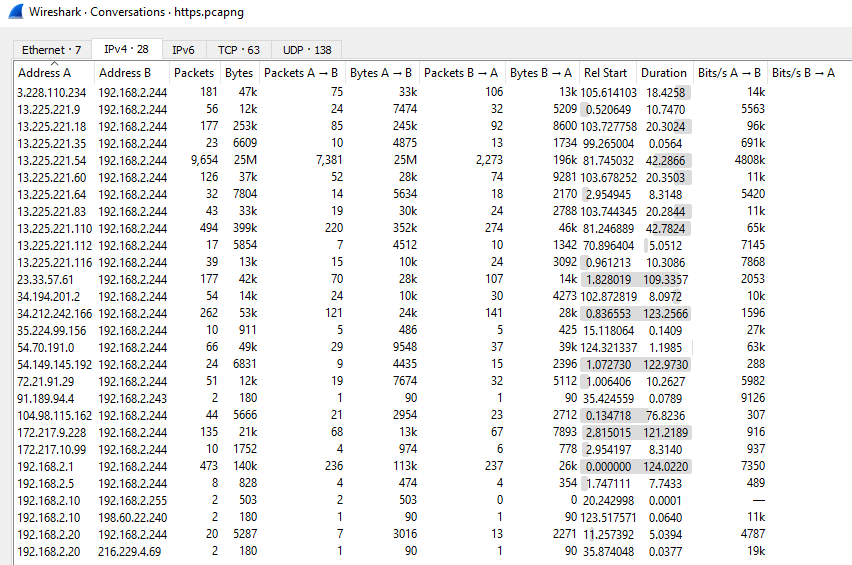
TCP sessions: 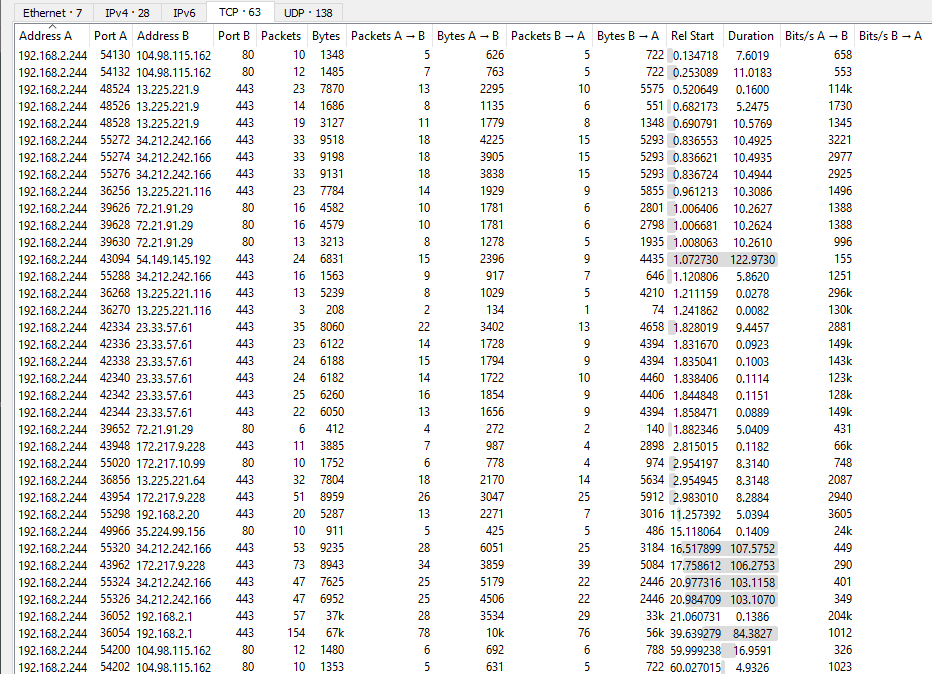
1
2
3
4
5
6
7
8
9
10
11
1) 192.168.2.244 -> 104.98.115.162 (->80)
2) 192.168.2.244 -> 13.225.221.9 (->443)
3) 192.168.2.244 -> 34.212.242.166 (->443)
4) 192.168.2.244 -> 13.225.221.116 (->443)
5) 192.168.2.244 -> 72.21.91.29 (->80)
6) 192.168.2.244 -> 54.149.145.192 (->443)
7) 192.168.2.244 -> 23.33.57.61 (->443)
8) 192.168.2.244 -> 172.217.9.228 (->443)
9) 192.168.2.244 -> 192.168.2.20 (->443)
10) 192.168.2.244 -> 35.224.99.156 (->443)
11) 192.168.2.244 -> 192.168.2.1 (->443)
Cont’d: 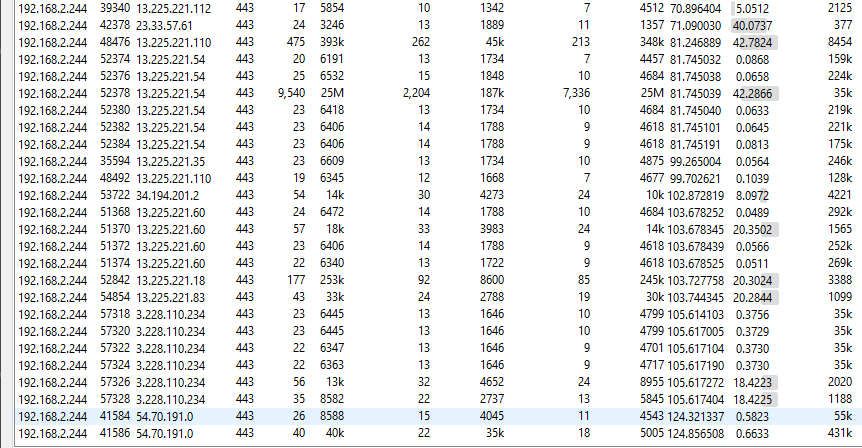
1
2
3
4
5
6
7
8
9
12) 192.168.2.244 -> 13.225.221.112 (->443)
13) 192.168.2.244 -> 13.225.221.110 (->443)
14) 192.168.2.244 -> 13.225.221.54 (->443)
15) 192.168.2.244 -> 13.225.221.35 (->443)
16) 192.168.2.244 -> 34.194.201.2 (->443)
17) 192.168.2.244 -> 13.225.221.60 (->443)
18)  192.168.2.244 -> 13.225.221.18 (->443)
19)  192.168.2.244 -> 3.228.110.234 (->443)
20)  192.168.2.244 -> 54.70.191.0 (->443)
UDP connections(all of it are DNS queries): 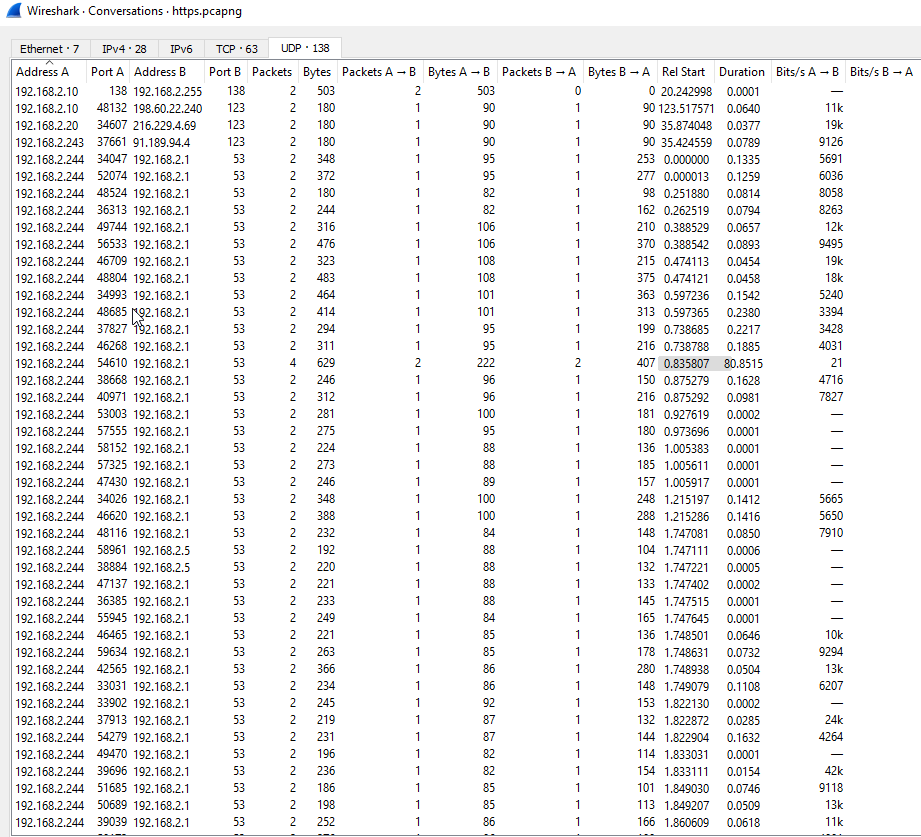
Now that we’ve got the network context, let’s see the DNS queries:
1
2
Wireshark Query:
'dns.qry.name=="web01.fruitinc.xyz"'

1
- IPv4 of 'web01.fruitinc.xyz' == 192.168.2.20
Checking all connections that this IP was involved:
1
ip.addr == 192.168.2.20
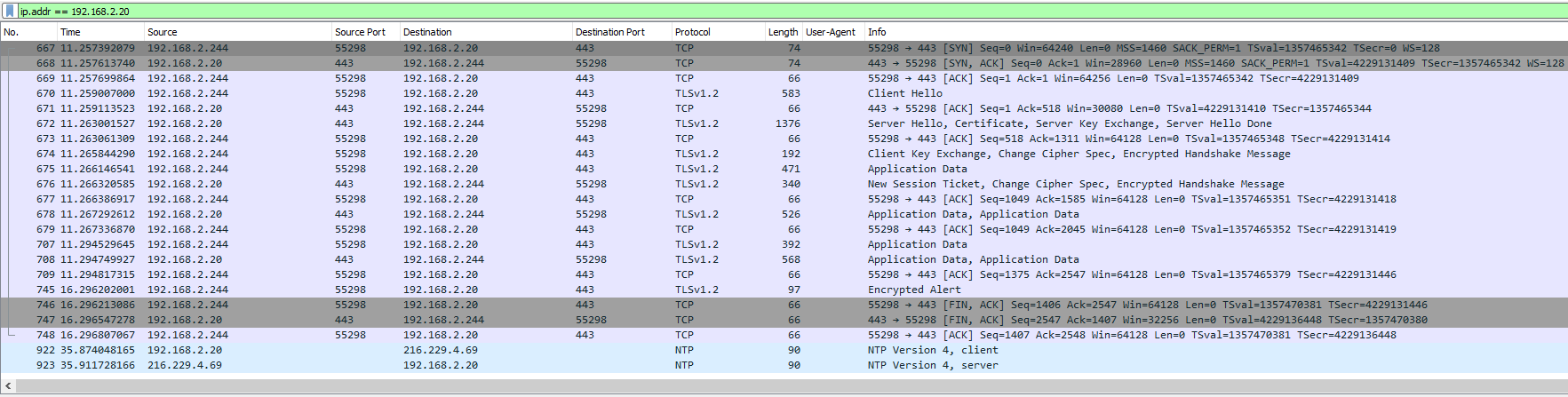
1
- This is SSL encrypted
Following the stream: 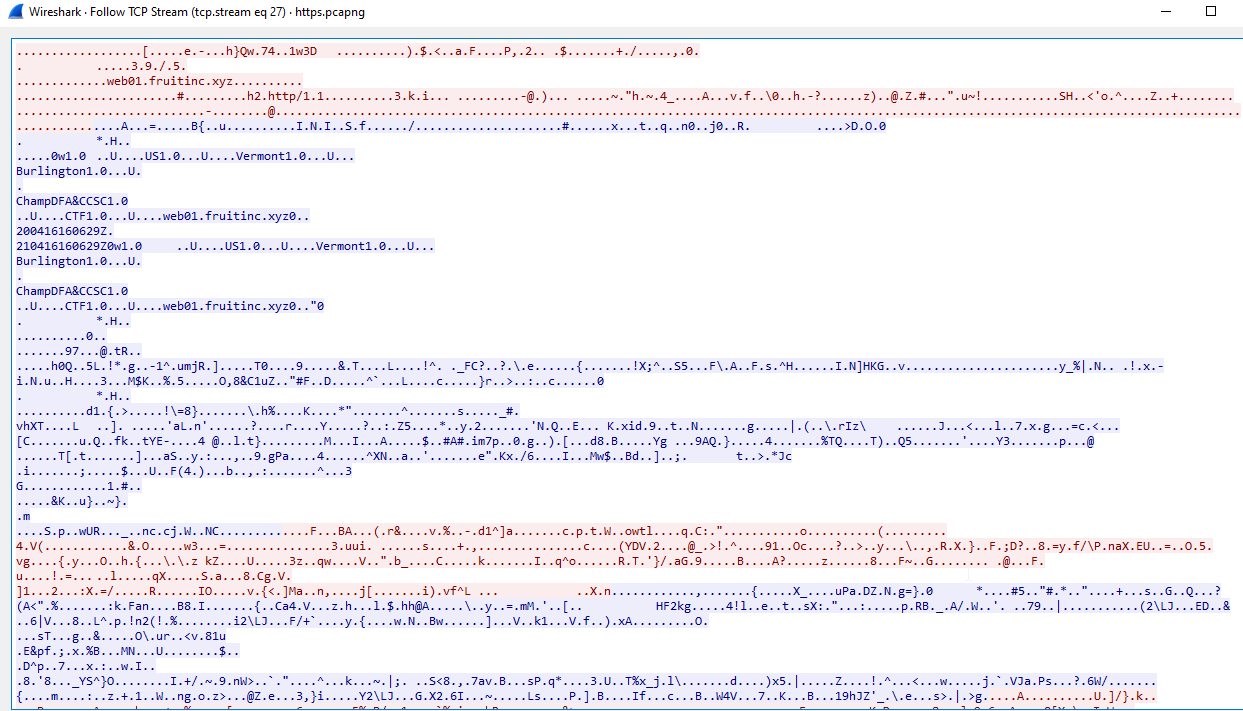
1
- This is SSL encrypted
We have the pre-master key so we can decrypt the traffic. Go to:
1
Edit tab > Preferences > Protocols > TLS
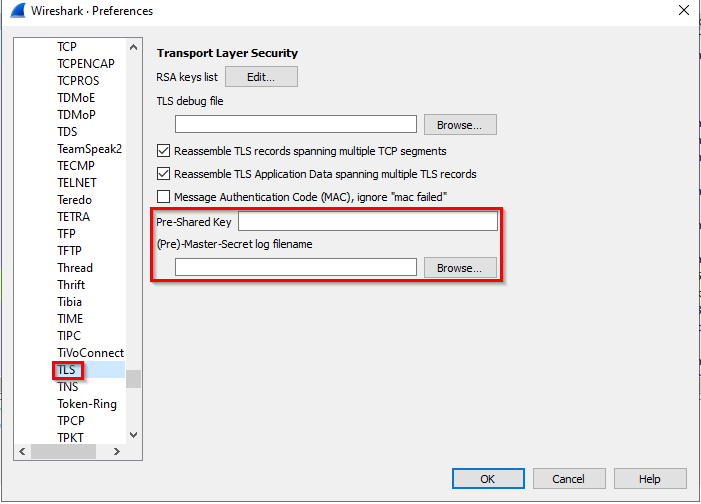
Note: This next step is necessary for the next other tasks you have to accomplish:
Click on Browse > Select secret_sauce.txt: 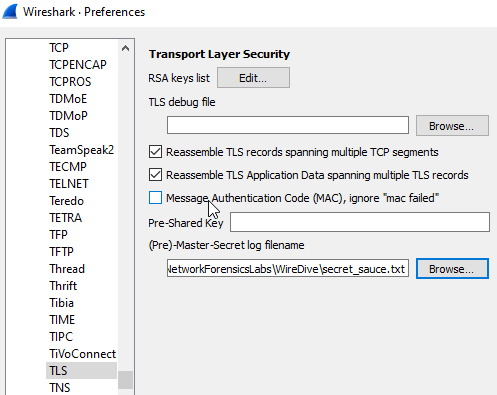
Follow the TLS stream for the decrypted ones: 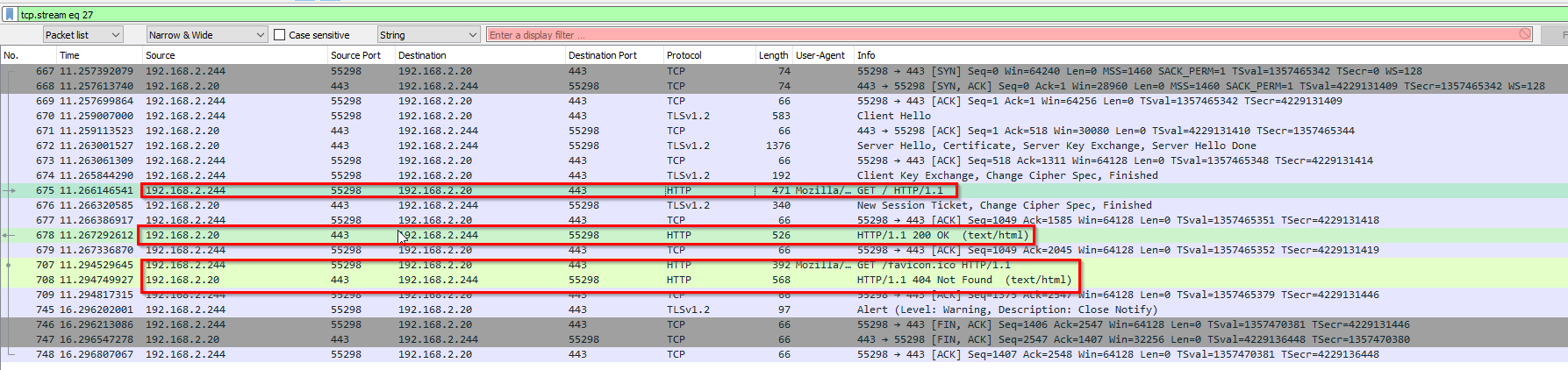
There’s an added tag in the header: 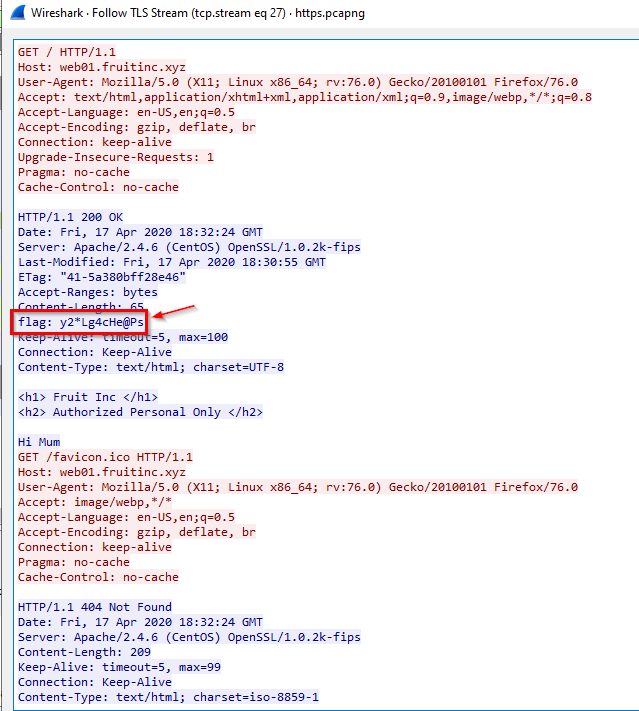
-> Answer: y2*Lg4cHe@Ps
Q31 File https.pcapng - What is the name of the photo that is viewed in slack?
Key points in here:
1
2
3
4
5
6
7
8
- There''s a photo:
	- Check what we can export from pcapng
	- Could use extensions of:
		- .JPEG
		- .JPG
		- .PNG
- Software used for communication: Slack
	- Check what is the webserver IP used to communicate in here and if we can view its contents
First, let’s sift through all packets of DNS protocol and filter the one with the slack keyword: 
Domain: fruitincworkspace.slack.com IP Addresses:
1
2
3
4
- 13.225.221.110
- 13.225.221.6
- 13.225.221.35
- 13.225.221.13
Following the stream for the first connection:
![]()
- Notice that Slack is an encrypted communication platform used by employees.
Going to Export Objects list after importing the pre-master key secret: 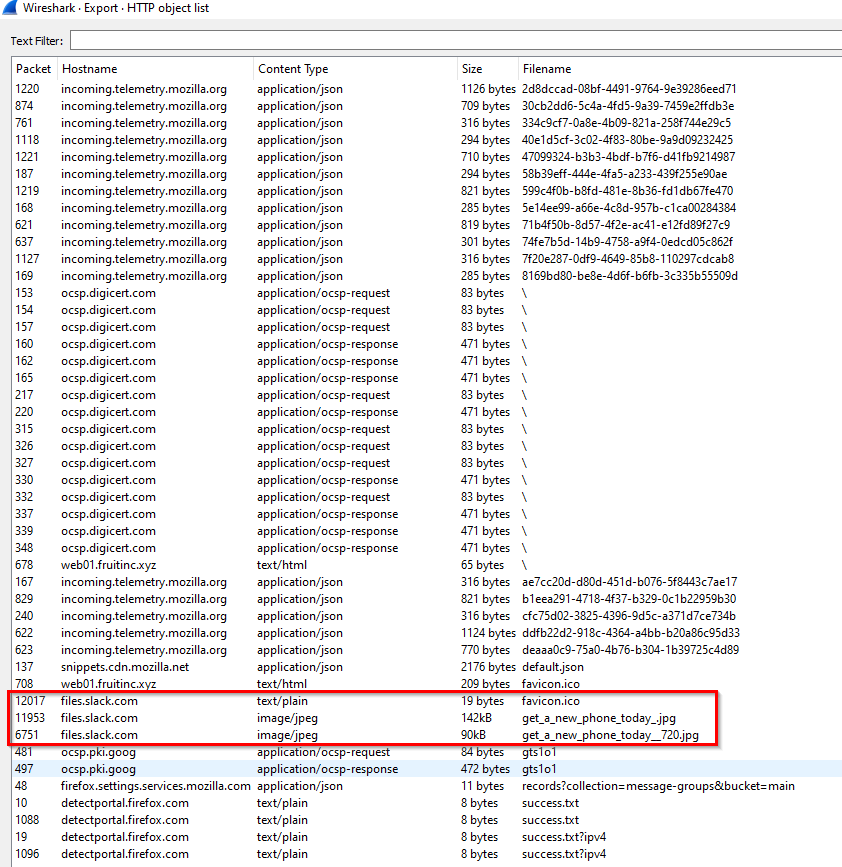
-> Answer: get_a_new_phone_today__720.jpg
Q32 File https.pcapng - What is the username and password to login to 192.168.2.1? Format: ‘username:password’ without quotes.
Initial query:
1
ip.addr == 192.168.2.1
192.168.2.1 is a pfSense firewall: 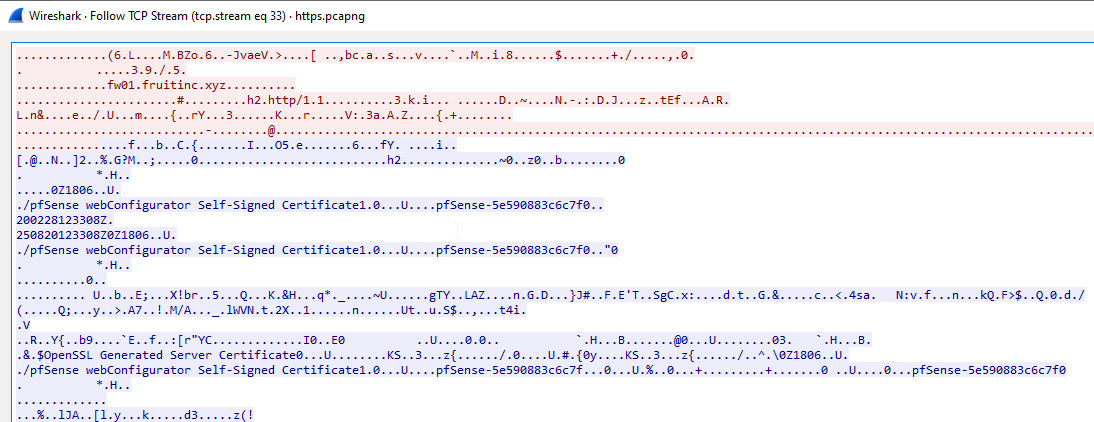
Note that user sending their username:password credentials uses POST request: 
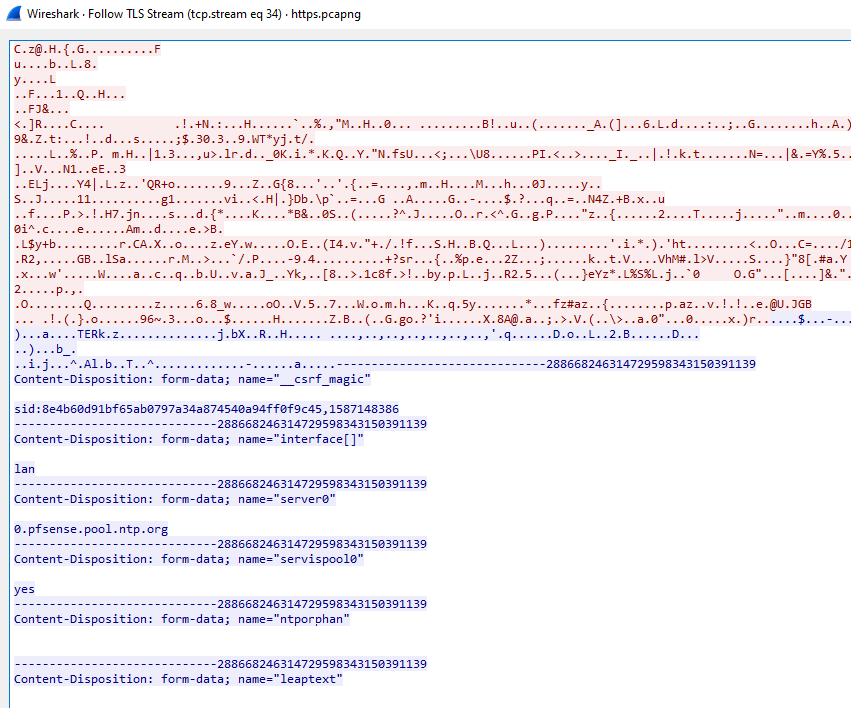
1
- Seems to be a successful login to the firewall.
-> Answer: admin:Ac5R4D9iyqD5bSh
Q33 File https.pcapng - What is the certStatus for the certificate with a serial number of 07752cebe5222fcf5c7d2038984c5198?
Narrow down the flag first: 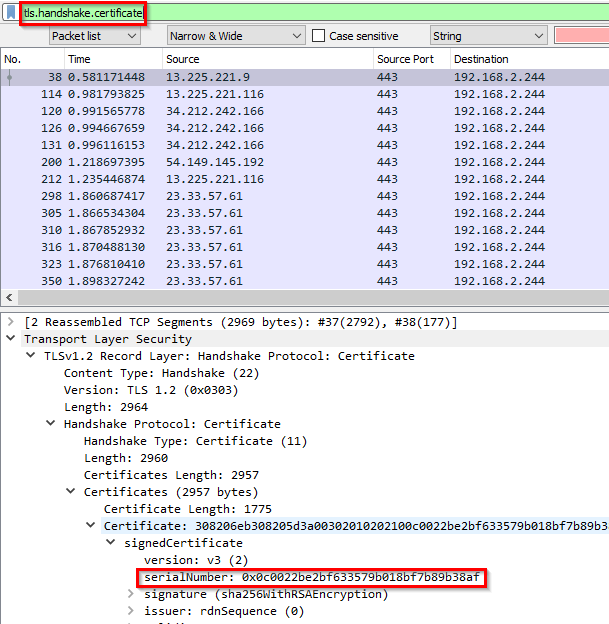
Wireshark query sample:
1
x509af.serialNumber == 0c:00:22:be:2b:f6:33:57:9b:01:8b:f7:b8:9b:38:af
Actual query:
1
x509af.serialNumber == 07:75:2c:eb:e5:22:2f:cf:5c:7d:20:38:98:4c:51:98
Output: 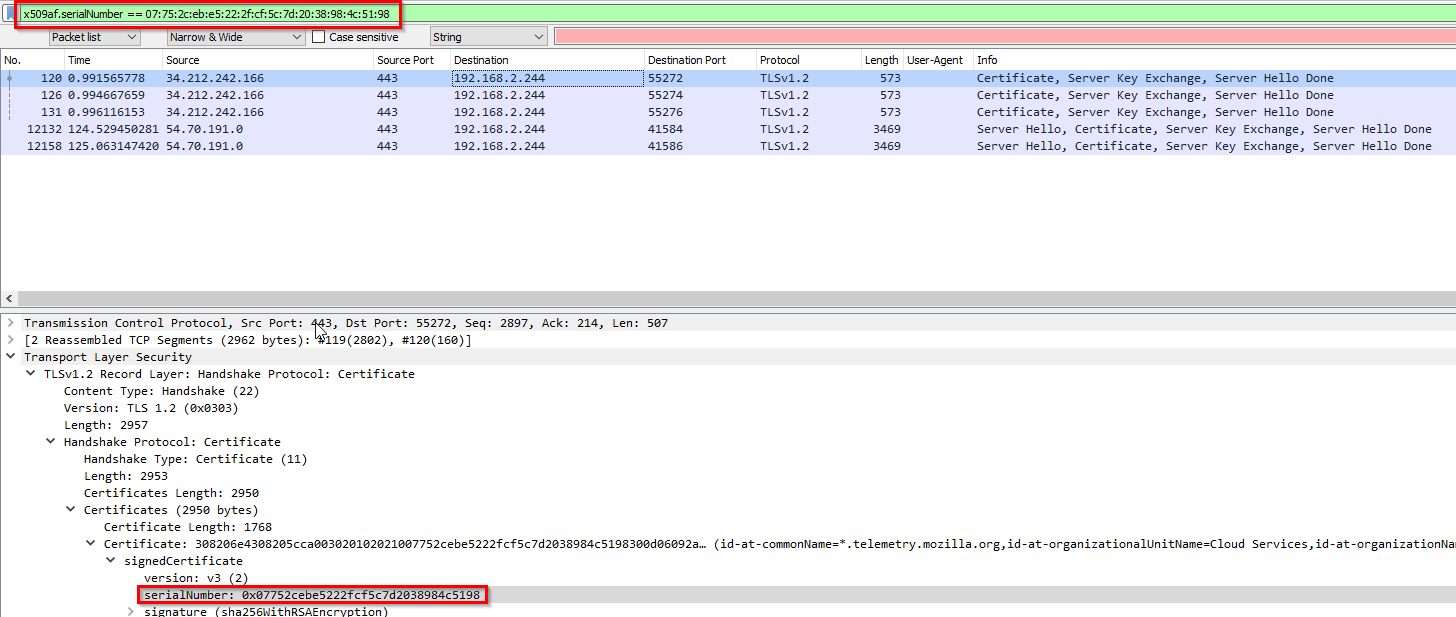
1
- Found it
Another method: 
Checking the network connection that was used with this certificate: 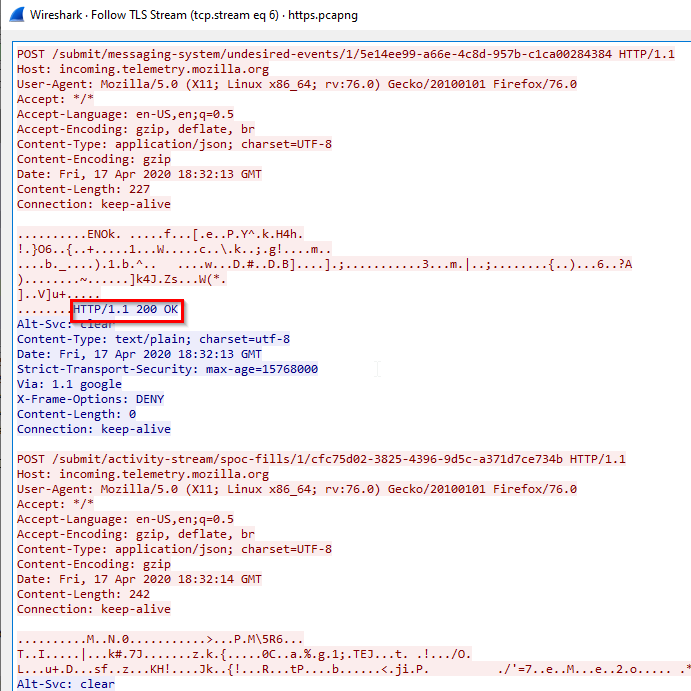
1
 - Seems to be okay and encryption works.
A better way to do this: This runs under the OCSP protocol 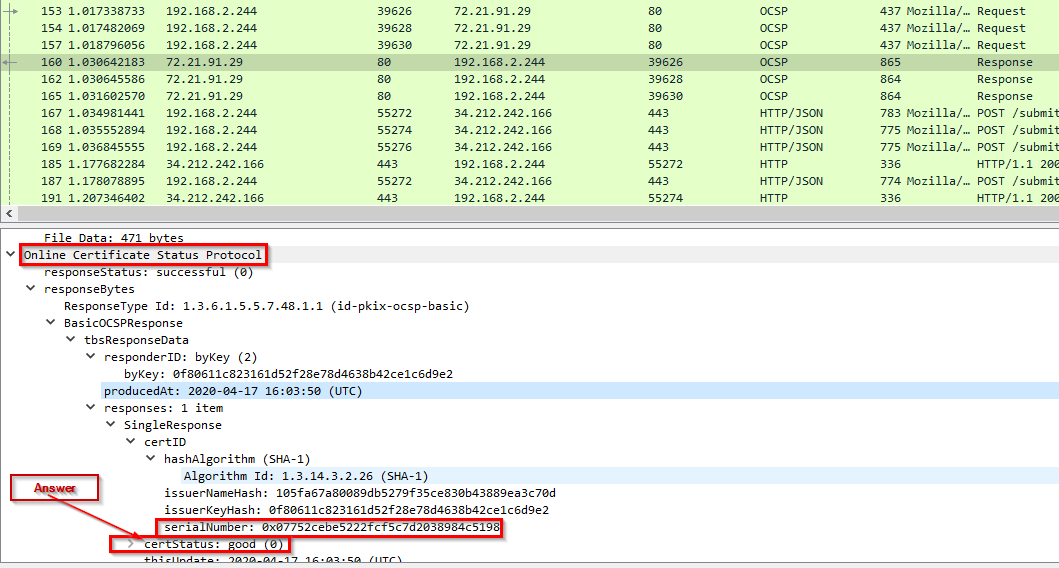
-> Answer: good
Q34 File https.pcapng - What is the email of someone who needs to change their password?
We know what the domain is:
1
fruitinc.xyz
-> Let’s check Packet Details and use the format: 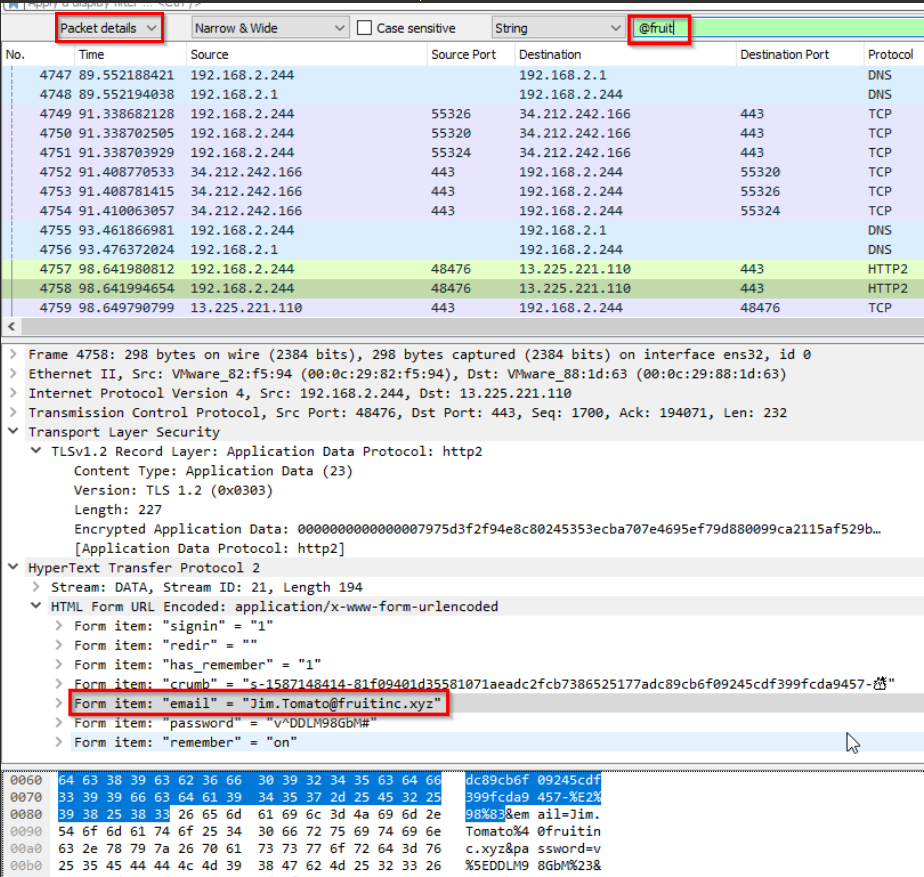
1
- Found one!
Filter out http2 packets: 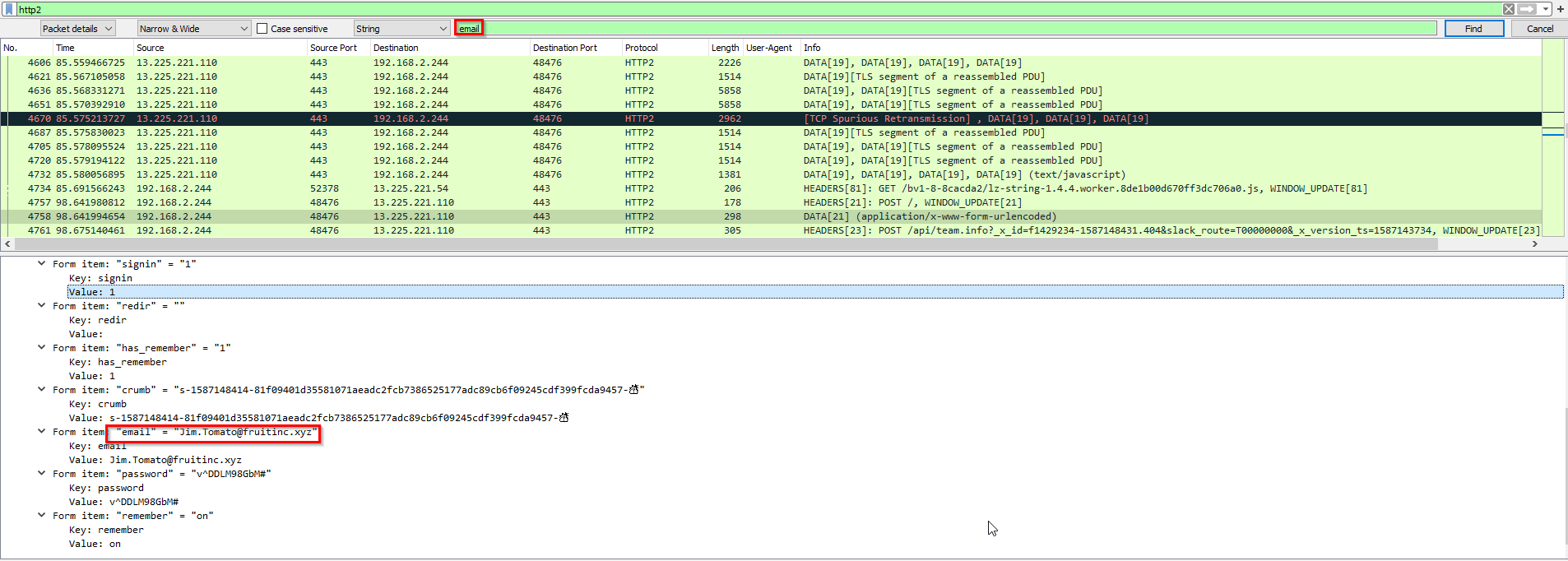
How would we know the indicator that the email of this person needs to be changed?
- The screenshot above shows that the password for user
Jim.Tomato@fruitinc.xyzneeds their password change as it was exposed on the wireshark pcap. The pre-master key was leaked to the attacker and saw Jim’s credentials along with their Slack conversation.
-> Answer: Jim.Tomato@fruitinc.xyz
Q35 File https.pcapng - A service is assigned to an interface. What is the interface, and what is the service? Format: interface_name:service_name
Wireshark filter: none Wireshark packet query:
1
Packet details -> services
There’s only one service found: 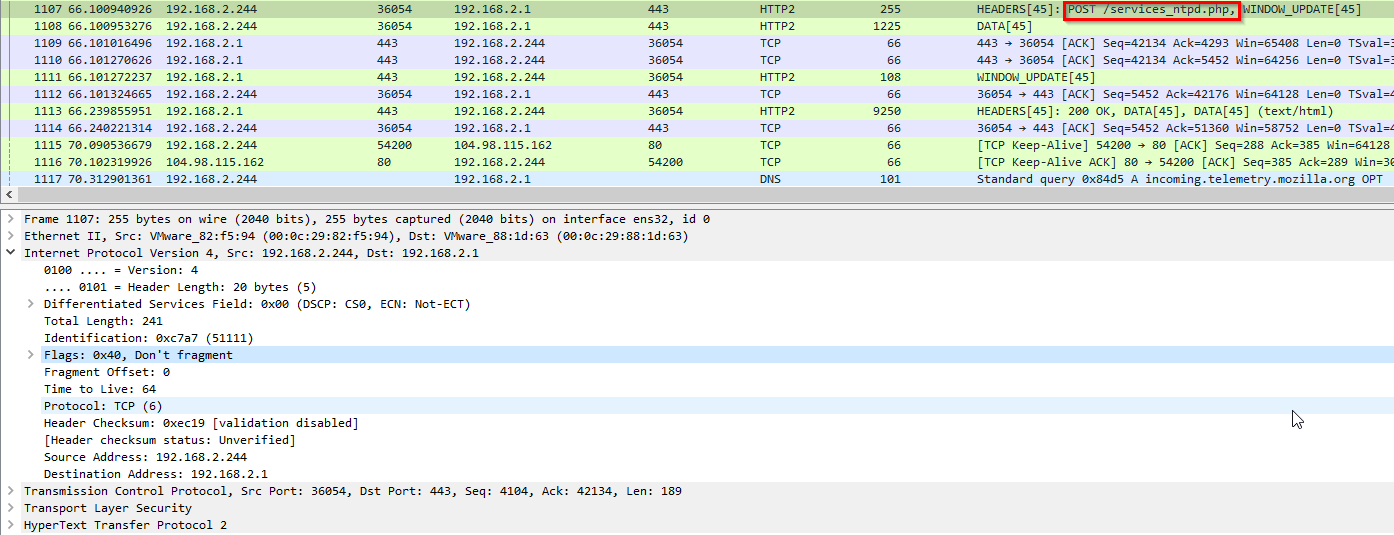
1
2
3
- Now, what interface was used?
- Noticed that the source and destination address exists on the same subnet.
- Interface == LAN
-> Answer: lan:ntp