
Instructions:
- Uncompress the lab (pass: cyberdefenders.org)
- Load suricatarunner.exe and suricataupdater.exe in BrimSecurity.
- Uncompress
suricata.zipand movesuricata.rulesto “.\var\lib\suricata\rules” insidesuricatarunnerdirectory.
Scenario
As a soc analyst working for a security service provider, you have been tasked with analyzing a packet capture for a customer’s employee whose network activity has been monitored for a while -possible insider.
Tools:
1
2
3
4
5
6
- [BrimSecurity](https://www.brimsecurity.com/)
- [suricatarunner](https://github.com/brimsec/build-suricata/releases/tag/v5.0.3-brim1)
- [suricata.rules](https://download.cyberdefenders.org/BlueYard/misc/suricata.zip)
- [NetworkMiner](https://www.netresec.com/?page=networkminer)
- [WireShark](https://www.wireshark.org/)
- [MAC lookup](https://macaddress.io/)
Tags
1
2
3
4
5
6
7
[SMB](https://cyberdefenders.org/blueteam-ctf-challenges/?tags=smb)
[Wireshark](https://cyberdefenders.org/blueteam-ctf-challenges/?tags=wireshark)
[PCAP](https://cyberdefenders.org/blueteam-ctf-challenges/?tags=pcap)
[MAC](https://cyberdefenders.org/blueteam-ctf-challenges/?tags=mac)
[NetworkMiner](https://cyberdefenders.org/blueteam-ctf-challenges/?tags=networkminer)
[Suricata](https://cyberdefenders.org/blueteam-ctf-challenges/?tags=suricata)
[BRIM](https://cyberdefenders.org/blueteam-ctf-challenges/?tags=brim)
Questions:
Preview:
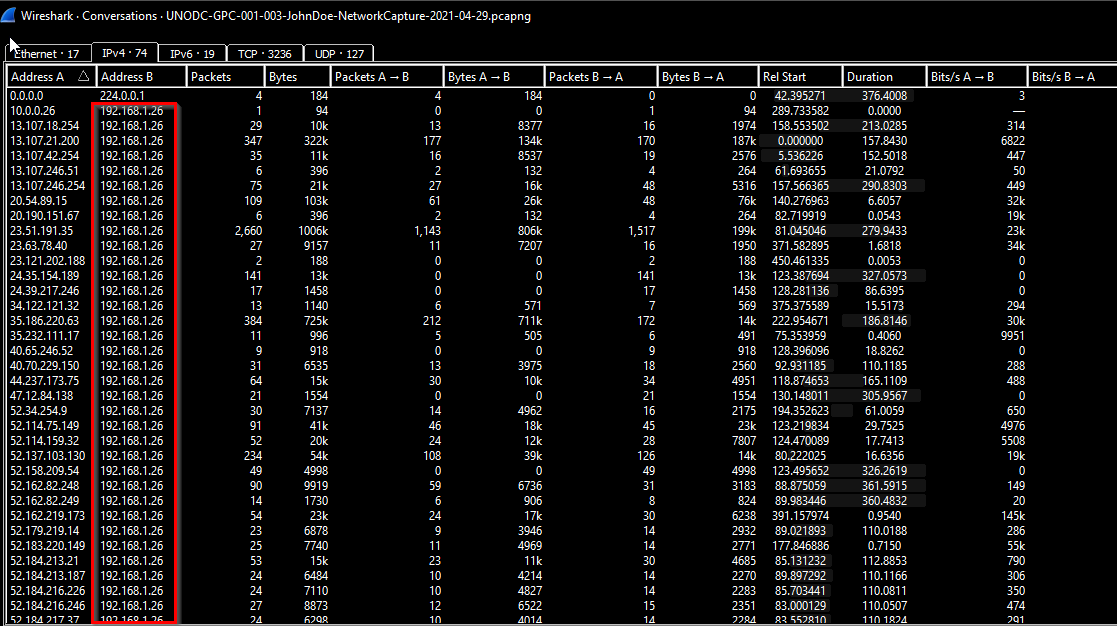
1
- Seems like this IP talks a lot of hosts outside of its network.
Checking major protocols used:
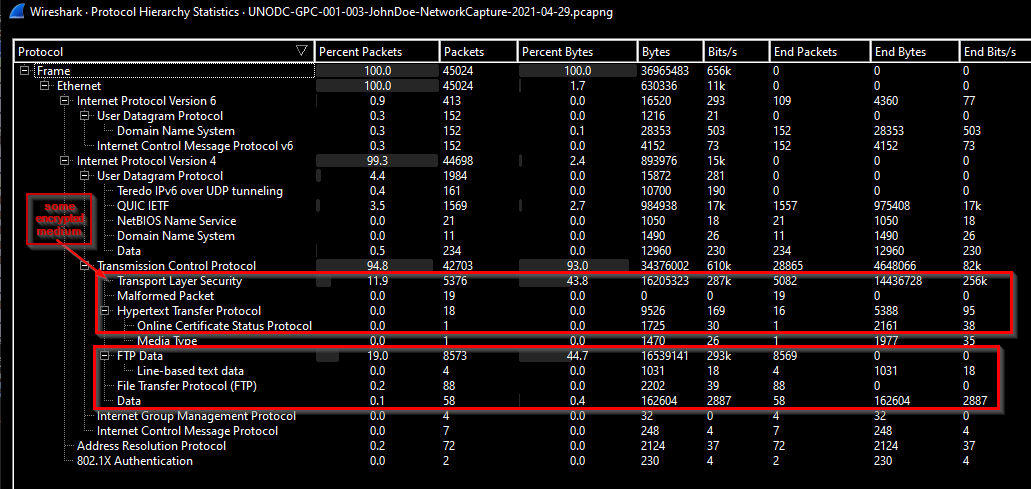
Q1 What is the FTP password?
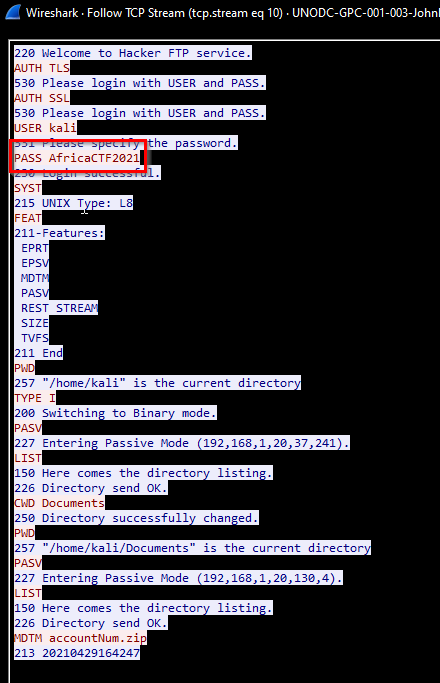
Checking out the FTP protocol:
1
- The attacker seems to be connecting to the FTP server encapsulated with TLS and checking all the documents under the /home/kali/Documents and found the file 'accountNum.zip'.
-> Answer: AfricaCTF2021
Q2 What is the IPv6 address of the DNS server used by 192.168.1.26? (####::####:####:####:####)
Checking the DNS protocol with this query:
1
dns && ip.addr == 192.168.1.26
MAC address of the victim’s machine:
1
c8:09:a8:57:47:93
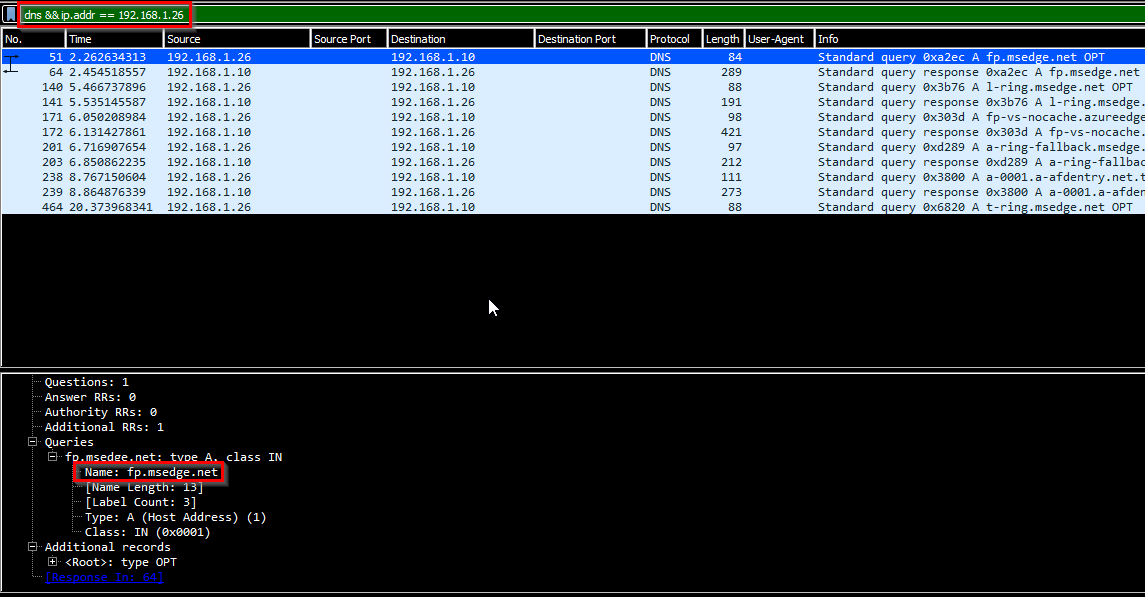
The IP address of the organization’s DNS server is:
1
192.168.1.10
MAC address of this:
1
ca:0b:ad:ad:20:ba
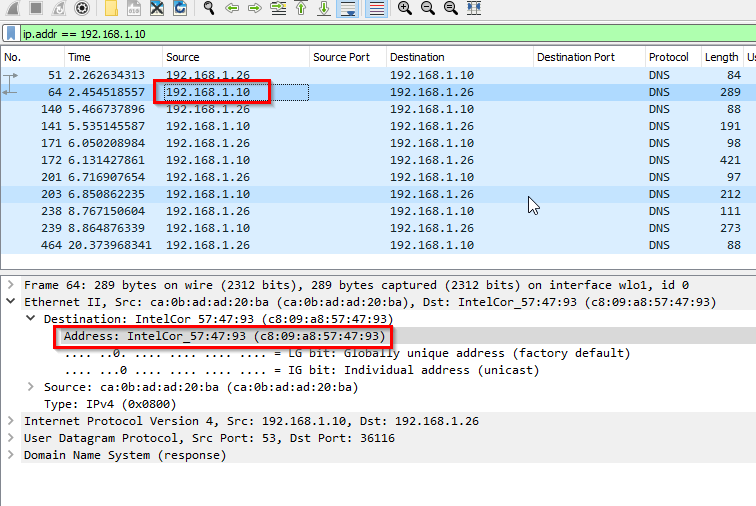
Wireshark query:
1
eth.addr == ca:0b:ad:ad:20:ba && ipv6 && dns
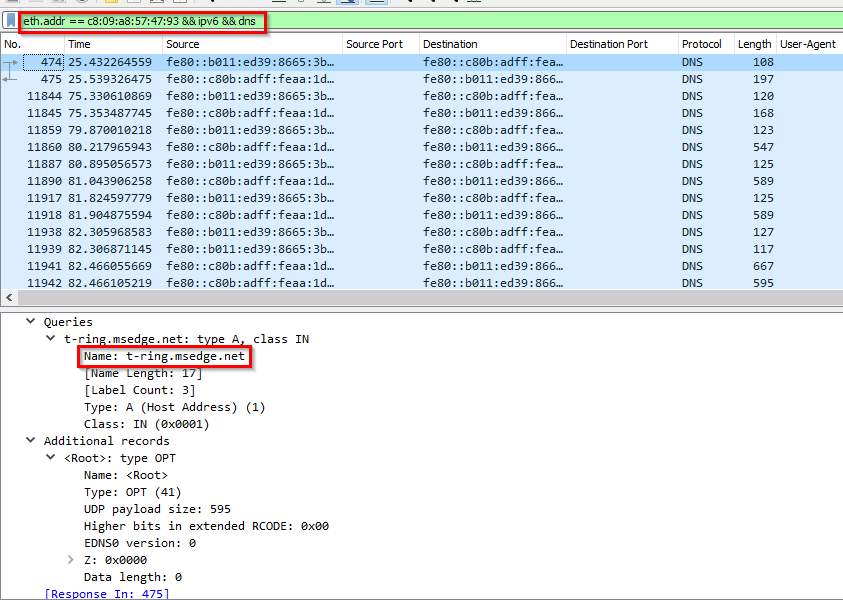
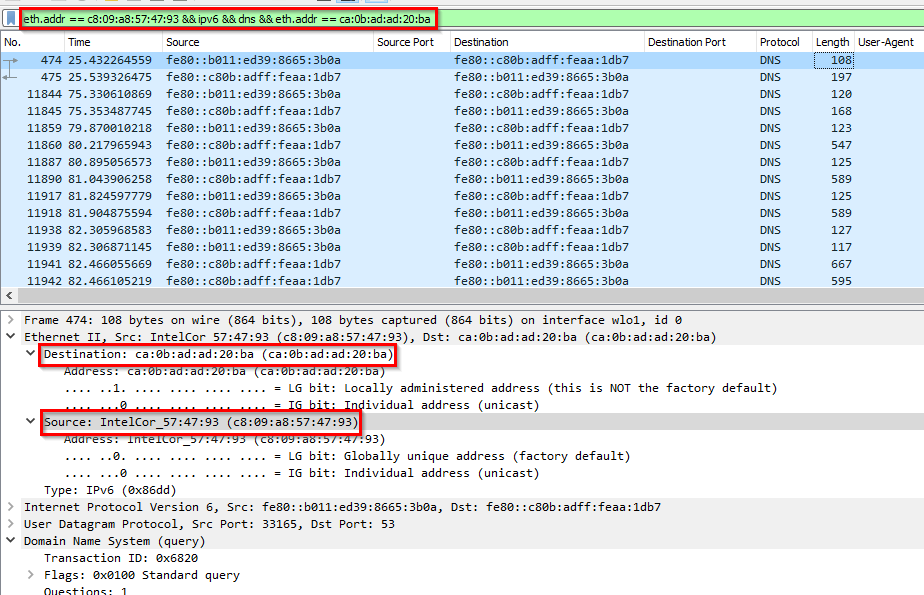
-> Answer: fe80::c80b:adff:feaa:1db7
Q3 What domain is the user looking up in packet 15174?
Wireshark query:
1
eth.addr == ca:0b:ad:ad:20:ba && ipv6 && dns
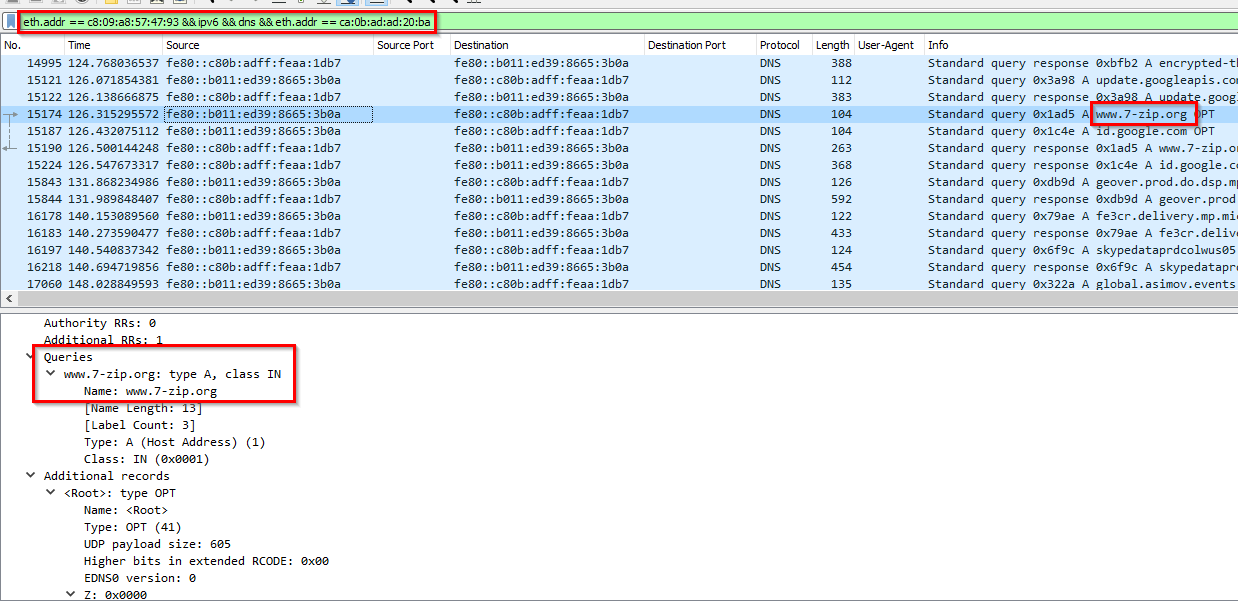
-> Answer: www.7-zip.org
Q4: How many UDP packets were sent from 192.168.1.26 to 24.39.217.246?
Wireshark Query:
1
ip.src == 192.168.1.26 && ip.dst == 24.39.217.246 && udp
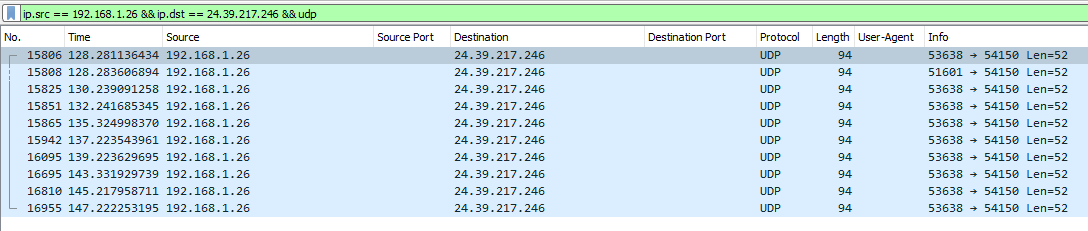
-> Answer: 10
Q5:What is the MAC address of the system being investigated in the PCAP?
-> Answer: c8:09:a8:57:47:93
Q6:What was the camera model name used to take picture 20210429_152157.jpg ?
Checking the ftp sessions: There’s a second authentication on the FTP server after the listing of accountNum.zip:
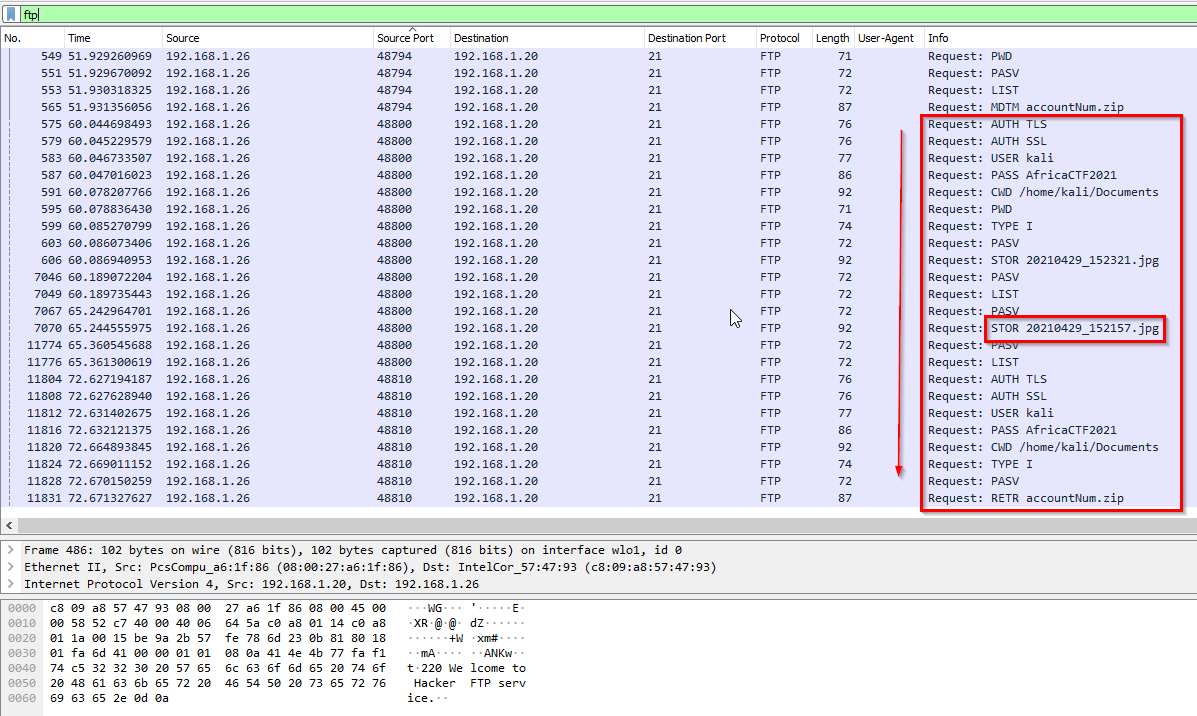
Two .jpeg files got stored on the FTP server:
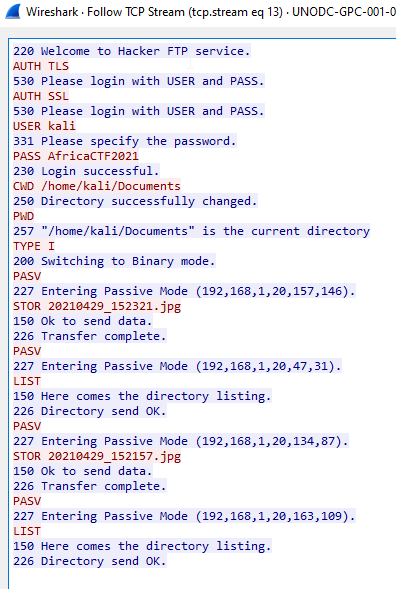
- This question seems to be related to DFIR. Let’s go check
dfir.sciencerequests in the pcap:1
There's nothing...
Going back to the FTP transaction but this time, we filter using ftp-data since the file was uploaded: 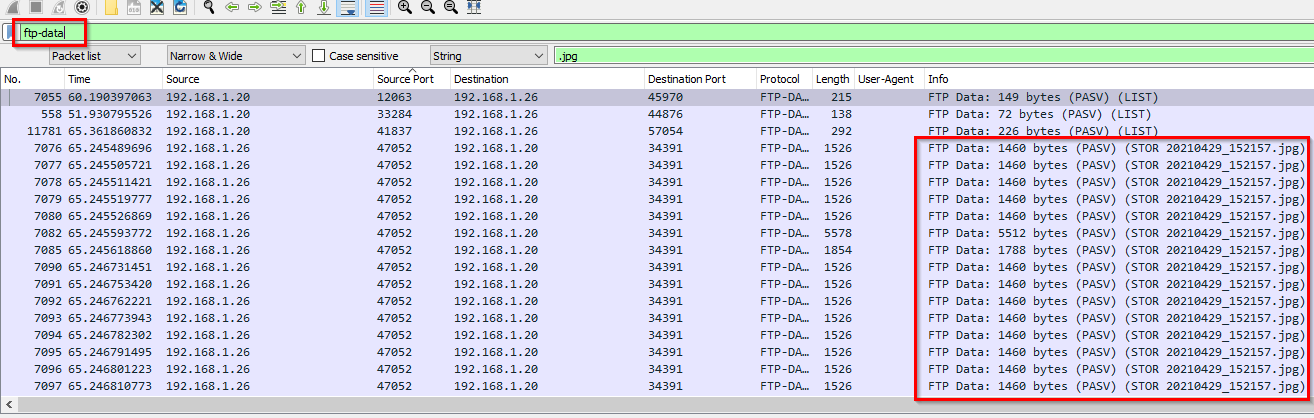
Following the stream: 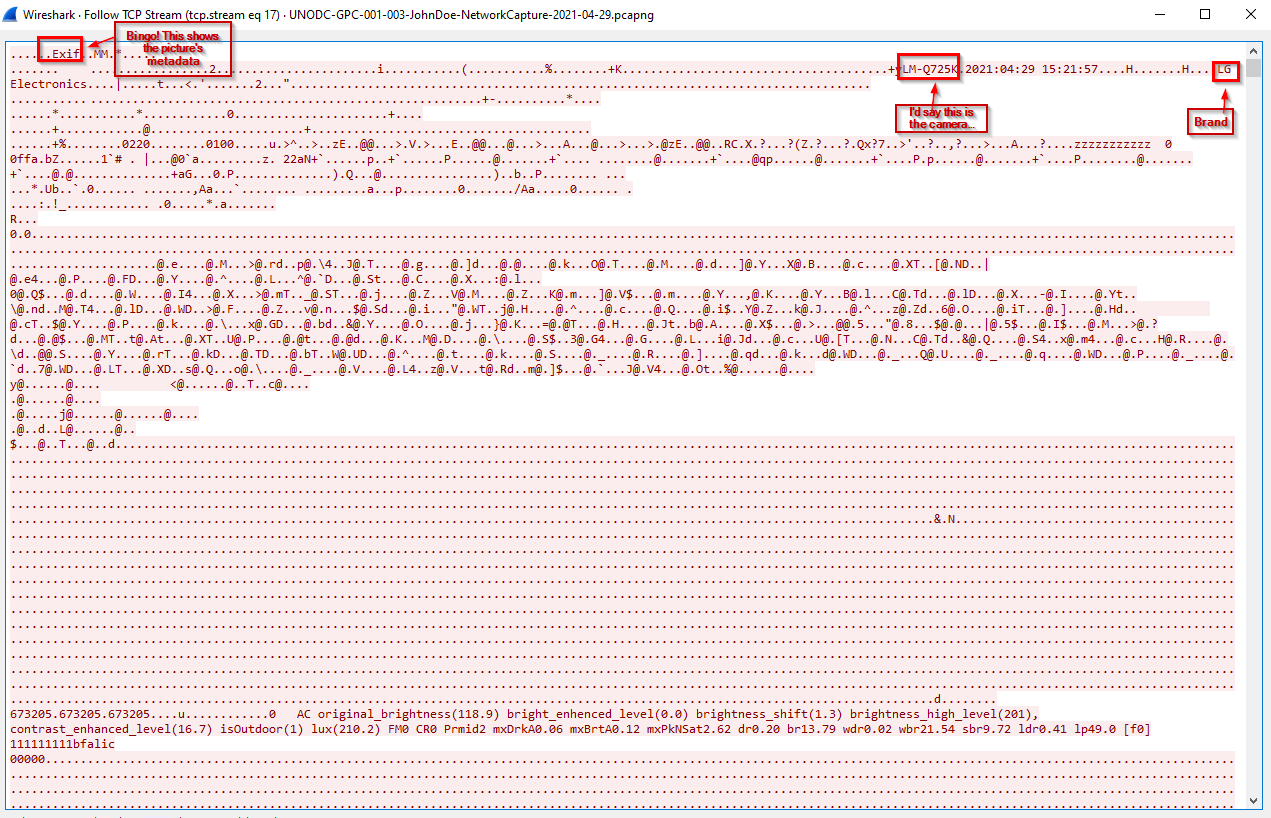
-> Answer: LM-Q725K
Q7:What is the server certificate public key that was used in TLS session: da4a0000342e4b73459d7360b4bea971cc303ac18d29b99067e46d16cc07f4ff?
- Note that this is a 16 hex byte format.
1
da:4a:00:00:34:2e:4b:73:45:9d:73:60:b4:be:a9:71:cc:30:3a:c1:8d:29:b9:90:67:e4:6d:16:cc:07:f4:ff
Wireshark query:
1
tls.handshake.certificate && tls.handshake.type==2 && tls.handshake.session_id == da:4a:00:00:34:2e:4b:73:45:9d:73:60:b4:be:a9:71:cc:30:3a:c1:8d:29:b9:90:67:e4:6d:16:cc:07:f4:ff
1
- tls.handshake.type==2 focuses on SERVER HELLO packet which contains the public key certificate of the session.
Server Hellos packet: 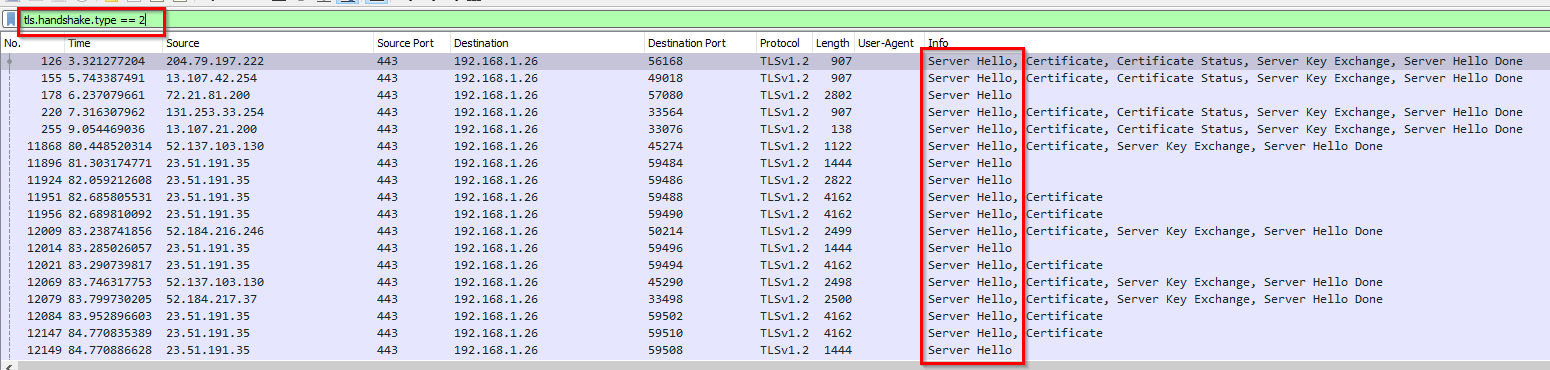
Output: 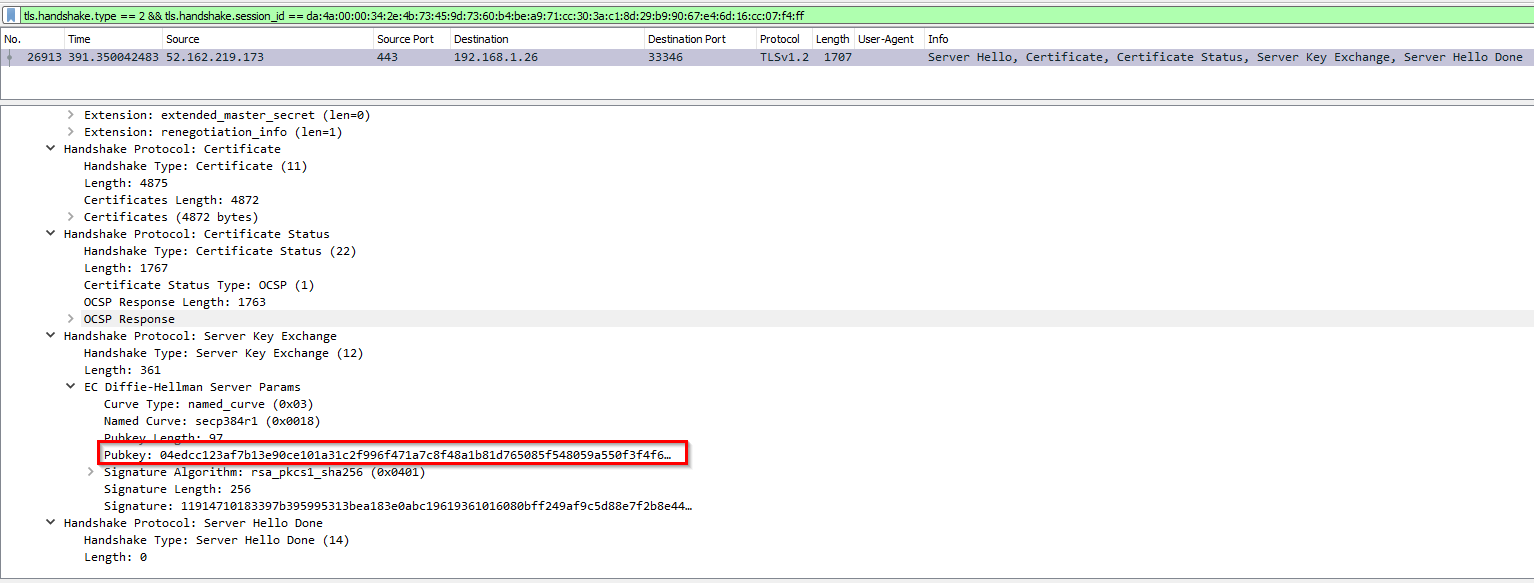
-> Answer: 04edcc123af7b13e90ce101a31c2f996f471a7c8f48a1b81d765085f548059a550f3f4f62ca1f0e8f74d727053074a37bceb2cbdc7ce2a8994dcd76dd6834eefc5438c3b6da929321f3a1366bd14c877cc83e5d0731b7f80a6b80916efd4a23a4d
Q8:What is the first TLS 1.3 client random that was used to establish a connection with protonmail.com?
First, let’s find an instance of a packet to know the hex byte equivalent of the tls.record.version for TLS v1.3: 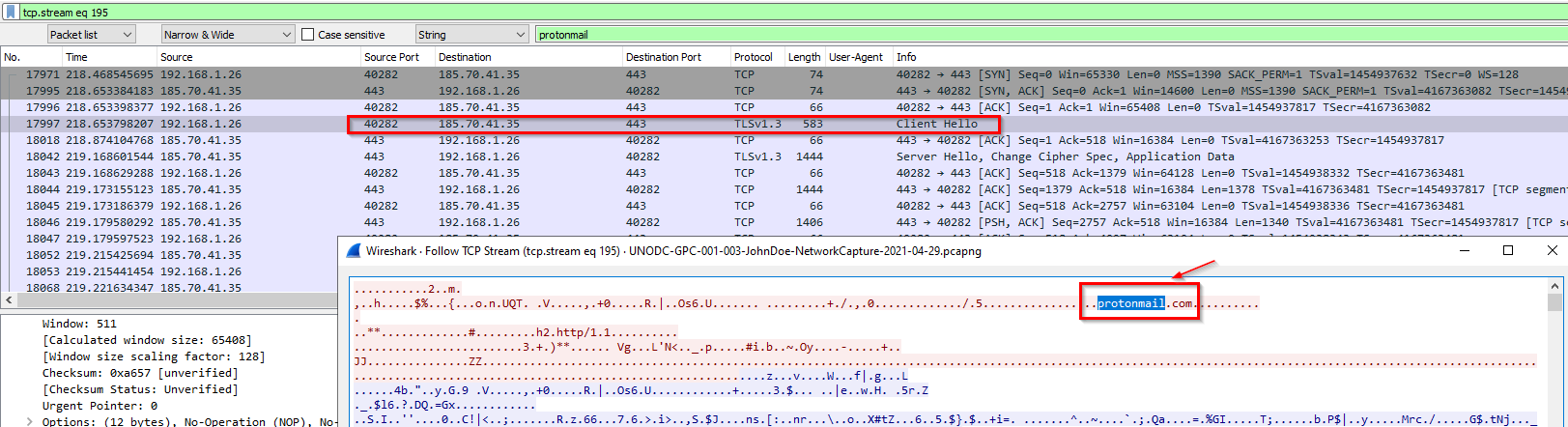
1
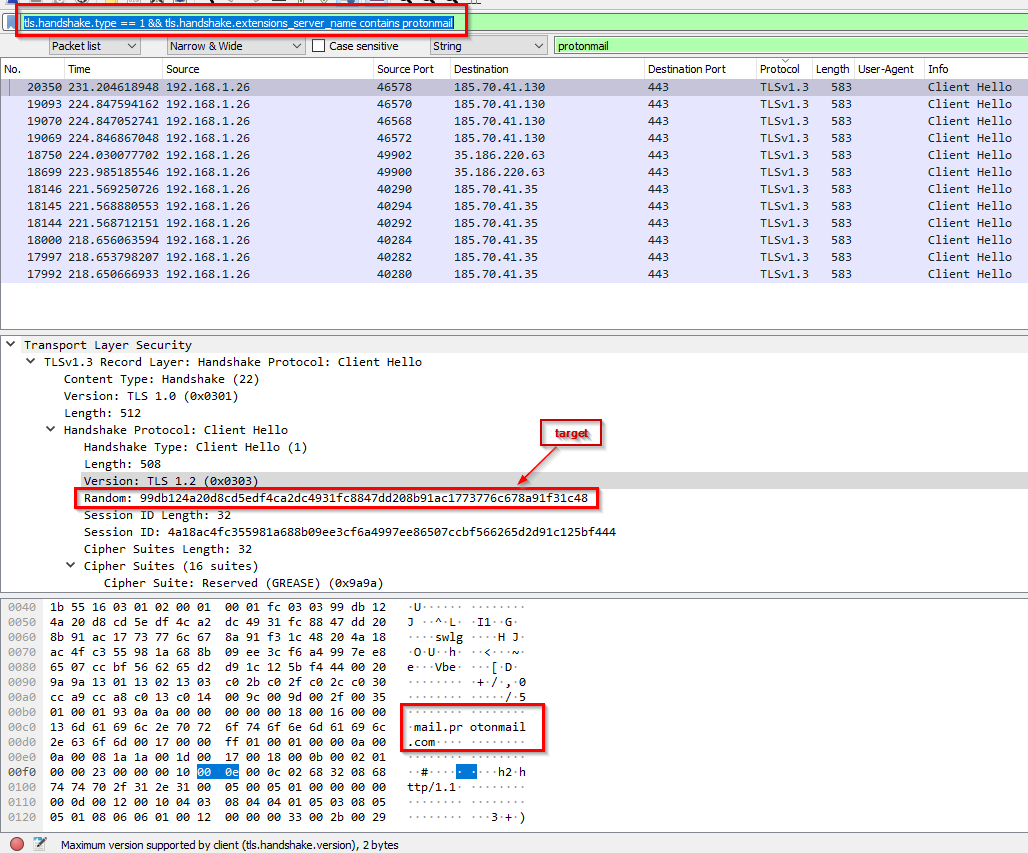
- Seems to be that the URL related with the TLSv1.3 in mind is connected to "Client Hello" after I double-clicked it and this packet got highlighted.
New query:
1
tls.handshake.type == 1 && tls.handshake.extensions_server_name contains protonmail
1
- This is mail.protonmail.com
Refining the query:
1
tls.handshake.type == 1 && tls.handshake.extensions_server_name == protonmail.com
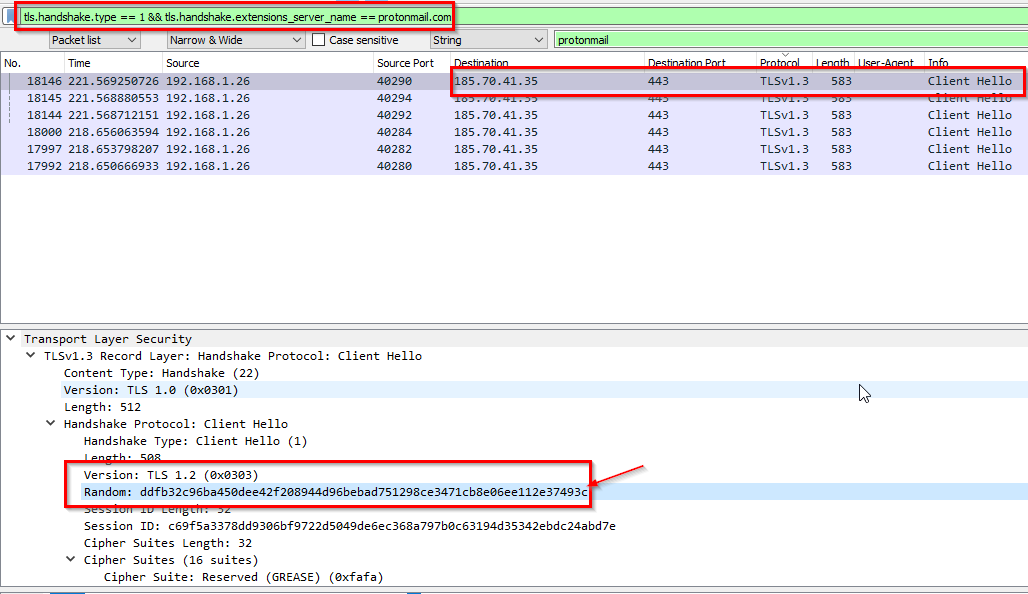
-> Answer: ddfb32c96ba450dee42f208944d96bebad751298ce3471cb8e06ee112e37493c
Q9: What country is the MAC address of the FTP server registered in? (two words, one space in between)
- Use
macaddress.io
-> Answer: United States
Q10: What time was a non-standard folder created on the FTP server on the 20th of April? (hh:mm)
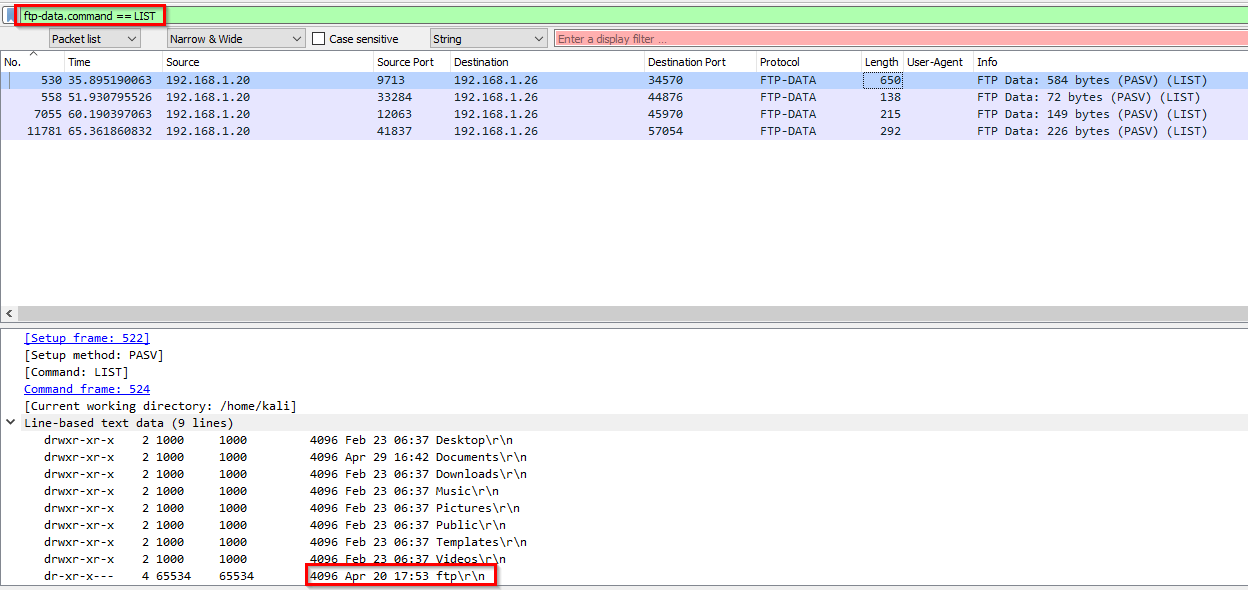
-> Answer: 17:53
Q11: What domain was the user connected to in packet 27300?
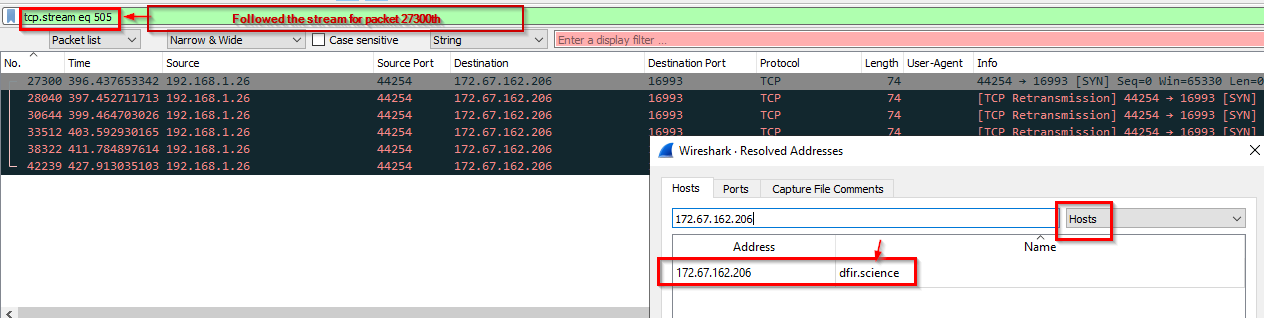
-> Answer: dfir.science