Wireshark Basics
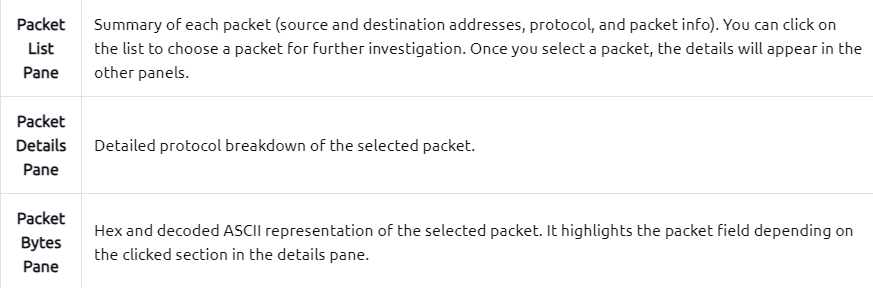
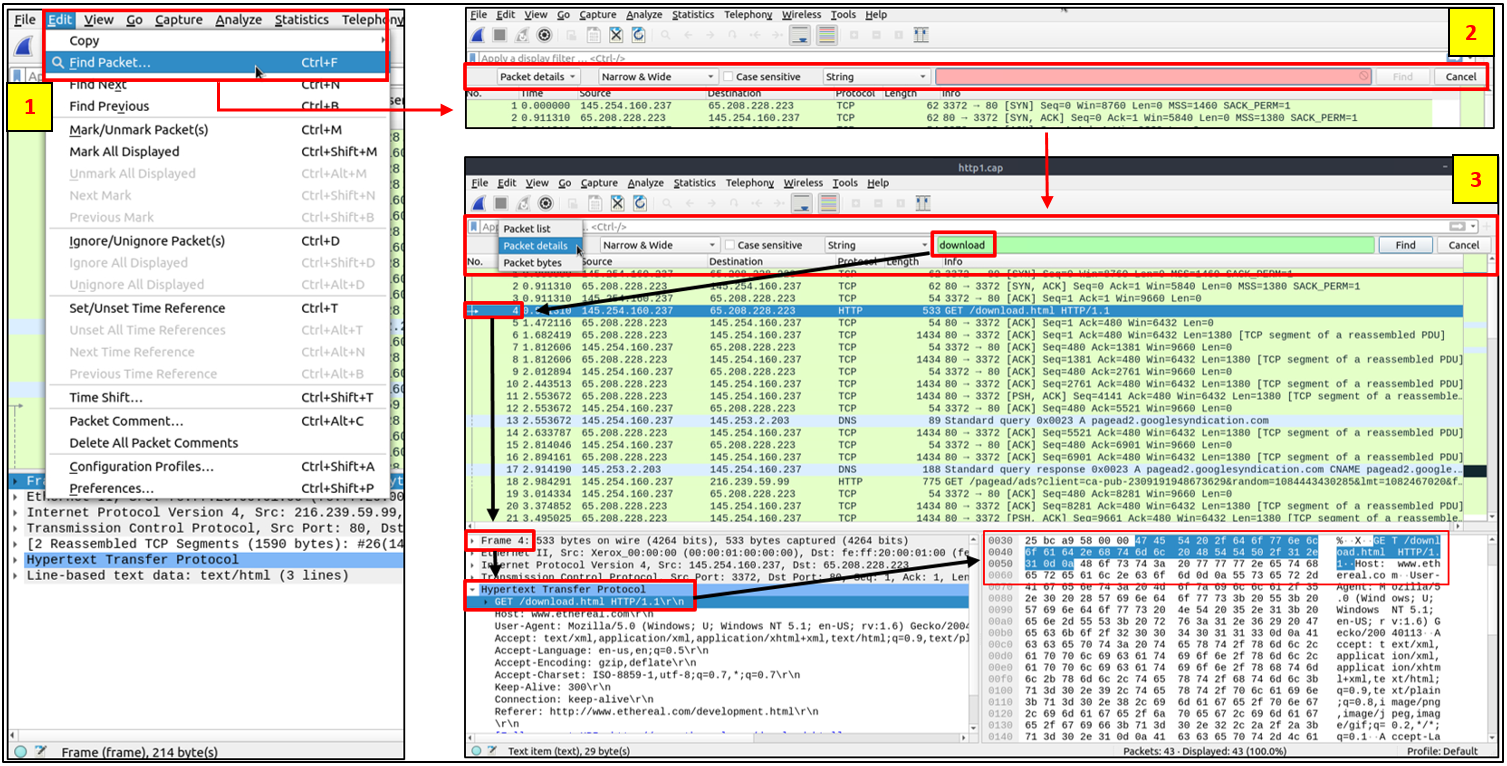
Packet Lookups:
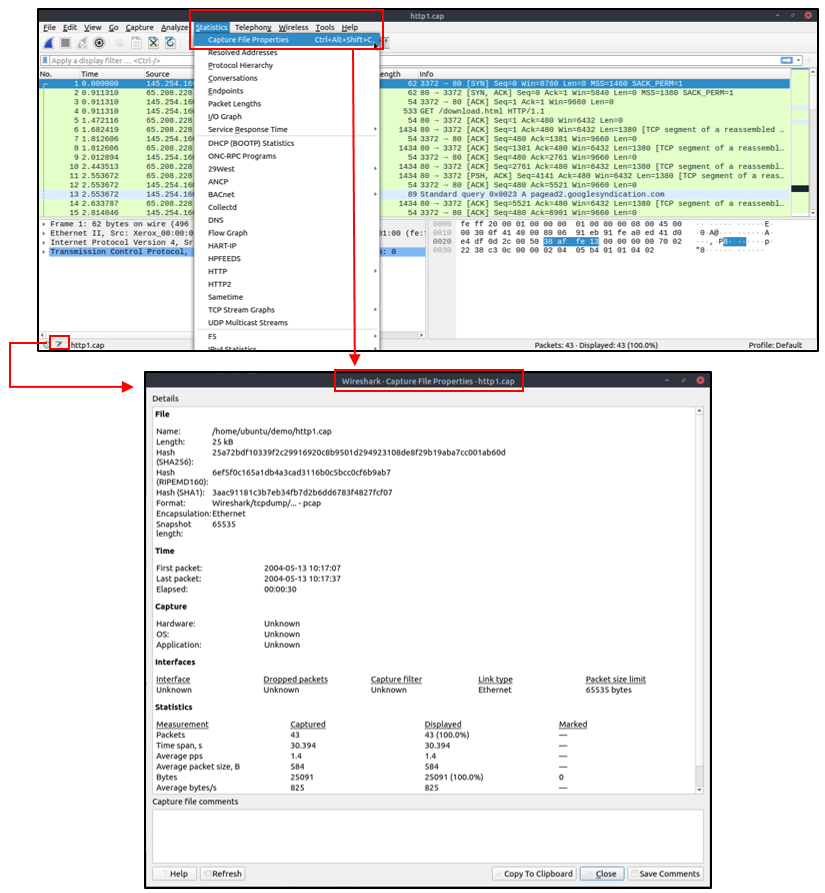
Viewing File Details
1
Statistics --> Capture File Properties
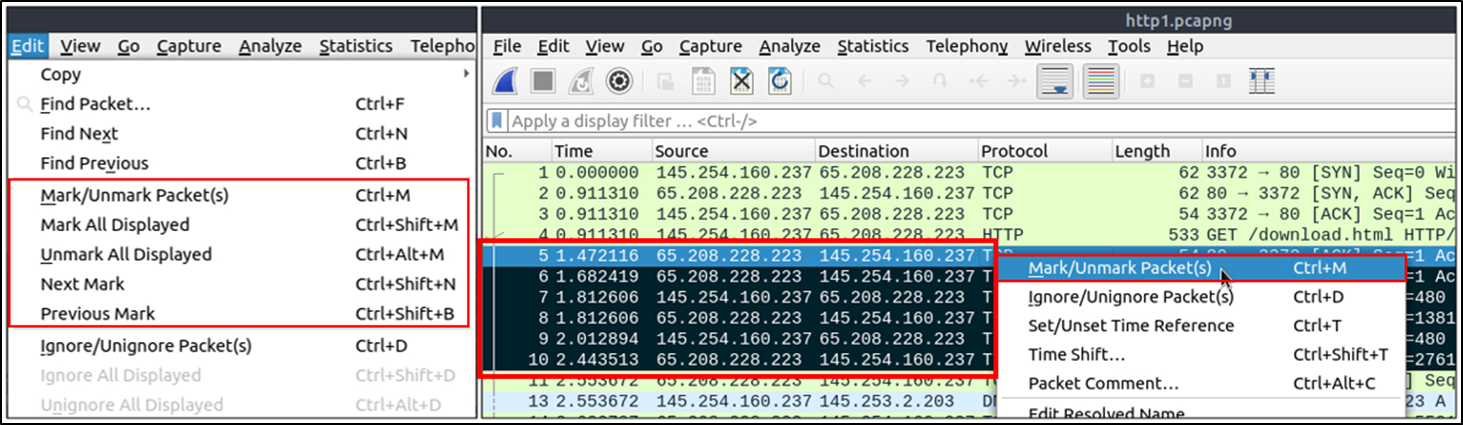
Marking a Packet
1
Edit > Mark
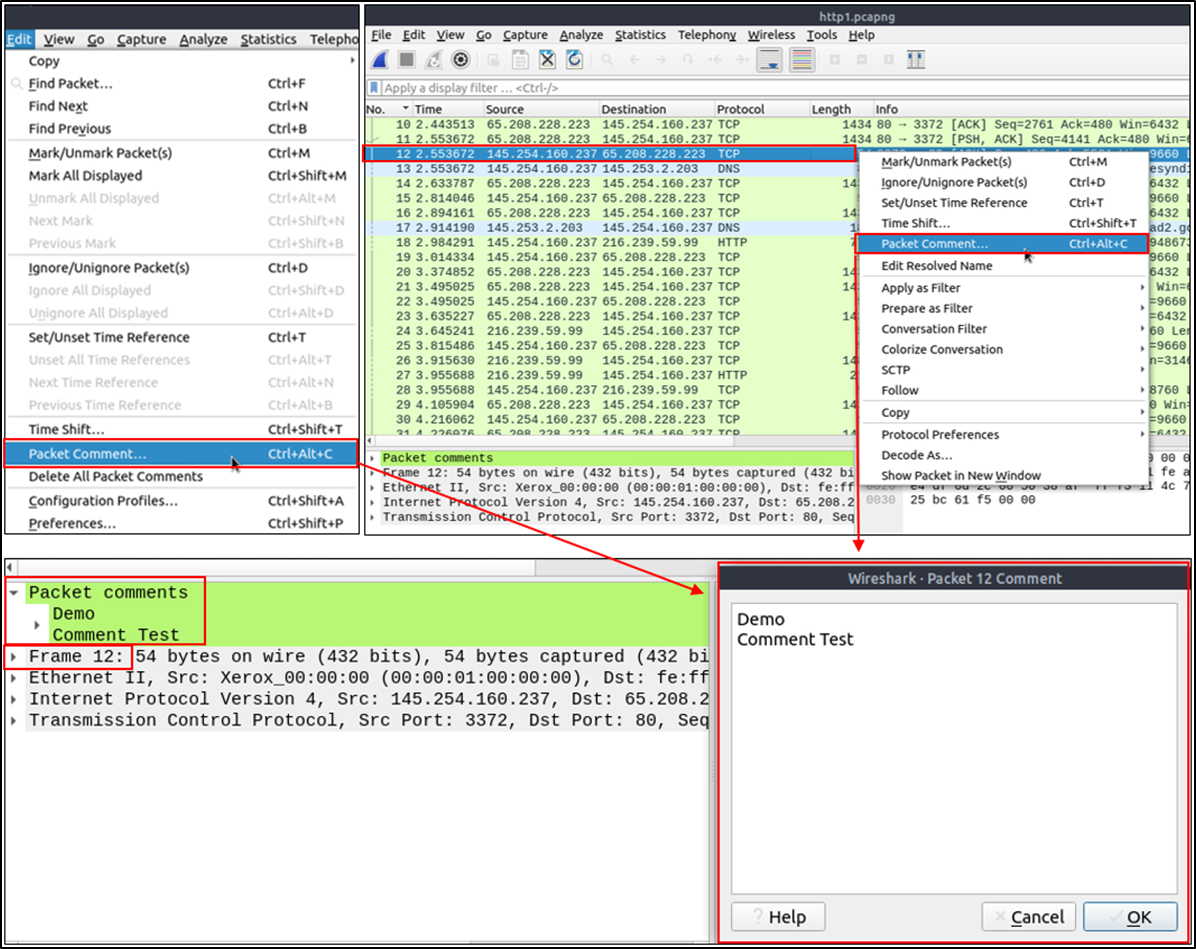
Packet Commenting
- Helps with marking a packet:
1
Edit > Packet Comment...
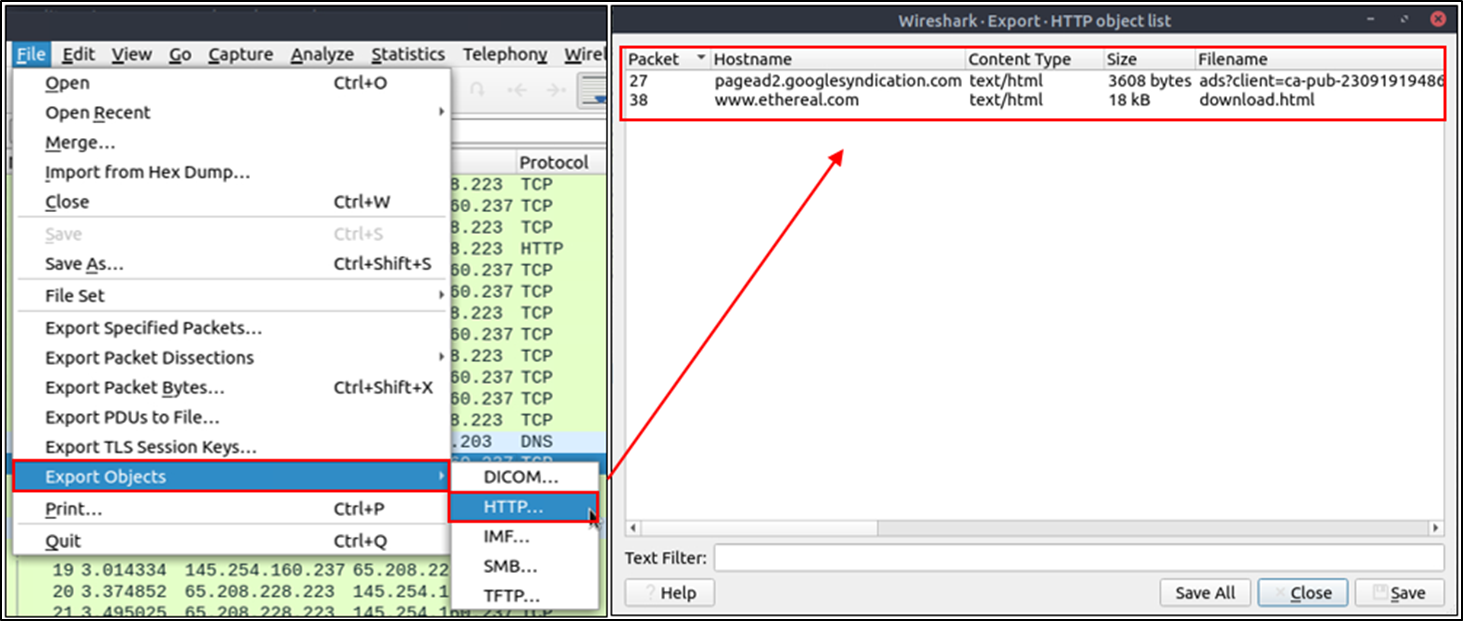
Exporting Object Files
1
Edit > Export Objects
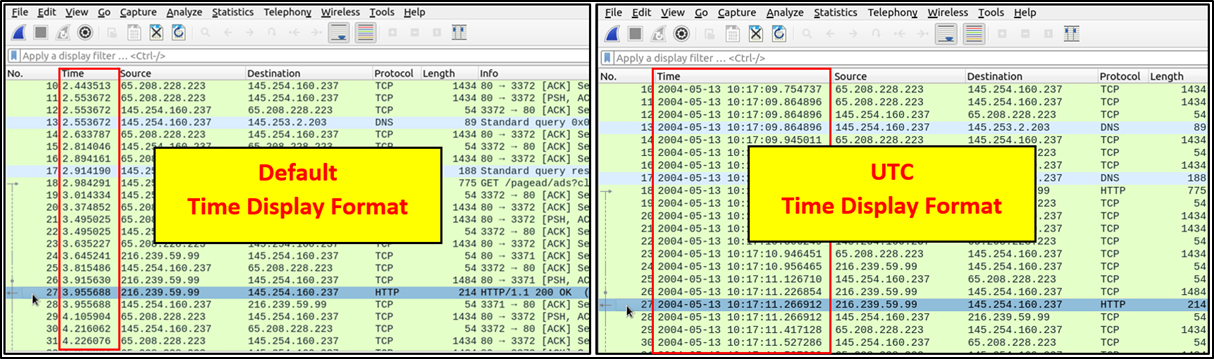
Time Display Format
1
View > Time Display Format
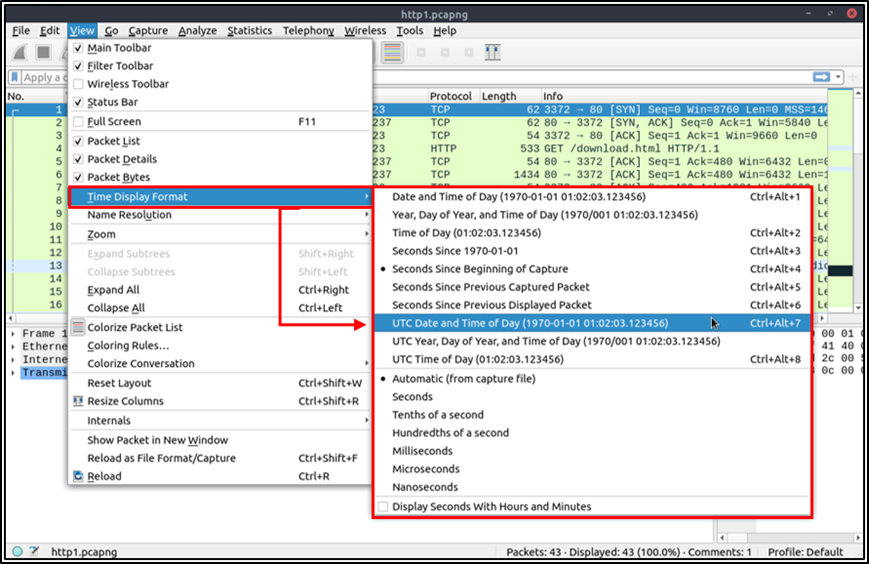
Expected Output:
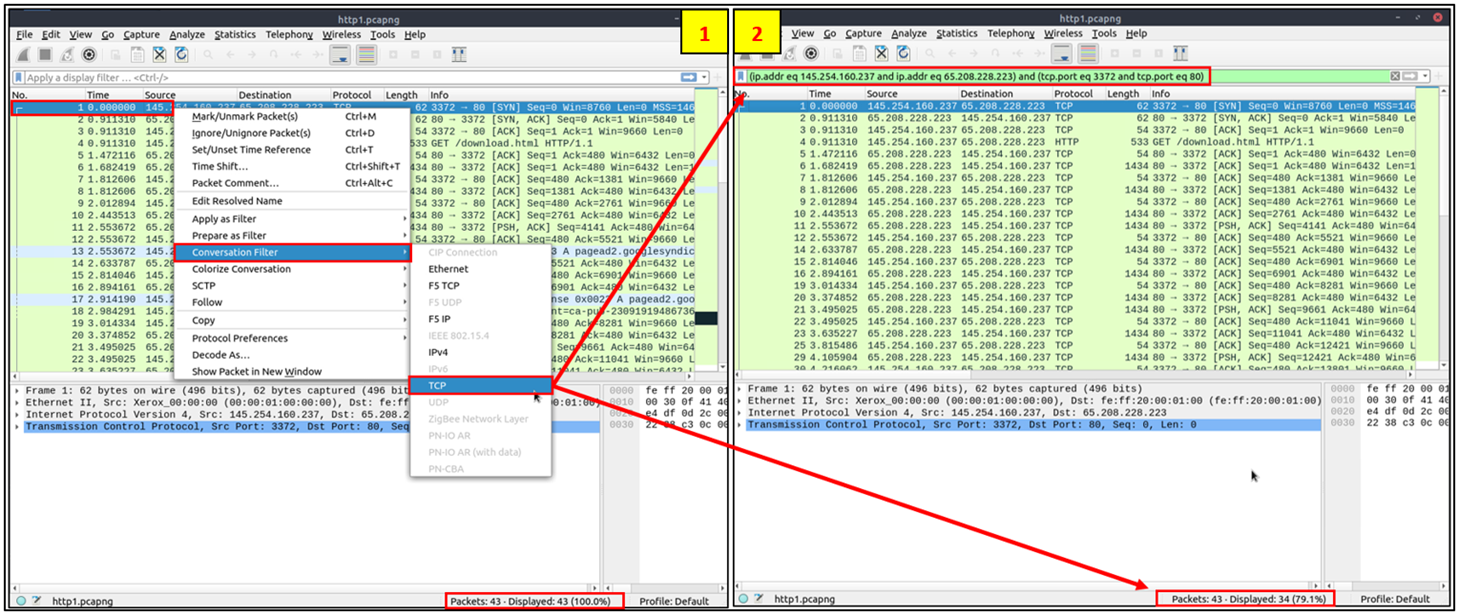
Conversation Filter
1
Right click menu -> Analyze -> Conversation Filter
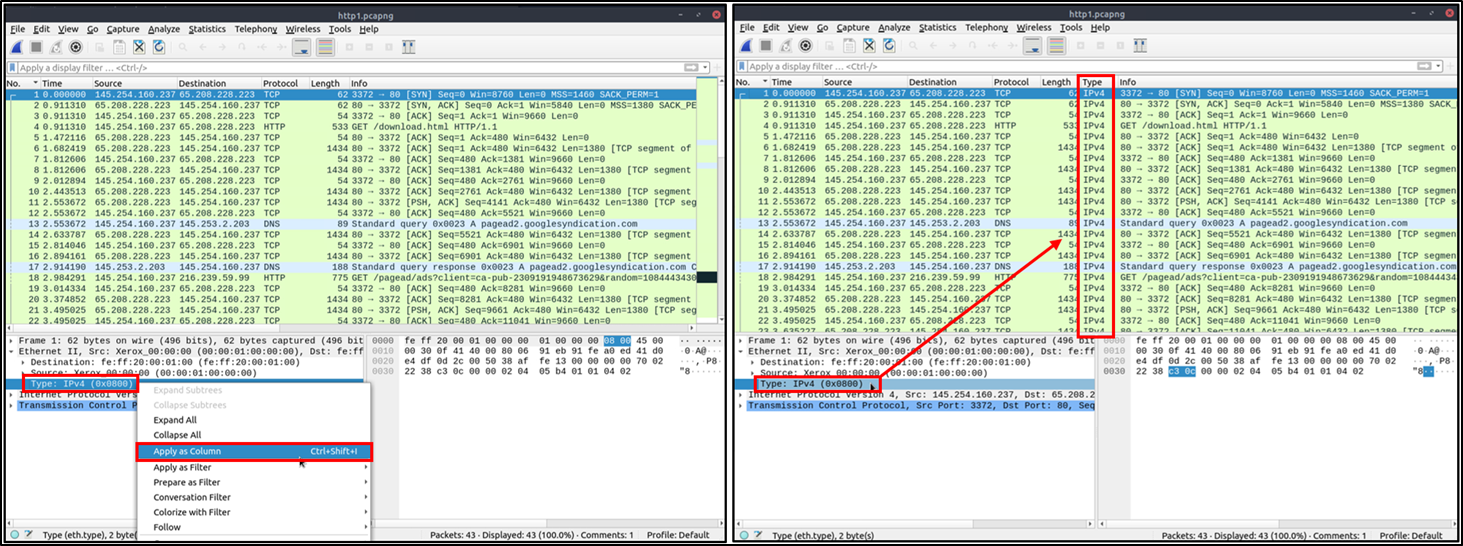
Applying a parameter as Column
1
Right-click -> Apply as Column
Wireshark Traffic Analysis
TCP Connect Scan
1
tcp.flags.syn==1 and tcp.flags.ack==0 and tcp.window_size > 1024
TCP SYN Scan
1
tcp.flags.syn==1 and tcp.flags.ack==0 and tcp.window_size <= 1024
UDP Scan
1
icmp.type==3 and icmp.code==3
ARP Poisoning:
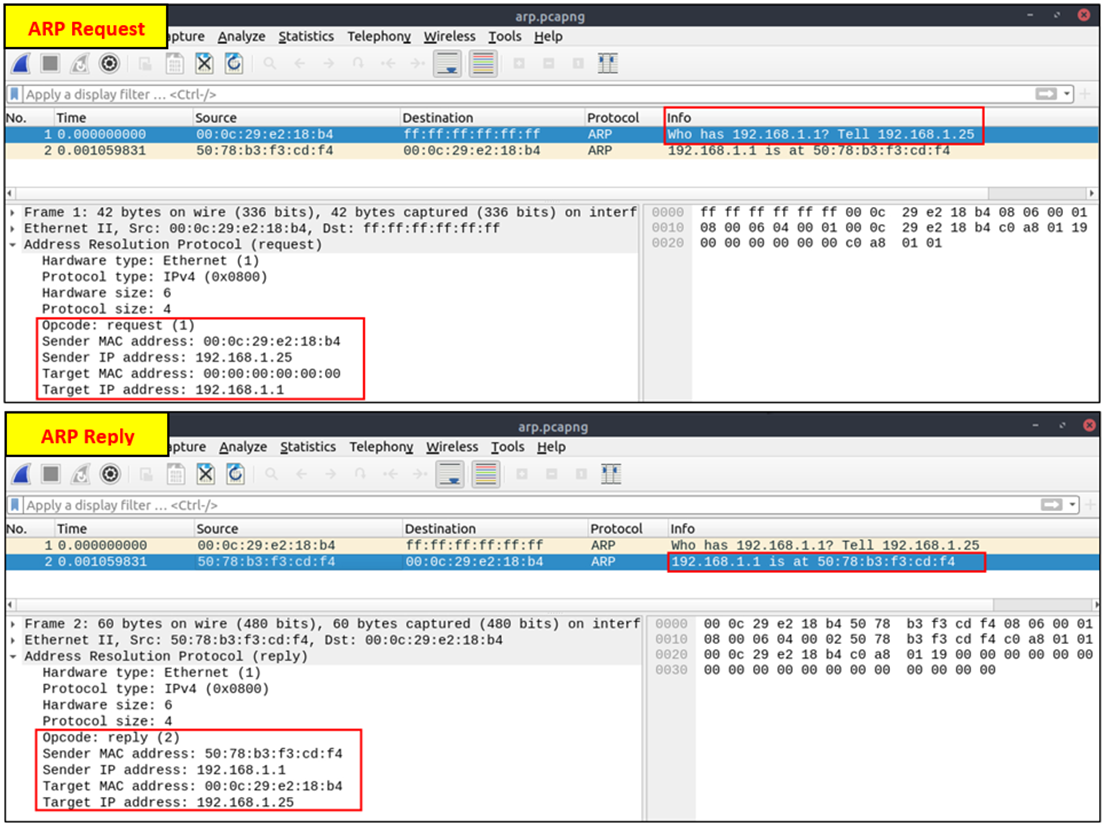
Opcode 1 (ARP Request):
1
arp.opcode == 1
Opcode 2 (ARP Response):
1
arp.opcode == 2
ARP Scanning:
1
arp.dst.hw_mac==00:00:00:00:00:00
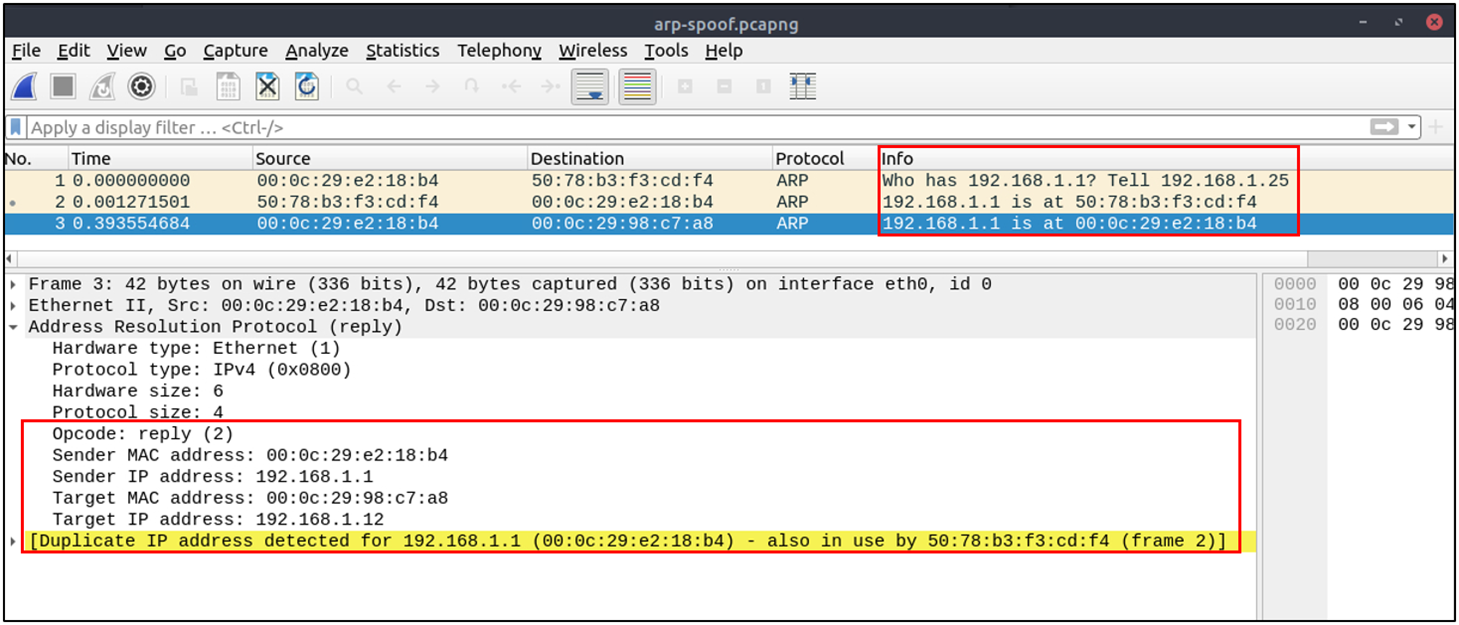
Possible ARP Poisoning detection:
1
arp.duplicate-address-detected or arp.duplicate-address-frame
Possible ARP Flooding from detection:
1
((arp) && (arp.opcode == 1)) && (arp.src.hw_mac==<target-mac-address>)
ARP in Wireshark:
Spoofing:
DNS
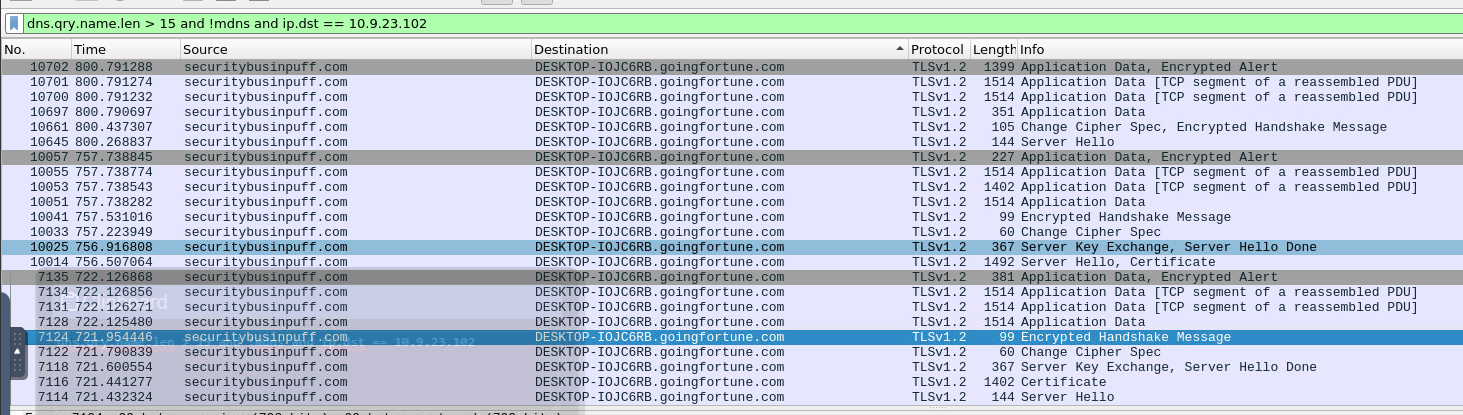
Checking the query name of a specific DNS query and having the DNS server IP:
1
dns.qry.name.len > 15 and !mdns and ip.dst == 10.9.23.102
Credentials
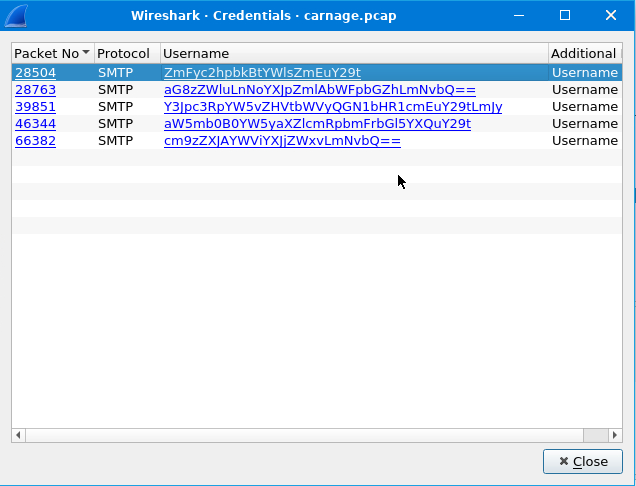
Getting the credentials used inside the network
1
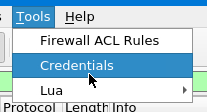
Tools > Credentials