
First of all, start Snort in sniffer mode and try to figure out the attack source, service and port.
Commands to capture the attack:
1
sudo snort -X
Output:
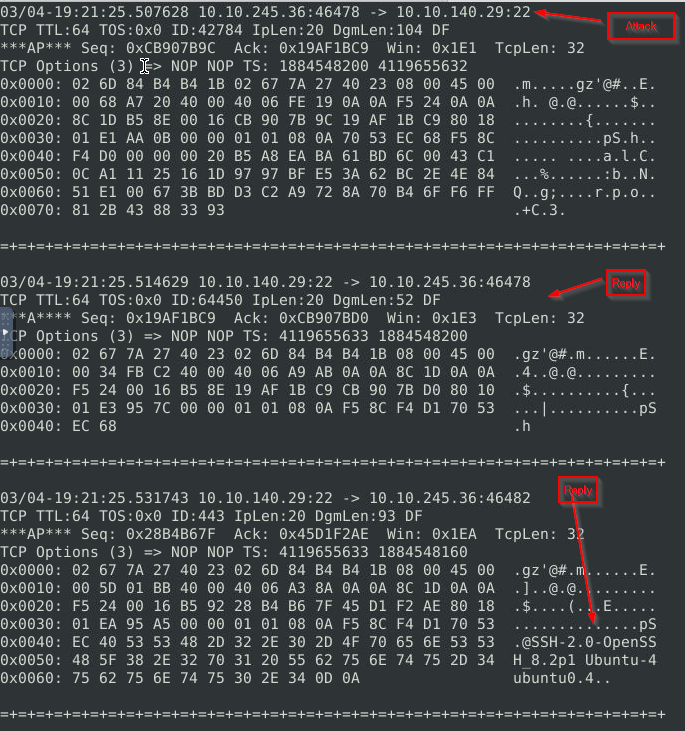
Attacker IP, port:
1
- 10.10.245.36:46478
Then, write an IPS rule and run Snort in IPS mode to stop the brute-force attack. Once you stop the attack properly, you will have the flag on the desktop!
Here are a few points to remember:
- Create the rule and test it with “
-A console” mode. - Use ”
-A full“ mode and thedefault log pathto stop the attack. - Write the correct rule and run the Snort in IPS ”
-A full” mode. - Block the traffic at least for a minute and then the flag file will appear on your desktop.
Rule Created: (add this to /etc/snort/rules/local.rules)
1
2
drop tcp any any <> 10.10.140.29 22 (msg:"Brute Force attack detected_request"; sid:10000000001; rev:1)
drop tcp 10.10.140.29 22 <> 10.10.245.36 46482 (msg:"Brute Force attack detected_response"; content:"ssh"; sid:10000000002; rev:1)

Testing:
1
sudo snort -c /etc/snort/rules/local.rules -A console -l .
Commands to read the captured packets:
1
sudo snort -c /etc/snort/rules/local.rules -A full -l .
1
sudo snort -r snort.log.<num> -X -d -n 20
Stop the attack and get the flag (which will appear on your Desktop)
1
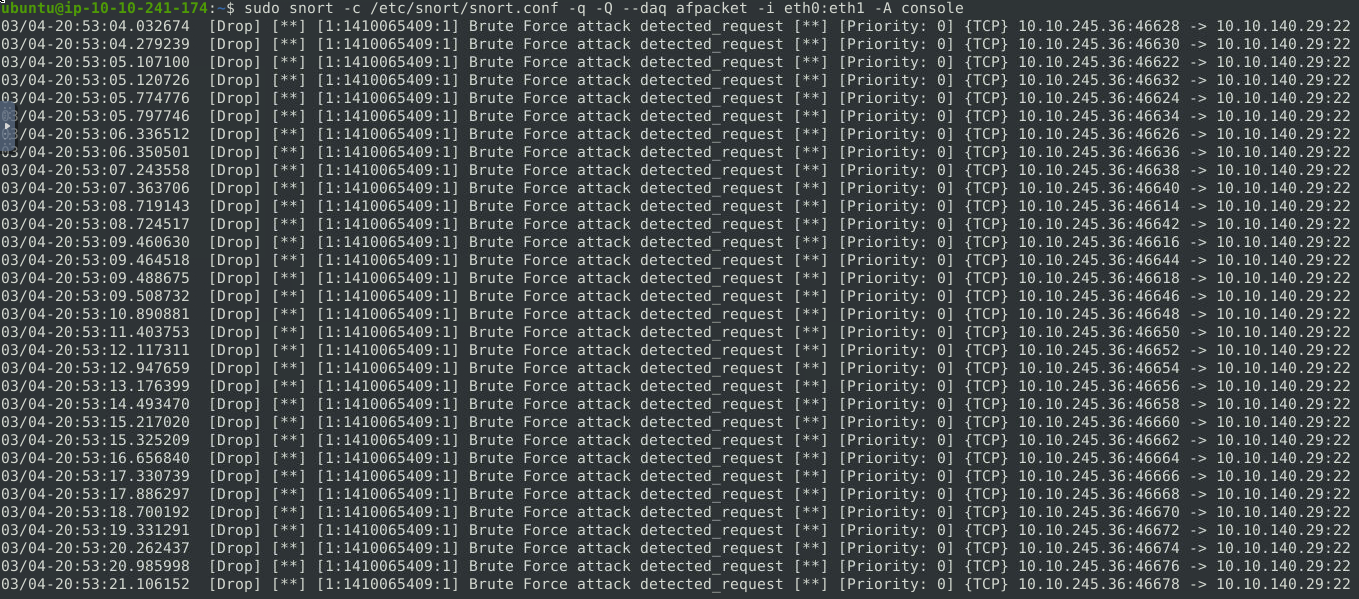
sudo snort -c /etc/snort/snort.conf -q -Q --daq afpacket -i eth0:eth1 -A console
1
2
- Different ports and IP from the attacker are being used on the brute force attack
- Note, you have to use the /etc/snort/rules/local.rules since it works with /etc/snort/snort.conf to DROP the packets.
What is the name of the service under attack?
SSH
What is the used protocol/port in the attack?
tcp/22
Scenario 2 : Reverse-Shell
First of all, start Snort in sniffer mode and try to figure out the attack source, service and port.
1
sudo snort -X
Log Analysis
- Important IP address and Port numbers:
1
2
- 10.10.196.55:54242 (victim''s)
- 10.10.144.156:4444 (attackers)
Pattern Analysis
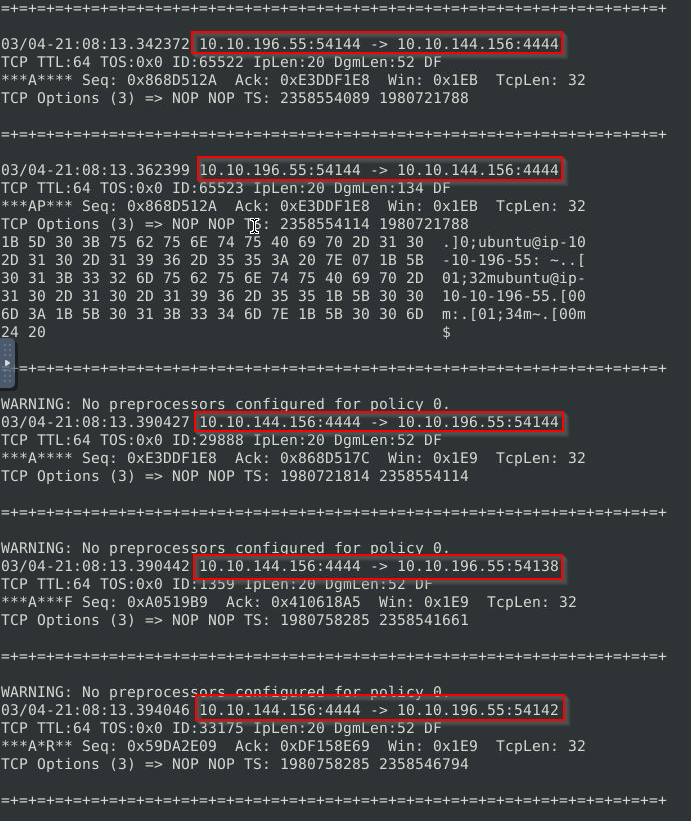
1
- Notice that there are different ports used to connect to the attacker's machine. Most likely for persistence.
Packet Analysis
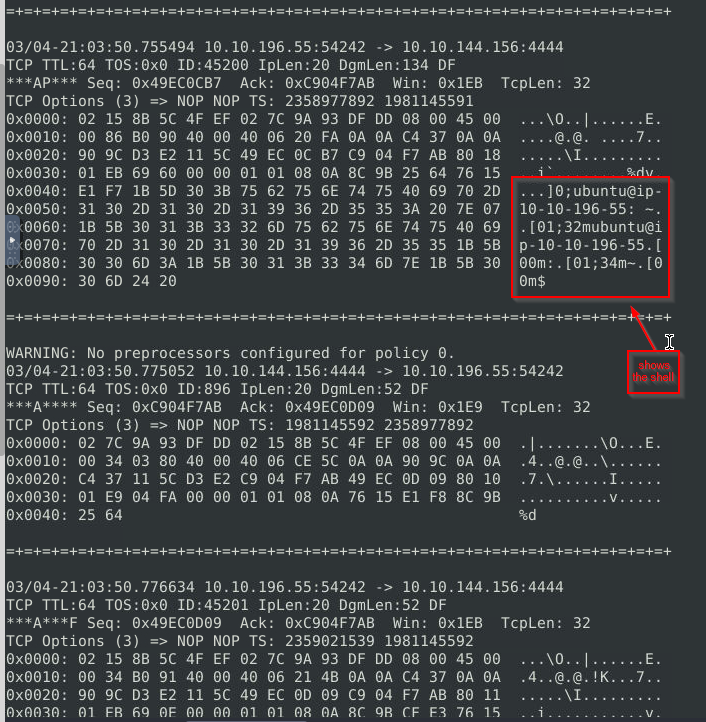
Outputs and clues:
1
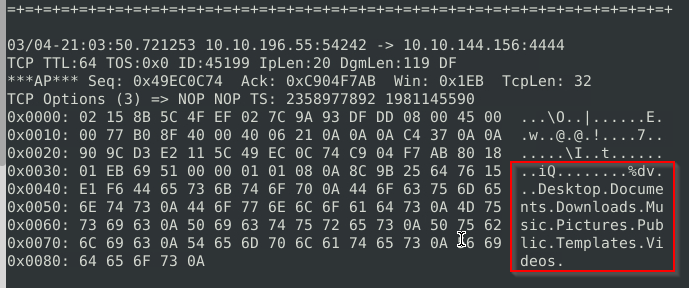
- This is the shell on the victim's machine from the attacker's perspective.
- This one shows the directories inside the VM:
1
- Notice the direction of the connection. It sends data to the 10.10.144.156
Then, write an IPS rule and run Snort in IPS mode to stop the brute-force attack. Once you stop the attack properly, you will have the flag on the desktop!
Rule Created:
1
2
drop tcp 10.10.144.156 4444 <> any any (msg:"RevShell detected outbound dropped";sid:1000000001;rev:1;)
drop tcp any any <> 10.10.144.156 (msg:"RevShell detected inbound dropped";sid:10000000002;rev:1;)
Here are a few points to remember:
- Create the rule and test it with “
-A console” mode. - Use ”
-A full“ mode and the default log path to stop the attack. - Write the correct rule and run the Snort in IPS ”
-A full” mode. - Block the traffic at least for a minute and then the flag file will appear on your desktop.
Stop the attack and get the flag (which will appear on your Desktop)
Testing:
1
sudo snort -c /etc/snort/rules/local.rules -A console -l .
Commands to read the captured packets:
1
sudo snort -c /etc/snort/rules/local.rules -A full -l .
1
sudo snort -r snort.log.<num> -X -d -n 20
Stop the attack and get the flag (which will appear on your Desktop)
1
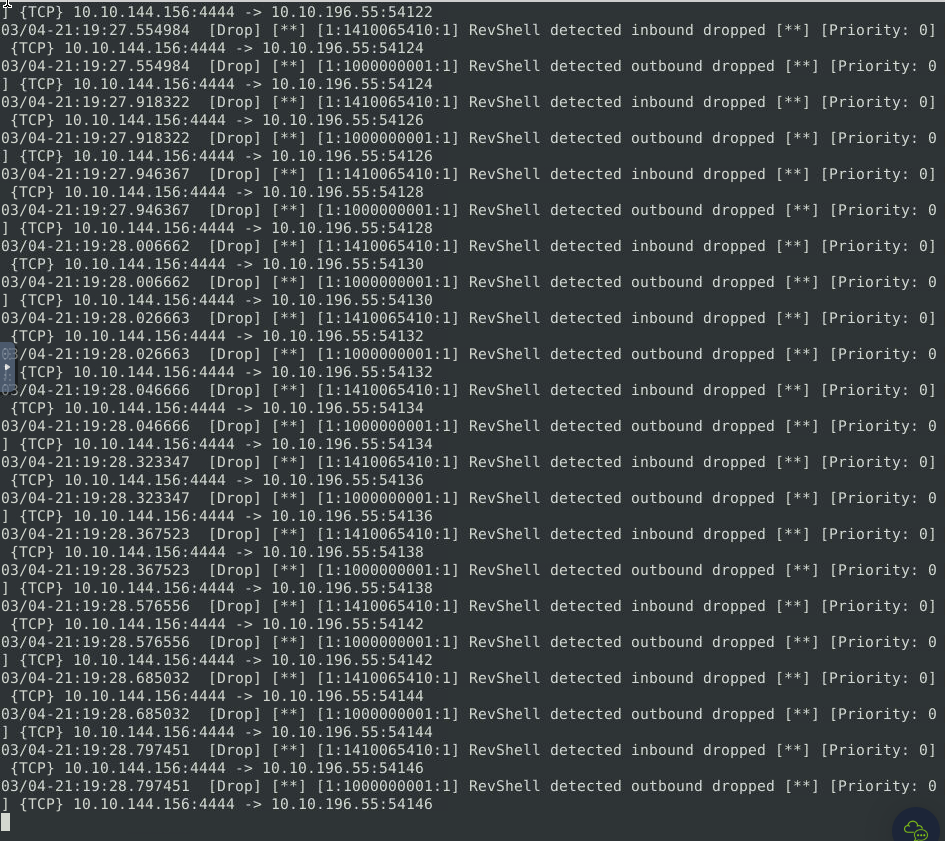
sudo snort -c /etc/snort/snort.conf -q -Q --daq afpacket -i eth0:eth1 -A console
1
- Use '-A full' to get the flag
What is the used protocol/port in the attack? tcp/4444
Which tool is highly associated with this specific port number? metasploit