
Windows 10 Disk Image
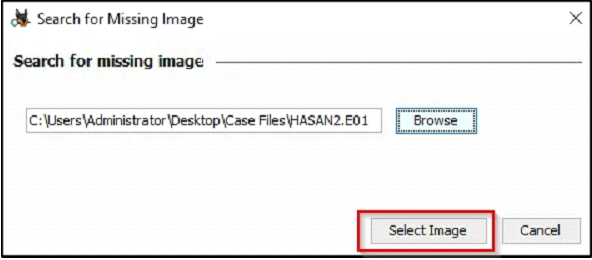
In the attached VM, there is an Autopsy case file and its corresponding disk image. After loading the .aut file, make sure to re-point Autopsy to the disk image file.
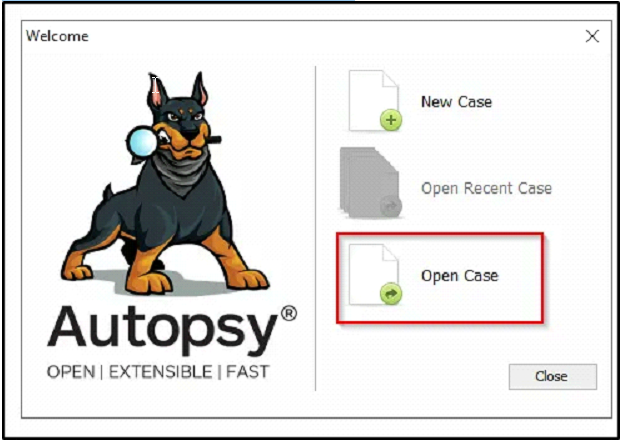
Start Autopsy and select “Open Case”:
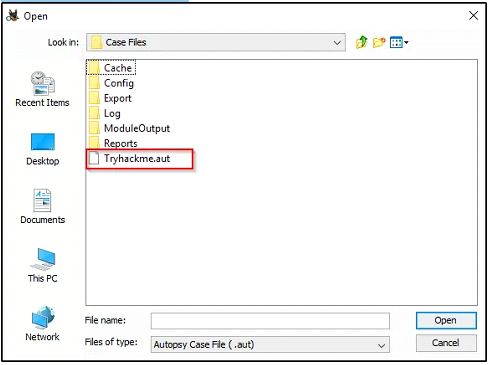
Select the “.aut” file.
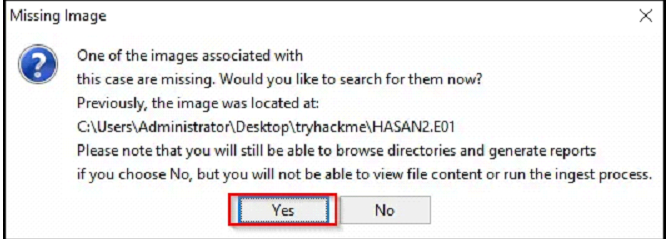
Select the image “HASAN2.E01”:
1
2
- Ingest Modules were already ran for your convenience.
- Your task is to perform a manual analysis of the artifacts discovered by Autopsy to answer the questions below.
Questions:
- What is the MD5 hash of the E01 image?
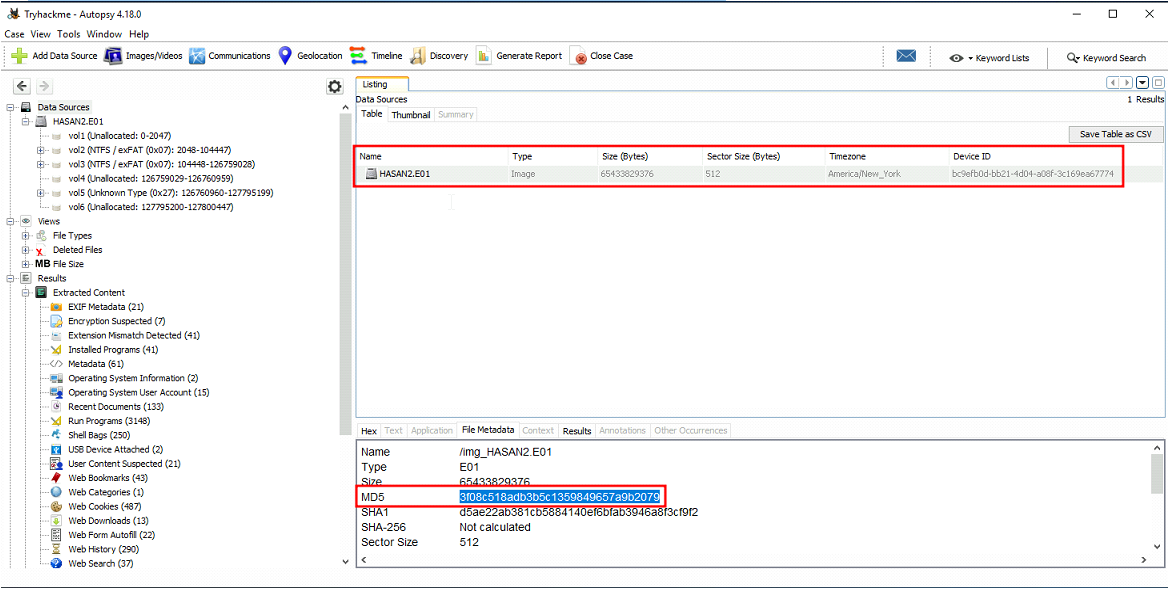
-> Answer: 3f08c518adb3b5c1359849657a9b2079
- What is the computer account name?
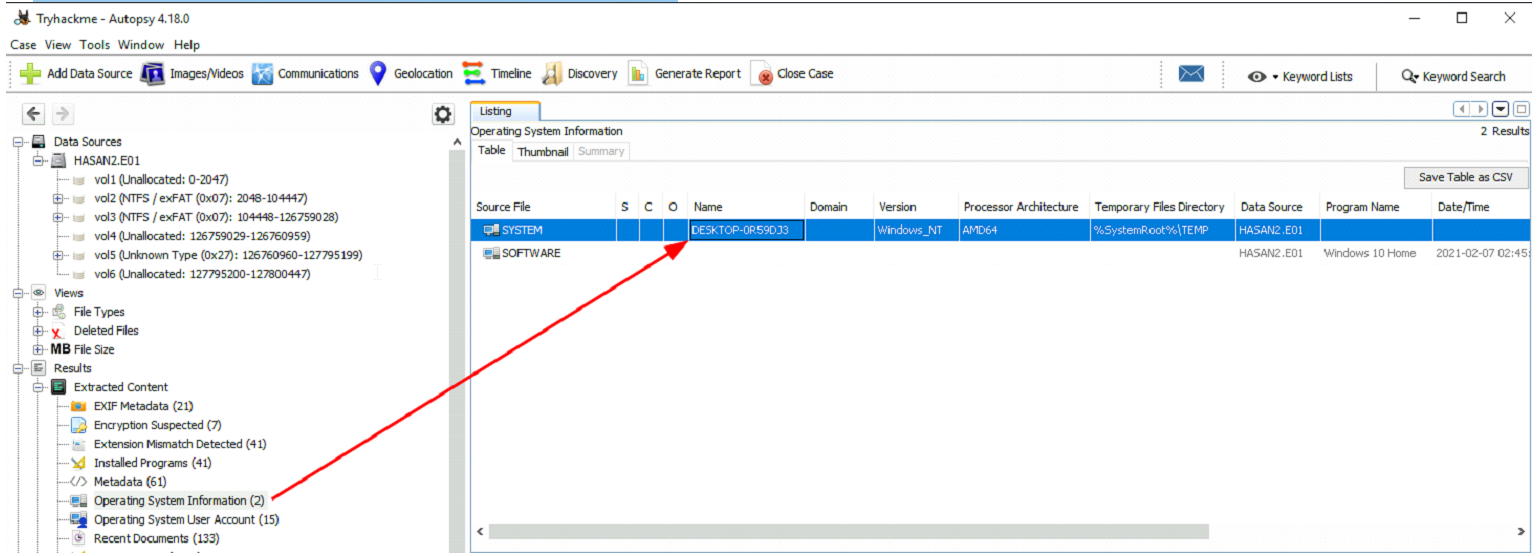
- List all the user accounts. (alphabetical order)
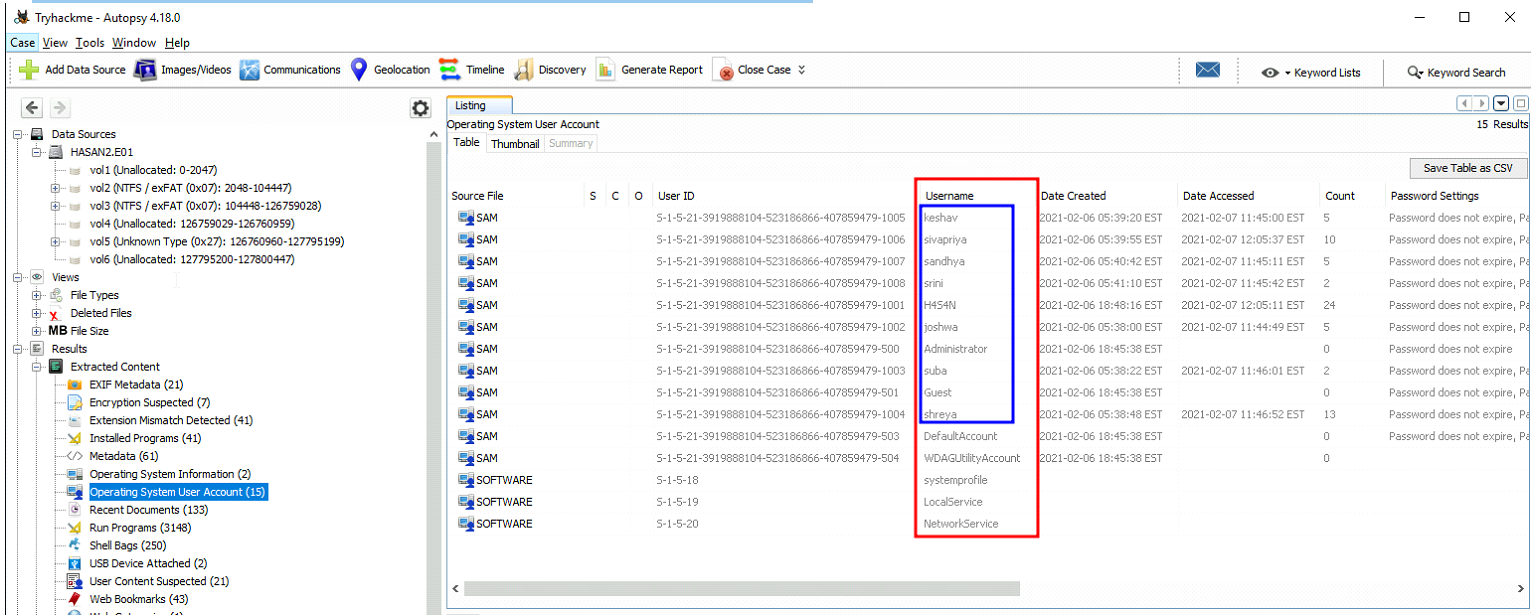
-> Answer: H4S4N,joshwa,keshav,sandhya,shreya,sivapriya,srini,suba
- Who was the last user to log into the computer?
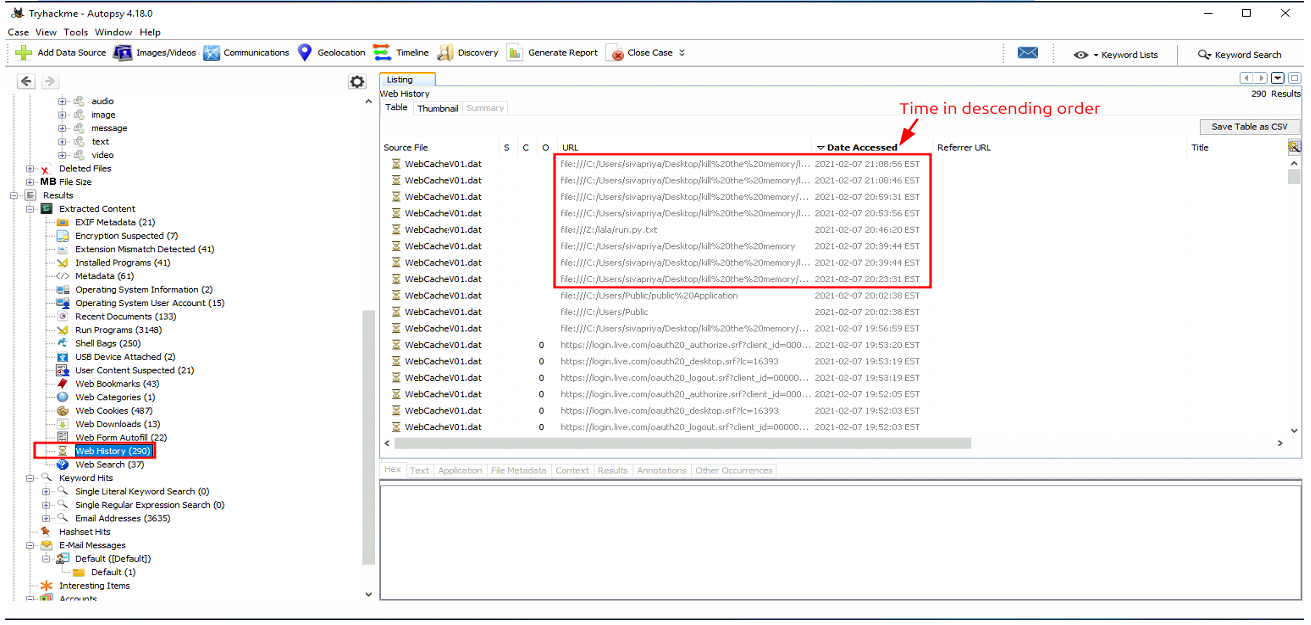
-> Answer: sivapriya
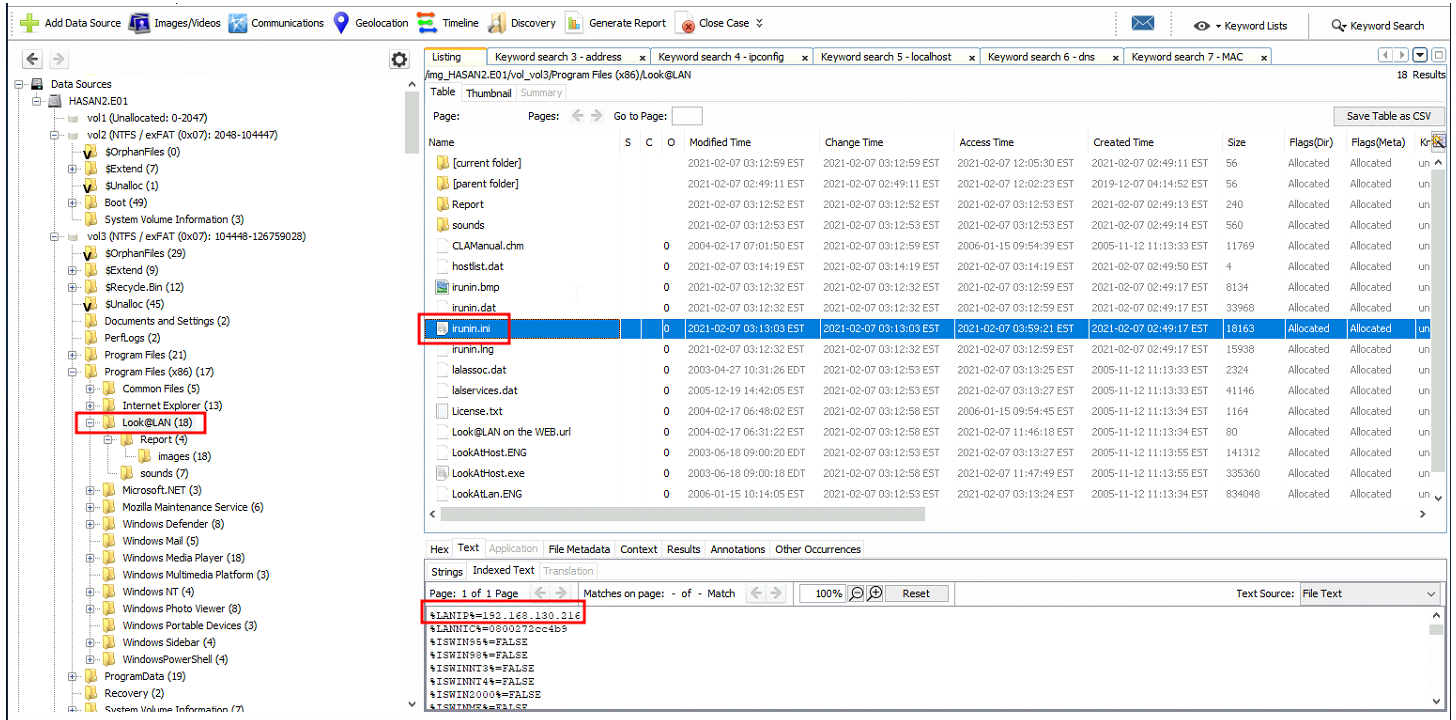
- What was the IP address of the computer? (local IP)
1
2
- Search up “IP address” or “LAN”?
- Note that “Look@LAN” should stick out on this directory and I didn’t know that this was a Network Monitoring Tool. If the next question hadn’t asked for a network monitoring tool, is there a way to correlate data to know what kind of software it is?
Autopsy’s capabilities:
1
2
3
4
5
6
7
8
9
10
11
12
13
14
15
16
17
18
- 'Multi-User Cases': Collaborate with fellow examiners on large cases.
- 'Timeline Analysis': Displays system events in a graphical interface to help identify activity.
- 'Keyword Search': Text extraction and index searched modules enable you to find files that mention specific terms and find regular expression patterns.
- 'Web Artifacts': Extracts web activity from common browsers to help identify user activity.
- 'Registry Analysis': Uses ⦁	RegRipper to identify recently accessed documents and USB devices.
- 'LNK File Analysis': Identifies short cuts and accessed documents
- 'Email Analysis': Parses ⦁	MBOX format messages, such as Thunderbird.
- 'EXIF': Extracts geo location and camera information from JPEG files.
- 'File Type Sorting': Group files by their type to find all images or documents.
- 'Media Playback': View videos and images in the application and not require an external viewer.
- 'Thumbnail viewer': Displays thumbnail of images to help quick view pictures.
- 'Robust File System Analysis': Support for common file systems, including NTFS, FAT12/FAT16/FAT32/ExFAT, HFS+, ISO9660 (CD-ROM), Ext2/Ext3/Ext4, Yaffs2, and UFS from ⦁	The Sleuth Kit.
- 'Hash Set Filtering': Filter out known good files using ⦁	NSRL and flag known bad files using custom hashsets in HashKeeper, md5sum, and EnCase formats.
- 'Tags': Tag files with arbitrary tag names, such as 'bookmark' or 'suspicious', and add comments.
- 'Unicode Strings Extraction': Extracts strings from unallocated space and unknown file types in many languages (Arabic, Chinese, Japanese, etc.).
- 'File Type Detection' based on signatures and extension mismatch detection.
- 'Interesting Files' Module will flag files and folders based on name and path.
-' Android Support': Extracts data from SMS, call logs, contacts, Tango, Words with Friends, and more.
-> Answer: 192.168.130.216
- What was the MAC address of the computer? (XX-XX-XX-XX-XX-XX)
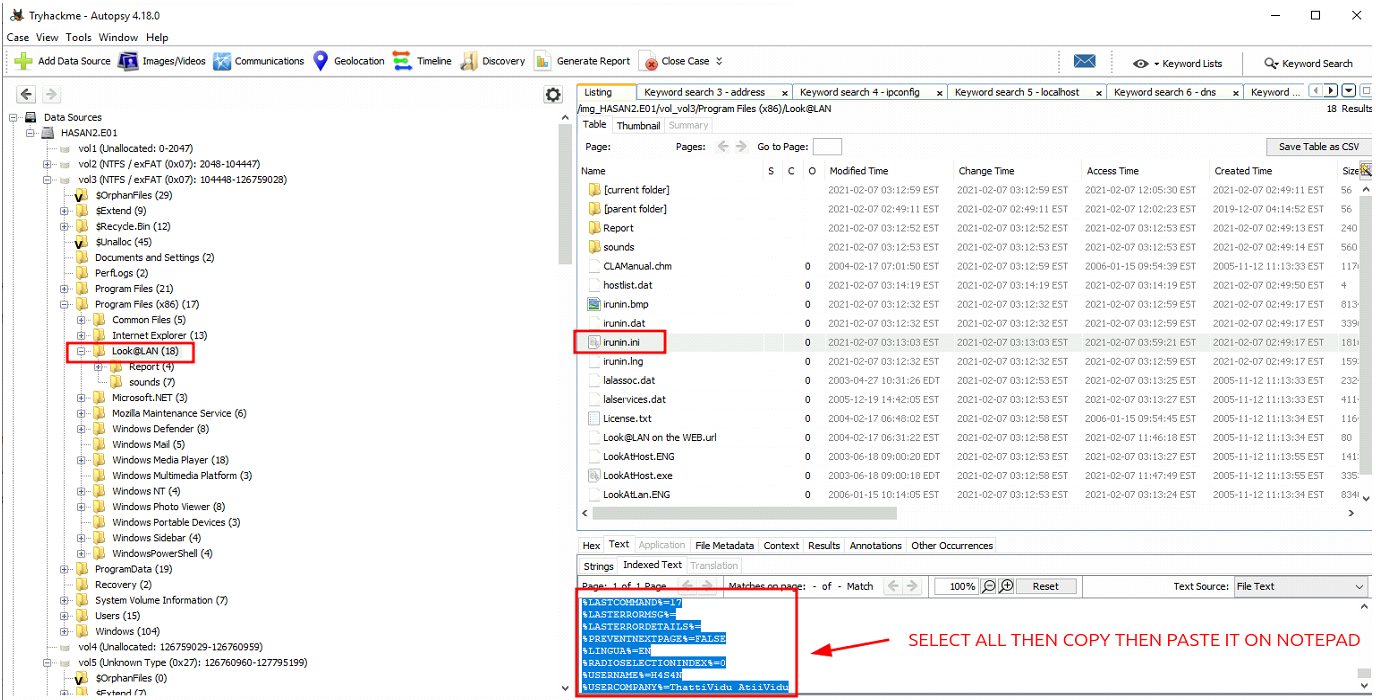
- Once the texts are in notepad.exe, use the ‘
Find’ feature:
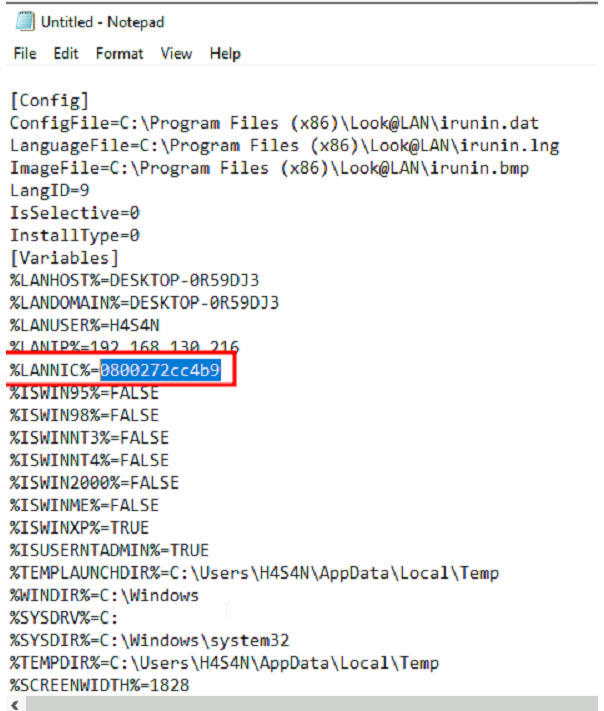
-> Answer:08-00-27-2c-c4-b9
- What is the name of the network card on this computer? (Use RegRipper on this one for Registry Analysis) Note that
regripperis built into Autopsy from the “Application” sub-tab when dealing with Registry Hives:
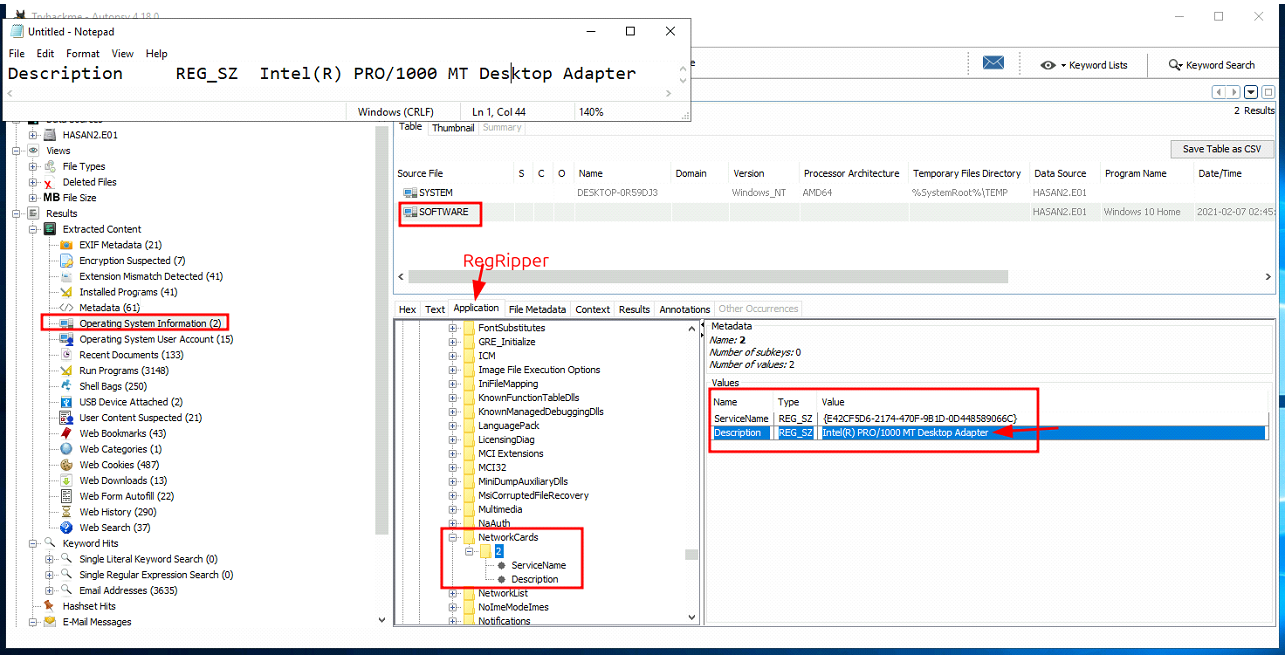
Full Hive path: SOFTWARE\Microsoft\Windows NT\NetworkCards
- What is the name of the network monitoring tool?
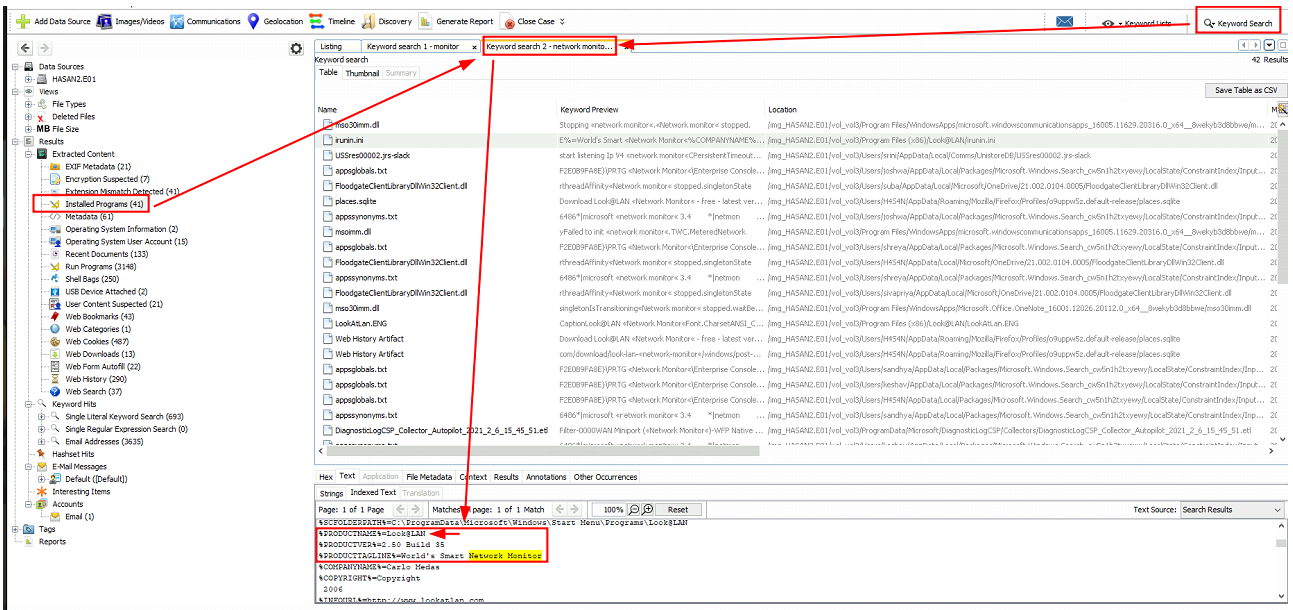
-> Answer: Look@LAN
- A user bookmarked a Google Maps location. What are the coordinates of the location?
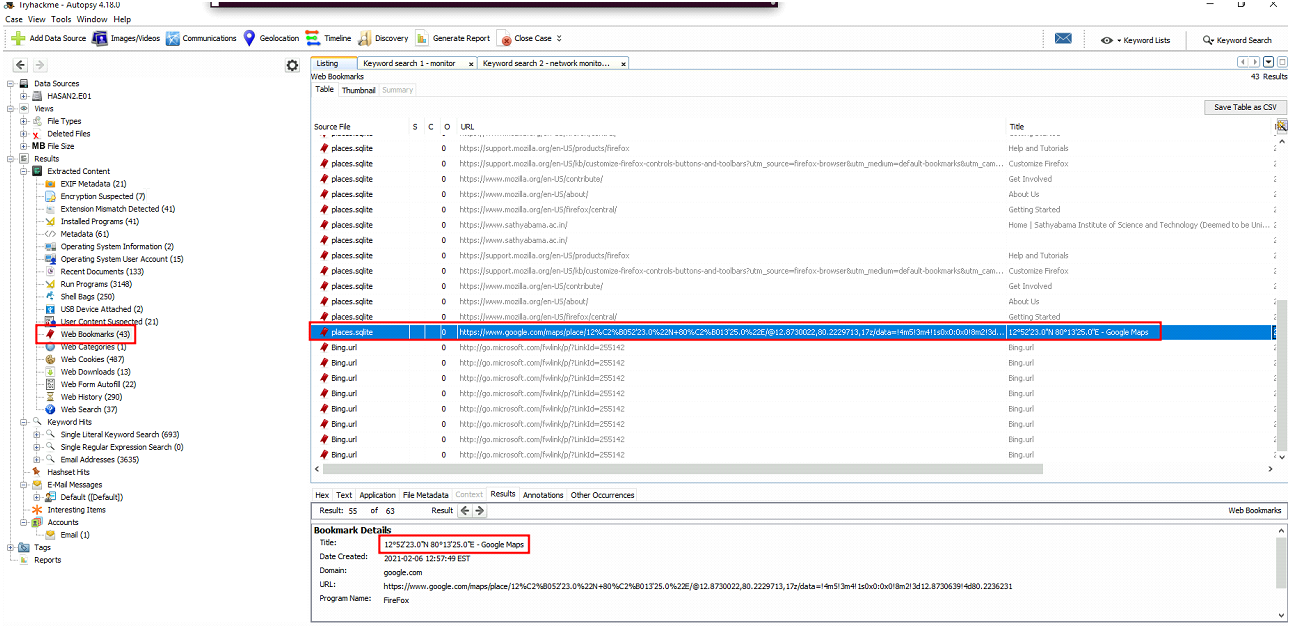

-> Answer: 12°52’23.0”N 80°13’25.0”E
- A user has his full name printed on his desktop wallpaper. What is the user’s full name?
Possible lead:
1
2
-> NTUSER.dat\ROOT\Control Panel\Desktop\Wallpaper
-> NTUSER.dat\ROOT\Control Panel\Desktop\TileWallpaper
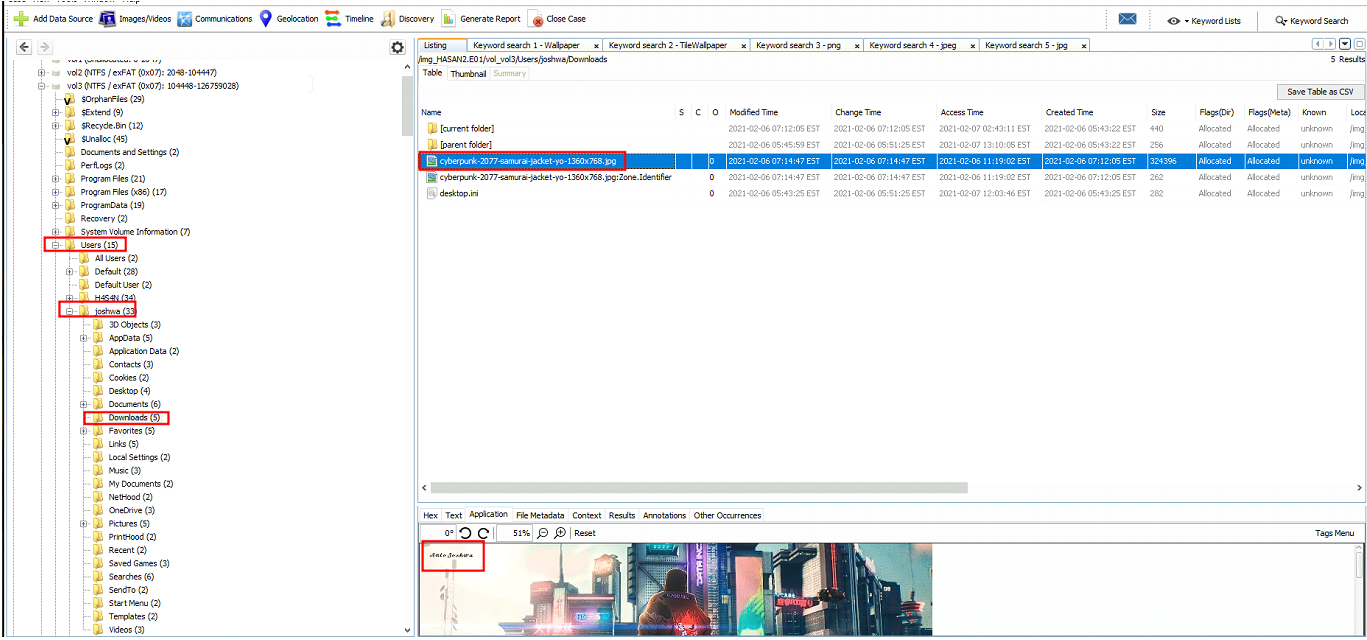
-> Answer: Anto Joshwa
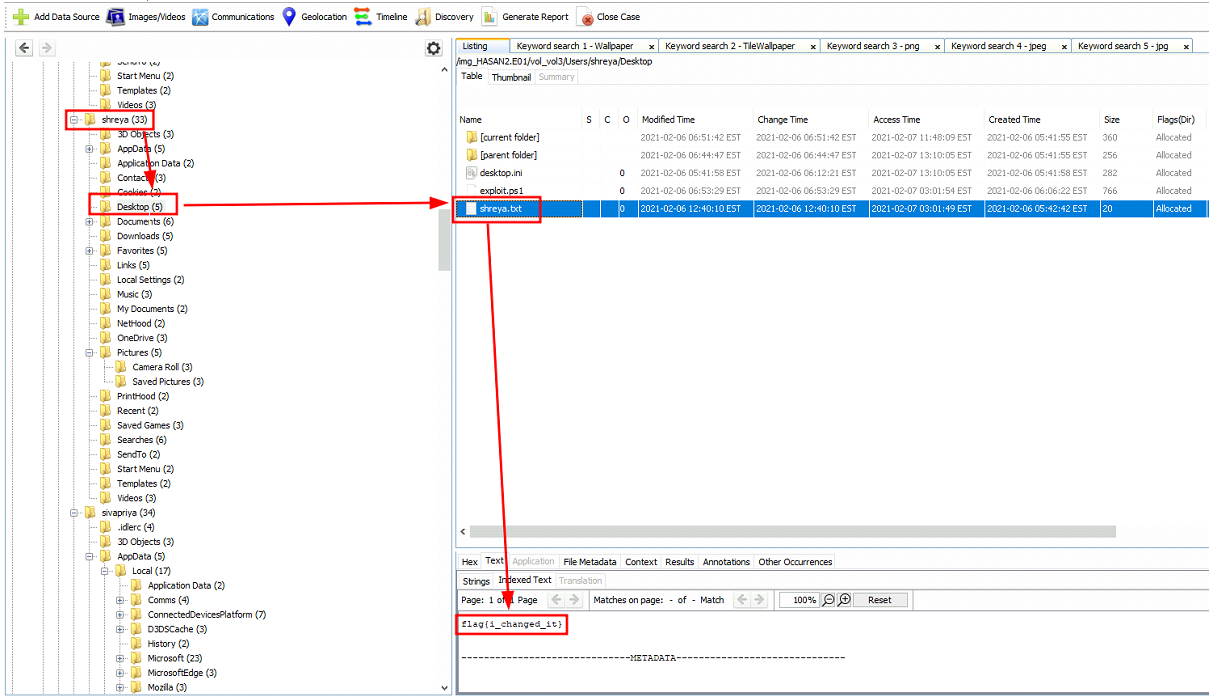
- A user had a file on her desktop. It had a flag but she changed the flag using PowerShell. What was the first flag?
1
- Looking at the current flag: flag{i_changed_it}
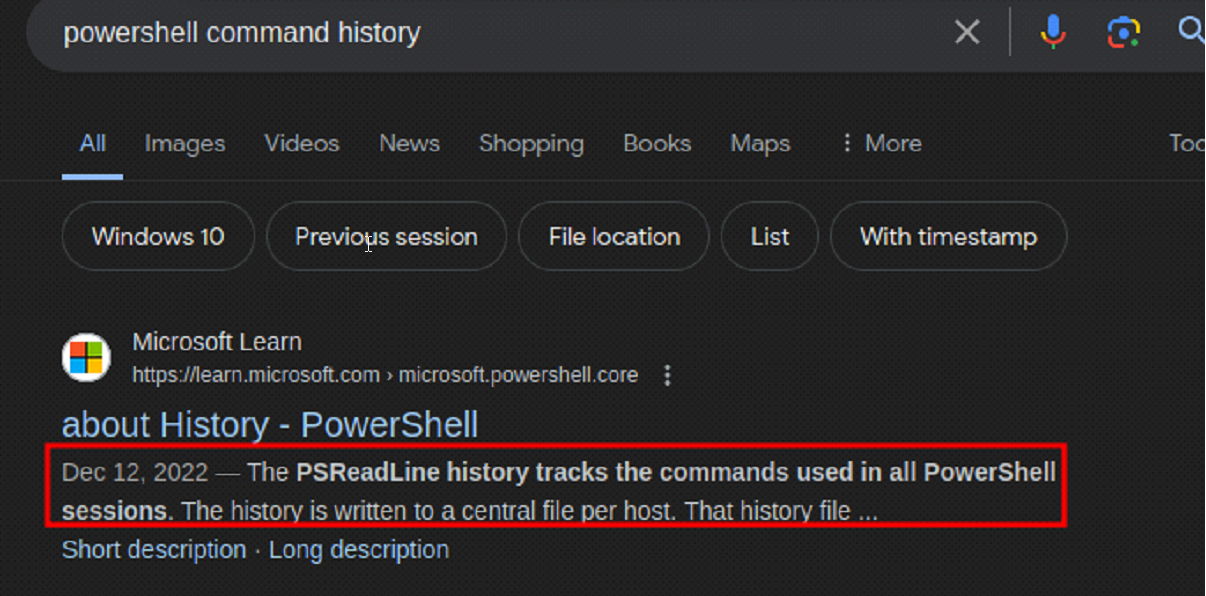
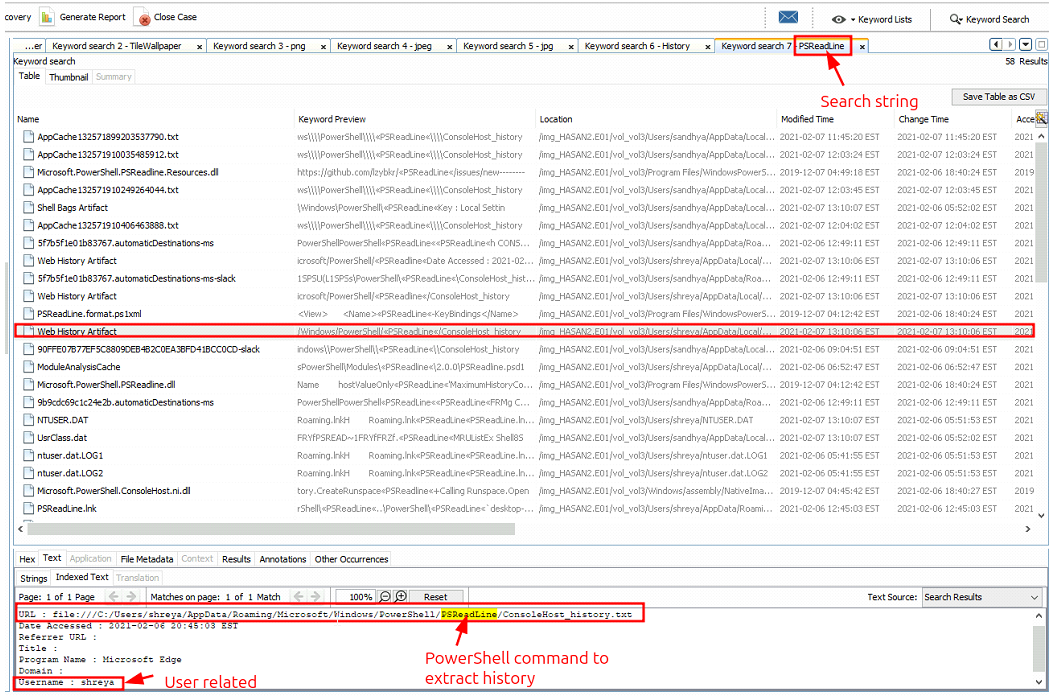
Since the .txt file was changed using Powershell command, we can track commands used in this terminal with “PSReadLine”:
Following up on the lead:
Checking the previous flag:
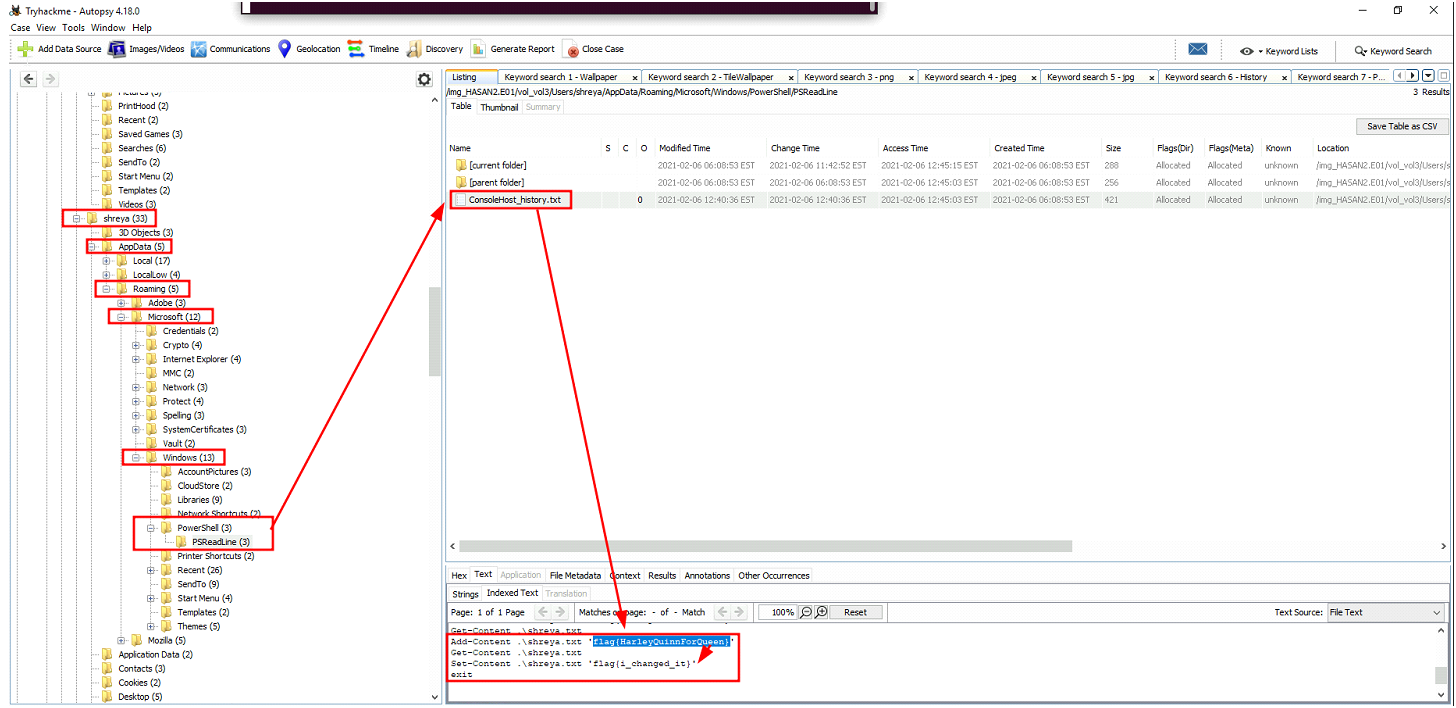
-> Answer: flag{HarleyQuinnForQueen}
- The same user found an exploit to escalate privileges on the computer. What was the message to the device owner?
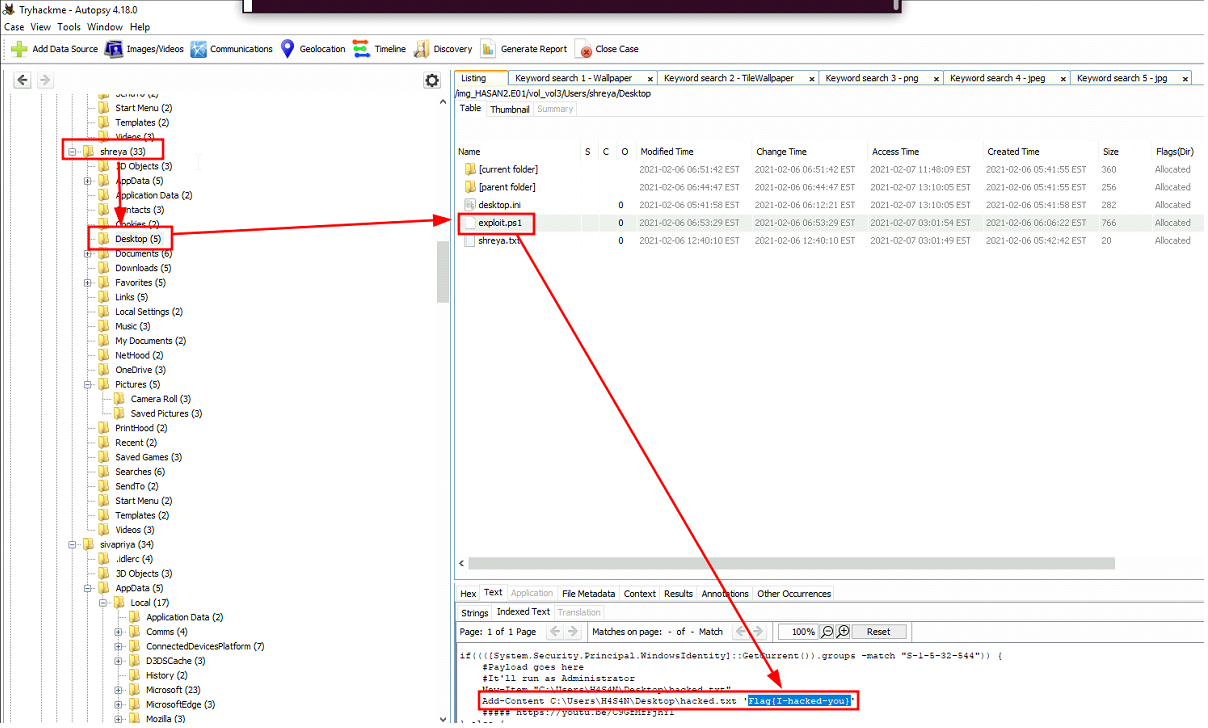
-> Answer: Flag{I-hacked-you}
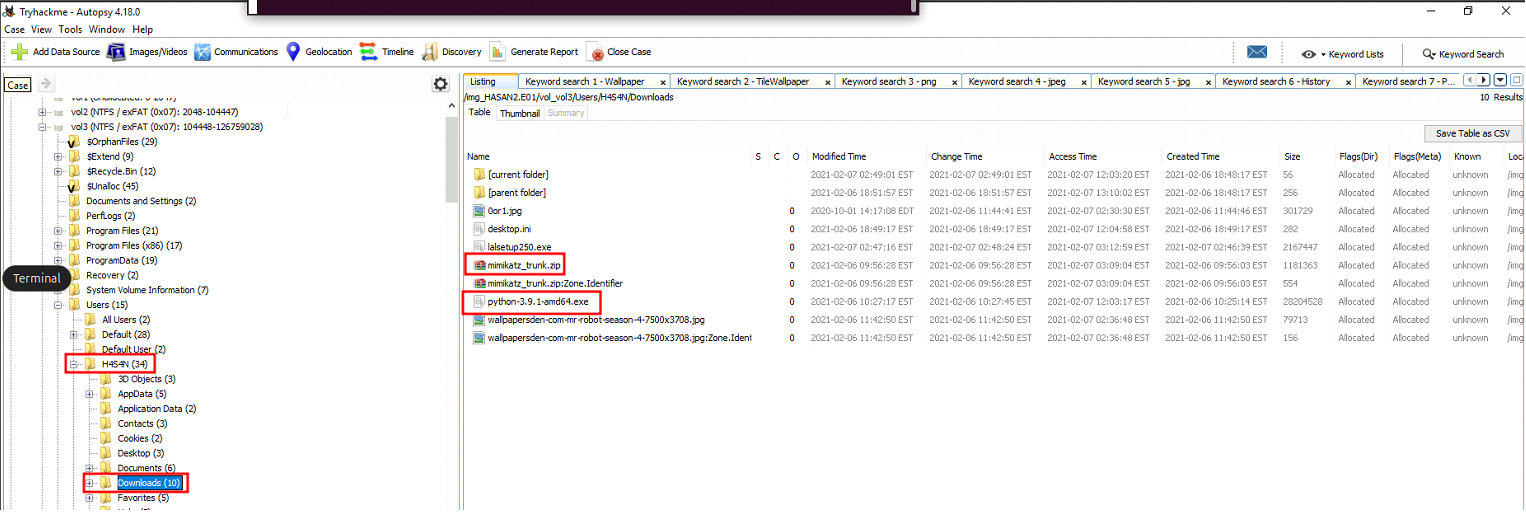
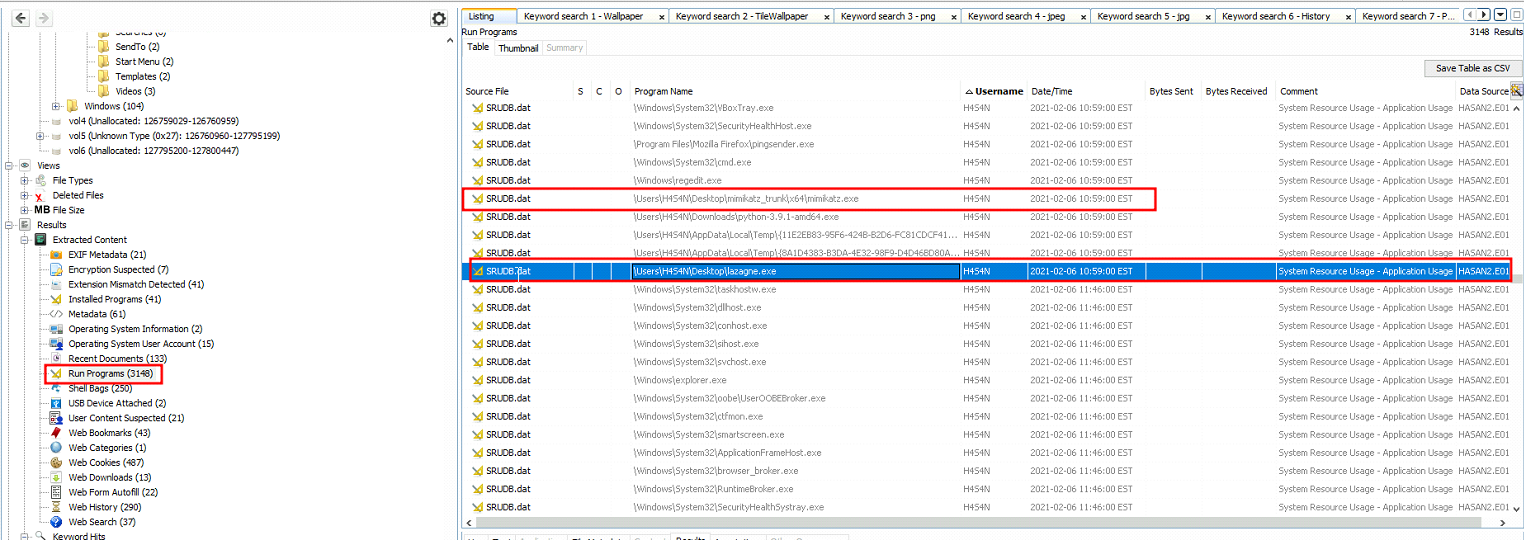
- 2 hack tools focused on passwords were found in the system. What are the names of these tools? (alphabetical order)
1
2
-> Answer: lazagne (password recovery tool),mimikatz (PtH,etc.)
-> At this point, we can see that the attacker has compromised shreya first and then move laterally to user H4S4N.
- There is a YARA file on the computer. Inspect the file. What is the name of the author?
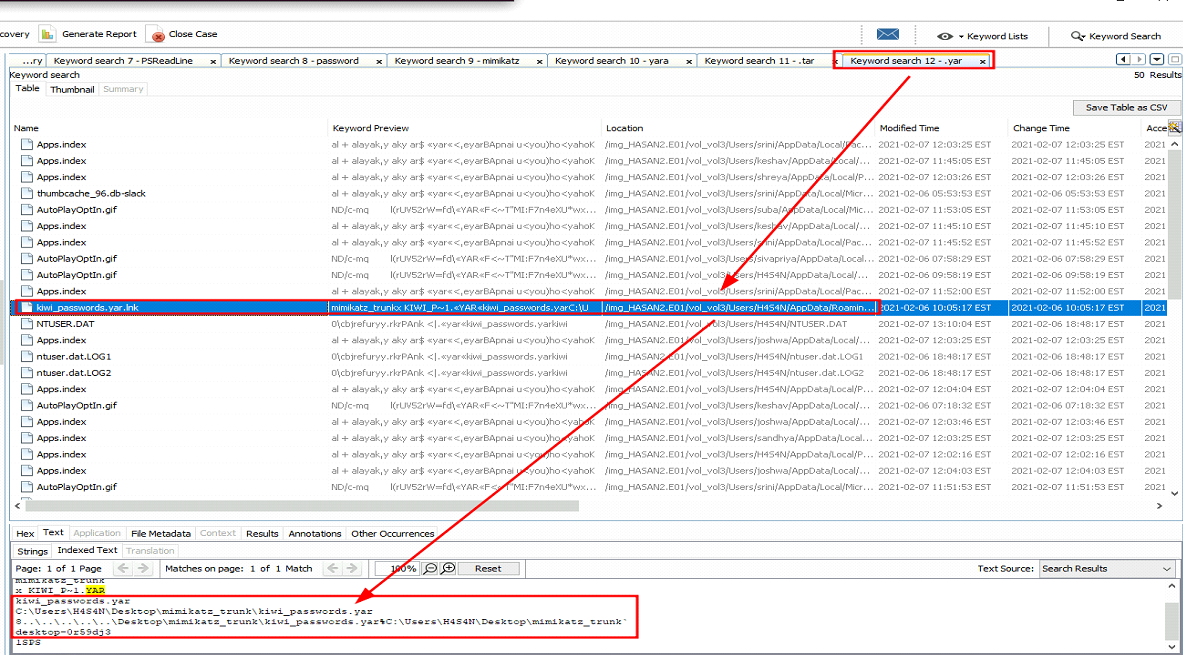
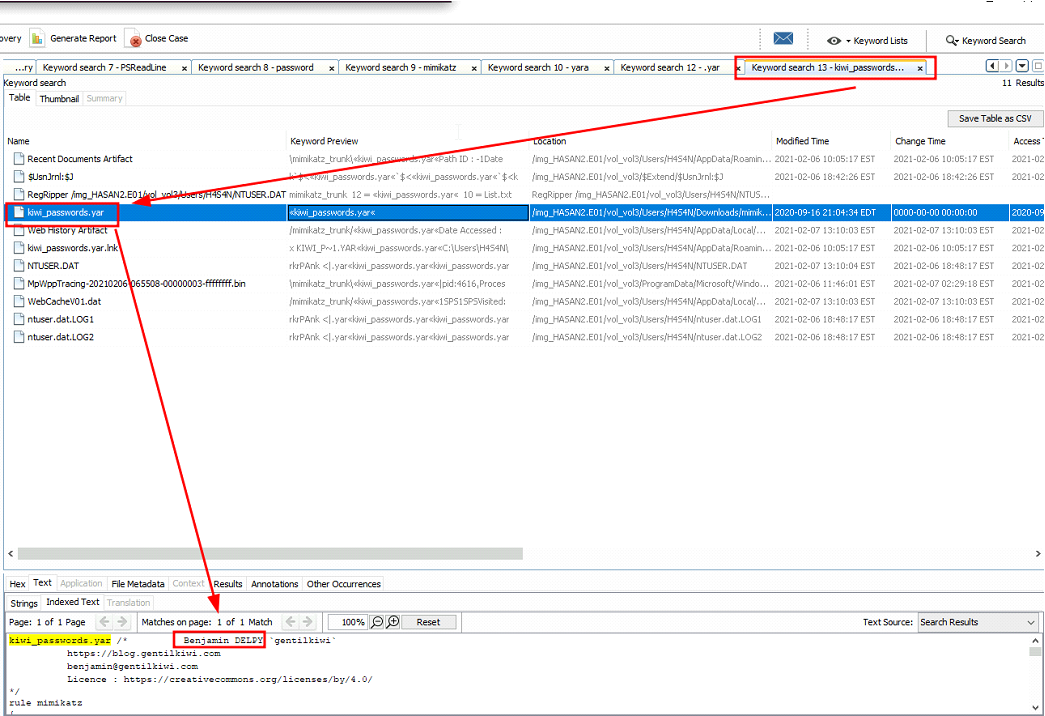
Tracking down the author of this .yar file:
1
-> Answer: Benjamin Delpy (gentilkiwi)
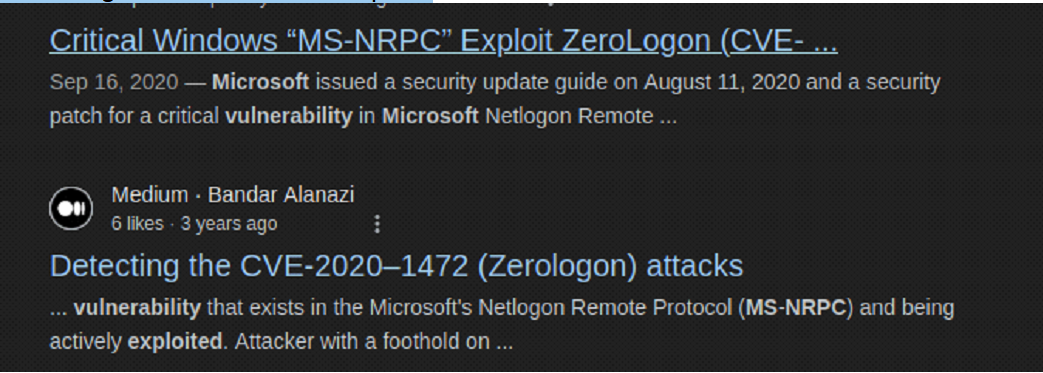
- One of the users wanted to exploit a domain controller with an
MS-NRPCbased exploit. What is the filename of the archive that you found? (include the spaces in your answer) Searching info for this kind of exploit:
Downloaded on user ‘sandhya’:
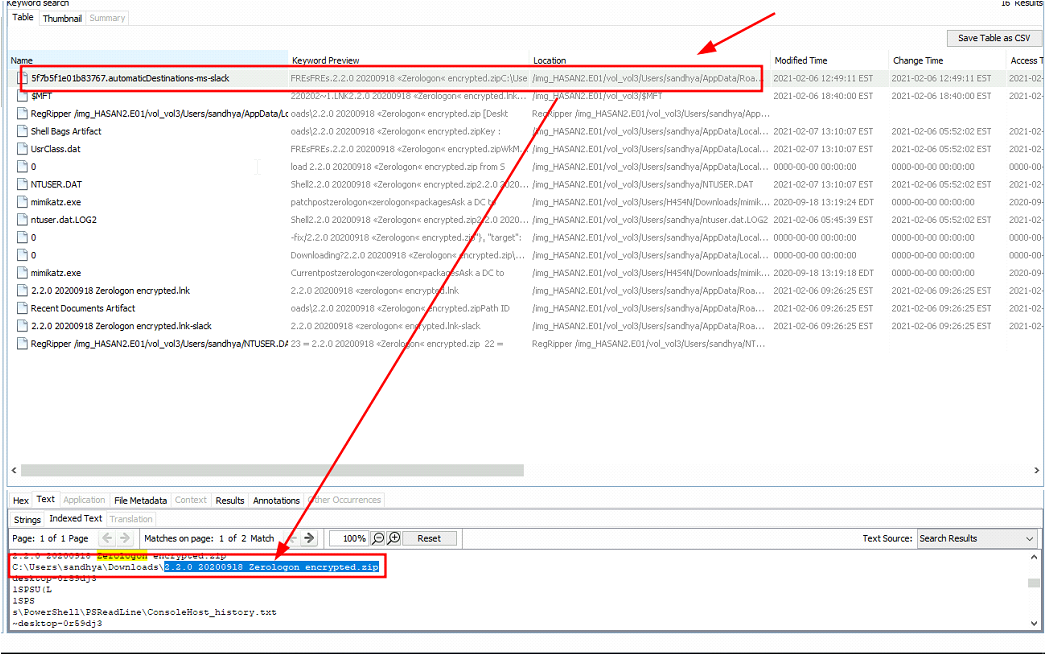
-> Answer: 2.2.0 20200918 Zerologon encrypted.zip