
Date: 03/13/2024 —
- Eric Fischer from the Purchasing Department at Bartell Ltd has received an email from a known contact with a Word document attachment. Upon opening the document, he accidentally clicked on “
Enable Content.“ - The SOC Department immediately received an alert from the endpoint agent that Eric’s workstation was making suspicious connections outbound.
- The pcap was retrieved from the network sensor and handed to you for analysis.
Task: Investigate the packet capture and uncover the malicious activities.
*Credit goes to Brad Duncan for capturing the traffic and sharing the pcap packet capture with InfoSec community.
NOTE: DO NOT directly interact with any domains and IP addresses in this challenge.
Tool:
- Wireshark
Question and Answer section:
0. Observation on the HTTP packets:
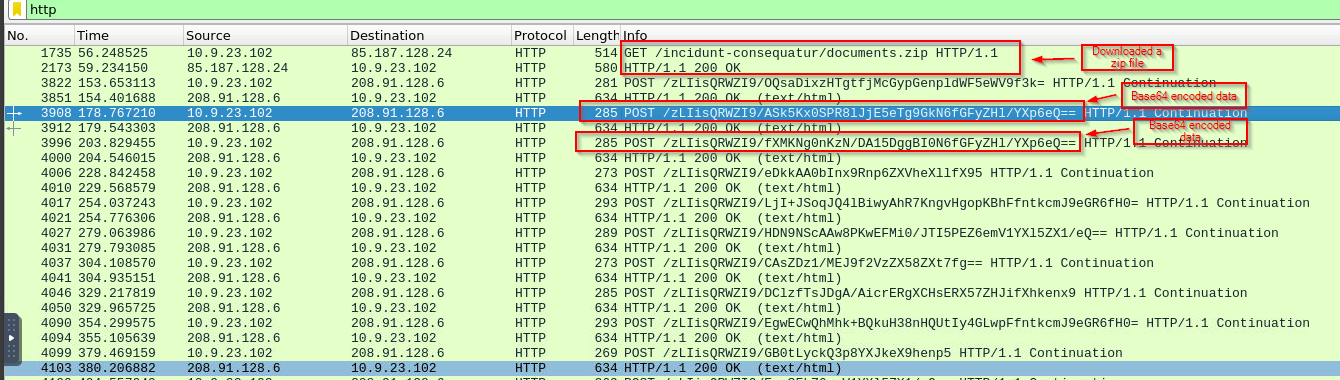
1. What was the date and time for the first HTTP connection to the malicious IP?
(Answer format: yyyy-mm-dd hh:mm:ss)
1
 - I guess we can assume that the destination IP address is malicious?
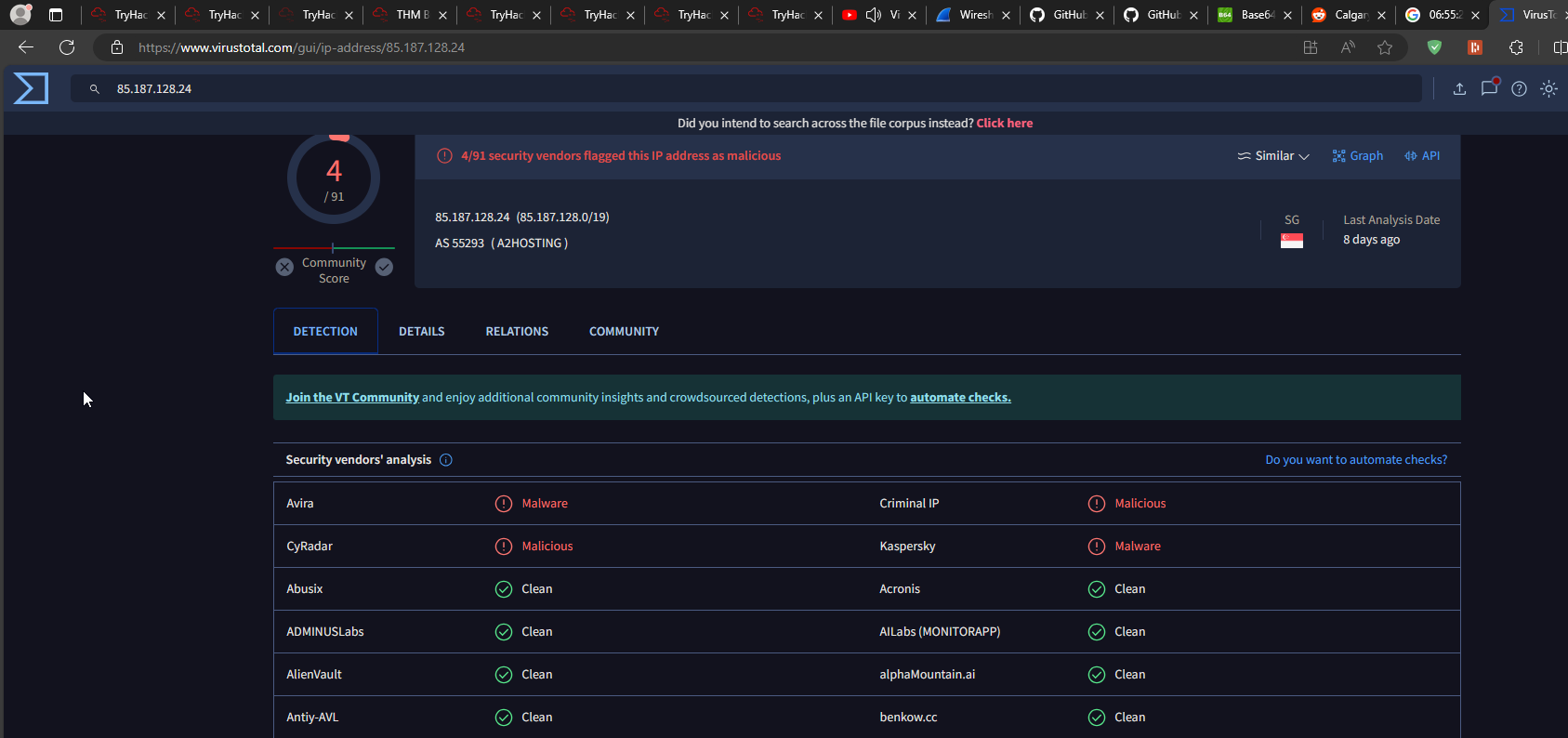
Suspected IP:
1
85[.]187[.]128[.]24
1
- Virustotal flagged this as malicious
Answer: 2021-24-09 16:44:38 UTC
2. What is the name of the zip file that was downloaded? documents.zip
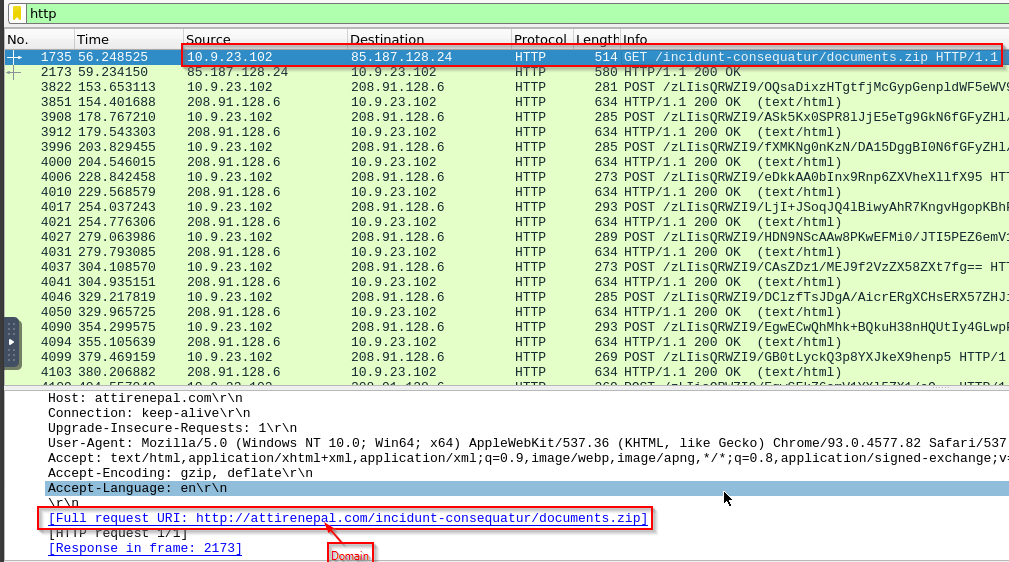
3. What was the domain hosting the malicious zip file?
1
- Answer: attirenepal[.]com
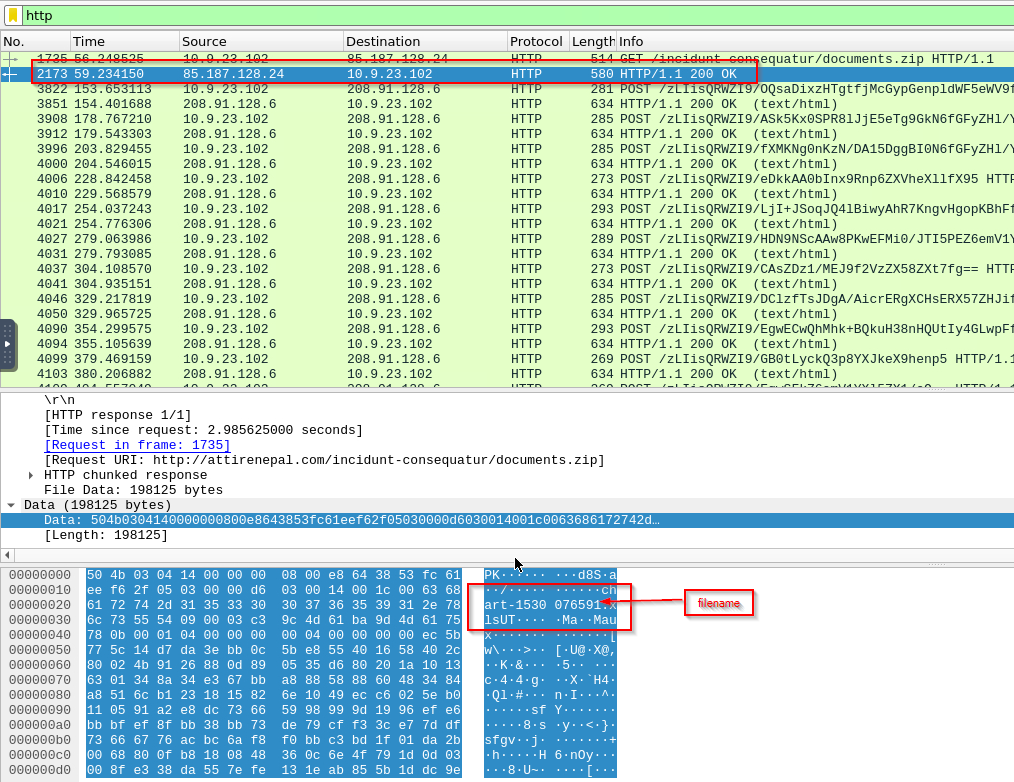
4. Without downloading the file, what is the name of the file in the zip file?
Found on the response packet: chart-1530076591.xls
1
- It is!
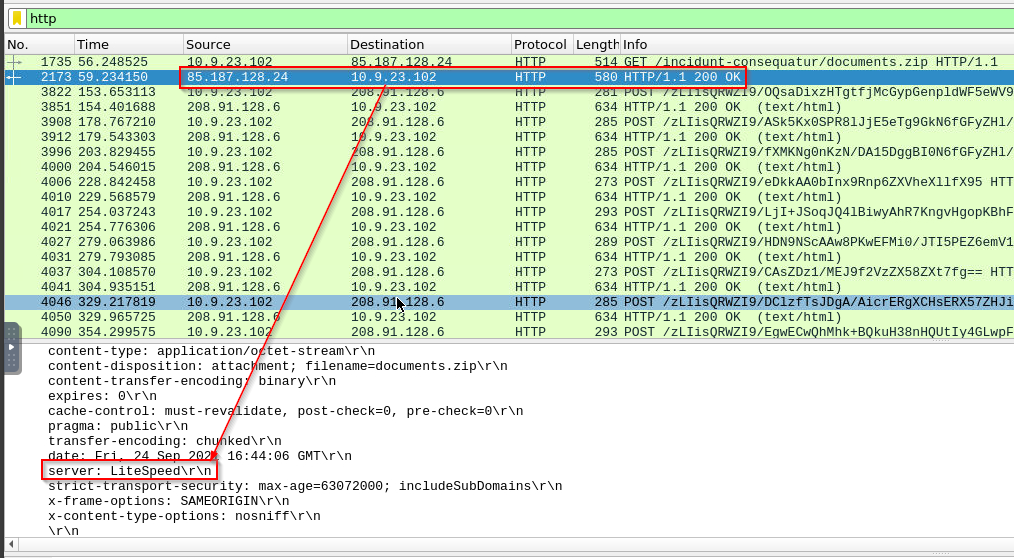
5. What is the name of the webserver of the malicious IP from which the zip file was downloaded?
Just go to the response packet and it will provide you with the information about the device replying:
1
- Answer: LiteSpeed
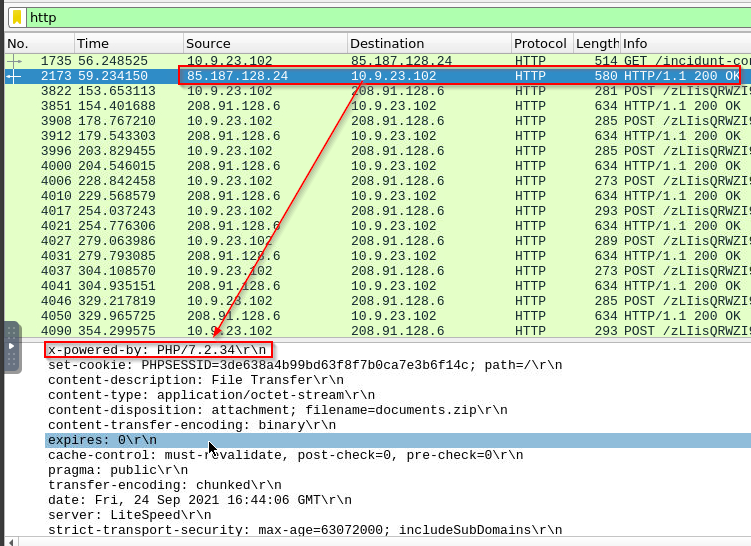
6. What is the version of the webserver from the previous question?
1
- Answer: php/7.2.34
7. Malicious files were downloaded to the victim host from multiple domains. What were the three domains involved with this activity?
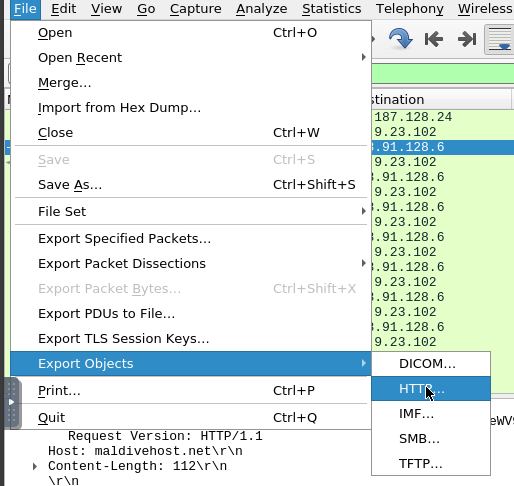
First, go to File > Export Objects > HTTP:
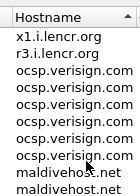
On the window that popped up, there are four hostname that was shown:
1
2
3
4
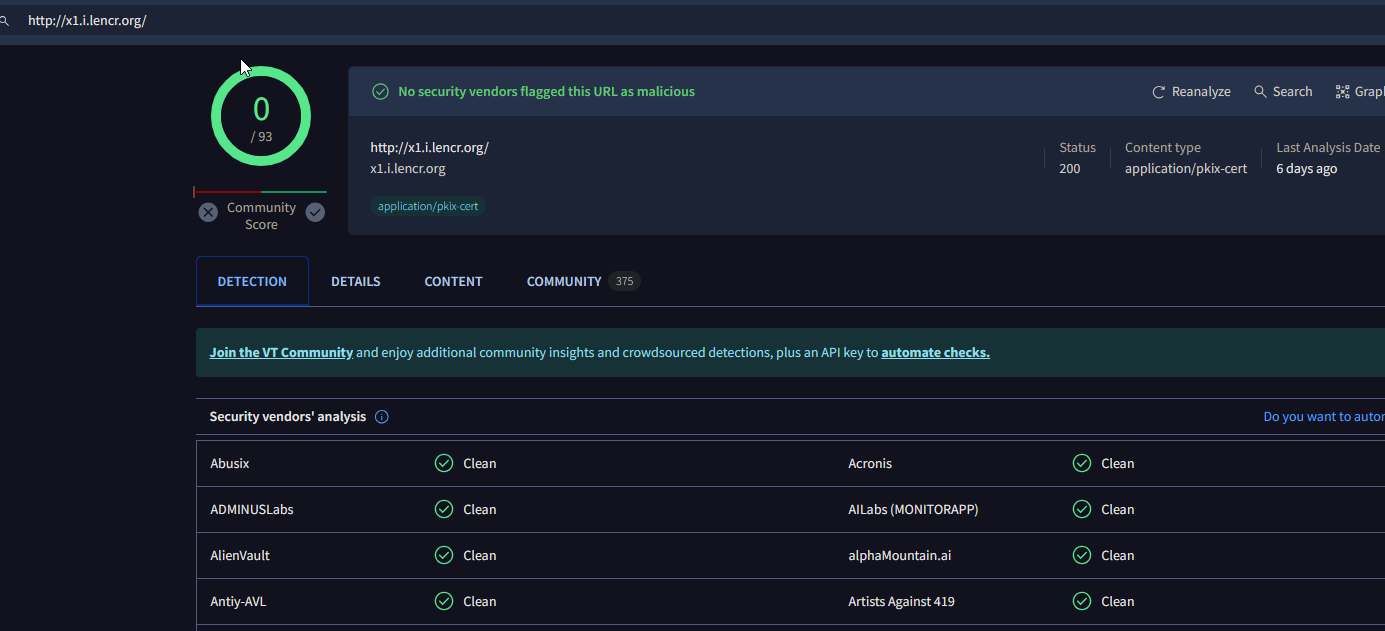
- x1[.]i[.]lencr[.]org
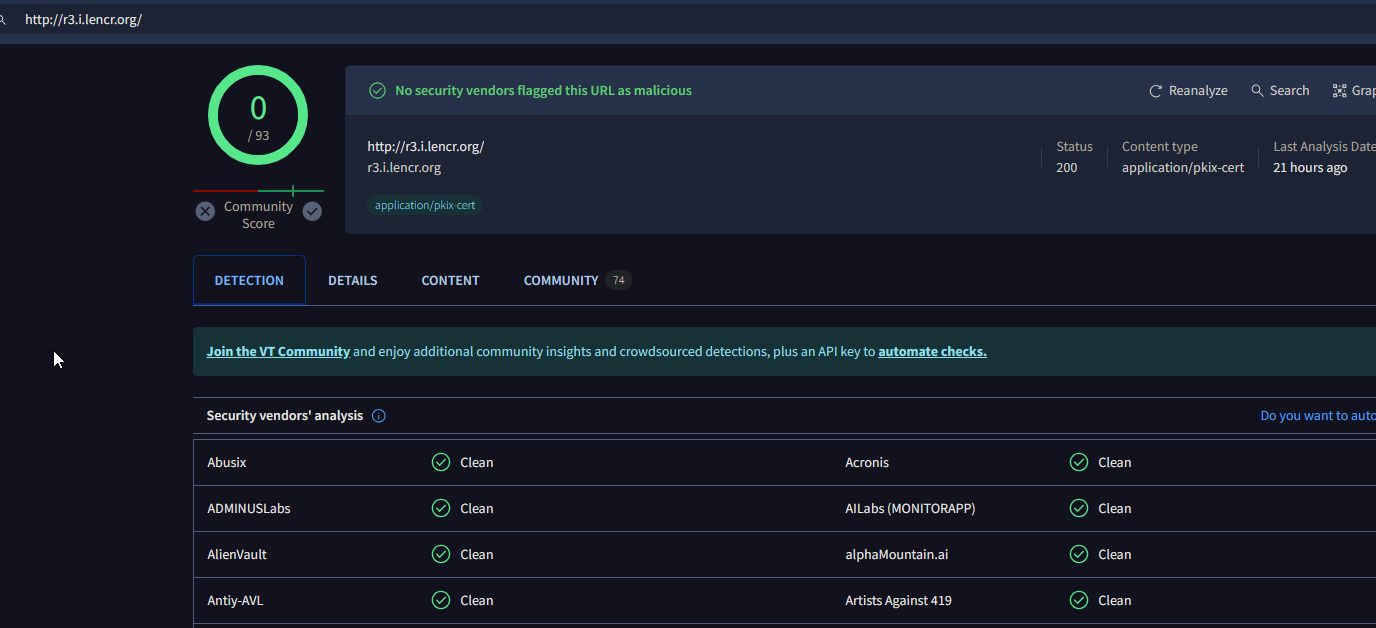
- r3[.]i[.]lencr[.]org
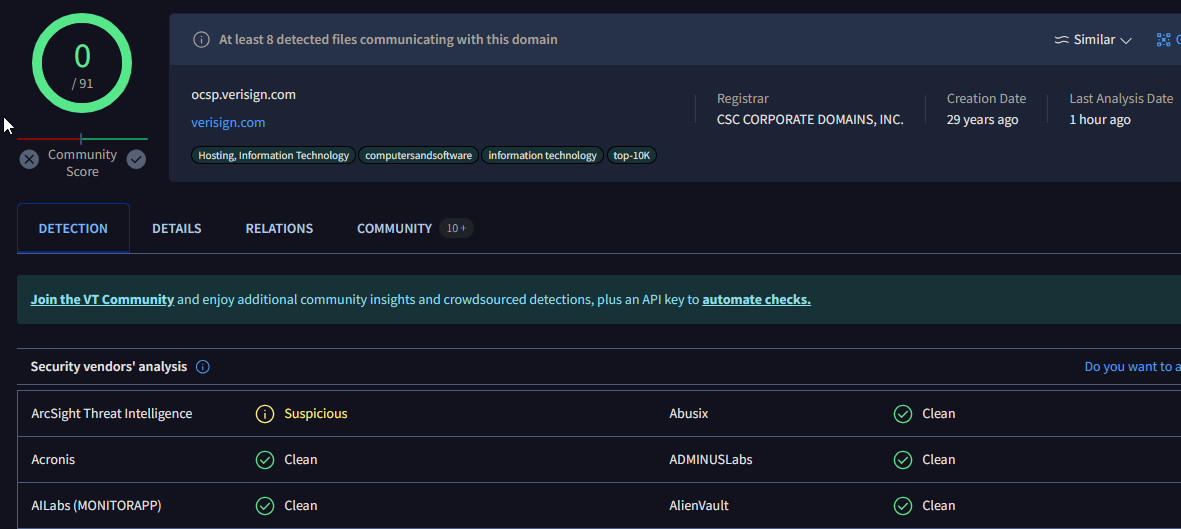
- ocsp[.]verisign[.]com
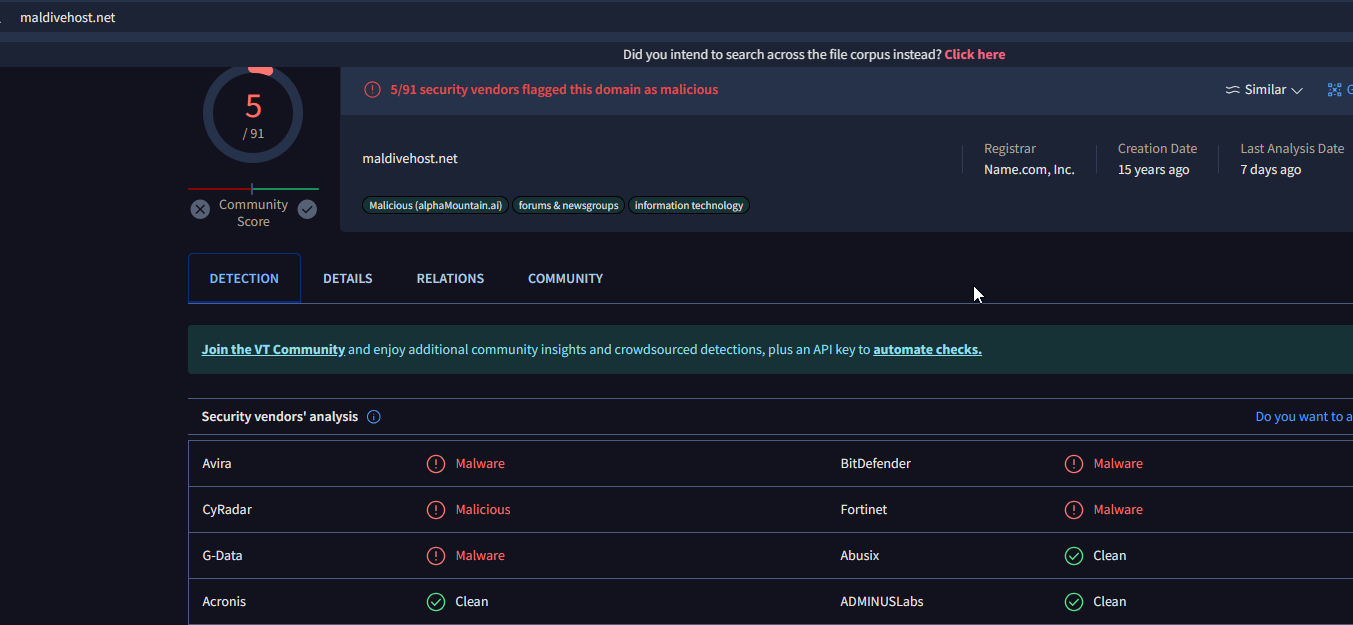
- maldivehost[.]net
Let’s see which is the malicious IP in these using VirusTotal: a) x1[.]i[.]lencr[.]org
b) r3[.]i[.]lencr[.]org
c) ocsp[.]verisign[.]com
d) maldivehost[.]net
1
- This one is definitely a malware distributor
(At this point, we utilize the THM’s hint: “Check HTTPS traffic. Narrow down the timeframe from 16:45:11 to 16:45:30.”)
There’s only one website that was flagged as malicious but let’s try to check which ones from these are used by the attacker from the HTTPS traffic…
Wireshark filter:
1
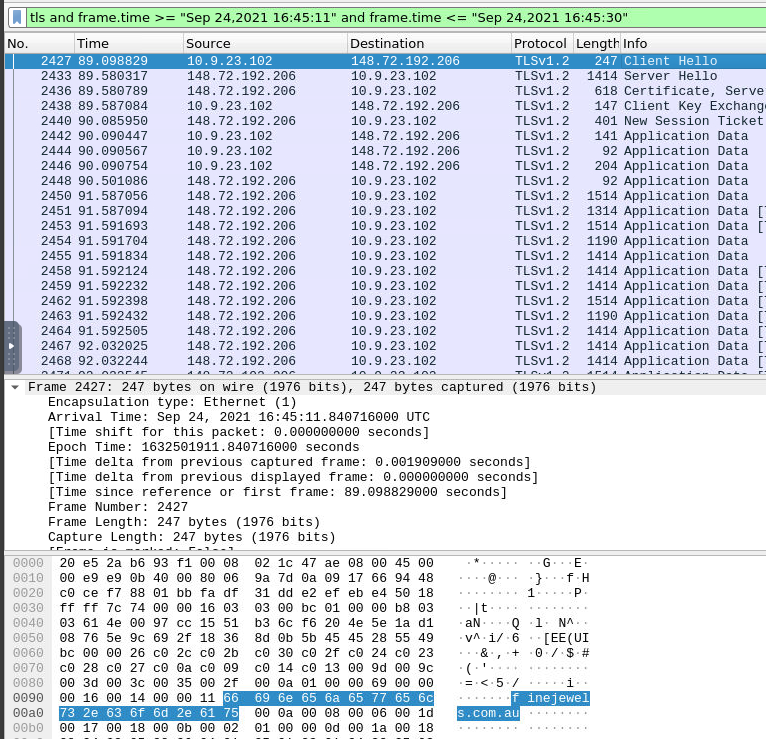
tls and frame.time >= "Sep 24,2021 16:45:11" and frame.time <= "Sep 24,2021 16:45:30"
1
2
- First domain found: finejewels.com.au
- Notice that we can extract the domains the client interacted with with the "Client Hello" packet
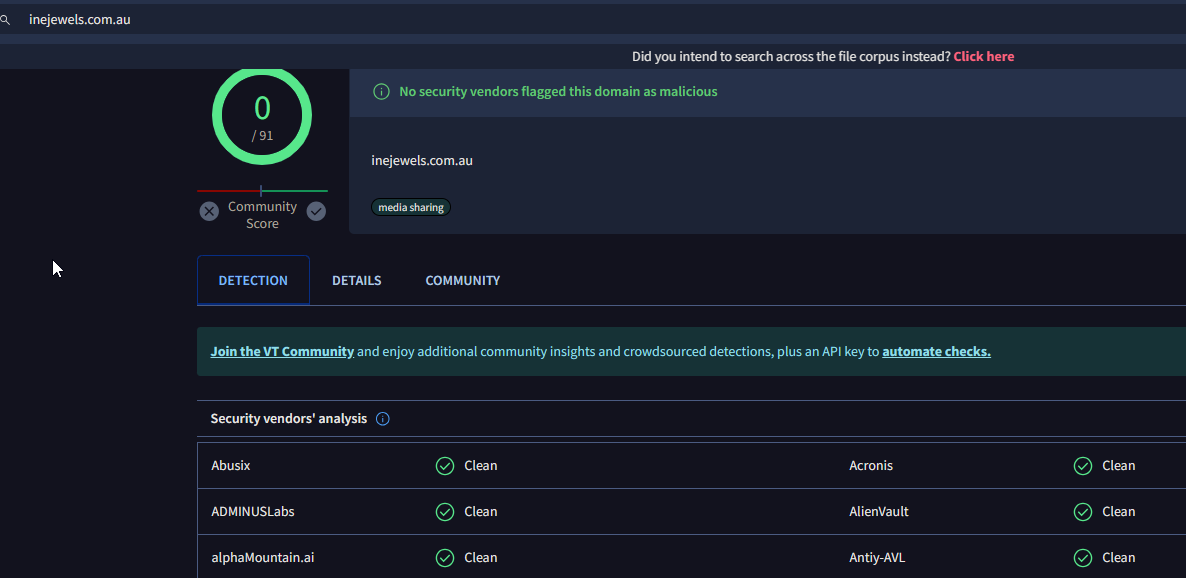
VT Scan:
1
- This one was clean but used maliciously
Updated Wireshark Filter:
1
tls and frame.time >= "Sep 24,2021 16:45:11" and frame.time <= "Sep 24,2021 16:45:30" and tls.handshake.type == "Client Hello"
Now, there are five “Client Hello” packets. Excluding the one above, we got:

1
2
3
4
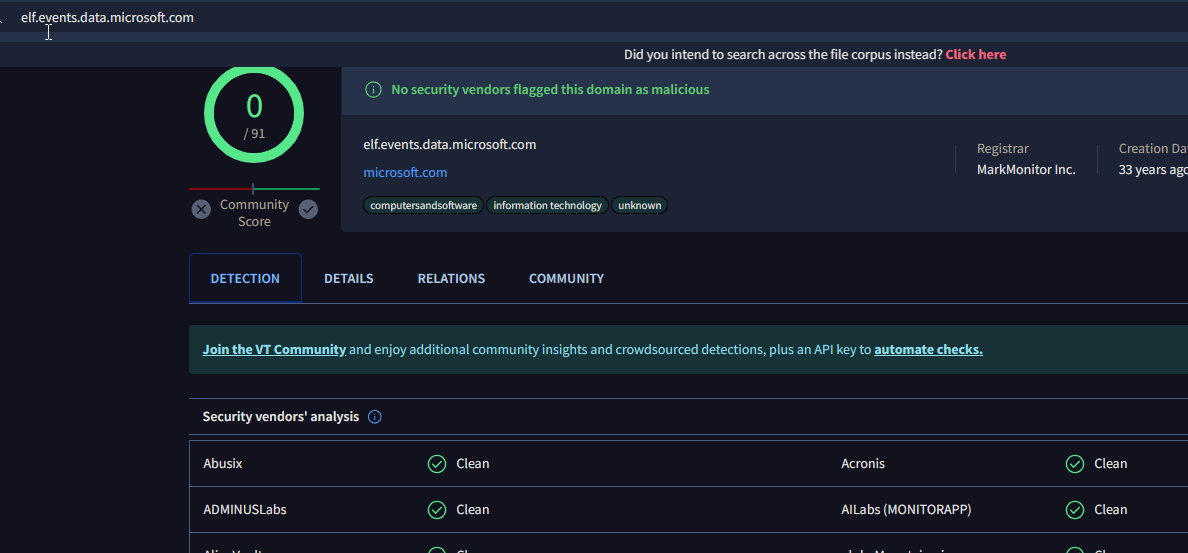
- elf[.]events[.]data[.]microsoft[.]com -> this one is not malicious as it is a legit windows subdomain
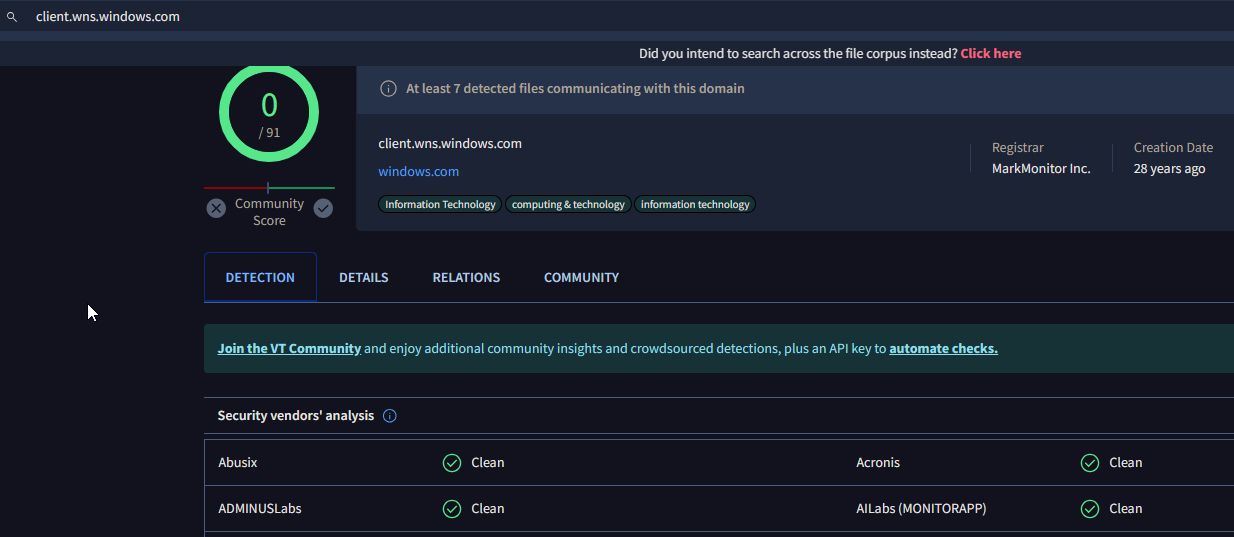
- client[.]wns[.]windows[.]com -> this one is not malicious as it is a legit windows subdomain
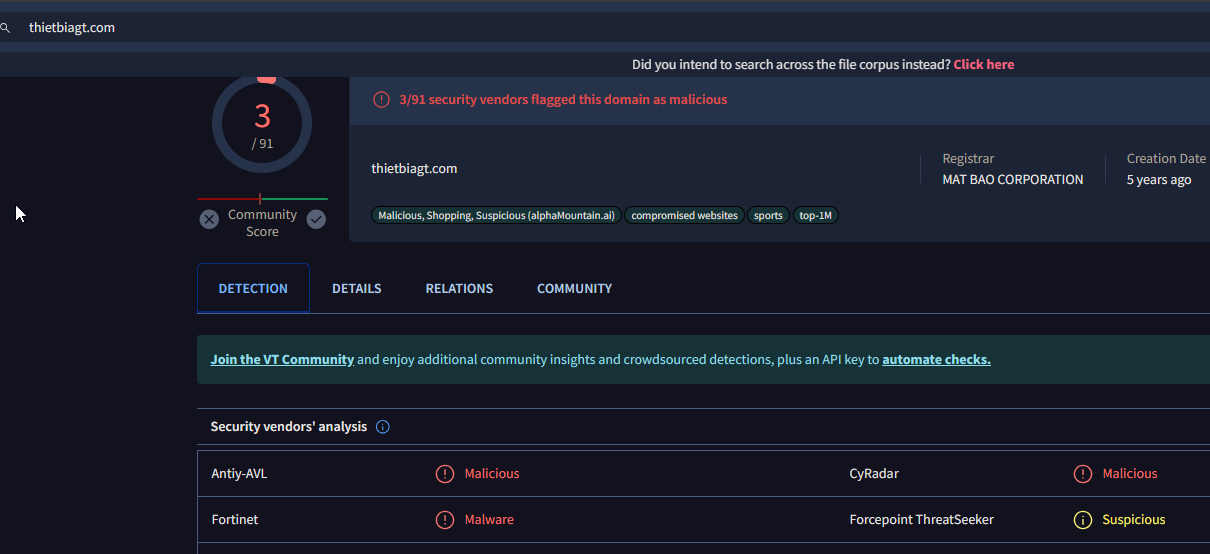
- thietbiagt[.]com
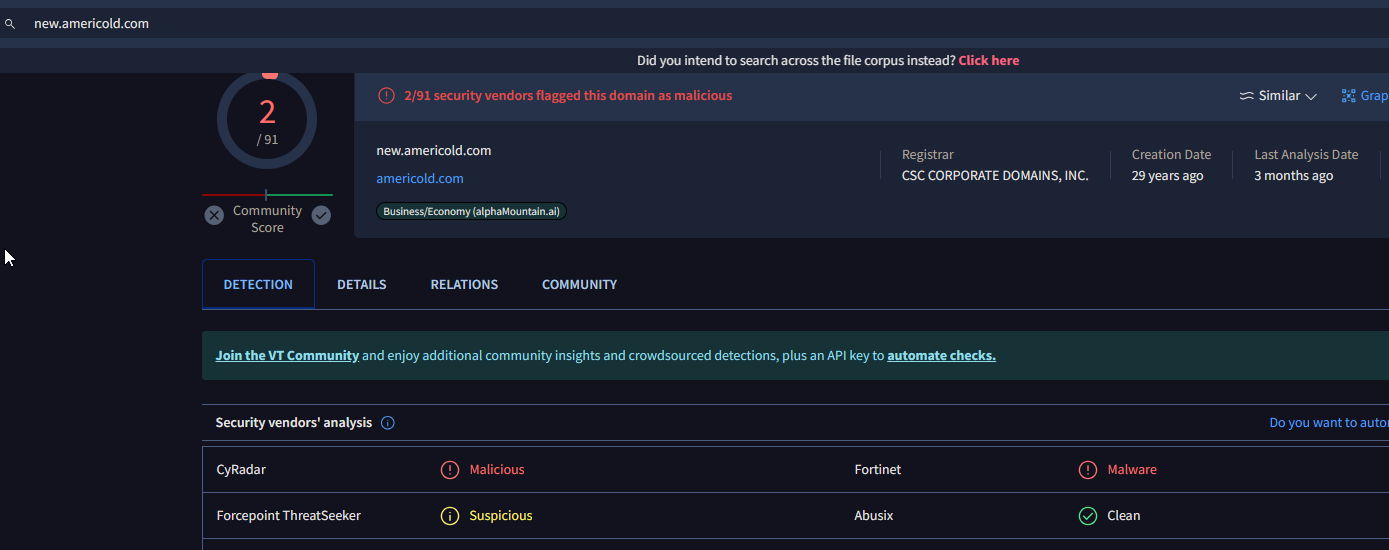
- newamericold[.]com
Clean sites: (Referred by VirusTotal)
Third one is malicious though:
Fourth one is malicious too:
Answer: (Note that this isn’t the domain used by the malware to beacon out but merely for downloading additional malicious files)
1
2
3
1. thietbiagt[.]com
2. finejewels[.]com[.]au
3. new[.]americold[.]com
Conclusion: Why would this be not used by an attacker to download the rest of malicious files?
1
2
- Because it is cleartext!
- The attacker is using HTTPS/TLS for its C2 comms
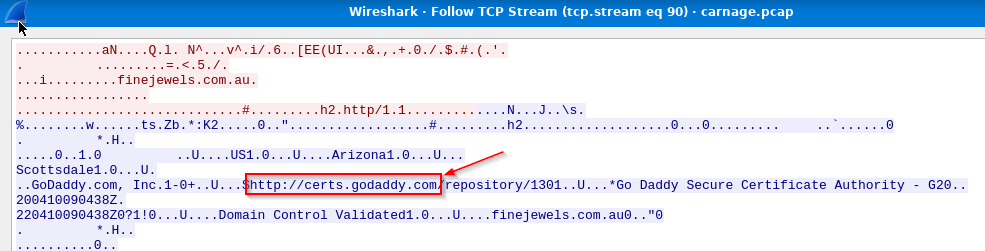
8. Which certificate authority issued the SSL certificate to the first domain from the previous question?
1
- By following the TCP stream, we can see that the CA that issued the SSL cert for it is 'certs.godaddy.com'
9. What are the two IP addresses of the Cobalt Strike servers? Use VirusTotal (the Community tab) to confirm if IPs are identified as Cobalt Strike C2 servers. (answer format: enter the IP addresses in sequential order)
Let’s try different approach as to which the malware has been beaconing:
1
2
3
4
5
- ICMP
- DNS
- HTTP
- HTTPS
- FTP
Checking ICMP:
1
	- There's no ICMP packet at all in the pcap.
Checking DNS:
- Note that when dealing with C2 beacons, it may always be a good idea to check DNS packets. (Go back to THM wireshark tunneling section)
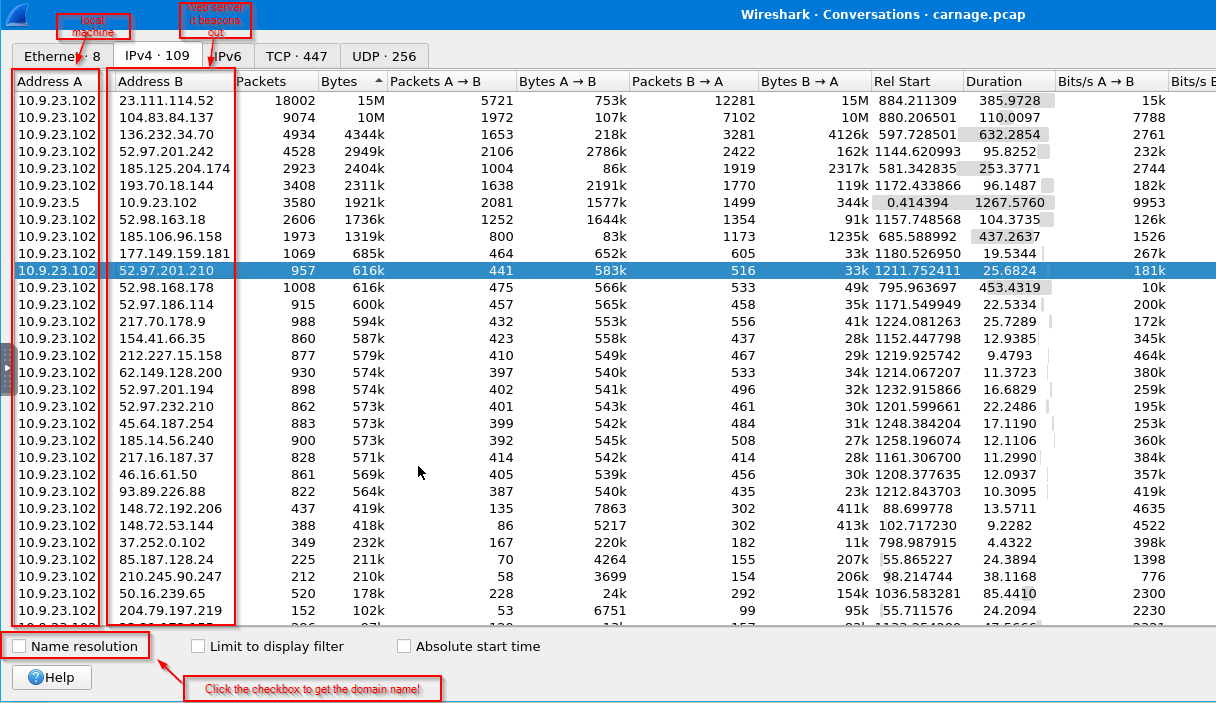
Following THM’s hint by going to conversation rather than checking each DNS packet (although it was a lead from there): Statistics > Conversations
1
2
3
4
5
6
7
- 23[.]111[.]114[.]52 -> Cobalt Strike : not resolvable
- 136[.]232[.]34[.]70 -> Cobalt Strike : not resolvable
- 52[.]97[.]201[.]242 -> not CS but still malicious
- 185[.]125[.]204[.]174 -> Cobalt Strike : securitybusinpuff[.]com
- 193[.]70[.]18[.]144 -> not CS but malicious
- 185[.]106[.]96[.]158 -> Cobalt Strike : survmeter[.]live
- 177[.]149[.]159[.]181 -> not CS but malicious
Answer:

10. What is the Host header for the first Cobalt Strike IP address from the previous question?
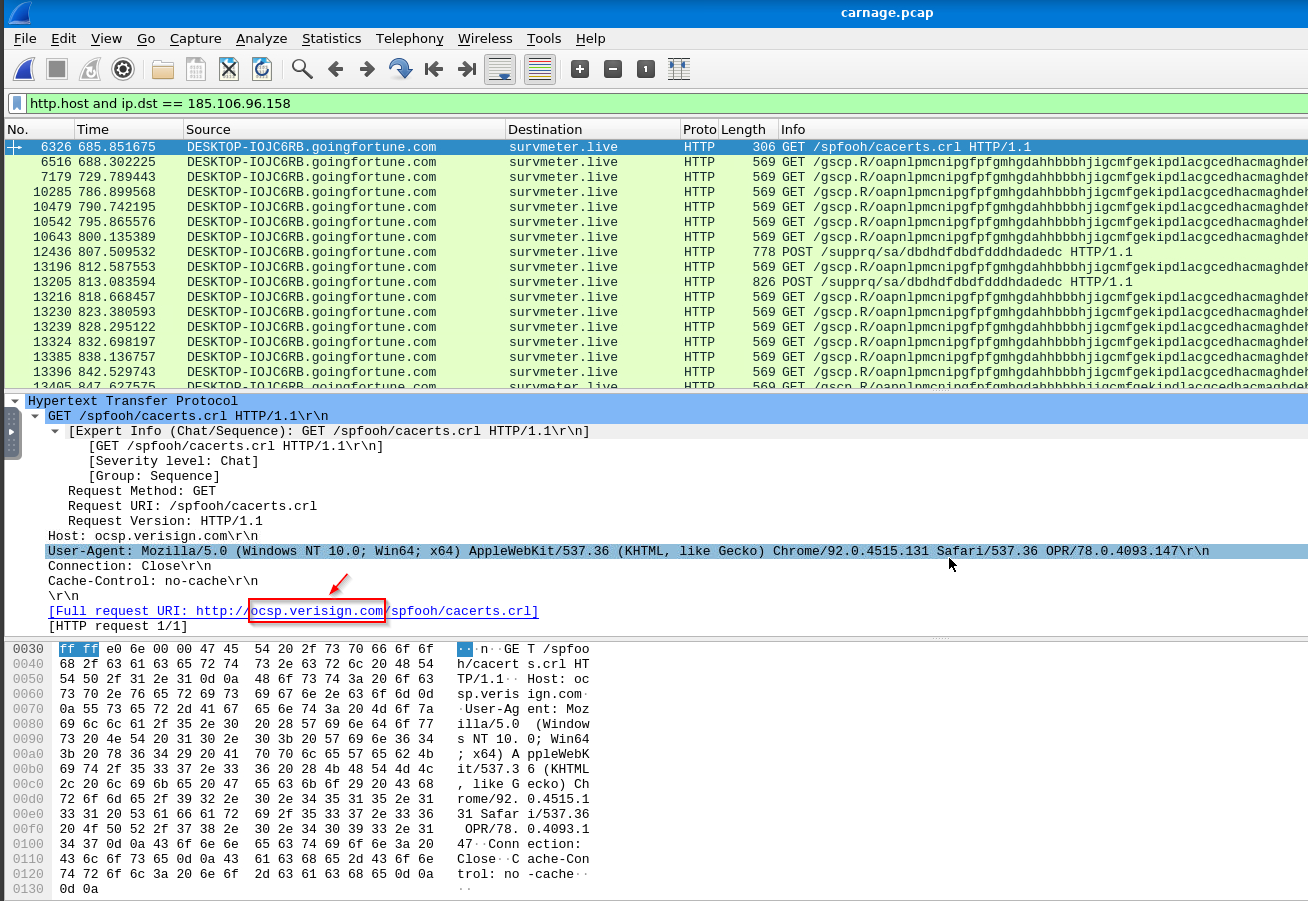
11. What is the domain name for the first IP address of the Cobalt Strike server? You may use VirusTotal to confirm if it’s the Cobalt Strike server (check the Community tab).
Answer: survmeter[.]live
12. What is the domain name of the second Cobalt Strike server IP? You may use VirusTotal to confirm if it’s the Cobalt Strike server (check the Community tab).
Answer: securitybusinpuff[.]com
13. What is the domain name of the post-infection traffic?
By post infection, it means after the user has clicked the “Enable-Content” button from the file contained in documents.zip:

1
- The malicious program downloads something from maldivehost[.]net
14. What are the first eleven characters that the victim host sends out to the malicious domain involved in the post-infection traffic?

15. What was the length for the first packet sent out to the C2 server? 281

16. What was the Server header for the malicious domain from the previous question?
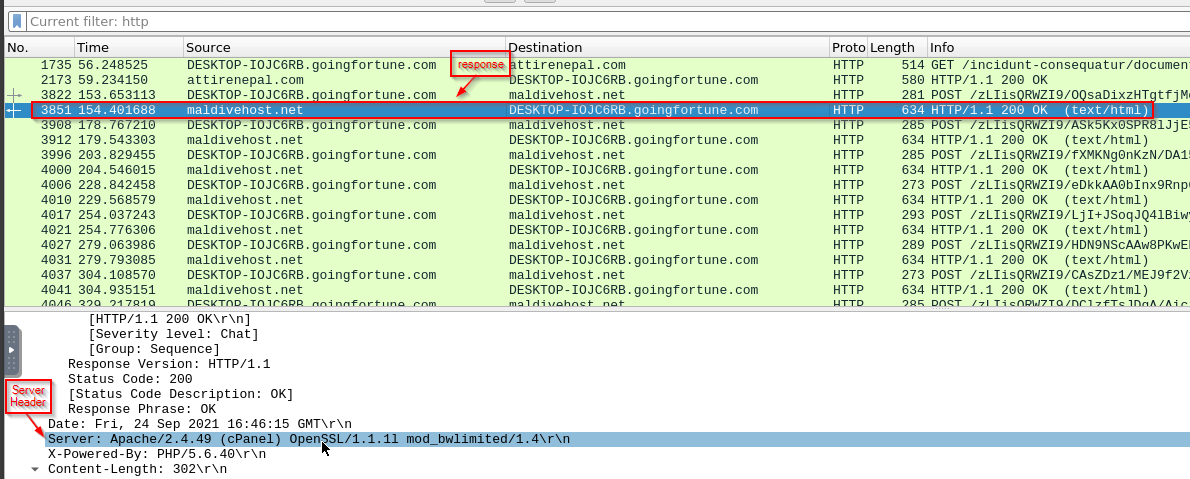
1
- Apache/2.4.49 (cPanel) OpenSSL/1.1.1l mod_bwlimited/1.4
17. The malware used an API to check for the IP address of the victim’s machine. What was the date and time when the DNS query for the IP check domain occurred? (answer format: yyyy-mm-dd hh:mm:ss UTC)
1
2
3
- If the malware is executing a command, shouldn't it be encrypted with something like HTTPS?
- Also note that there aren't any specific type of IP as to whether it was the private IP of the device or public IP for the network? It's the public IP since its using a DNS query
- This the malware reach out to the internet for the API or is it a Windows API? -> See next question
Victim's host name: 10.9.23.102
HTTP/s approach:
Wireshark Filter used for HTTP connections with domains found:
1
2
3
4
5
(http.request.method == GET or http.request.method == POST) and ip.src == 10.9.23.102

- survmeter[.]live -> C2 server
- maldivehost.net -> web server to get the downloader(rest of the malware)
- attirenepal[.]com -> web server to needed for initial access
Wireshark Filter used for HTTPS connections with domains found:
1
tls and ip.src == 10.9.23.102 and ip.dst == <185[.]125[.]204[.]174>
1
- securitybusinpuff[.]com-IP == 185[.]125[.]204[.]174
Wireshark Output:
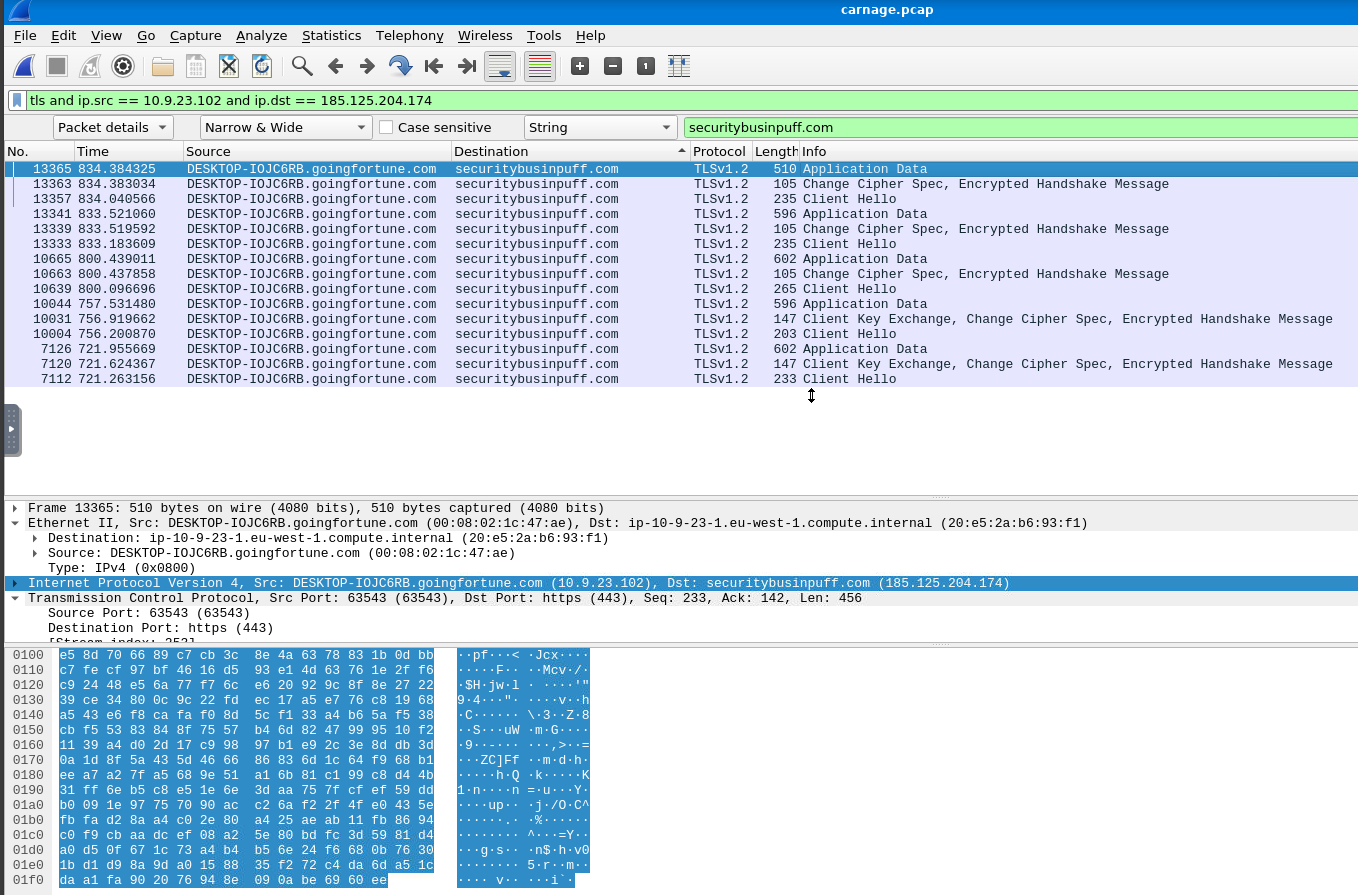
1
- No lead on the API since the application data is encrypted and the key log file isn't there
DNS approach:
- It’s possible that the command has been passed from the DNS
- There isn’t a visible DNS query that seems related to an API but there are anomalistic queries like this which came from the victim:



1
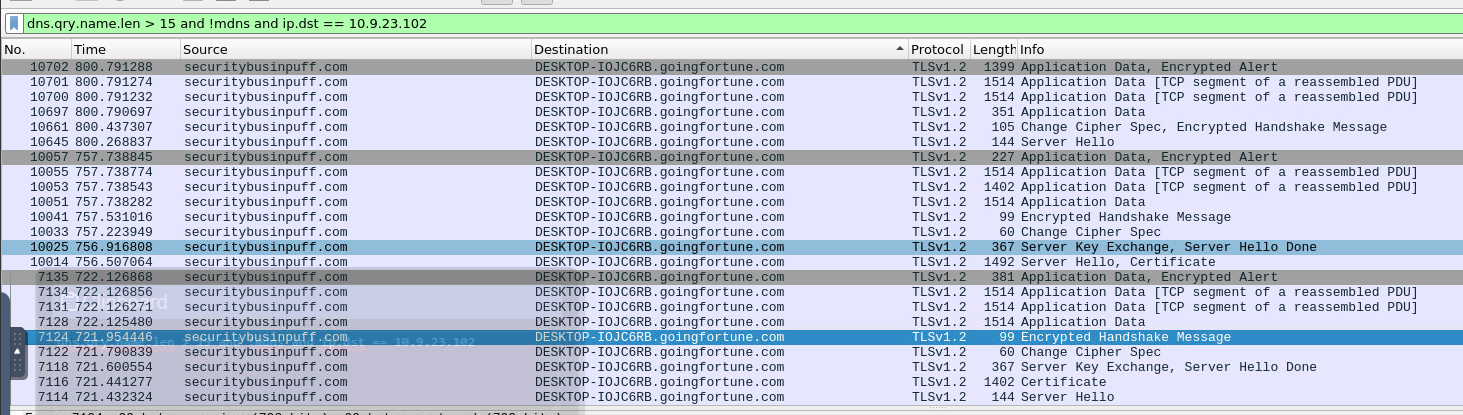
- The pcap is limited so I was able to browse through it. If that hadn't been the case, I have to have a different approach like having a DNS query filter that is more than the usual (>15 len) and has the domain of the victim's hostname and then having an abnormal subdomains?
Setting the victim as the destination Wireshark Filter:
1
dns.qry.name.len > 15 and !mdns and ip.dst == 10.9.23.102
1
- There's not much important information in here that is useful it's just encrypted ones on the victim's conversation with the 'securitybusinpuff[.]com' C2 server
Answer:

1
- Got a lead by leafing through existing DNS queries that matches the length of the string based on THM hint

Exploring more protocols on the PCAP
Information to find:
1
2
3
4
5
6
a) The packet to show that the malware executed the API (dunno what''s the API name which is most likely in base64)
b) If the malware used an API, it has to be an outbound request to the ip checker domain. Maybe check all the outbound connections made with the C2 servers found? If not, try inbound then. After all, the C2 has to send command to the malware first in order to achieve this. If the malware used an API, then it has to be in Windows
c) Name of the API used
d) The public IP address extracted
e) DNS query to the domain name used to check the victim''s IP address
f) Finally, the 'date' and 'time' in UTC
1
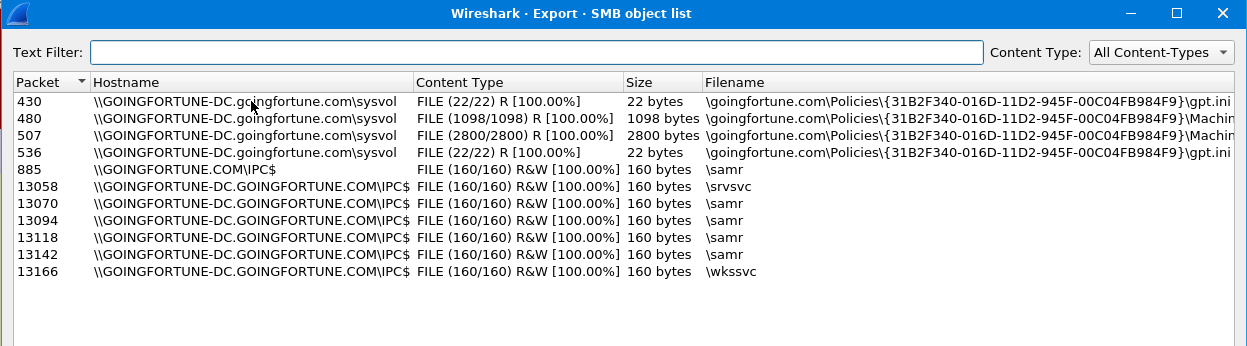
- Go to the `File > Export Objects > SMB` and you'll see the interactions made with the shared directories in the Active Directory

1
- Notice that the interaction of the victim's machine with its internal servers has WinAPIs in it.
Another lead: kerberos is also here.
APIs found:
NetrLogonGetDomainInfo


Other protocol that might be helpful: (I removed some protocols that could be ignored)
NBNS: Both NetBIOS Name Server and Local-Link Multicast Name Resolution (NBNS and LLMNR) are protocols that a Windows computer uses to look for a host on the internal network when a host’s IP address cannot be resolved through the organizational DNS (Domain Name Server) server.1
- NBNS and LLMNR won't work either because based on the next question, the IP address is extracted from a DNS query.
18.What was the domain in the DNS query from the previous question?
Wireshark Filter:
1
dns.qry.name.len > 10 and dns.qry.name.len <= 20
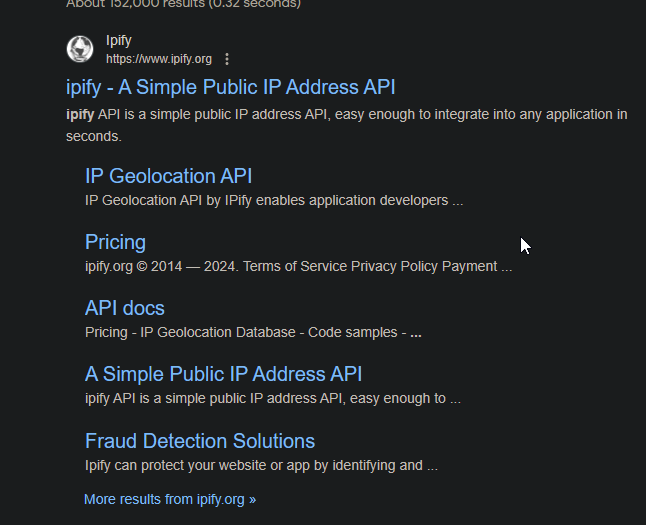
A guess: api.ipify.org

1
- Notice that the query was done internally.
1
- It's not a Windows API lol
19. Looks like there was some malicious spam (malspam) activity going on. What was the first MAIL FROM address observed in the traffic?
MAIL FROM commands from the SMTP traffic:

1
- None of these seems to be malspam
How can I know which one is the malspam?

1
- Suspicious. Why would the username and password be base64 encoded?
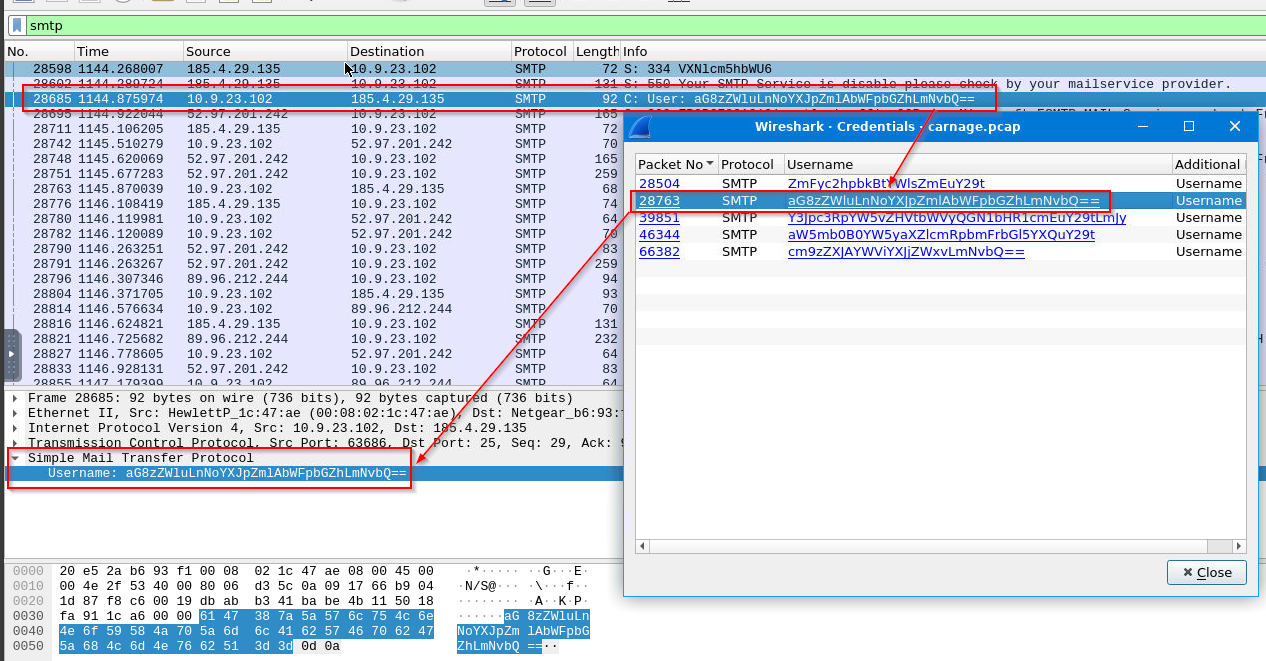
Going to Tools > Credentials:
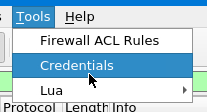
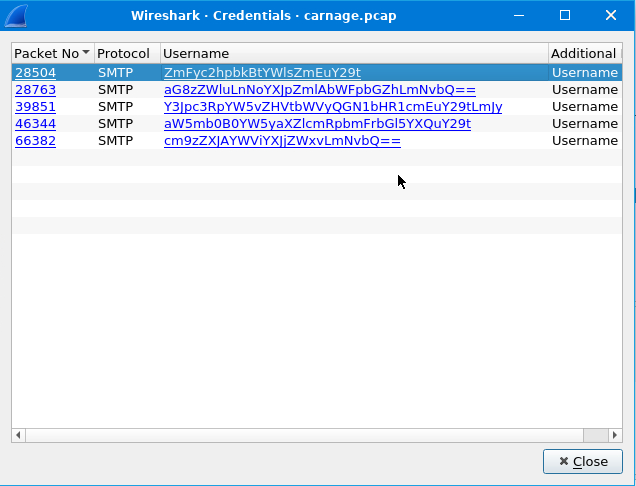
You’ll have these SMTP entries for some login attempts:
1
- Notice that all of these interaction with the client are base64 encoded
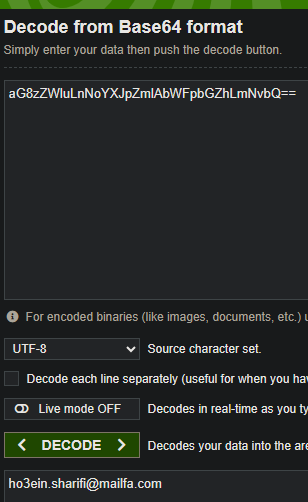
First Authentication:
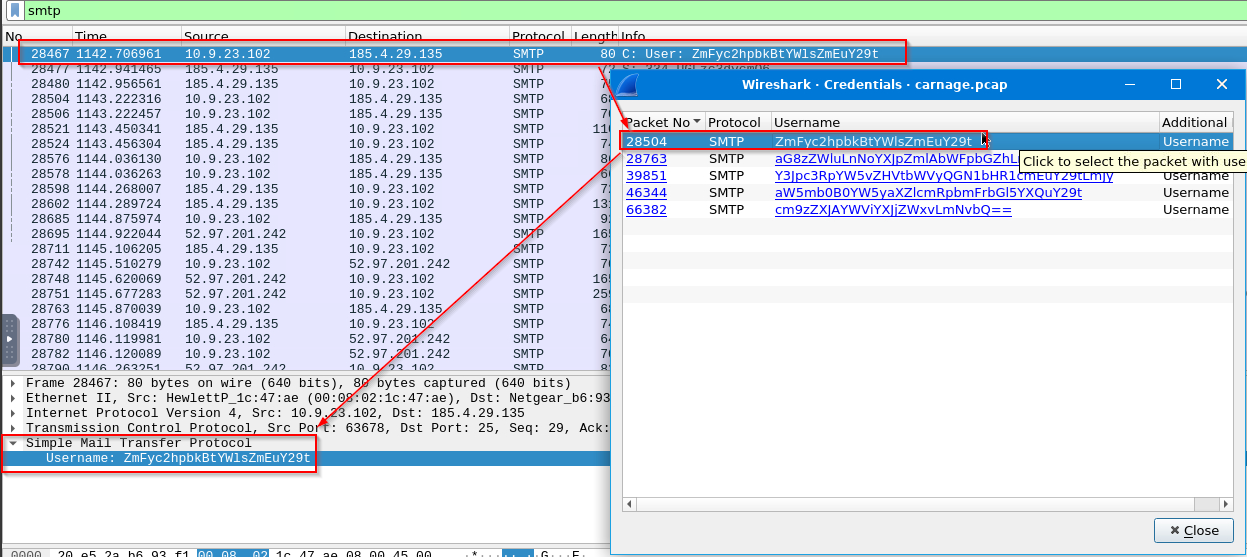
Decoding the username:
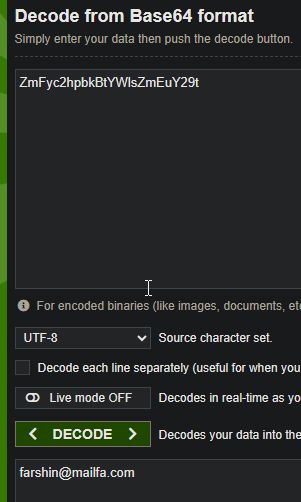
1
2
- Since the authentication was done with Base64 encoding, this could be the malspam but let's investigate more.
- Turns out that the FTP server can interact with clients in Base64 encoding format so not really an indicator. ([Files are getting corrupted when download using ftp in java - Stack Overflow](https://stackoverflow.com/questions/36710611/files-are-getting-corrupted-when-download-using-ftp-in-java))
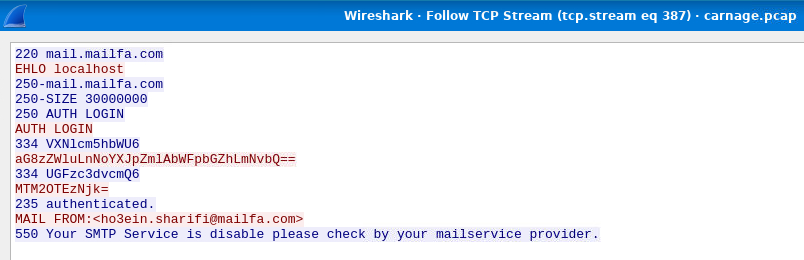
Following the TCP stream from the selected packet, here is the interaction of the attacker with the FTP server:
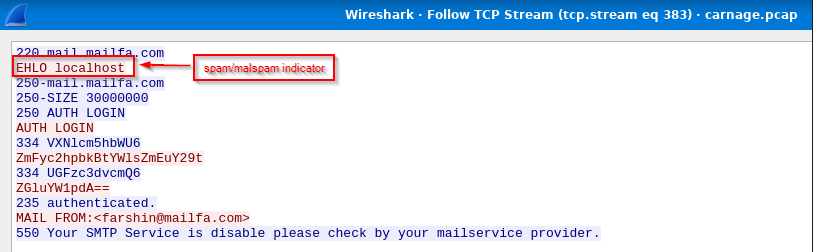
1
2
3
- The FTP server's response is also base64 encoded
- This interaction shows that the sending client is localhost. In normal smtp interaction, the sending system should be the external DNS with the sending mail server and not the localhost. If that is the case, it is either a spam or malspam. See explanation below.
- Also notice that the mail service provider has disabled this!
Why can these be considered as malspam? (Reference: [smtp - Significance of 'localhost' in HELO localhost - Stack Overflow](https://stackoverflow.com/questions/5294478/significance-of-localhost-in-helo-localhost))
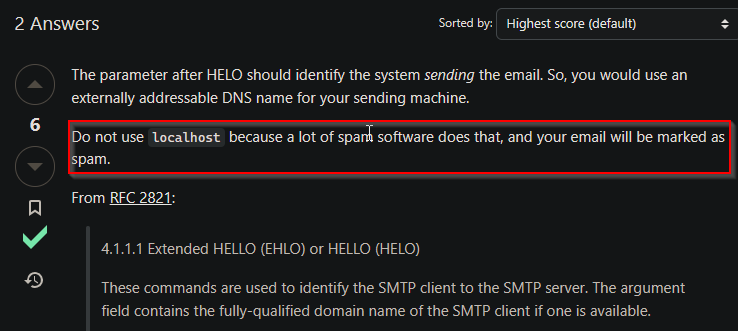
Second Authentication:
Decoded:
TCP Stream for this user:
1
And so on...
20. How many packets were observed for the SMTP traffic? 1439
Wireshark filter:
1
smtp

Date: 03/13/2024 —
- Eric Fischer from the Purchasing Department at Bartell Ltd has received an email from a known contact with a Word document attachment. Upon opening the document, he accidentally clicked on “
Enable Content.“ - The SOC Department immediately received an alert from the endpoint agent that Eric’s workstation was making suspicious connections outbound.
- The pcap was retrieved from the network sensor and handed to you for analysis.
Task: Investigate the packet capture and uncover the malicious activities.
*Credit goes to Brad Duncan for capturing the traffic and sharing the pcap packet capture with InfoSec community.
NOTE: DO NOT directly interact with any domains and IP addresses in this challenge.
Tool:
- Wireshark
Question and Answer section:
0. Observation on the HTTP packets:
1. What was the date and time for the first HTTP connection to the malicious IP?
(Answer format: yyyy-mm-dd hh:mm:ss)
1
 - I guess we can assume that the destination IP address is malicious?
Suspected IP:
1
85[.]187[.]128[.]24
1
- Virustotal flagged this as malicious
Answer: 2021-24-09 16:44:38 UTC
2. What is the name of the zip file that was downloaded? documents.zip
3. What was the domain hosting the malicious zip file?
1
- Answer: attirenepal[.]com
4. Without downloading the file, what is the name of the file in the zip file?
Found on the response packet: chart-1530076591.xls
1
- It is!
5. What is the name of the webserver of the malicious IP from which the zip file was downloaded?
Just go to the response packet and it will provide you with the information about the device replying:
1
- Answer: LiteSpeed
6. What is the version of the webserver from the previous question?
1
- Answer: php/7.2.34
7. Malicious files were downloaded to the victim host from multiple domains. What were the three domains involved with this activity?
First, go to File > Export Objects > HTTP:
On the window that popped up, there are four hostname that was shown:
1
2
3
4
- x1[.]i[.]lencr[.]org
- r3[.]i[.]lencr[.]org
- ocsp[.]verisign[.]com
- maldivehost[.]net
Let’s see which is the malicious IP in these using VirusTotal: a) x1[.]i[.]lencr[.]org
b) r3[.]i[.]lencr[.]org
c) ocsp[.]verisign[.]com
d) maldivehost[.]net
1
- This one is definitely a malware distributor
(At this point, we utilize the THM’s hint: “Check HTTPS traffic. Narrow down the timeframe from 16:45:11 to 16:45:30.”)
There’s only one website that was flagged as malicious but let’s try to check which ones from these are used by the attacker from the HTTPS traffic…
Wireshark filter:
1
tls and frame.time >= "Sep 24,2021 16:45:11" and frame.time <= "Sep 24,2021 16:45:30"
1
2
- First domain found: finejewels.com.au
- Notice that we can extract the domains the client interacted with with the "Client Hello" packet
VT Scan:
1
- This one was clean but used maliciously
Updated Wireshark Filter:
1
tls and frame.time >= "Sep 24,2021 16:45:11" and frame.time <= "Sep 24,2021 16:45:30" and tls.handshake.type == "Client Hello"
Now, there are five “Client Hello” packets. Excluding the one above, we got:
1
2
3
4
- elf[.]events[.]data[.]microsoft[.]com -> this one is not malicious as it is a legit windows subdomain
- client[.]wns[.]windows[.]com -> this one is not malicious as it is a legit windows subdomain
- thietbiagt[.]com
- newamericold[.]com
Clean sites: (Referred by VirusTotal)
Third one is malicious though:
Fourth one is malicious too:
Answer: (Note that this isn’t the domain used by the malware to beacon out but merely for downloading additional malicious files)
1
2
3
1. thietbiagt[.]com
2. finejewels[.]com[.]au
3. new[.]americold[.]com
Conclusion: Why would this be not used by an attacker to download the rest of malicious files?
1
2
- Because it is cleartext!
- The attacker is using HTTPS/TLS for its C2 comms
8. Which certificate authority issued the SSL certificate to the first domain from the previous question?
1
- By following the TCP stream, we can see that the CA that issued the SSL cert for it is 'certs.godaddy.com'
9. What are the two IP addresses of the Cobalt Strike servers? Use VirusTotal (the Community tab) to confirm if IPs are identified as Cobalt Strike C2 servers. (answer format: enter the IP addresses in sequential order)
Let’s try different approach as to which the malware has been beaconing:
1
2
3
4
5
- ICMP
- DNS
- HTTP
- HTTPS
- FTP
Checking ICMP:
1
	- There's no ICMP packet at all in the pcap.
Checking DNS:
- Note that when dealing with C2 beacons, it may always be a good idea to check DNS packets. (Go back to THM wireshark tunneling section)
Following THM’s hint by going to conversation rather than checking each DNS packet (although it was a lead from there): Statistics > Conversations
1
2
3
4
5
6
7
- 23[.]111[.]114[.]52 -> Cobalt Strike : not resolvable
- 136[.]232[.]34[.]70 -> Cobalt Strike : not resolvable
- 52[.]97[.]201[.]242 -> not CS but still malicious
- 185[.]125[.]204[.]174 -> Cobalt Strike : securitybusinpuff[.]com
- 193[.]70[.]18[.]144 -> not CS but malicious
- 185[.]106[.]96[.]158 -> Cobalt Strike : survmeter[.]live
- 177[.]149[.]159[.]181 -> not CS but malicious
Answer:
10. What is the Host header for the first Cobalt Strike IP address from the previous question?
11. What is the domain name for the first IP address of the Cobalt Strike server? You may use VirusTotal to confirm if it’s the Cobalt Strike server (check the Community tab).
Answer: survmeter[.]live
12. What is the domain name of the second Cobalt Strike server IP? You may use VirusTotal to confirm if it’s the Cobalt Strike server (check the Community tab).
Answer: securitybusinpuff[.]com
13. What is the domain name of the post-infection traffic?
By post infection, it means after the user has clicked the “Enable-Content” button from the file contained in documents.zip:
1
- The malicious program downloads something from maldivehost[.]net
14. What are the first eleven characters that the victim host sends out to the malicious domain involved in the post-infection traffic?
15. What was the length for the first packet sent out to the C2 server? 281
16. What was the Server header for the malicious domain from the previous question?
1
- Apache/2.4.49 (cPanel) OpenSSL/1.1.1l mod_bwlimited/1.4
17. The malware used an API to check for the IP address of the victim’s machine. What was the date and time when the DNS query for the IP check domain occurred? (answer format: yyyy-mm-dd hh:mm:ss UTC)
1
2
3
- If the malware is executing a command, shouldn't it be encrypted with something like HTTPS?
- Also note that there aren't any specific type of IP as to whether it was the private IP of the device or public IP for the network? It's the public IP since its using a DNS query
- This the malware reach out to the internet for the API or is it a Windows API? -> See next question
Victim's host name: 10.9.23.102
HTTP/s approach:
Wireshark Filter used for HTTP connections with domains found:
1
2
3
4
5
(http.request.method == GET or http.request.method == POST) and ip.src == 10.9.23.102

- survmeter[.]live -> C2 server
- maldivehost.net -> web server to get the downloader(rest of the malware)
- attirenepal[.]com -> web server to needed for initial access
Wireshark Filter used for HTTPS connections with domains found:
1
tls and ip.src == 10.9.23.102 and ip.dst == <185[.]125[.]204[.]174>
1
- securitybusinpuff[.]com-IP == 185[.]125[.]204[.]174
Wireshark Output:
1
- No lead on the API since the application data is encrypted and the key log file isn't there
DNS approach:
- It’s possible that the command has been passed from the DNS
- There isn’t a visible DNS query that seems related to an API but there are anomalistic queries like this which came from the victim:
1
- The pcap is limited so I was able to browse through it. If that hadn't been the case, I have to have a different approach like having a DNS query filter that is more than the usual (>15 len) and has the domain of the victim's hostname and then having an abnormal subdomains?
Setting the victim as the destination Wireshark Filter:
1
dns.qry.name.len > 15 and !mdns and ip.dst == 10.9.23.102
1
- There's not much important information in here that is useful it's just encrypted ones on the victim's conversation with the 'securitybusinpuff[.]com' C2 server
Answer:
1
- Got a lead by leafing through existing DNS queries that matches the length of the string based on THM hint
Exploring more protocols on the PCAP
Information to find:
1
2
3
4
5
6
a) The packet to show that the malware executed the API (dunno what''s the API name which is most likely in base64)
b) If the malware used an API, it has to be an outbound request to the ip checker domain. Maybe check all the outbound connections made with the C2 servers found? If not, try inbound then. After all, the C2 has to send command to the malware first in order to achieve this. If the malware used an API, then it has to be in Windows
c) Name of the API used
d) The public IP address extracted
e) DNS query to the domain name used to check the victim''s IP address
f) Finally, the 'date' and 'time' in UTC
1
- Go to the `File > Export Objects > SMB` and you'll see the interactions made with the shared directories in the Active Directory
1
- Notice that the interaction of the victim's machine with its internal servers has WinAPIs in it.
Another lead: kerberos is also here.
APIs found:
NetrLogonGetDomainInfo
Other protocol that might be helpful: (I removed some protocols that could be ignored)
NBNS: Both NetBIOS Name Server and Local-Link Multicast Name Resolution (NBNS and LLMNR) are protocols that a Windows computer uses to look for a host on the internal network when a host’s IP address cannot be resolved through the organizational DNS (Domain Name Server) server.1
- NBNS and LLMNR won't work either because based on the next question, the IP address is extracted from a DNS query.
18.What was the domain in the DNS query from the previous question?
Wireshark Filter:
1
dns.qry.name.len > 10 and dns.qry.name.len <= 20
A guess: api.ipify.org
1
- Notice that the query was done internally.
1
- It's not a Windows API lol
19. Looks like there was some malicious spam (malspam) activity going on. What was the first MAIL FROM address observed in the traffic?
MAIL FROM commands from the SMTP traffic:
1
- None of these seems to be malspam
How can I know which one is the malspam?
1
- Suspicious. Why would the username and password be base64 encoded?
Going to Tools > Credentials:
You’ll have these SMTP entries for some login attempts:
1
- Notice that all of these interaction with the client are base64 encoded
First Authentication:
Decoding the username:
1
2
- Since the authentication was done with Base64 encoding, this could be the malspam but let's investigate more.
- Turns out that the FTP server can interact with clients in Base64 encoding format so not really an indicator. ([Files are getting corrupted when download using ftp in java - Stack Overflow](https://stackoverflow.com/questions/36710611/files-are-getting-corrupted-when-download-using-ftp-in-java))
Following the TCP stream from the selected packet, here is the interaction of the attacker with the FTP server:
1
2
3
- The FTP server's response is also base64 encoded
- This interaction shows that the sending client is localhost. In normal smtp interaction, the sending system should be the external DNS with the sending mail server and not the localhost. If that is the case, it is either a spam or malspam. See explanation below.
- Also notice that the mail service provider has disabled this!
Why can these be considered as malspam? (Reference: [smtp - Significance of 'localhost' in HELO localhost - Stack Overflow](https://stackoverflow.com/questions/5294478/significance-of-localhost-in-helo-localhost))
Second Authentication:
Decoded:
TCP Stream for this user:
1
And so on...
20. How many packets were observed for the SMTP traffic? 1439
Wireshark filter:
1
smtp