
Table of Contents:
1
2
3
4
5
6
7
8
9
10
11
12
13
14
15
16
17
18
19
1) Session Initiation Protocol (SIP) : what is it?
	- Why is it used?
	- What it is used for?
	- How do I use it?
	- How does it work?
2) Finding a vulnerability on the SIP: (using sipvicious)
	- The vulnerability in SIP
3) Exploitation
	- <list different subtools>
	- Putting it all together

4) Demo (see wireshark packets for this)

5) Mitigations (TBD)
	- Existing mitigations
	- Some additional suggestions
	- Future Considerations

6) References
Scenario
This lab takes you into the world of voice communications on the internet. VoIP is becoming the de-facto standard for voice communication. As this technology becomes more common, malicious parties have more opportunities and stronger motives to control these systems to conduct nefarious activities. This challenge was designed to examine and explore some of the attributes of the SIP and RTP protocols.
Hypothesis:
- In this lab, it might show how attackers utilize VoIP systems to impersonate the PBX systems in an organization to conduct calls and probably vishing attacks as the calls will be traced on the compromised organization.
Lab Files:
1
2
3
4
5
6
7
8
- "log.txt" was generated from an unadvertised, passive honeypot located on the internet such that any traffic destined to it must be nefarious. Unknown parties scanned the honeypot with a range of tools, and this activity is represented in the log file.
    - The IP address of the honeypot has been changed to "honey.pot.IP.removed". In terms of geolocation, pick your favorite city.
    - The MD5 hash in the authorization digest is replaced with "MD5_hash_removedXXXXXXXXXXXXXXXX"
    - Some octets of external IP addresses have been replaced with an "X"
    - Several trailing digits of phone numbers have been replaced with an "X"
    - Assume the timestamps in the log files are UTC.

- "Voip-trace.pcap" was created by honeynet members for this forensic challenge to allow participants to employ network analysis skills in the VOIP context.
As a soc analyst, analyze the artifacts and answer the questions.
Tools:
1
2
- [BrimSecurity](http://www.brimsecurity.com/)
- [Wireshark](https://www.wireshark.org/)
Tags:
1
2
3
4
5
6
7
8
9
[VoIP](https://cyberdefenders.org/blueteam-ctf-challenges/?tags=voip)
[RTP](https://cyberdefenders.org/blueteam-ctf-challenges/?tags=rtp)
[SIP](https://cyberdefenders.org/blueteam-ctf-challenges/?tags=sip)
[PCAP](https://cyberdefenders.org/blueteam-ctf-challenges/?tags=pcap)
[Wireshark](https://cyberdefenders.org/blueteam-ctf-challenges/?tags=wireshark)
[BRIM](https://cyberdefenders.org/blueteam-ctf-challenges/?tags=brim)
[T1123](https://cyberdefenders.org/blueteam-ctf-challenges/?tags=t1123)
[T1046](https://cyberdefenders.org/blueteam-ctf-challenges/?tags=t1046)
[T1190](https://cyberdefenders.org/blueteam-ctf-challenges/?tags=t1190)
Before we go to the questions, let’s study how the SIP protocol works!
What is Session Initiation Protocol (SIP)? (How VoIP works)
- SIP allows for creation of the backbone needed for two endpoints to communicate to one another. It uses
proxy serversas placeholder for communicating endpoints as a way to relay the signals each endpoint want to send.
Steps for SIP:
1
2
3
4
5
1) Establish,
2) Modify and
3) Terminate

multimedia sessions
How SIP operates:
1
2
3
4
5
- 'User location' : which user endpoint wants to communicate
- 'User availability' : does the endpoint want to communicate
- 'User capabilities' : what medium is used to make it possible for endpoints to communicate
- 'Session setup' : what are the prerequisites needed for both communicating parties to talk to each other
- 'Session management' : how does the two communicating parties know when to start, still talk and/or end the communication
What kind of security features do SIP have?
1
2
3
4
5
- DOS prevention
- User Authentication (user and proxy to user)
- Integrity protection
- Encryption
- Privacy services
Basic functions provided by SIP
1
2
3
4
1) Location of an endpoint
2) Signal of a desire to communicate
3) Negotiation of session parameters to establish the session
4) Teardown of the session once established.
The SIP model
- Uses
HTTP-like request/response: the SIP uses expects multiple interaction from the endpoints and their respective proxy servers to allow proper communication. It is http-like because it also use a 3-way handshake for establishing a session for communicating endpoints.
First step for SIP from the sender endpoint:
1
1) Alice''s softphone sending an INVITE request addressed to Bob''s SIP URI
Reference for the rest of the SIP request methods:
| Request name | Description | Defined in |
|---|---|---|
| INVITE | Indicates when a client is being invited to participate in a call session. | RFC 3261 |
| ACK | Confirms that the client has received a final response to an INVITE request. | RFC 3261 |
| BYE | Terminates a call and can be sent by either the caller or the callee. | RFC 3261 |
| CANCEL | Cancels any pending request. | RFC 3261 |
| OPTIONS | Queries the capabilities of servers. | RFC 3261 |
| REGISTER | Registers the address listed in the ‘To’ header field with a SIP server. | RFC 3261 |
| PRACK | Provisional acknowledgement. | RFC 3262 |
| SUBSCRIBE | Subscribes for an Event of Notification from the Notifier. | RFC 6665 |
| NOTIFY | Notify the subscriber of a new Event. | RFC 6665 |
| PUBLISH | Publishes an event to the Server. | RFC 3903 |
| INFO | Sends mid-session information that does not modify the session state. | RFC 6086 |
| REFER | Asks recipient to issue a SIP request (call transfer.) | RFC 3515 |
| MESSAGE | Transports instant messages using SIP. | RFC 3428 |
| UPDATE | Modifies the state of a session without changing the state of the dialogue. | RFC 3311 |
Are there more secure version of this protocol?
- Yes! it utilizes the use of TLS to envelope it with encryption.
Secured SIP URI: (example)
1
sips:bob@biloxi.com
1
- Encrypted with TLS
How does Session Initiation Protocol works?
Diagram of INVITE request - Establishing a SIP session
1
2
3
4
5
6
7
8
9
10
11
12
13
14
15
16
17
18
19
20
21
22
23
24
25
26
27
28
29
30
31
32
33
34
35
36
37
38
39
40
41
42
43
44
45
Rosenberg, et. al.          Standards Track                    [Page 11]

RFC 3261            SIP: Session Initiation Protocol           June 2002
					  [DNS]                [DNS]
						|                    |
[location-service]--atlanta.com  . . . biloxi.com--[location-service]
                 .   [proxy]             [proxy]    .
               .                                       .
       Alice''s  . . . . . . . . . . . . . . . . . . . .  Bob''s
      softphone                                        SIP Phone
         |                |                |                |
         |    INVITE F1   |                |                |
         |--------------->|    INVITE F2   |                |
         |  100 Trying F3 |--------------->|    INVITE F4   |
         |<---------------|  100 Trying F5 |--------------->|
         |                |<-------------- | 180 Ringing F6 |
         |                | 180 Ringing F7 |<---------------|
         | 180 Ringing F8 |<---------------|     200 OK F9  |
         |<---------------|    200 OK F10  |<---------------|
         |    200 OK F11  |<---------------|                |
         |<---------------|                |                |
         |                       ACK F12                    |
         |------------------------------------------------->|
         |                   Media Session                  |
         |<================================================>|
         |                       BYE F13                    |
         |<-------------------------------------------------|
         |                     200 OK F14                   |
         |------------------------------------------------->|
         |                                                  |

		 Figure 1: SIP session setup example with SIP trapezoid

INVITE sip:bob@biloxi.com SIP/2.0
Via: SIP/2.0/UDP pc33.atlanta.com;branch=z9hG4bK776asdhds
Max-Forwards: 70
To: Bob <sip:bob@biloxi.com>
From: Alice <sip:alice@atlanta.com>;tag=1928301774
Call-ID: a84b4c76e66710@pc33.atlanta.com
CSeq: 314159 INVITE
Contact: <sip:alice@pc33.atlanta.com>
Content-Type: application/sdp
Content-Length: 142

(Alice''s SDP not shown)
1
2
3
- Notice the prerequisite nodes in the infrastructure:
	- DNS
	- Location Service
Examples of SIP URI:
1
2
3
4
5
6
7
8
9
sip:bob@biloxi.com
sip:alice@atlanta.com

Breakdown:
- biloxi.com -> domain
- atlanta.com -> domain

Format:
<username>@<domain>
INVITE header fields breakdown:
1
2
3
4
5
6
7
8
- 'Via' : this displays the full domain of the proxy server to which the INVITE-ing endpoint should receive a response. 'branch' is used for transaction identification.
- 'Max-Forwards' :
- 'To/From' : communicating parties
- 'Call-ID' : a globally unique ID for this call containing a random string and the softphone''s hostname + IP address. (Can you derive the hostname and IP address using the Call-ID?)
- 'CSeq' : integer + method name (INVITE in this case)
- 'Contact' : contains the username concatenated with the FQDN of the proxy server that relays the response. If FQDN is not used, the IP address will be. This basically tells whoever is communicating with this user that sent the 'INVITE' to send the response to this user at this FQDN/IP address.
- 'Content-Type' : description of message body
- 'Content-Length' : count of the message body
INVITE request breakdown:
1
2
3
4
5
6
7
8
9
10
11
12
13
14
15
16
17
18
19
20
21
22
23
24
- '100 (Trying)' : indicates that the INVITE has been received and that the proxy is working on the endpoint''s behalf to route to the destination/intended recipient.

- 'INVITE F1' : Endpoint sends the INVITE request to its nearest proxy
- 'INVITE F2' : proxy sends the INVITE request to the destination endpoint''s proxy server by figuring its IP address most through DNS.
- '100 Trying F3' : the INVITE has been received and that the proxy is working on its behalf to route the INVITE to the destination.
		- Responses: uses three-digit code followed by descriptive phrases
			- What it contains:
				- To
				- From
				- Call-ID
				- CSeq
				- Branch param from via (remember this value is unique in the transaction)

- 'INVITE F4' : What happens in the middle of 'F3' and 'F4'?
		-> the receiving end of INVITE request''s proxy server asks a 'location service' to ask for the receiving endpoint''s IP address, adds its own address to the INVITE request on the endpoint so the receiving endpoint knows which proxy server to send the response back.

- '100 Trying F5' :
- '180 Ringing F6' : endpoint receives the INVITE request and alerts that an incoming call from the sendee endpoint so the receiving endpoint can decide whether to answer the call (receiving endpoint''s phone rings).
- '180 Ringing F7' : sends the phone ringing to the sendee of the INVITE request
- '180 Ringing F8' : sends the phone ringing to the sendee of the INVITE request. Once the sendee endpoint gets a feedback that the receiving endpoint''s phone is ringing, it displays on the sendee endpoint''s phone that receiving endpoint''s phone (INVITE) matches with it.
- '200 OK F9' : when the receiving endpoint''s phone decided to answer the phone call, it sends a '200 OK' from the answering endpoint to the nearest proxy

- '200 OK F10' : answering proxy tells calling proxy that the answering endpoint decide to pick up the call
- '200 OK F11' : calling proxy tells the calling endpoint that its call is being picked up
Question: What is Session Description Protocol (SDP)?
-> Answer: contains the description of the session which is found in the body of the SIP message and is used to encode this description.
Example diagram:
1
2
3
4
5
6
7
8
	SIP
--------------
| Body        |
|-------------|
||  SDP-enc  ||
|-------------|
|             |
---------------
1
2
3
4
5
6
7
8
9
- In Wireshark, the protocol should be 'SIP/SDP'.  This is mostly for response.
- It should contain the:
	- Owner username
	- Session ID
	- Session version
	- Owner Network Type
	- Owner Address Type
	- etc.
- SDP contains the media information of the communication endpoints
200 OK from Bob:
1
2
3
4
5
6
7
8
9
10
11
12
13
SIP/2.0 200 OK
Via: SIP/2.0/UDP server10.biloxi.com ;branch=z9hG4bKnashds8;received=192.0.2.3
Via: SIP/2.0/UDP bigbox3.site3.atlanta.com ;branch=z9hG4bK77ef4c2312983.1;received=192.0.2.2
Via: SIP/2.0/UDP pc33.atlanta.com ;branch=z9hG4bK776asdhds ;received=192.0.2.1
To: Bob <sip:bob@biloxi.com>;tag=a6c85cf
From: Alice <sip:alice@atlanta.com>;tag=1928301774
Call-ID: a84b4c76e66710@pc33.atlanta.com
CSeq: 314159 INVITE
Contact: <sip:bob@192.0.2.4>
Content-Type: application/sdp
Content-Length: 131

(Bob''s SDP not shown)
1
2
3
4
- The 'Via' part were copied from the INVITE request the sender endpoint has sent to receiver endpoint
- 'pc33.atlanta.com' => added by the sender endpoint's softphone
- 'bigbox3.atlanta.com' => added by the sender endpoint's proxy server on the packet header
- 'server10.biloxi.com' => added by the receiving endpoint''s proxy server
INVITE request breakdown Cont’d:
1
- 'ACK F12' : sender''s endpoint will send the ACK response to the receiver from it''s softphone to the receiver''s softphone DIRECTLY bypassing the proxy servers. This was made possible due to the known address from the 'Contact' header fields through the 'INVITE/200 (OK)' exchange.
- Imagine that the medium use for the endpoints to communicate is now built just like how two people who wants to talk to each other has to create an environment with the right atmosphere so when they talk to each other, they could actually hear what the other person is saying.
Start of media session with Session Description Protocol (SDP)
- The endpoints communication occurs in here. If they want to change the medium used for communication, they can send a ‘
Re-INVITE’. - Also note that despite not needing the proxy once the endpoint knows each other’s address, the proxies can still remain on the path in between the communicating endpoints like a man-in-the-middle.
Ending the call
- In a normal phone conversation, both parties say goodbye to each other and hangs up the phone. Let’s zoom in on that.
What happens when the first endpoint hung up during a call is that it generates a
BYEmessage and is confirm on the other end with a ‘200 OK’ response without having the need for an “ACK”.1
- Note that an ACK is only sent after the response to the INVITE request was accepted by the sender of the INVITE.
Exploring other operation in SIP
Registration
Registrationis one way that an endpoint’s proxy server can learn the current location of its endpoint.- Basically, this allows the binding of the softphone to be bound with a proxy server so on the moment that the softphone is expecting a call or needing to call someone else, it knows where to relay it to.
AuthorizationandAuthenticationare not covered in theREGISTERrequest but by challenge/response mechanism.Location Service
- A concept that allows proxy servers to send or receive URIs to endpoints whether it is for sending or receiving a request.
Structure of Session Initiation Protocol
1
2
3
4
1) 'Syntax and Encoding' which is its message (SDP)
2) 'Transport layer' : how the endpoint and server sends and receives requests on a network
3) 'Transaction layer' : the medium to which the transactions are made in a SIP. It is a fundamental component of the Session Initiation Protocol.
4) 'Transaction User' : a node in the network that is NOT stateless and is required to create a client transaction instance passing the request including the destination iP address and port to send the request
What are the SIP elements?
1
2
- User Agent clients and Servers
- Stateless and Stateful proxies and registrars
Interaction between SIP elements
Dialog: its a way for clients to interact with one another with some duration.Session: created with the INVITE method. Session is a way to tell endpoints that they are communicating right now and using this medium.
Example session with SDP:
1
2
3
4
5
- SDP username
- Session ID
- Network Type
- Address Type
- Address elements in the origin field
Reference(s):
https://www.ietf.org/rfc/rfc3261.txthttps://ozekiphone.com/p_5230-what-are-sip-methods-requests-and-responses.html#:~:text=SIP%20requests&text=Indicates%20when%20a%20client%20is,response%20to%20an%20INVITE%20request.https://www.voiceelements.com/docs/cti32-legacy-articles/q-931-causecodes/
Questions:
Q1: What is the transport protocol being used?
Querying the capabilities of the server: 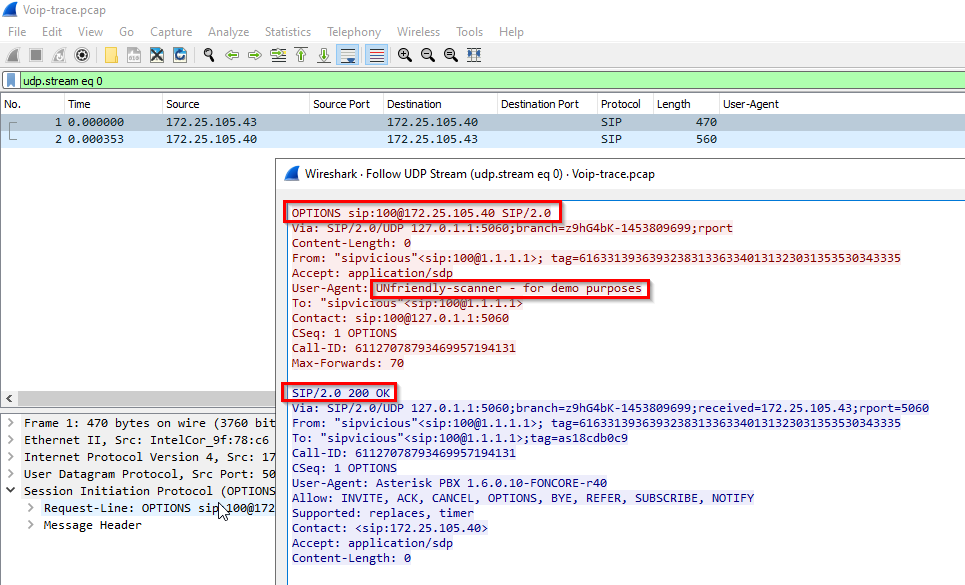
The protocols we need are under the UDP:
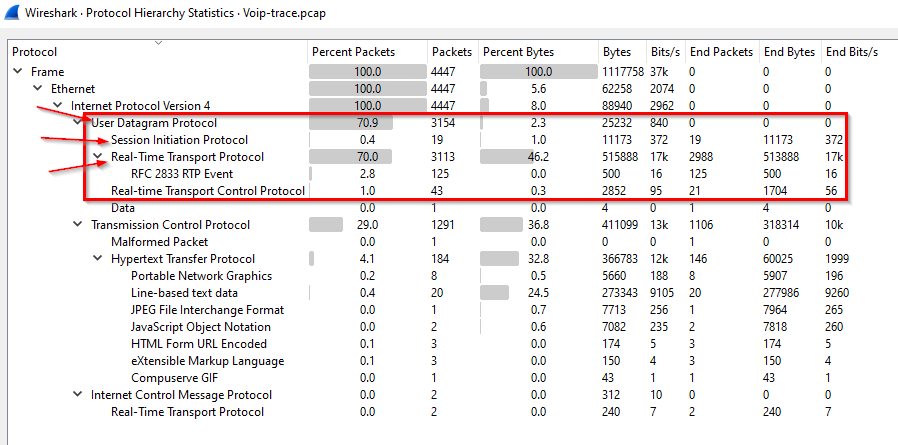
-> Answer: UDP
Q2: The attacker used a bunch of scanning tools that belong to the same suite. Provide the name of the suite.
Who’s the attacker and the victim?
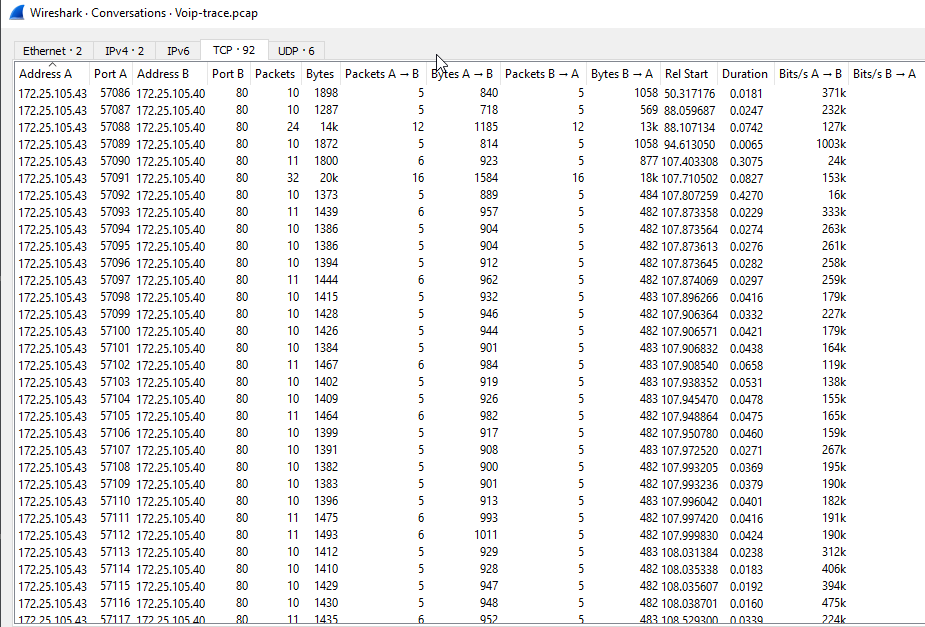
Structure:
1
2
Attacker''s IP: 172.25.105.43 (adversary''s initial access) -> PBX system on the network
Victim''s IP: 172.25.105.40 -> Apache SIP proxy server
1
- Hypothesis: there's a way to move laterally from 172.25.105.43 to 172.25.105.40 with the SIP protocol.
Software used on the SIP proxy server for PBX implementation:
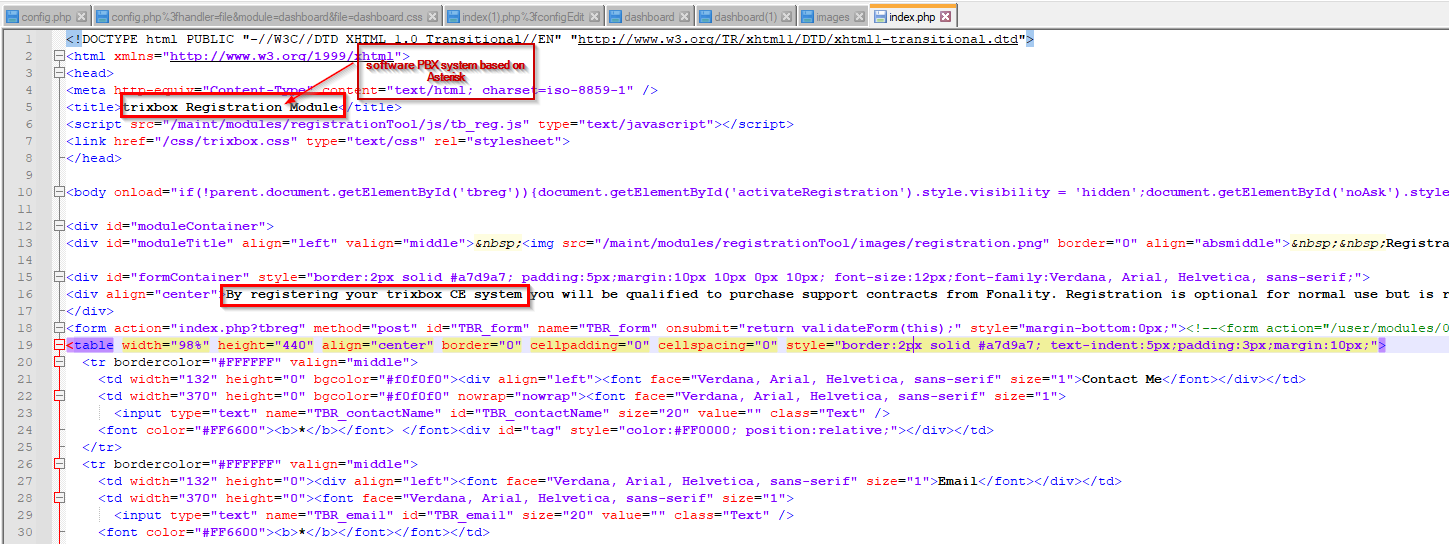
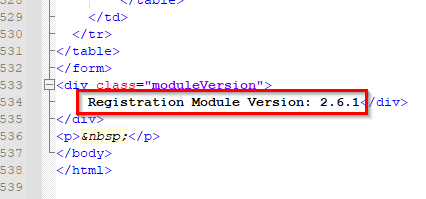
Module version:
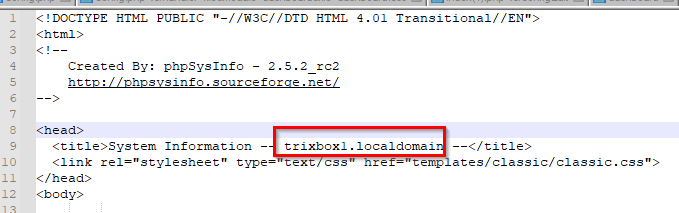
Local domain:
Focusing on the network connections coming from the attacker:

1
2
- This is PROBABLY the attacker using the 'svmap' sub-tool from the Sipvicious.
- I think this is more like Gobuster?
Authentication that happens on the server:
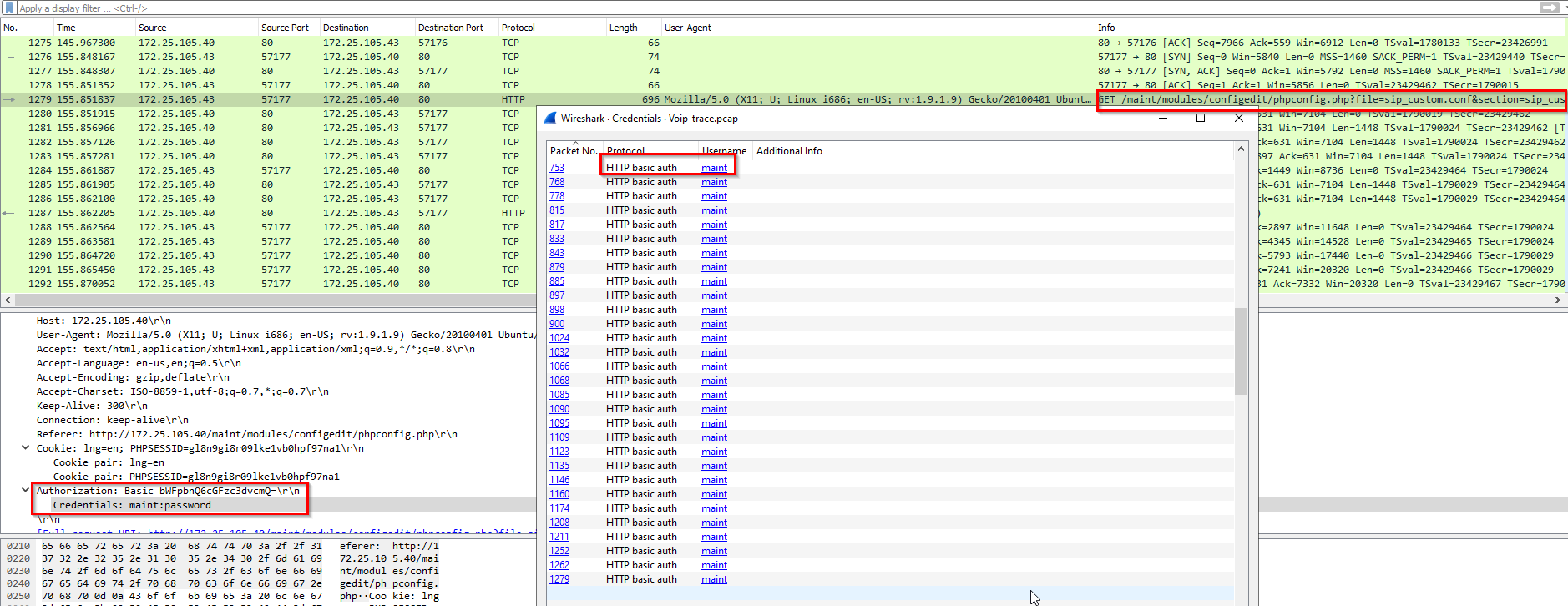
Note: The scan happens in TCP/HTTP.
Checking the server’s capabilities:
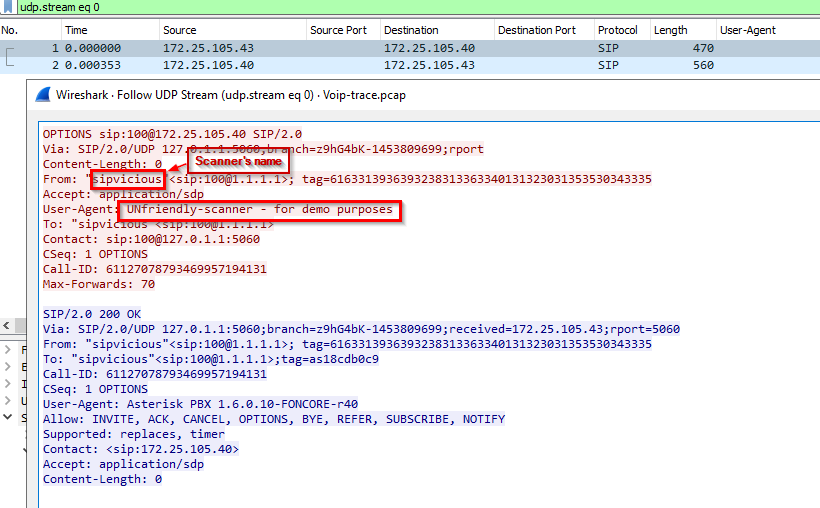
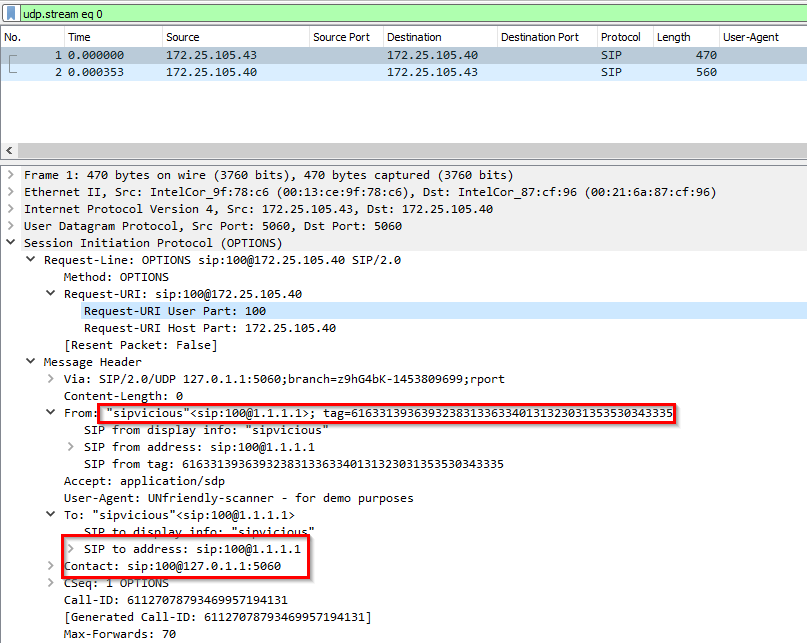
-> Answer: sipvicious
Link to open-source software: https://github.com/EnableSecurity/sipvicious
General usage for sipvicious:
1
2
3
4
5
6
7
8
9
10
11
12
13
14
15
16
17
18
19
20
21
22
23
24
25
26
27
28
29
30
31
32
33
34
35
36
37
38
39
40
41
42
43
44
45
46
47
1) svmap -> used to find the endpoint that is using PBX

[you@box sipvicious]$ ./svmap 192.168.1.1/24

+--------------------+--------------+
| SIP Device         | User Agent   |
-------------------------------------
| 192.168.1.103:5060 | Asterisk PBX |
+--------------------+--------------+


2) svwar -> used to enumerate the extensions available on the said endpoint using PBX

[you@box sipvicious]$ ./svwar 192.168.1.103

+-----------+----------------+
| Extension | Authentication |
------------------------------
| 123       | reqauth        |
| 100       | reqauth        |
| 101       | noauth         |
+-----------+----------------+


3) svcrack -> cracking the password for extensions that DOES require password:

[you@box sipvicious]$ ./svcrack 192.168.1.103 -u 100 (uses default .txt passwords I guess)

+-----------+----------+
| Extension | Password |
------------------------
| 100       | 100      |
+-----------+----------+


-> For using a customized dictionary file:

[you@box sipvicious]$ ./svcrack 192.168.1.103 -u 123 -d dictionary.txt

+-----------+----------+
| Extension | Password |
------------------------
| 123       | secret   |
+-----------+----------+


4) Following that, you can make use of the credentials by making use of a SIP softphone of your choice.
1
- Reference: https://github.com/enablesecurity/sipvicious/wiki/Getting-Started
Flow:
1
svmap -> svwar -> svcrack -> attacker compromises the PBX systems allowing phone system impersonation?
- Case study: https://www.rtcsec.com/post/2010/12/11-million-euro-loss-in-voip-fraud-and/
Sub-tools inside sipvicious:
1
2
3
4
5
- 'svmap' : sip scanner. When launched against ranges of IP address space, it will identify any SIP servers which it finds on the way. Also has the option to scan hosts on ranges of ports.
- 'svwar' : identifies working extension lines on a PBX. A working extension is one that can be registered. Also tells you if the extension line requires authentication or not.
- 'svcrack' : a password cracker making use of digest authentication. It is able to crack passwords on both registrar servers and proxy servers. Current cracking modes are either numeric ranges or words from dictionary files.
- 'svreport' : able to managesessions created by the rest of the tools and export to pdf, xml, csv and plaintext.
- 'svcrash' : responds to svwar and svcrack SIP messages with a message that causes old version to crash
Q3: What is the User-Agent of the victim system?
Shows that this is VoIP:
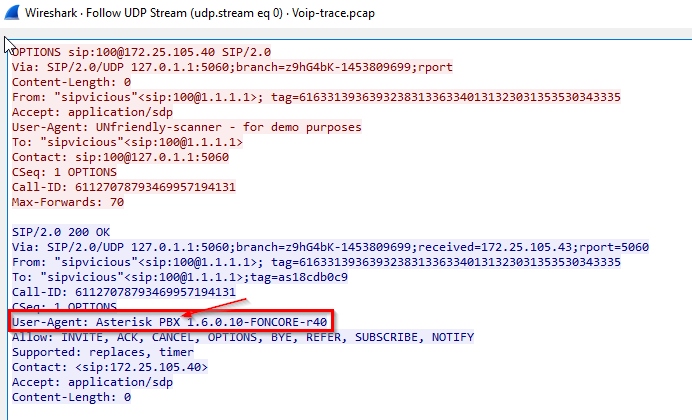
-> Answer: Asterisk PBX 1.6.0.10-FONCORE-r40
What is PBX? -> a telephone system that allows extension phones in one office to connect to the telephone network in another office. Basically a way to network different telephone networks.
Q4: Which tool was only used against the following extensions: 100,101,102,103, and 111? (This is found in the log.txt file)
Clues: let’s try to filter on the packets using the SIP protocol first and statistics on it
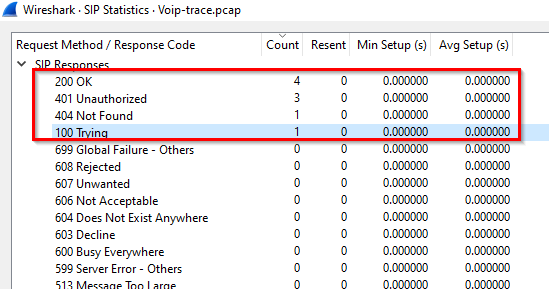
SIP requests:
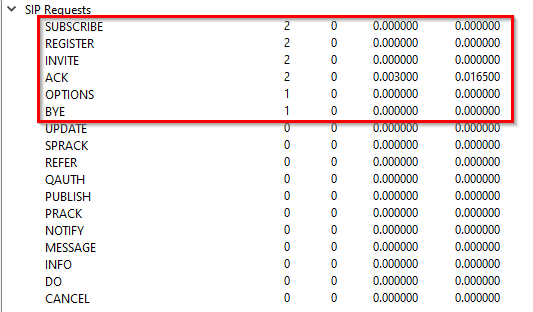
Attacker finding a target on the network after running svmap: (Note that you should see a response coming from the target machine but on source port 5060 or 5061 (TLS) which is in UDP and NOT in TCP.)
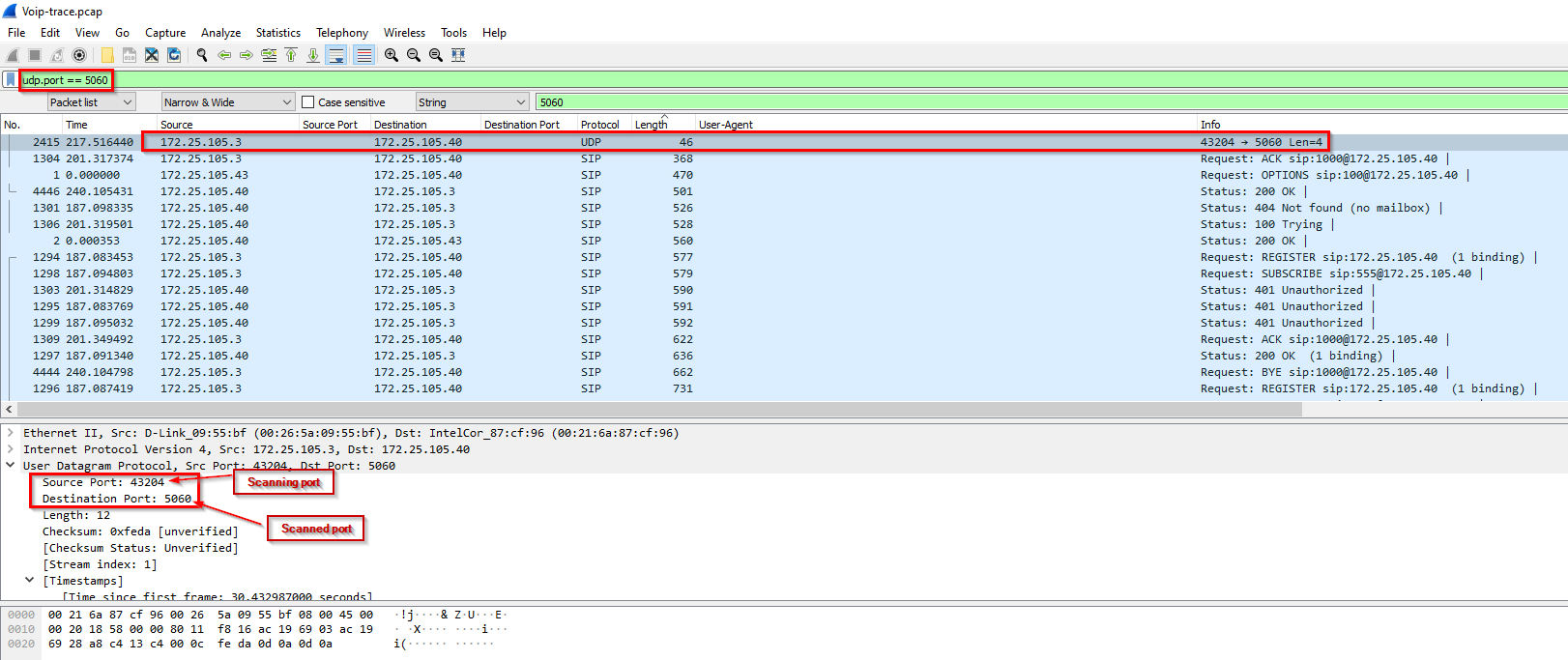
1
- Which SIP request are used when using 'svmap' subtool?
Note that there is only extensions 100, 555 and 1000 in the Wireshark pcap.
Digging into this stream:
1
2
3
4
5
6
7
8
9
Sequence of methods used by attacker:
1) REGISTER ['request'] <-> SIP/2.0 200 OK ['response'] : attacker impersonates the extension assuming it has its credentials (for authentication)
2) SUBSCRIBE ['request'] <-> SIP/2.0 404 Not found (no mailbox) ['response'] : for subscribing on a mailbox (in the case below, it doesn''t have one)
3) INVITE ['request'] <-> SIP/2.0 100 Trying then SIP/2.0 200 OK ['response'] : invite an endpoint to a call
4) ACK ['request'] : acknowledges the phone call about to start

<phone-call happens here as describe in the RFC 3261>

5) BYE : ends the phone call
Successful impersonation of extension 555: (Goal: find the packets that show how the credentials for extension 555 was extracted using sipvicious)
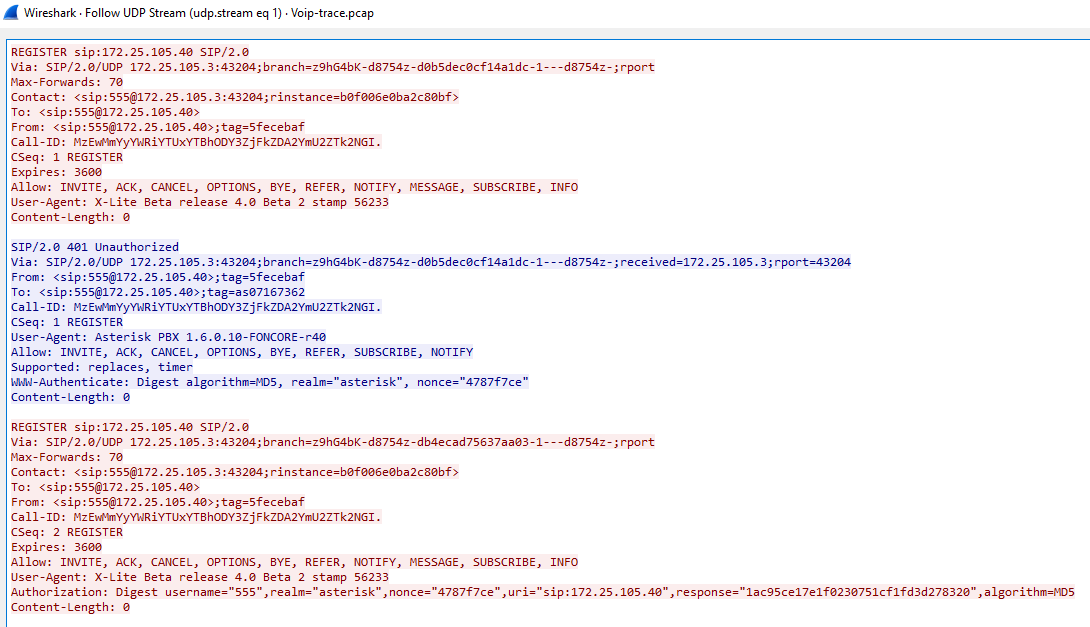
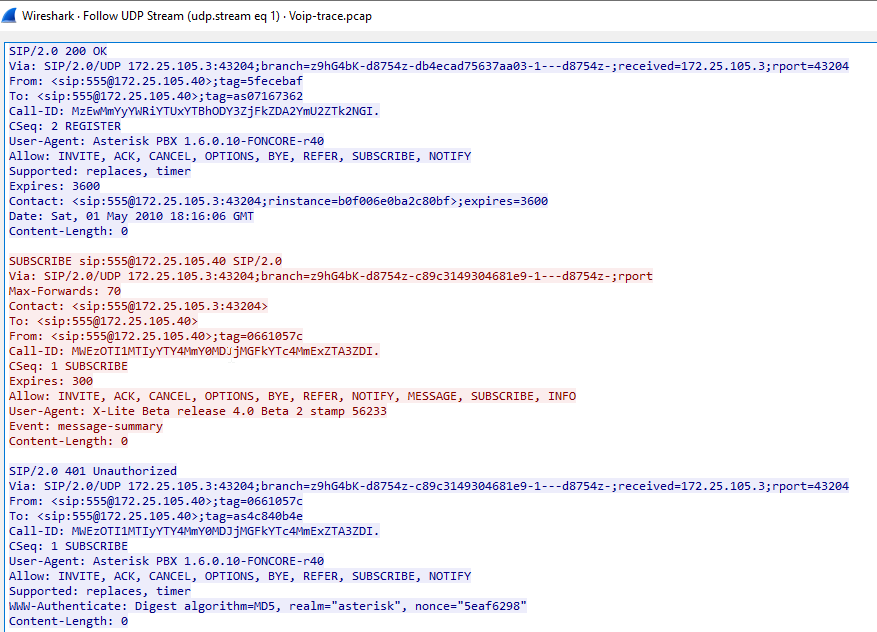
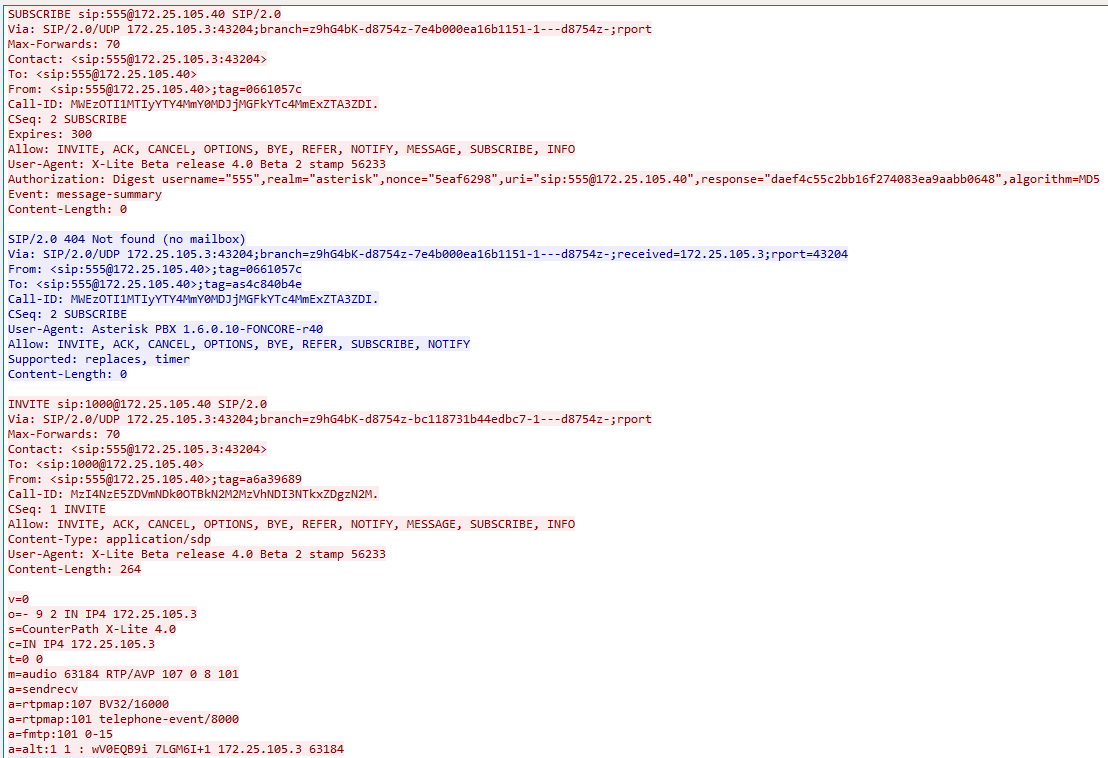
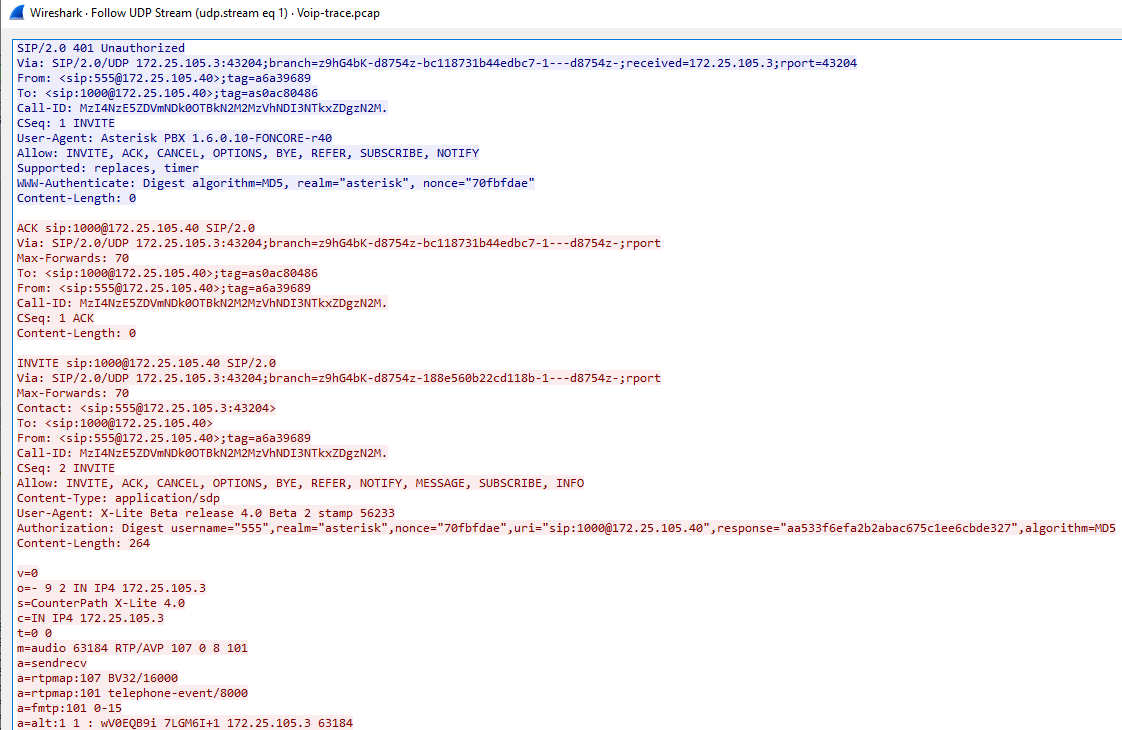
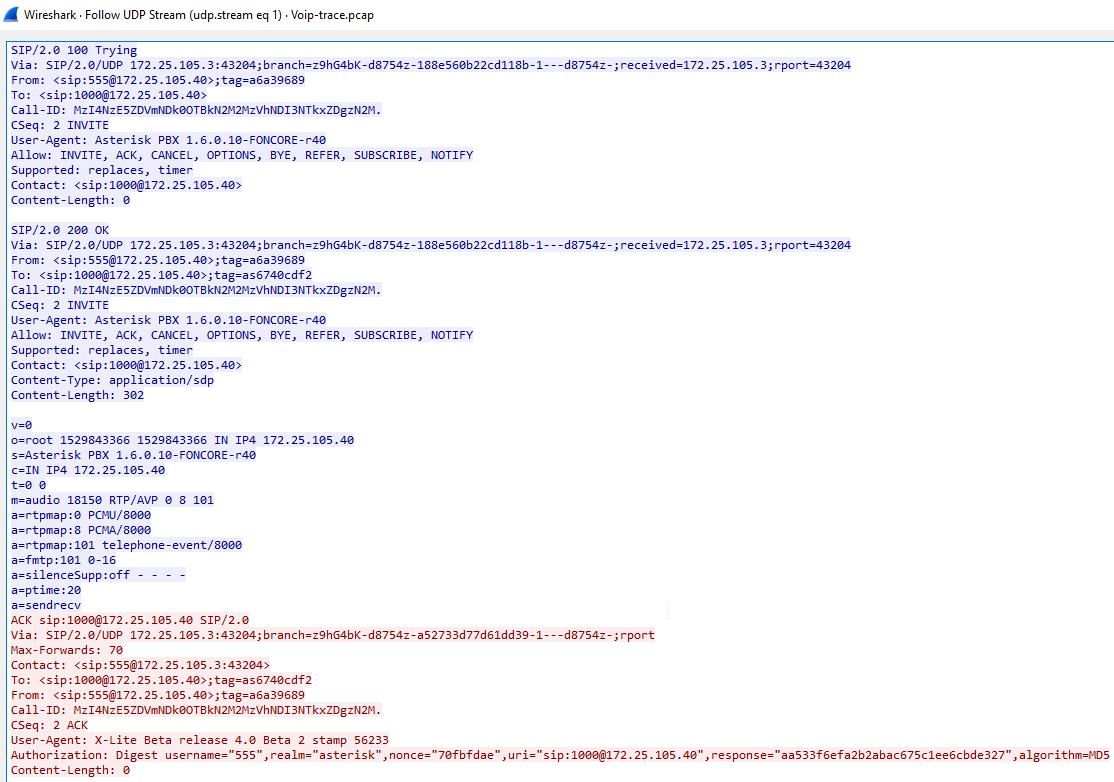
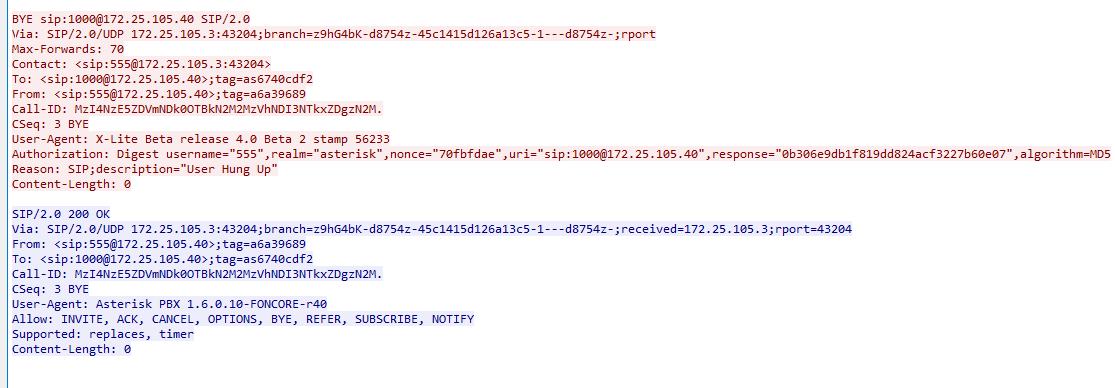
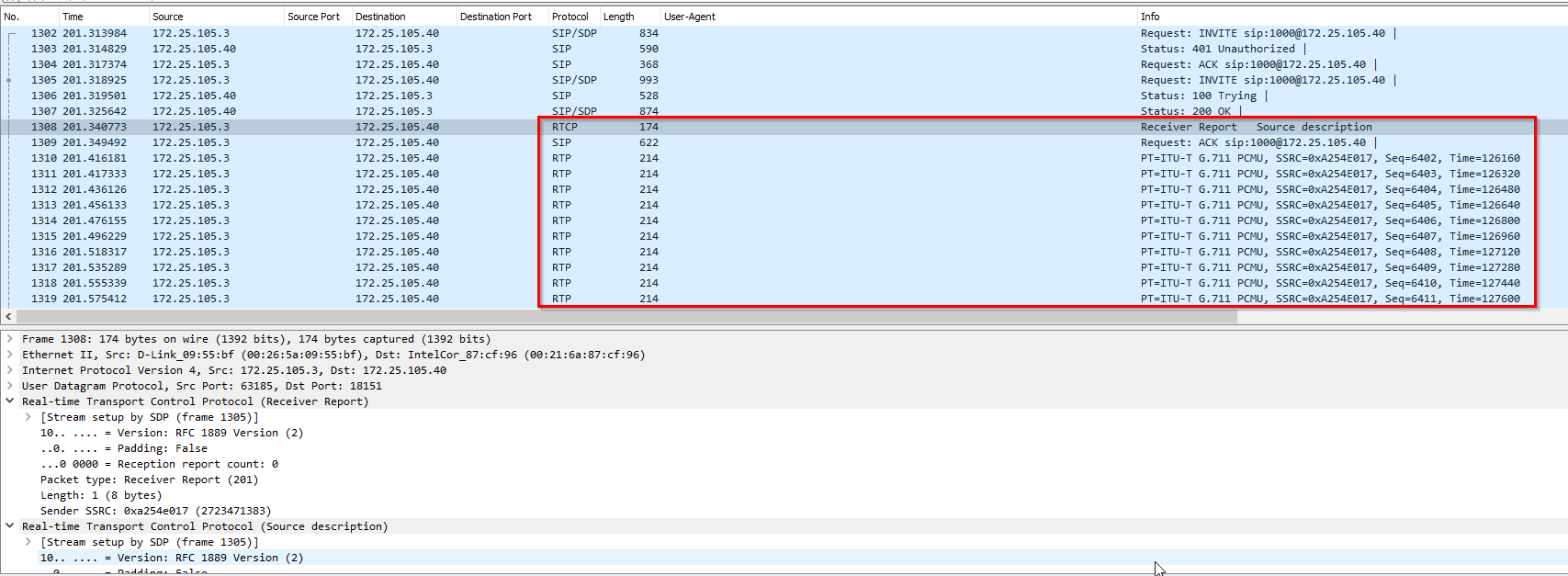
This is the packets for the call happening:
Content of the conversation:
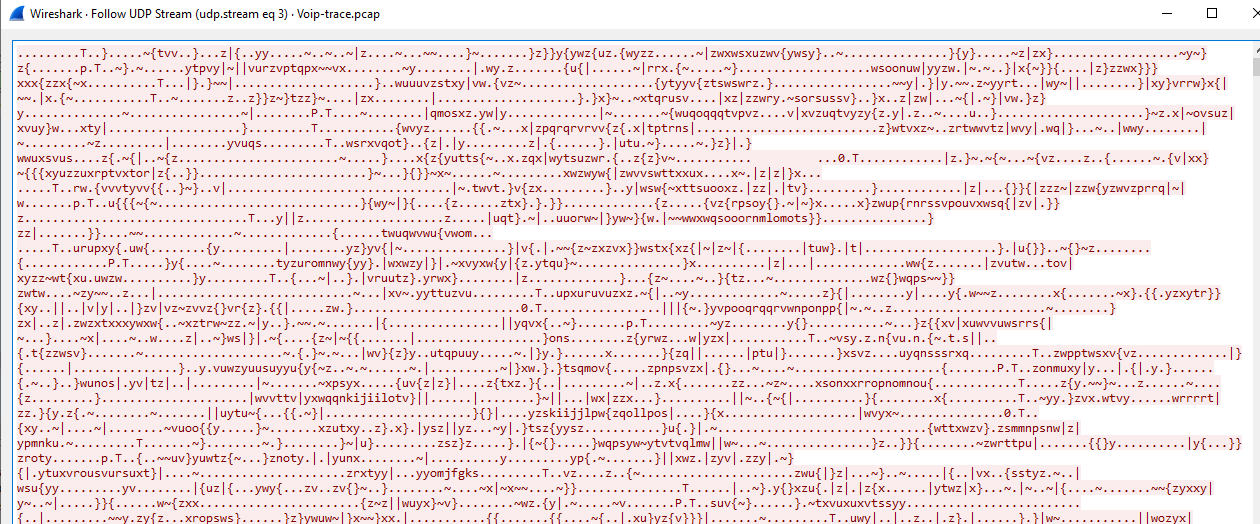
1
- It is either encoded or encrypted.
End of the conversation:
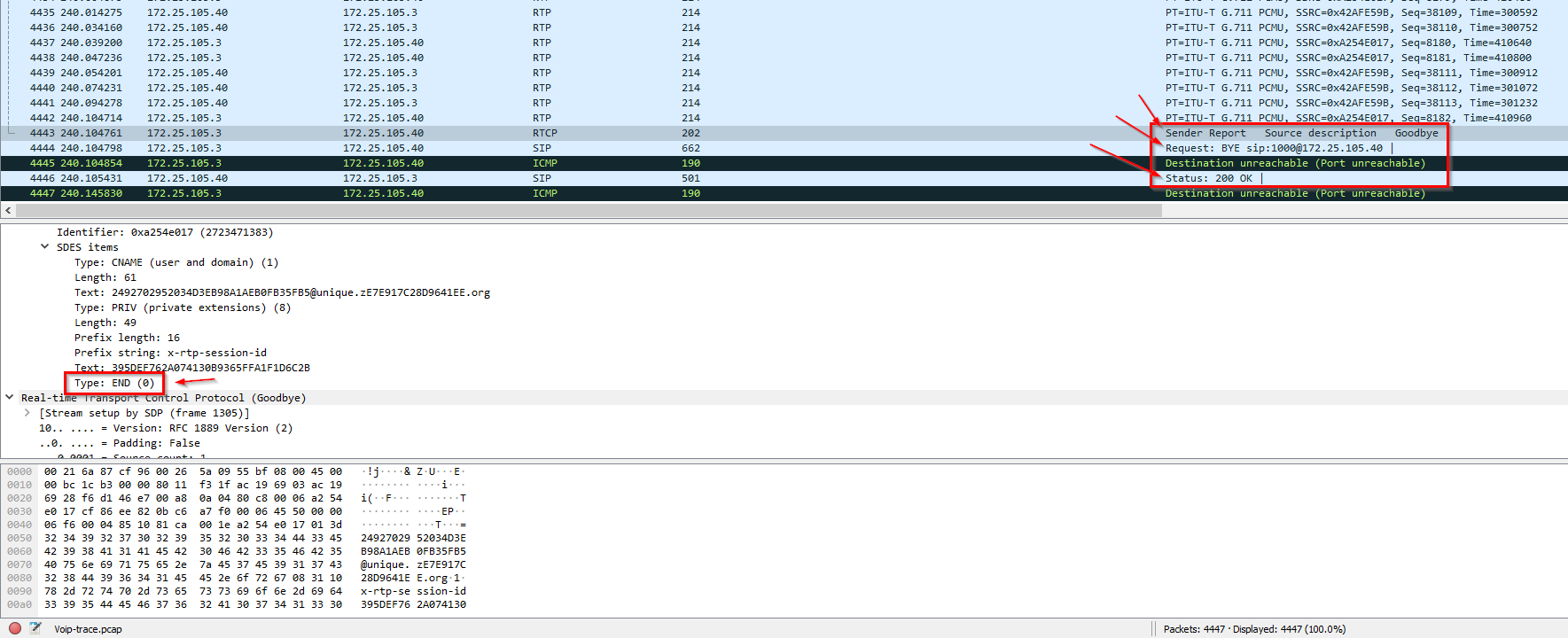
Showing how the credentials for extension 555 was extracted:
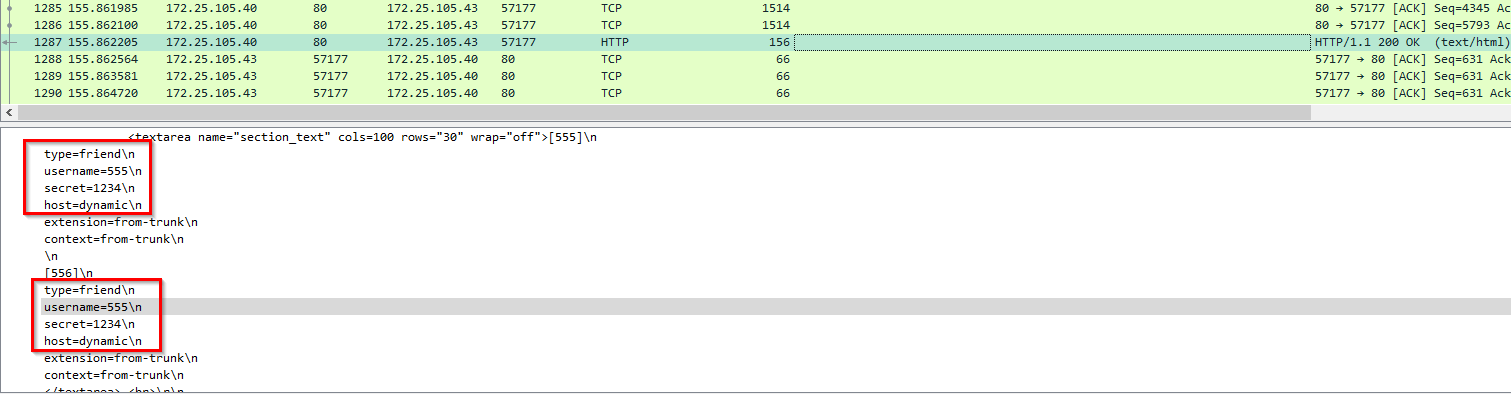
1
2
- Found the password on the webserver for extension '555'.
- How does this indicate its 'svcrack' that was used for it?
Found in the sip_custom.conf file which is widely used in PBX systems:
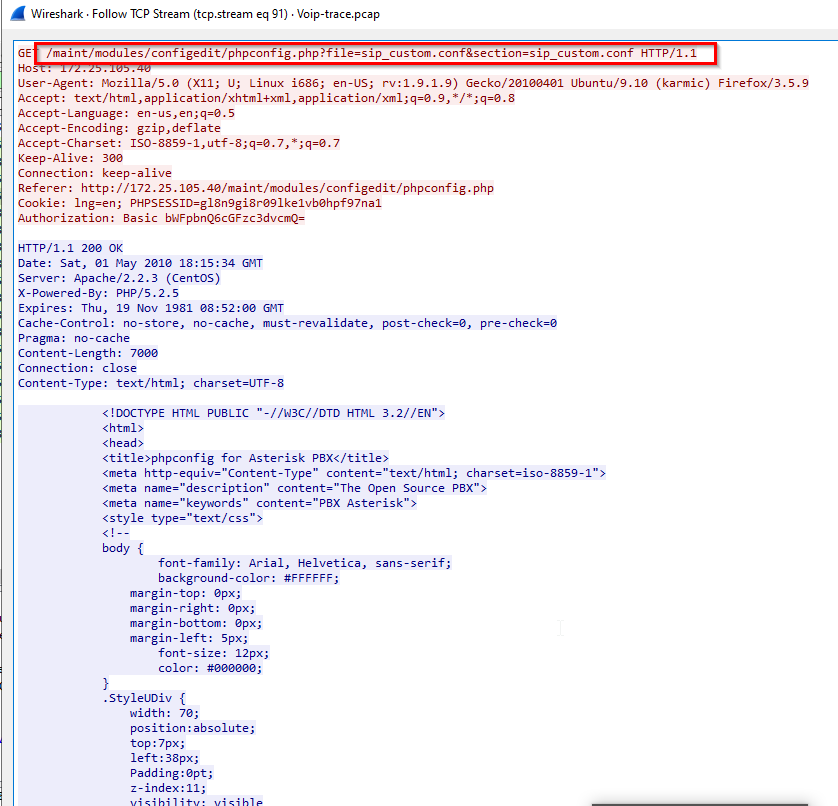
-> Answer: svcrack
Sub-questions:
1
- How exactly is the svcrack.py subtool used on these extensions? Is it via HTTP? UDP?
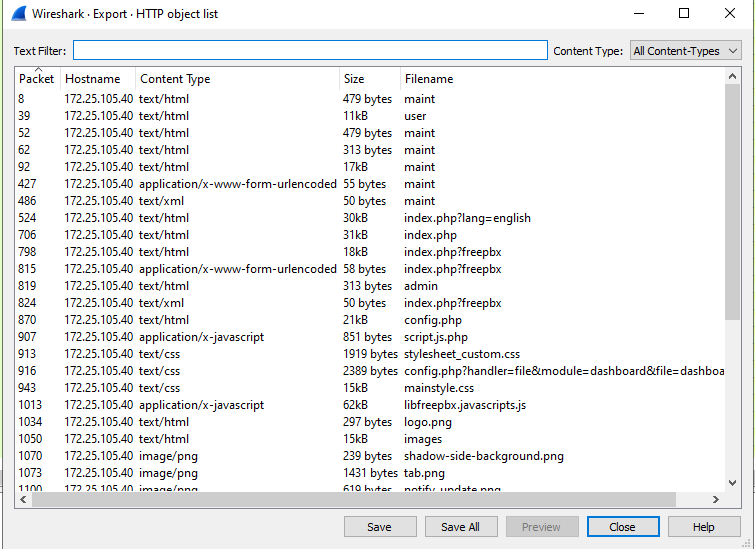
Checking all other HTTP 200 OK response:
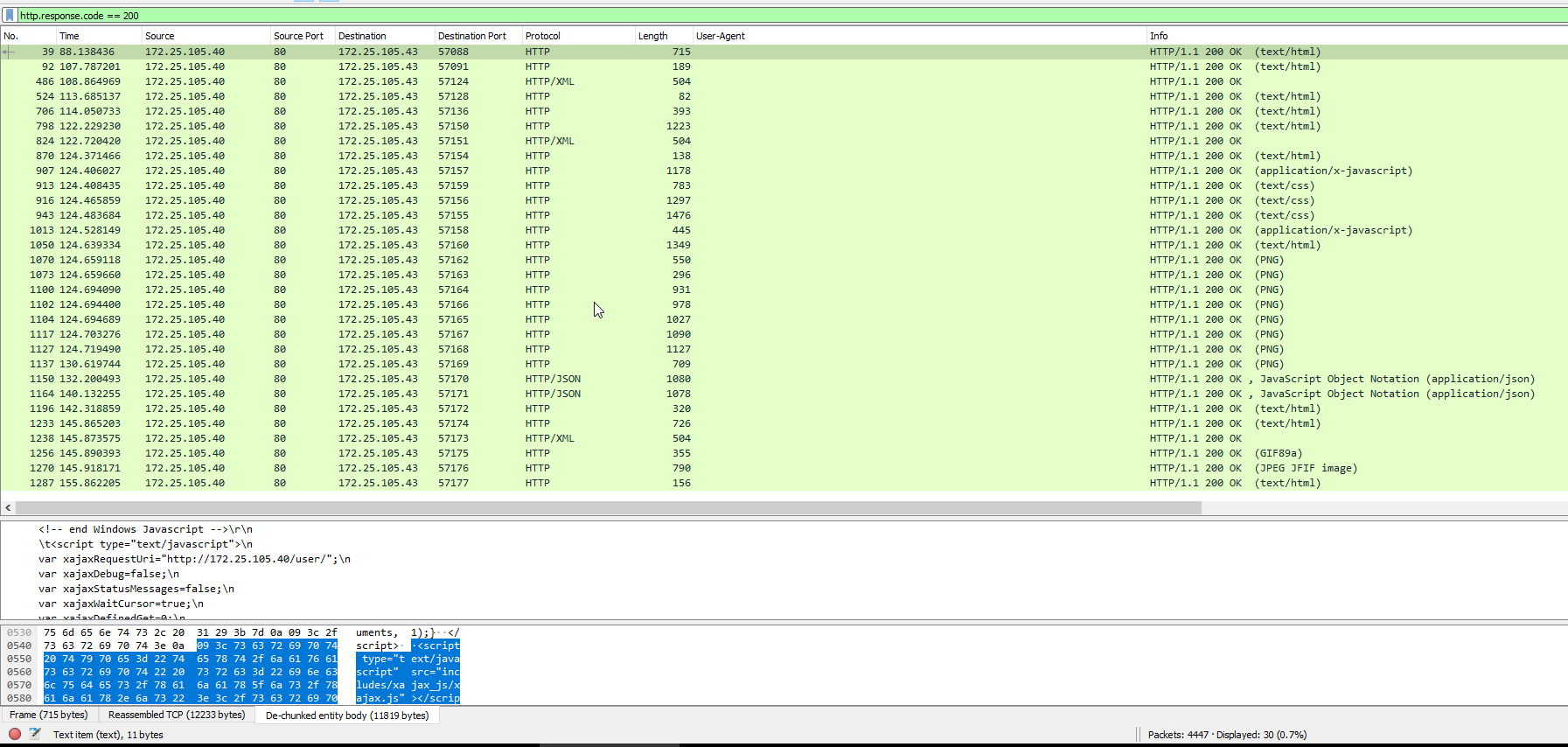
Saving all the responses on a file: File > Export Objects > HTTP
Query used:
1
http.response.code == 200
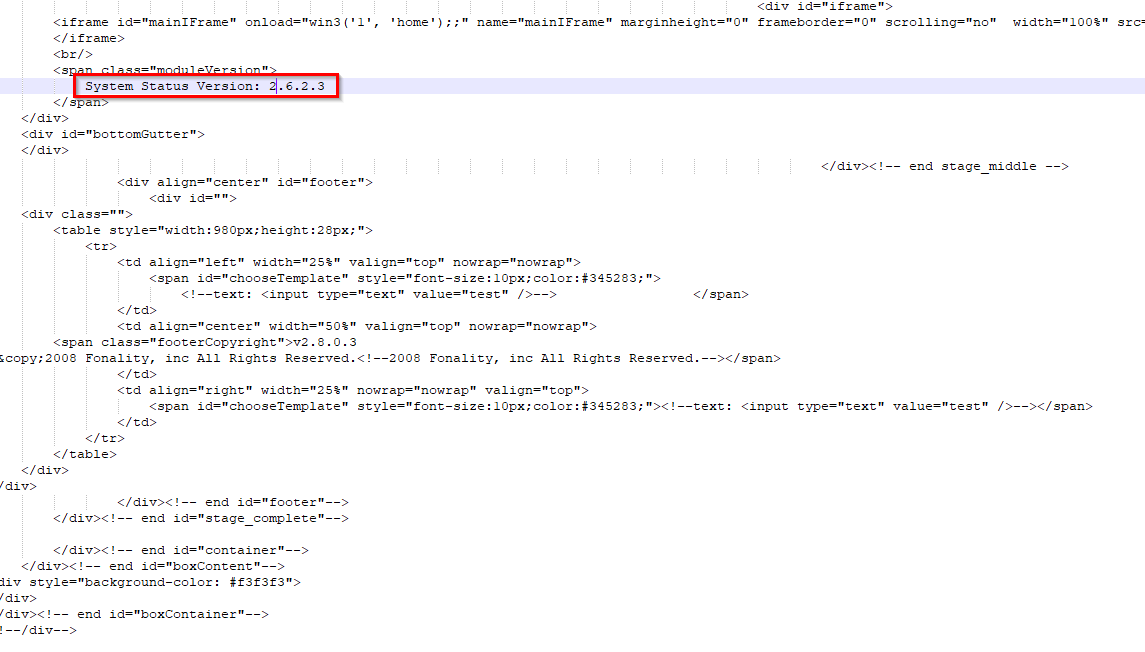
Other findings for the trixbox system:
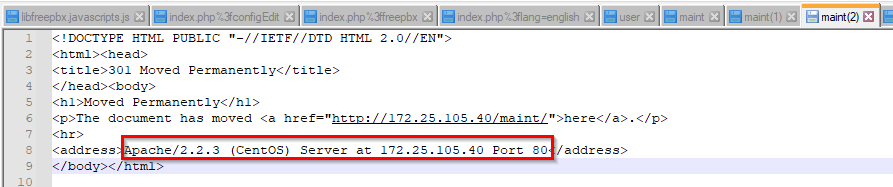
Apache OS PBS proxy server:
Q5: Which extension on the honeypot does NOT require authentication?
For this one, try to parse the extensions that was accepted immediately:
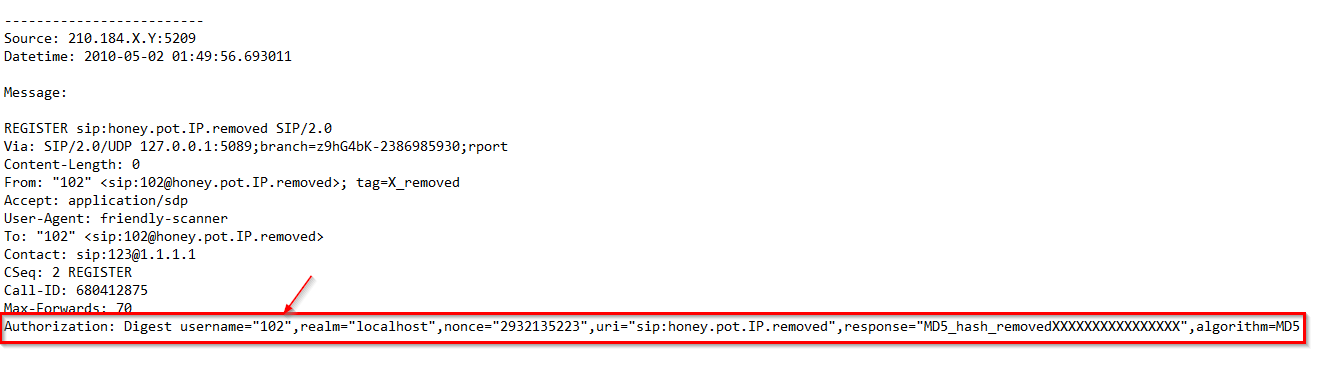
If you look up the string Authorization, you will NOT get the username 100 from the list of extensions: 100,101,102,103 and 111.
-> Answer: 100
Q6: How many extensions were scanned in total?
What do we know about the scan?
1
2
3
4
5
- What tools was used for scanning: 'sipvicious'
- Is there something specific about this tool on the packet capture? : 'User-Agent: friendly-scanner' at sixth line for each block
- What about the extensions? -> It seems to be a number from 100 -> a four digit number 9999 probably
- What about the destination? -> It should be the honeypot
- Contact line also contains the caller ID''s extension -> since the extension exists on lines 'Contact' and 'Request(INVITE,SUBSCRIBE,etc.)' line, we want to avoid duplication by grepping on the 'Contact' part only.
Query:
1
cat log.txt | grep 'User-Agent: friendly-scanner' -A2 | grep -i 'honey' | grep -v Contact | uniq | wc -l
1
- It will output 2657. However, on the last 5 lines, it will duplicate for extensions 100,101,102,103,and 111
-> Answer: 2652
Q7: There is a trace for a real SIP client. What is the corresponding user-agent? (two words, once space in between)
Parse the log.txt file using grep:
1
grep -Ei 'User-Agent:' log.txt | uniq
1
- This will output all User-Agents found.
Output:
1
2
User-Agent: friendly-scanner
User-Agent: Zoiper rev.6751
Log:
1
2
3
4
5
6
7
8
9
10
11
12
13
14
15
16
17
18
19
20
21
22
23
24
25
26
27
28
29
30
31
32
33
34
35
36
37
38
39
40
41
42
43
44
45
46
47
48
49
50
51
52
53
54
55
Source: 89.42.194.X:47357
Datetime: 2010-05-05 10:01:27.633156

Message:

INVITE sip:00112524021XXXX@honey.pot.IP.removed;transport=UDP SIP/2.0
Via: SIP/2.0/UDP 89.42.194.X:47357;branch=z9hG4bK-d8754z-68f9184b4bda688f-1---d8754z-
Max-Forwards: 70
Contact: <sip:100@89.42.194.X:47357;transport=UDP>
To: <sip:00112524021XXXX@honey.pot.IP.removed;transport=UDP>
From: "Unknown"<sip:100@honey.pot.IP.removed;transport=UDP>;tag=X_removed
Call-ID: ZGVlNmY2N2M0MDg5YzFjNTY3YTMzMDliOWI4YzZiNzI.
CSeq: 1 INVITE
Allow: INVITE, ACK, CANCEL, BYE, NOTIFY, REFER, MESSAGE, OPTIONS, INFO, SUBSCRIBE
Content-Type: application/sdp
User-Agent: Zoiper rev.6751
Content-Length: 330

v=0
o=Zoiper_user 0 0 IN IP4 89.42.194.X
s=Zoiper_session
c=IN IP4 89.42.194.X
t=0 0
m=audio 52999 RTP/AVP 3 0 8 110 98 101
a=rtpmap:3 GSM/8000
a=rtpmap:0 PCMU/8000
a=rtpmap:8 PCMA/8000
a=rtpmap:110 speex/8000
a=rtpmap:98 iLBC/8000
a=fmtp:98 mode=30
a=rtpmap:101 telephone-event/8000
a=fmtp:101 0-15
a=sendrecv


-------------------------
Source: 89.42.194.X:47357
Datetime: 2010-05-05 10:01:48.058434

Message:

REGISTER sip:honey.pot.IP.removed;transport=UDP SIP/2.0
Via: SIP/2.0/UDP 89.42.194.X:47357;branch=z9hG4bK-d8754z-6d7ce863ce784e7d-1---d8754z-
Max-Forwards: 70
Contact: <sip:100@89.42.194.X:47357;rinstance=40ab3fc74606e4e6;transport=UDP>;expires=0
To: "Unknown"<sip:100@honey.pot.IP.removed;transport=UDP>
From: "Unknown"<sip:100@honey.pot.IP.removed;transport=UDP>;tag=X_removed
Call-ID: NDZlYTcyYzQwYWVkYTg5NTAyMjZiNGE2ZjBiY2ZiOTA.
CSeq: 2 REGISTER
Allow: INVITE, ACK, CANCEL, BYE, NOTIFY, REFER, MESSAGE, OPTIONS, INFO, SUBSCRIBE
User-Agent: Zoiper rev.6751
Allow-Events: presence
Content-Length: 0
-------------------------
1
2
- Notice that this User agent relates to the actual VoIP that was used to impersonate the user of the given extension and make phone calls on their behalf through the PBX system. It essentially uses the victim''s phone number by the attacker on behalf of the victim.
- Actual calls for impersonation uses the Zoiper softphone. This is a free VoIP softphone.
-> Answer: Zoiper rev.6751
Q8: Multiple real-world phone numbers were dialed. What was the most recent 11-digit number dialed from extension 101?
-> First, find the user agent: Zoiper rev.6751
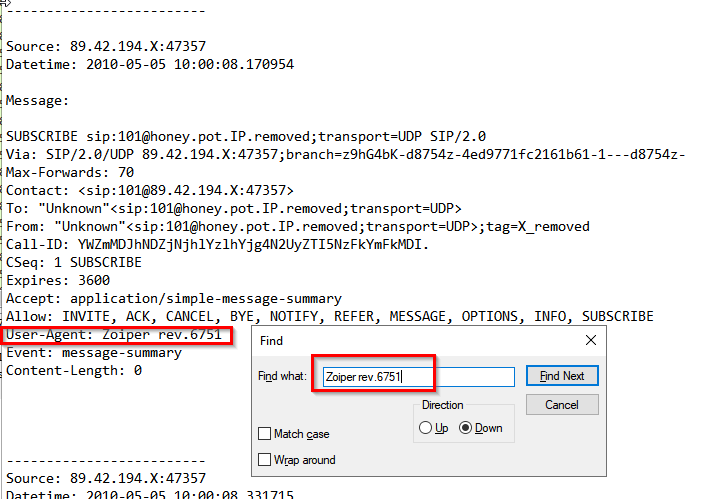
1
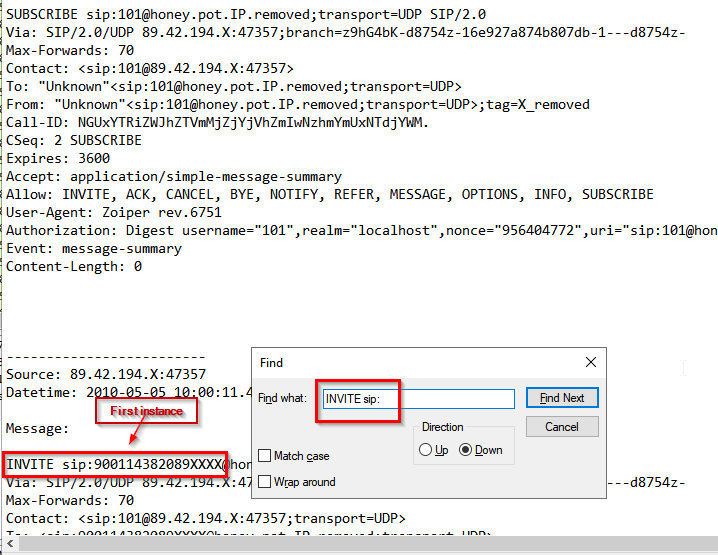
- However, we want the number that was dialed. This should be on an INVITE request.
Block of lines of interest: From the current state above, search up ‘INVITE’ keyword to downward direction
1
2
3
4
5
6
7
8
9
10
11
12
13
14
15
16
17
Source: 89.42.194.X:47357
Datetime: 2010-05-05 10:00:11.493635

Message:

INVITE sip:900114382089XXXX@honey.pot.IP.removed;transport=UDP SIP/2.0
Via: SIP/2.0/UDP 89.42.194.X:47357;branch=z9hG4bK-d8754z-e0b5a6bd1d792436-1---d8754z-
Max-Forwards: 70
Contact: <sip:101@89.42.194.X:47357;transport=UDP>
To: <sip:900114382089XXXX@honey.pot.IP.removed;transport=UDP>
From: "Unknown"<sip:101@honey.pot.IP.removed;transport=UDP>;tag=X_removed
Call-ID: Y2Y4NjJiYzJjYzVkNzhhNTRmNjRmYWZhMjFmM2FlZTc.
CSeq: 1 INVITE
Allow: INVITE, ACK, CANCEL, BYE, NOTIFY, REFER, MESSAGE, OPTIONS, INFO, SUBSCRIBE
Content-Type: application/sdp
User-Agent: Zoiper rev.6751
Content-Length: 330
1
2
- On this first instance, the number that was dialed by extension '101' from 89.42.194.X:47357 is '900114382089'
- At this point, we may want to find instances that exists AFTER this one
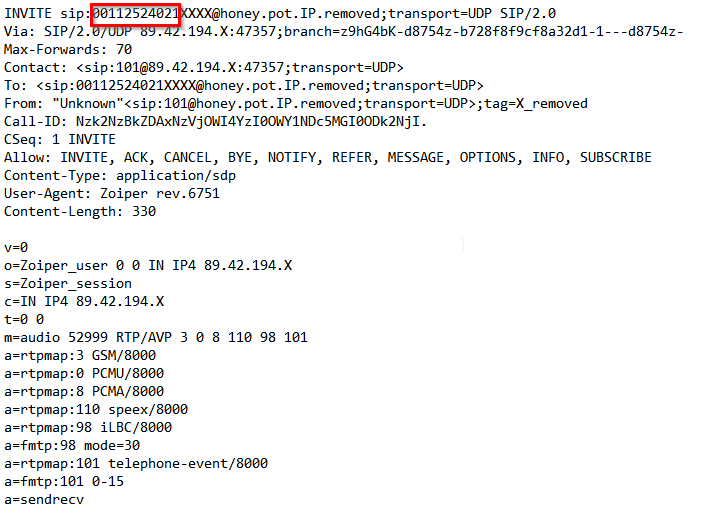
This is the most recent dialed number:
Query:
1
grep -Ei 'From: "Unknown"<sip:101' log.txt -B8 | grep INVITE
1
2
3
- Extracts the regular expression enclosed in the single quotations.
- '-B8' : this option tells 'grep' to show 8 lines of leading context before each matching line. Essentially, it includes the 8 lines preceding each match in the output.
- Since we want to get the real-world phone numbers, it has to have the user agent of 'Zoiper rev.6751'
Output:
1
2
3
INVITE sip:<number1>xxxx@honey.pot.IP.removed;transport=udp SIP/2.0 => Oldest
INVITE sip:<number2>xxxx@honey.pot.IP.removed;transport=udp SIP/2.0
INVITE sip:<number3>xxxx@honey.pot.IP.removed;transport=udp SIP/2.0 => Most recent
-> Answer: 00112524021
Q9: What are the default credentials used in the attempted basic authentication? (format is username:password)
Check out this packet:
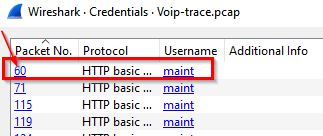
Follow this stream:
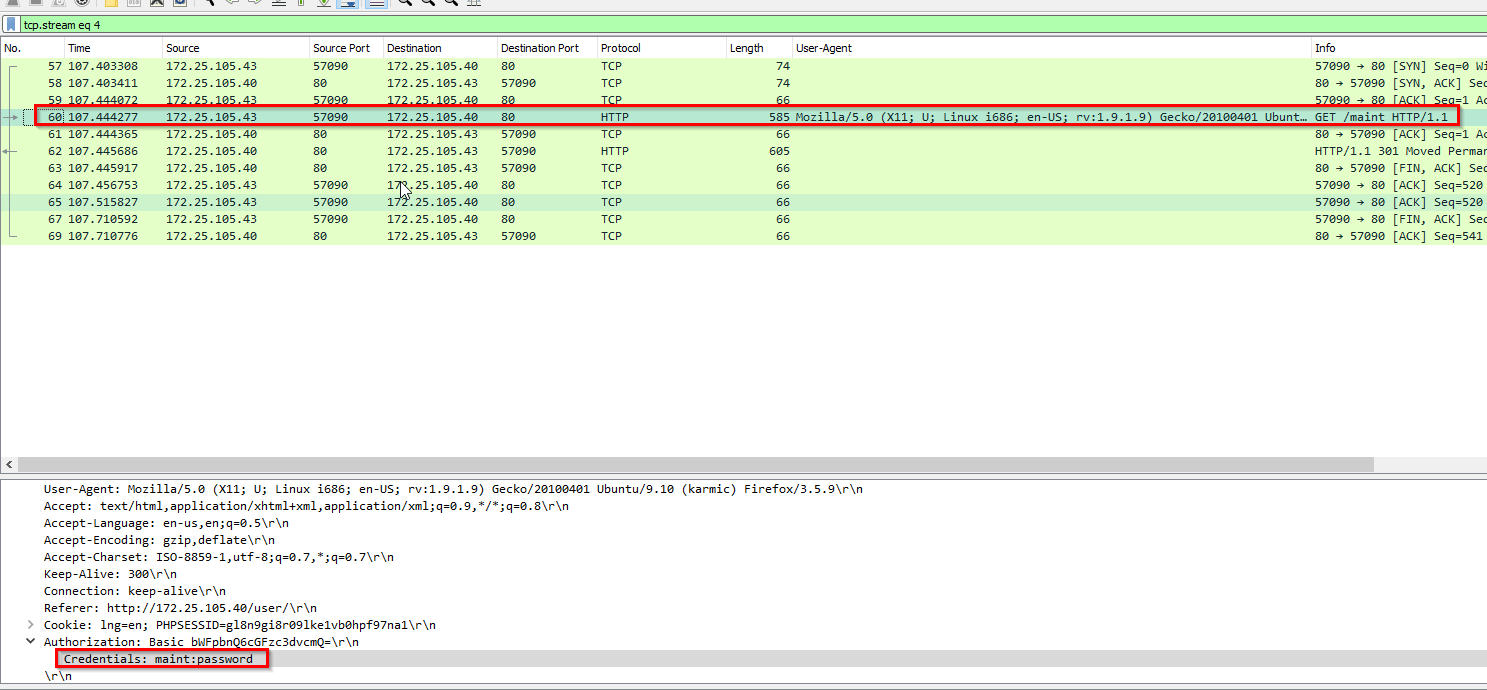
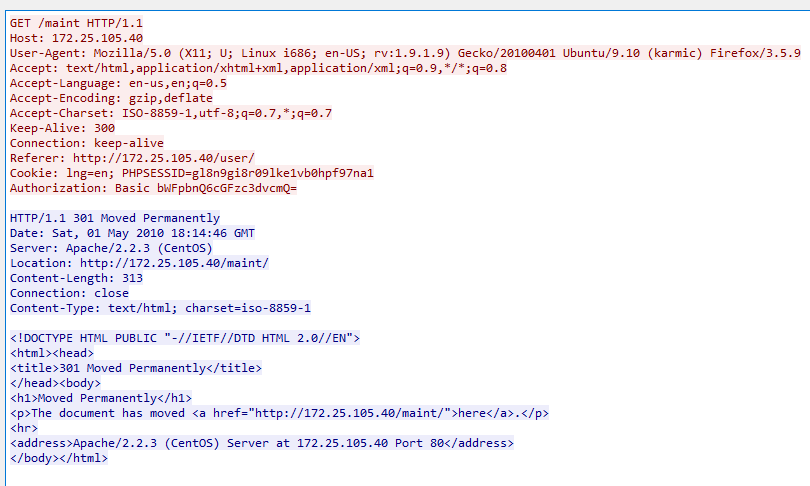
1
- This is the default credentials for the Trixbox system.
-> Answer: maint:password
Q11: Which codec does the RTP stream use? (3 words, 2 spaces in between)
Its in the payload type:
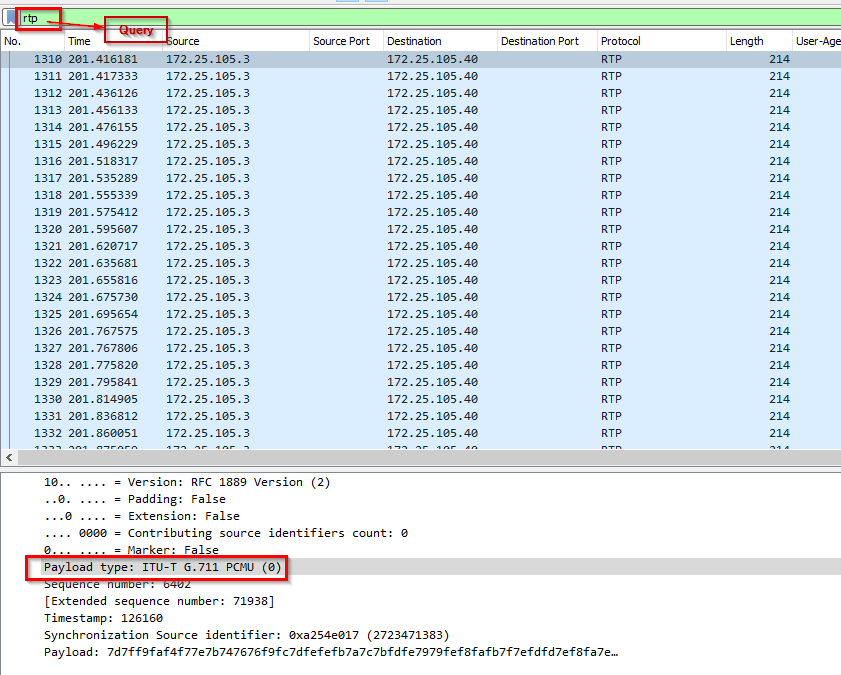
-> Answer: ITU-T G.711 PCMU
Q12: How long is the sampling time (in milliseconds)?
Search up the sampling time for the Payload type above: ITU-T G.711 PCMU. It’s called ‘Algorithmic delay’
-> Answer: 0.125ms
Q13: What was the password for the account with username 555?
Showing how the credentials for extension 555 was extracted:
1
2
- Found the password on the webserver for extension '555'.
- How does this indicate its 'svcrack' that was used for it?
-> Answer: 1234
Q14: Which RTP packet header field can be used to reorder out of sync RTP packets in the correct sequence?
-> Answer: timestamp
Q15: The trace includes a secret hidden message. Can you hear it?
Go to Telephony > RTP Streams
Select both and then Analyze:
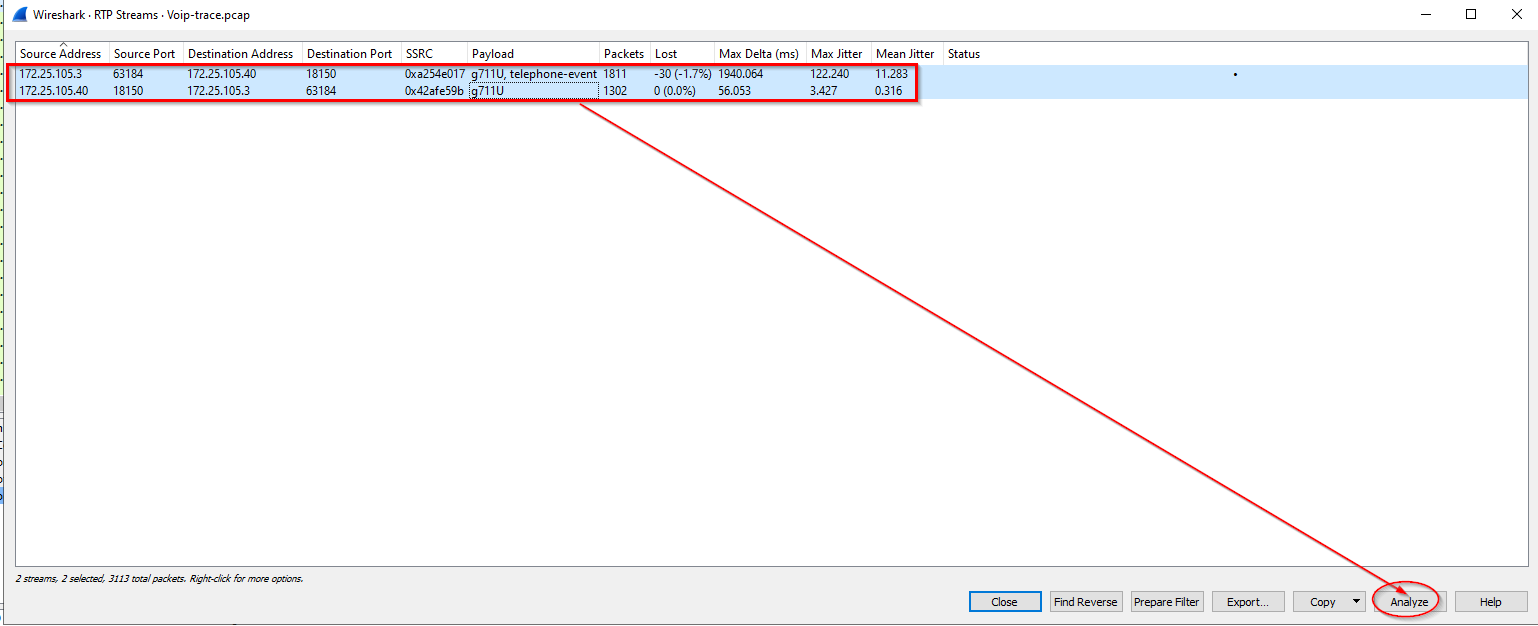
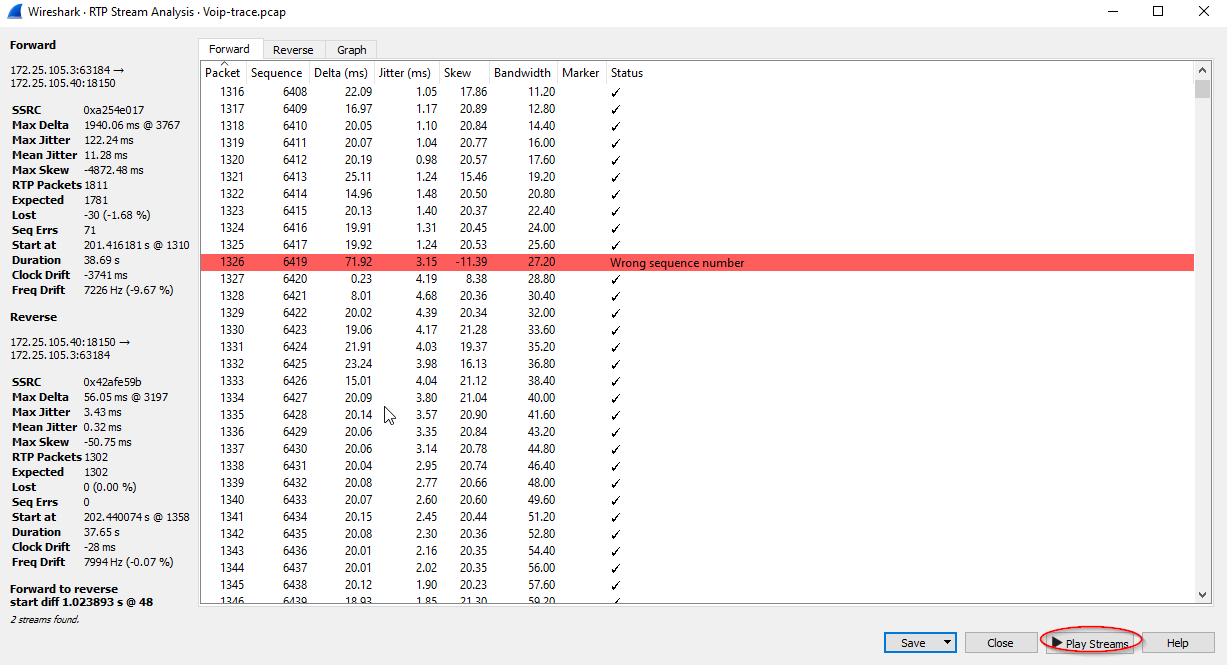
A window will popup then click on “Play Streams”:
Click the play on the bottom left hand side:
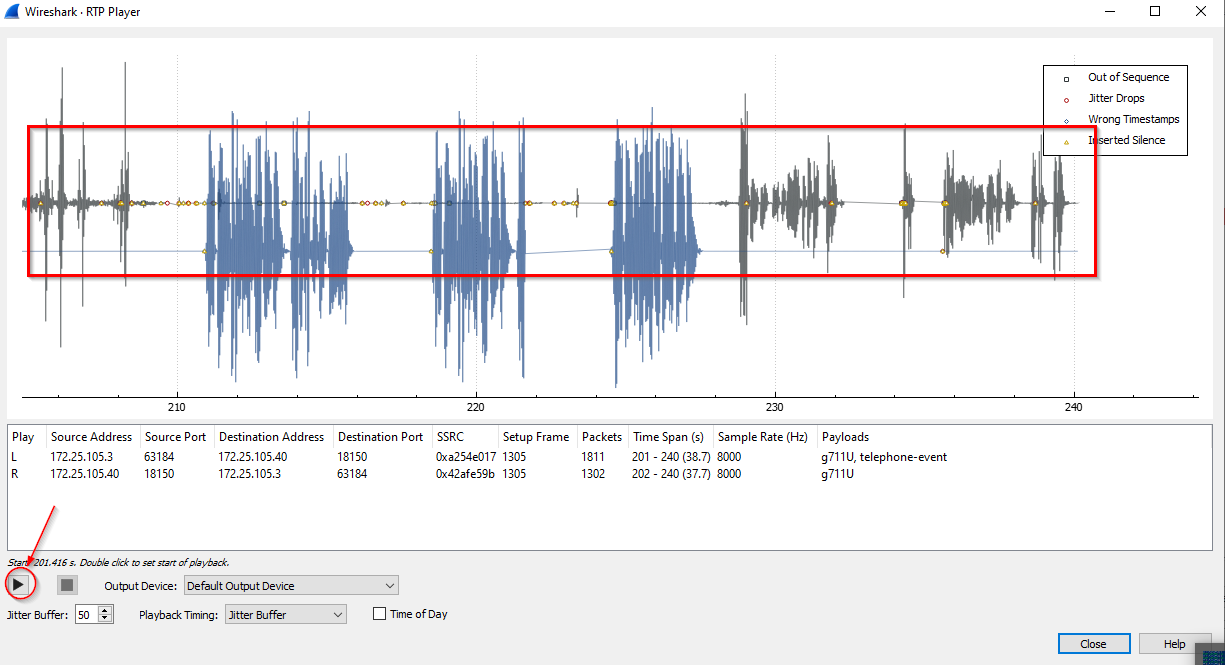
1
- You will hear the conversation made by the attacker on the compromised server that it invited in the call via user '555' onto user '1000'.
-> Answer: Mexico
Attack Chain
1
2
3
4
5
6
1) Scan with NMAP on the PBX system''s server
2) Find configuration files in the PBX system''s Apache webserver for credentials
3) Run svwar to figure out which extension needs authentication and which does not
4) Use svcrack to register to the compromised extension
5) Attacker make phone calls on behalf of the victim''s phone number using actual VoIP number via Zoiper rev
6) With the prevalence of AI nowadays, attackers can do vishing attacks with the help of voice cloning and the receiver of the call would not know that they are talking to an attacker rather than their family or something.
1
- Question: Can attacker relay the call received by the victim to themselves before the victim sees the call? If so, they can intercept the phone call and messages and possibly MiTM-ed it?